Stitch Skills: Google's Agent Skills for design-to-code
Google's stitch-skills package turns the Stitch MCP server into Agent Skills for Claude Code, Codex, Cursor and Gemini CLI. What the skills actually do.
TL;DR: stitch-skills is a Google Labs package that teaches coding agents how to drive Google Stitch, the AI design tool, through its MCP server. It ships 15 skills across three plugin bundles: six for design work, five for code generation, and four utilities. Every skill follows the Agent Skills open standard, so the same folder works in Claude Code, Codex, Cursor, Gemini CLI, Antigravity and OpenCode. The repository has 9,336 stars, 1,128 forks and an Apache-2.0 license.
What stitch-skills is
The repository at https://github.com/google-labs-code/stitch-skills is not a product. It is a library of instructions, scripts and reference material that turns an AI design tool into a capability your coding agent already knows how to reach for.
Google Stitch generates UI screens from text or images and lets you edit them conversationally. The setup guide at https://stitch.withgoogle.com/docs/mcp/setup/ is titled “Stitch via MCP” and its summary reads “Connect IDEs and CLIs to Stitch using the Model Context Protocol.” So the plumbing already existed: an MCP server exposes Stitch operations as tools.
What was missing was the layer above it. MCP gives an agent a list of tools. A skill gives it judgment about when and how to use them. This repository is that layer, packaged so that an agent loads it on demand rather than carrying 15 design instructions in every prompt.
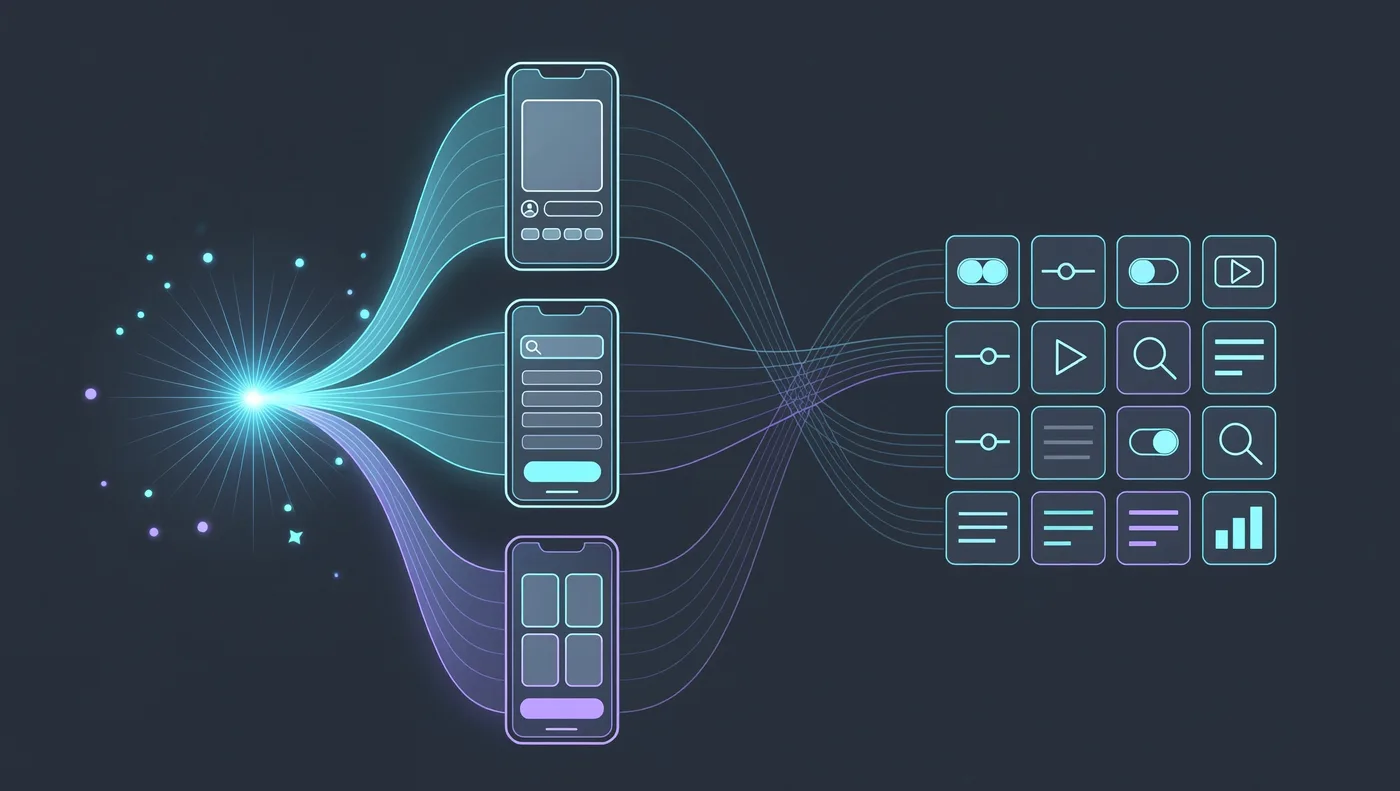
The project describes itself as compatible with coding agents such as Antigravity, Gemini CLI, Claude Code and Cursor, with OpenCode requiring a manual install. It is not an officially supported Google product, and the repository states plainly that it is not eligible for the Google Open Source Software Vulnerability Rewards Program.
The Agent Skills standard underneath
Because the format matters more than the content here, it is worth reading what https://agentskills.io/home actually defines.
A skill is a folder containing a SKILL.md file. That file holds metadata, with name and description as the minimum, plus the instructions that tell an agent how to perform a specific task. Skills can also bundle scripts, reference materials, templates and other assets.
The loading model is progressive disclosure, in three stages:
- Discovery. At startup the agent loads only the name and description of every available skill, just enough to know when one might be relevant.
- Activation. When a task matches a description, the agent reads the full
SKILL.mdinto context. - Execution. The agent follows the instructions, optionally running bundled code or loading referenced files as needed.
Full instructions load only when a task calls for them, so an agent can hold many skills on hand at a small context cost. The format was originally developed by Anthropic, released as an open standard, and now has its own repository at https://github.com/agentskills/agentskills plus a client showcase listing the tools that support it.

The three plugin bundles
The package splits into three plugins, and the split is roughly the workflow: make the design, build the code, or improve the input.
| Plugin | Skills | What it covers |
|---|---|---|
| stitch-design | 6 | code-to-design, generate-design, manage-design-system, extract-design-md, extract-static-html, upload-to-stitch |
| stitch-build | 5 | react-components, react-native, remotion, shadcn-ui, react-vite-dashboard |
| stitch-utilities | 4 | design-md, enhance-prompt, stitch-loop, taste-design |
Each skill follows the same file structure, which the project documents as the “Mission Control” for the agent plus its supporting material:
skills/<skill-name>/
├── SKILL.md           — The "Mission Control" for the agent
├── scripts/           — Executable enforcers (Validation & Networking)
├── resources/         — The knowledge base (Checklists & Style Guides)
└── examples/          — The "Gold Standard" syntactically valid references
The design plugin is the widest. generate-design creates new screens from text or images, edits existing screens and produces design variants. code-to-design goes the other direction, converting frontend code into a Stitch design by extracting HTML and applying a design system. extract-design-md pulls a design system out of frontend source, and extract-static-html snapshots a running web app as self-contained HTML with CSS and images inlined.
The build plugin is the reverse direction again, turning Stitch screens into React components, React Native components, Remotion walkthrough videos, shadcn/ui interfaces and Vite dashboards.
Installing it
The fastest path uses the Codex plugin marketplace, and the sparse flags keep the clone small:
codex plugin marketplace add google-labs-code/stitch-skills --ref main \
  --sparse .agents/plugins \
  --sparse plugins/stitch-design \
  --sparse plugins/stitch-build \
  --sparse plugins/stitch-utilities
The sparse flags are optional. Omit them and you pull the whole repository. Once the marketplace is registered you install any combination of the three plugins.
Claude Code and Cursor use the same CLI with a different target:
# Claude Code — installs into the current project
npx plugins add google-labs-code/stitch-skills --scope project --target claude-code
# Cursor — installs into the current workspace
npx plugins add google-labs-code/stitch-skills --scope workspace --target cursorIf you want only specific skills rather than whole plugins, there is a separate path, and the project flags a real caveat: Stitch design skills often have inter-dependencies, so selective installs need every required dependency.
npx skills add google-labs-code/stitch-skillsOpenCode gets no marketplace support, so it takes manual copying and a hand-written MCP entry:
# Project-local (recommended)
mkdir -p .opencode/skills
cp -R plugins/stitch-design/skills/generate-design .opencode/skills/generate-design
{
"$schema": "https://opencode.ai/config.json",
"mcp": {
"stitch": {
"type": "remote",
"url": "YOUR_STITCH_MCP_URL",
"enabled": true
}
}
}Whichever route you take, there is a hard prerequisite. The Stitch MCP server has to be configured and running in your agent’s environment first, with the credentials and environment variables from the setup guide already in place. The skills are the instruction layer, not the connection.
What a skill looks like inside
Reading one skill file makes the design clearer than the overview does. The generate-design skill at https://raw.githubusercontent.com/google-labs-code/stitch-skills/main/plugins/stitch-design/skills/generate-design/SKILL.md opens with frontmatter carrying the name stitch::generate-design, a description, and an allowed-tools list that is scoped to the Stitch MCP tools plus Bash, Read, Write and web_fetch.
What follows is a prompt enhancement pipeline that runs before any generation call. The agent first resolves the project with list_projects and checks for an existing design system with list_design_systems. If the project already has tokens applied at the project level, the skill instructs the agent not to include colour, font or theme instructions in the generation prompt, because they will conflict. If no design system exists, it delegates to the manage-design-system skill first.
Then vague terms get replaced with professional ones. The skill’s own example turns “Make a nice header” into “Sticky navigation bar with glassmorphism effect and centered logo”. The final prompt is formatted into a fixed structure:
[Overall purpose and user intent of the page]

**PLATFORM:** [Web/Mobile], [Desktop/Mobile]-first

**PAGE STRUCTURE:**
1. **Header:** [Description of navigation and branding]
2. **Hero Section:** [Headline, subtext, and primary CTA]
3. **Primary Content Area:** [Detailed component breakdown]
4. **Footer:** [Links and copyright information]
The skill also separates generation prompts from edit prompts. Hex codes, font names and palettes are banned in a generation prompt, since the design system owns them. For an edit, hex codes are fine, because a precise colour tweak is exactly the kind of instruction the project level cannot express.
That division of labour is the interesting part of the whole package. The skills do not try to make the model a better designer. They try to make the model a better client of a design tool that already knows how to design.
Limits and gotchas
Two naming constraints will bite you if you ignore them. OpenCode requires the skill name in frontmatter to be lowercase kebab-case and to match the directory name. The shipped skills use names like stitch::generate-design, so they need both the name and the folder renamed before OpenCode will load them. Extra frontmatter such as allowed-tools is ignored by OpenCode.
Tool names also differ between clients. A skill that refers to web_fetch or run_command may need rewriting to OpenCode’s webfetch and bash equivalents. The project says to prefer the OpenCode names when adapting a skill.
The dependency graph is the other trap. generate-design calls into manage-design-system, and code-to-design depends on extraction skills. Installing one skill in isolation can leave the agent without the references it expects.
Finally, the repository was last pushed on 2026-08-17, which is noticeably older than the release cadence of most of the trending list, and it carries 19 open issues. That is a stable enough signal to adopt, but it is not an actively churning project.
When it is worth using
This package pays off if your design work is already happening in Stitch and you want an agent to operate it rather than you clicking through prompts. The React and React Native conversion skills in particular are a differentiator, because the hard part is not writing the component, it is keeping design tokens consistent across every screen in a project.
It is not worth installing if you do not have the Stitch MCP server running, since the skills would have nothing to call. And if your design process runs entirely inside your editor with no separate design tool, a design-system extraction skill paired with your own conventions may get you most of the distance without adding a second tool.
Source and Accuracy Notes
- Source repository: https://github.com/google-labs-code/stitch-skills (full_name google-labs-code/stitch-skills, verified via GitHub API)
- Repository README at https://github.com/google-labs-code/stitch-skills: install commands for Codex, Claude Code, Cursor and OpenCode, the three plugin bundles and their 15 skills, repository structure, prerequisites, skill file layout, the not-officially-supported-Google-product notice
- Agent Skills standard overview at https://agentskills.io/home: the SKILL.md definition, progressive disclosure in three stages, origin with Anthropic, open development
- Skill implementation at https://raw.githubusercontent.com/google-labs-code/stitch-skills/main/plugins/stitch-design/skills/generate-design/SKILL.md: frontmatter fields, allowed-tools list, prompt enhancement pipeline, project and design system resolution, prompt template, generation versus edit colour rules
- Stitch MCP setup guide at https://stitch.withgoogle.com/docs/mcp/setup/: referenced as the prerequisite server configuration, page title “Stitch via MCP - Stitch Docs”
- License: Apache-2.0 (verified via GitHub API
license.spdx_id) - Stars at time of writing: 9,336, with 1,128 forks and 19 open issues
- Language: TypeScript. Default branch: main. Repository created 2026-01-16, last push 2026-08-17
Related Posts
ai-setup
Recall – Persistent Memory for Claude Code via MCP Hooks
Recall gives Claude Code a permanent memory store that survives session restarts and context compaction. Four hooks capture and restore context automatically — with cloud SaaS or self-hosted options.
2/28/2026
dev-tools
Automotive Skills Suite for AI Engineering
Evaluate Automotive Skills Suite for APQP, ASPICE, HARA, safety-plan, and DIA workflows with setup notes, governance risks, and SME review guidance.
5/28/2026
dev-tools
awesome-agentic-ai-zh Roadmap Guide
Explore awesome-agentic-ai-zh as a Chinese agentic AI learning roadmap, with setup notes, track selection, study workflow, and evaluation guidance.
5/28/2026