Rhun: a code editor written in assembly
Rhun is a fast, MIT-licensed code editor written in assembly with a built-in terminal, Git, and a panel tracking Claude Code, Codex, Grok and OpenCode sessions.
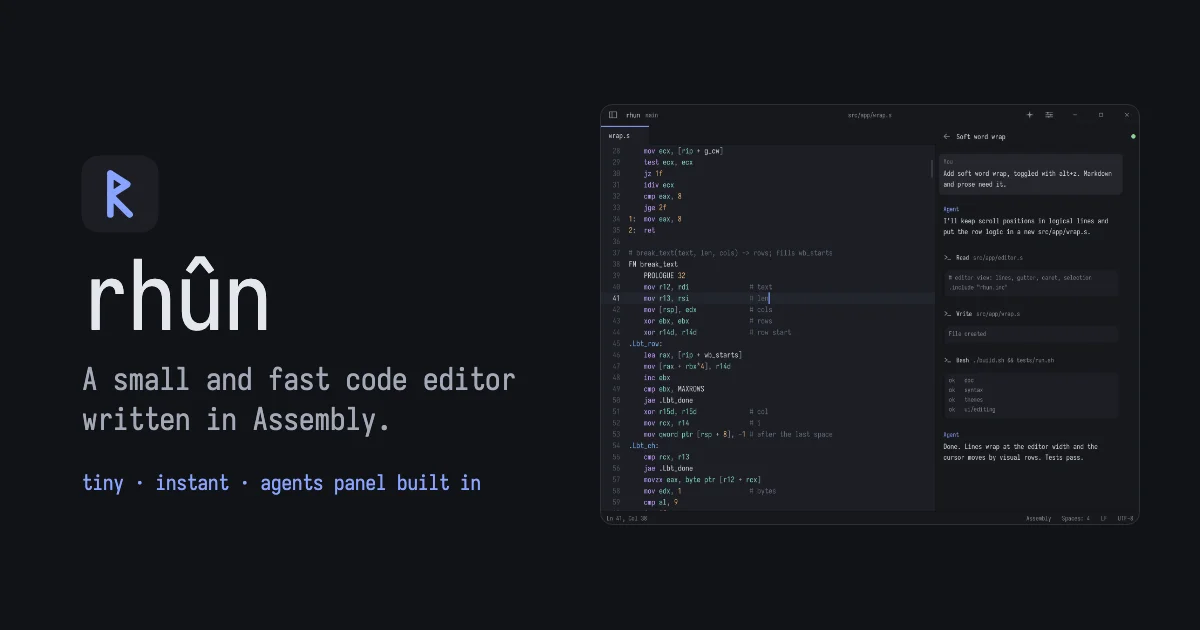
TL;DR: Rhun is a code editor whose core is written in assembly, so it starts fast and draws its own interface instead of loading a toolkit. It ships with a terminal, Git, Vim mode and a panel listing your live Claude Code, Codex, Grok Build and OpenCode sessions. Install is one curl on Linux and Apple silicon macOS, or a PowerShell one-liner on Windows, and the MIT license means you can read the whole thing.
What it is
Rhun is a code editor by Vlad Shvedov, and the unusual part is the substrate rather than the feature list. The repository is roughly 20 MB of Assembly, with Python, Shell, PowerShell, C, Rust, Go and a long tail of other languages making up the rest. There is no Electron, no web view, no GTK and no Qt.
On Linux, rhun speaks the Wayland and X11 wire protocols directly, without libc or a toolkit. On macOS the same code runs natively in an AppKit window on Apple silicon. On Windows it runs as native x64 assembly in a Win32 window.
All of that exists because rhun draws everything itself. It rasterizes TrueType fonts, icons and widgets into a pixel buffer and hands that buffer to the display server. Syntax highlighting for about 125 languages and 40 color themes ship built in on all three platforms, along with every XKB layout, dead keys and the Compose key.
| Platform | Build | How it reaches the screen |
|---|---|---|
| Linux x86-64 | native assembly | Wayland, with X11 as fallback |
| macOS Apple silicon | native assembly | AppKit window, Retina displays |
| Windows x64 | native assembly | Win32 window, ConPTY terminal |
Why the substrate matters
The home page puts the argument in two lines: agents do the heavy lifting, keep your code editor light.
That is a real trade-off, and the release sizes make it concrete. The Linux tarball is about 1 MB and the macOS disk image about 1.7 MB. There is no extension host booting Node, no widget toolkit to initialize, nothing to load before you can type. For anyone running several agents at once, the editor itself stops being the thing that consumes your attention or your RAM.
The second reason to care is how rhun treats coding agents. Most editors treat them as terminal tabs you switch to. Rhun treats a session as something that belongs to the project.
Getting it running
On Linux x86-64 and macOS on Apple silicon, the installer is a single line:
curl -fsSL https://github.com/vshvedov/rhun/releases/latest/download/install.sh | shOn Windows, PowerShell does the same job:
powershell -NoProfile -ExecutionPolicy Bypass -Command "[Net.ServicePointManager]::SecurityProtocol = 'Tls12'; & ([scriptblock]::Create((New-Object Net.WebClient).DownloadString('https://github.com/vshvedov/rhun/releases/latest/download/install.ps1')))"If you would rather pull a release yourself, each tag publishes a small set of archives:
| Asset | Platform | Size |
|---|---|---|
| rhun-0.19.1-linux-x86_64.tar.gz | Linux x86-64 | 1.0 MB |
| rhun-0.19.1-macos-arm64.dmg | macOS Apple silicon | 1.7 MB |
| rhun-0.19.1-macos-arm64.zip | macOS Apple silicon | 1.3 MB |
| rhun-0.19.1-windows-x86_64.zip | Windows x64 | 2.1 MB |
Every release also ships a SHA256SUMS file, and both the installer and the built-in updater check the download against it.
What comes in the box
The core is deliberately small, and the rest arrives through extensions:
- Editor with tabs, a file explorer, command palette, fuzzy file finder, find and replace, find in files and go to line, plus image preview for PNG, JPEG, GIF, BMP, ICO, QOI, PNM and TGA
- Syntax highlighting for about 125 languages, defined in plain text grammar files you can read and adjust
- 40 light and dark themes, with automatic switching when the system flips to dark mode
- Terminal panel with 24-bit color, mouse reporting, scrollback and full-screen programs
- Git: changed lines in the gutter, diffs, a branch graph, stage, commit, pull and push, with commit messages drafted by your Claude Code or Codex subscription or by a local Ollama model
- Extensions as native programs in Rust, Go, C or C++, installed from GitHub, that add commands, completion, go to definition, rename, formatting and their own views. First-party ones bring language servers, formatters, .editorconfig, snippets and tasks
- Vim mode, off by default, with normal, insert and visual modes, operators, text objects, counts and the usual search and colon commands
- Remote hosts, where a window’s project, terminal, Git and extensions live on a Linux machine reached over SSH, in a Docker or Podman container, or in WSL
The agents panel
This is the part that no other editor does quite this way. Rhun watches for Claude Code, Codex, Grok Build and OpenCode sessions belonging to the project and to its Git worktrees, then lists them live as they work. Each row carries a provider badge, the model that session last used, and for a worktree a branch icon with the worktree name beside it.
The list opens with the 50 most recently active sessions and Load more adds 50 more. Discovery runs in the background against a saved metadata index, so routine refreshes stay silent, and the panel pauses entirely while it is hidden. Each provider has its own switch in Settings.
Settings edits are written to a plain config file, and changes apply the moment you save it:
[ui]
dark_theme = tokyo-night
light_theme = github-light
scale = 1.25
[editor]
font_size = 15
Rhun also registers a rhun://file/ URL scheme, so a link like rhun://file/Users/me/app/src/main.rs:42:7 opens that file at that line and column from a browser, a chat client or anything else. On Windows the scheme refuses network paths, so a web page cannot use it to make the machine reach a server that the page names.
What to watch for
Version 0.19.1 is pre-1.0 and the project is moving quickly. Releases landed on October 23, October 24, October 27 and November 3, and the repository currently carries 20 open issues. The settings surface and the config format are still settling, so it is worth reading a config file before you sync one across machines.
Platform coverage is narrower than the feature list suggests. There is no Intel Mac build and the Linux binary is x86-64 only, which rules out a chunk of the Raspberry Pi and older-server crowd that other editors reach without trouble.
Language intelligence is not in the core. It comes from extensions, which means a fresh rhun install gives you less than a VS Code install that has already fetched its language servers, and you do the setup once per project.
Extensions run as separate native processes talking to the editor over standard input and output, one text line per message. On Linux and macOS the kernel holds each extension to the permissions its manifest declares, and an extension that crashes cannot take the editor down with it. A WebAssembly extension can reach only its own state folder and the project and home folders its manifest names, and that limit applies on Windows too.
Signing is where the security story is still in progress. macOS builds are signed with a Developer ID. Windows signing comes from a free SignPath Foundation certificate for open source projects, and the project’s own policy page notes that Windows releases stay unsigned until the production certificate and build verification are ready, with each release stating whether its files are signed. Either way, rhun’s signature covers nothing beyond its own executables. Extensions, their language servers and the other programs rhun starts are signed by their own authors, if at all. The project reports vulnerabilities by email to [email protected] rather than through public issues.
Source and Accuracy Notes
- Project page: https://rhun.app/ (verified by direct visit on 2026-11-04)
- Source repository: github.com/vshvedov/rhun (MIT license, confirmed from the LICENSE file in the repository)
- Latest release checked: v0.19.1, published 2026-11-03, with SHA256SUMS published alongside the archives
- Code signing policy: https://rhun.app/code-signing/
- HN launch thread: https://news.ycombinator.com/item?id=49378768 (384 points at the time of checking)
Related Posts
ai-setup
Recall – Persistent Memory for Claude Code via MCP Hooks
Recall gives Claude Code a permanent memory store that survives session restarts and context compaction. Four hooks capture and restore context automatically — with cloud SaaS or self-hosted options.
2/28/2026
dev-tools
Automotive Skills Suite for AI Engineering
Evaluate Automotive Skills Suite for APQP, ASPICE, HARA, safety-plan, and DIA workflows with setup notes, governance risks, and SME review guidance.
5/28/2026
dev-tools
awesome-agentic-ai-zh Roadmap Guide
Explore awesome-agentic-ai-zh as a Chinese agentic AI learning roadmap, with setup notes, track selection, study workflow, and evaluation guidance.
5/28/2026