Moltis – Secure Persistent Agent Server in Rust
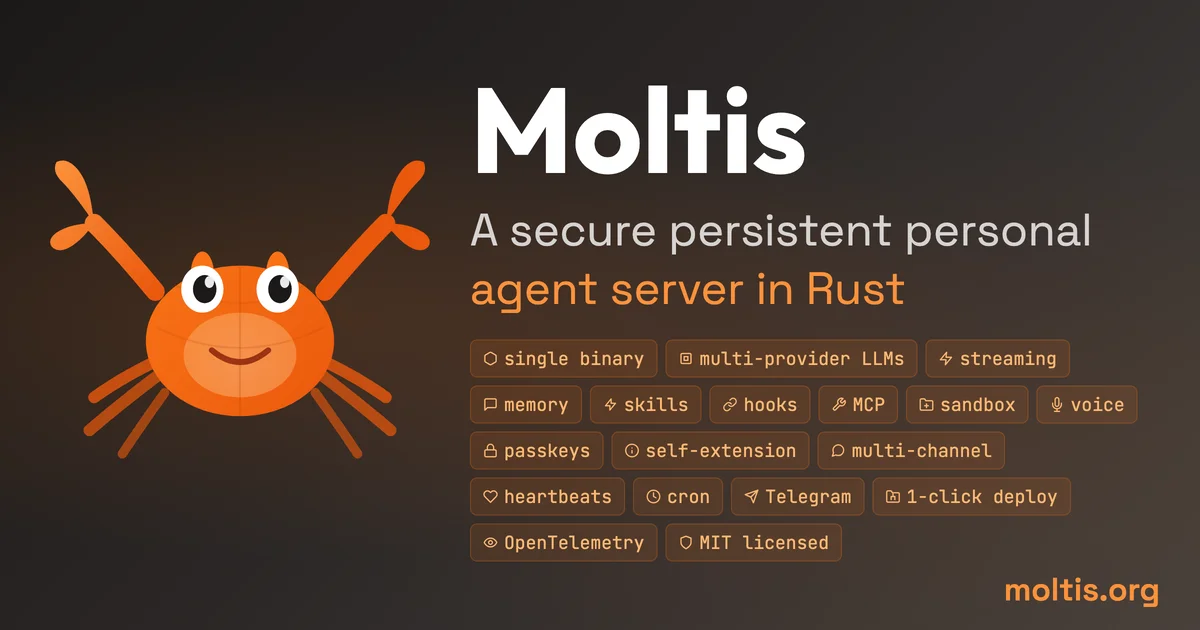
Moltis is a self-hosted AI agent server written in Rust. One binary, sandboxed tool execution, multi-provider LLMs, voice, memory, and integrations with Telegram, Discord, and MCP tools.
TL;DR
TL;DR: Moltis is a self-hosted AI agent server in Rust — one binary, sandboxed execution, multi-provider LLM support, voice I/O, persistent memory, and integrations with Telegram, Discord, Teams, and MCP tools.
Source and Accuracy Notes
- Project page: moltis.org
- Source repository: github.com/moltis-org/moltis
- License: MIT (verified via README badge and LICENSE file)
- Latest release:
20260723.03(verified via GitHub Releases API) - Stars: 2,800+ (GitHub API)
- HN launch thread: news.ycombinator.com/item?id=46993587
What Is Moltis?
Moltis is a persistent personal agent server written entirely in Rust. It acts as a local-first gateway between you and multiple LLM providers — keeping durable session state across restarts and meeting you across whatever channel is most convenient at the moment.
The core pitch from the README:
“One binary — sandboxed, secure, yours.”
Unlike cloud-based agent platforms, Moltis runs on hardware you own — a Mac Mini, a Raspberry Pi, or any server. Your API keys never leave your machine. Every tool call runs inside an isolated sandbox container, not on your host OS.
Key Differentiators
- Rust codebase — ~270K lines of Rust across 59 modular workspace crates. The agent runner and model interface fit in ~7.5K lines. Unsafe code is isolated to FFI and precompiled WASM boundaries.
- Sandboxed execution — Docker, Podman, or Apple Container for per-session isolation. Tool calls never execute directly on the host.
- Multi-provider LLM — OpenAI, GitHub Copilot, and local model support. Streaming responses, parallel tool execution, sub-agent delegation.
- 15 communication channels — Telegram, Signal, Discord, Microsoft Teams, Slack, Matrix, Nostr, WhatsApp, email, plus a Web UI with Markdown copy/export and a mobile PWA.
- Built-in voice — 8 TTS and 7 STT providers, wake word, and talk modes.
- Persistent memory — SQLite + full-text search + vector embeddings. Cross-session recall, automatic session compaction, Cursor-compatible project context, and context-file threat scanning.
- MCP support — both stdio and HTTP/SSE modes, with a live Settings tool inventory.
- ACP (Agent Client Protocol) — drives external ACP agents (codex-acp, claude-agent-acp, Cursor) and serves Moltis to ACP clients over stdio.
Setup
Moltis installs as a single Rust binary. No Node.js, no npm, no runtime dependency.
Option 1: One-liner install (macOS / Linux)
curl -fsSL https://www.moltis.org/install.sh | sh
```bash

### Option 2: Homebrew (macOS / Linux)

```bash
brew install moltis-org/tap/moltis
```bash

### Option 3: Docker (multi-arch: amd64 / arm64)

```bash
docker pull ghcr.io/moltis-org/moltis:latest
```bash

### Option 4: Build from source

```bash
cargo install moltis --git https://github.com/moltis-org/moltis
```bash

Requires Rust 1.91 or later.

### Running

After installation, start the server:

```bash
moltis
```bash

On first run, Moltis opens a local web UI (default: `http://localhost:3030`) where you configure your LLM API keys, set up channels (Telegram bot token, Discord webhook, etc.), and manage tools. Authentication is password + optional passkey (WebAuthn).

For a Raspberry Pi or other constrained hardware, use the lightweight feature flag:

```bash
moltis --no-default-features --features lightweight
```bash

## Security Architecture

Moltis takes a layered approach to security:

- **Encryption at rest** — vault uses XChaCha20-Poly1305 with Argon2id key derivation. Secrets are zeroed on drop and redacted from tool output.
- **Sandboxed tool execution** — every tool call runs in Docker, Podman, or Apple Container. The host filesystem is never exposed.
- **SSRF protection** — DNS-resolved, blocks loopback/private/link-local addresses.
- **Origin validation** — WebSocket upgrades reject cross-origin requests.
- **Rate limiting and per-IP throttle** — on authentication endpoints.
- **Hook gating** — `BeforeToolCall` hooks can inspect or block any tool invocation before it executes.
- **Supply chain integrity** — artifact attestations, Sigstore keyless signing, GPG signing (YubiKey), SHA-256/SHA-512 checksums on releases. Verify with:

```bash
gh attestation verify <artifact> -R moltis-org/moltis
Channels and Integrations
Moltis ships integrations for 15 communication channels as built-in crates:
| Channel | Package |
|---|---|
| Telegram | moltis-telegram |
| Signal | moltis-signal |
| Discord | moltis-discord |
| Microsoft Teams | moltis-msteams |
| Matrix | moltis-matrix |
| Slack | moltis-slack |
| Nostr | moltis-nostr |
moltis-whatsapp | |
SMTP via moltis-mail | |
| Web UI | built-in (moltis-web) |
Each channel connects through the central gateway over WebSocket. You can run multiple channels simultaneously — Moltis routes messages to the same agent session regardless of where you wrote from.
Comparison with Similar Tools
The README includes a direct comparison with OpenClaw and Hermes Agent. Key points:
| OpenClaw | Hermes Agent | Moltis | |
|---|---|---|---|
| Stack | TypeScript + Swift/Kotlin | Python + TypeScript | Rust |
| Runtime | Node.js + npm/pnpm/bun | Python + uv/pip | Single Rust binary |
| LoC | ~1.1M app LoC | ~152K app LoC | ~270K Rust LoC |
| Sandbox | browser/node tools | Local, Docker, SSH, Daytona | Docker + Apple Container + WASM |
| Voice | Voice wake and talk | Voice memo transcription | 8 TTS + 7 STT providers |
| Memory | Plugin-backed | Agent-curated | SQLite + FTS + vector |
| MCP | Plugin/integration | MCP integration | stdio + HTTP/SSE |
FAQ
Q: Does Moltis work without an internet connection? A: Yes. Once installed and configured with a local LLM provider (Ollama, lmstudio, etc.), Moltis runs entirely offline. API keys for cloud providers (OpenAI, GitHub Copilot) are required only if you use those specific providers.
Q: How does it compare to Open Interpreter or Claude Code? A: OpenClaw, Hermes Agent, and Moltis are persistent servers — they maintain session state across messages and restarts. Open Interpreter and Claude Code are session-scoped. Moltis additionally supports multiple communication channels simultaneously, whereas most CLI agents are single-session.
Q: Can I use Moltis with a self-hosted model?
A: Yes. Moltis supports local model providers. The lightweight feature flag is specifically designed for Raspberry Pi-class hardware running local models.
Q: What happens if a tool does something destructive?
A: Moltis has a destructive command guard, automatic edit checkpoints before built-in skill and memory mutations, and session branching to restore state. Hooks (BeforeToolCall) can also be configured to require approval for specific tool categories.
Q: Is there a hosted / cloud version? A: No. Moltis is self-hosted only. There is no managed cloud offering.
Conclusion
Moltis fills the gap between single-session CLI agents and fully cloud-managed AI platforms. It is one of the most thoroughly engineered self-hosted agent servers available — built in Rust for memory safety and performance, with a modular workspace architecture that lets you audit or swap individual components. The 59-crate design, mandatory sandboxing, and ACP protocol make it a credible foundation for anyone who wants a persistent, personal AI agent that runs on their own hardware and talks to them wherever they are.
If you want a local-first agent server with real operational flexibility — multi-channel, sandboxed tools, persistent memory, and voice — Moltis is worth a closer look.
Related Posts
ai-setup
Recall – Persistent Memory for Claude Code via MCP Hooks
Recall gives Claude Code a permanent memory store that survives session restarts and context compaction. Four hooks capture and restore context automatically — with cloud SaaS or self-hosted options.
2/28/2026
dev-tools
CodexPlusPlus Setup and Risk Guide
Evaluate CodexPlusPlus for Codex launcher enhancements, API relay mode, provider sync, local state handling, update flow, and rollback planning.
5/28/2026
dev-tools
RMUX Terminal Multiplexer Guide
Set up RMUX for detachable agent terminals, tmux-like sessions, Rust SDK control, diagnostics, migration checks, and terminal automation.
5/28/2026