MiniNote: one Markdown tree for notes and agent memory
MiniNote stores notes, docs and tickets as plain Markdown in one tree you own, with a scoped HTTP API and 18 MCP tools for agent memory.
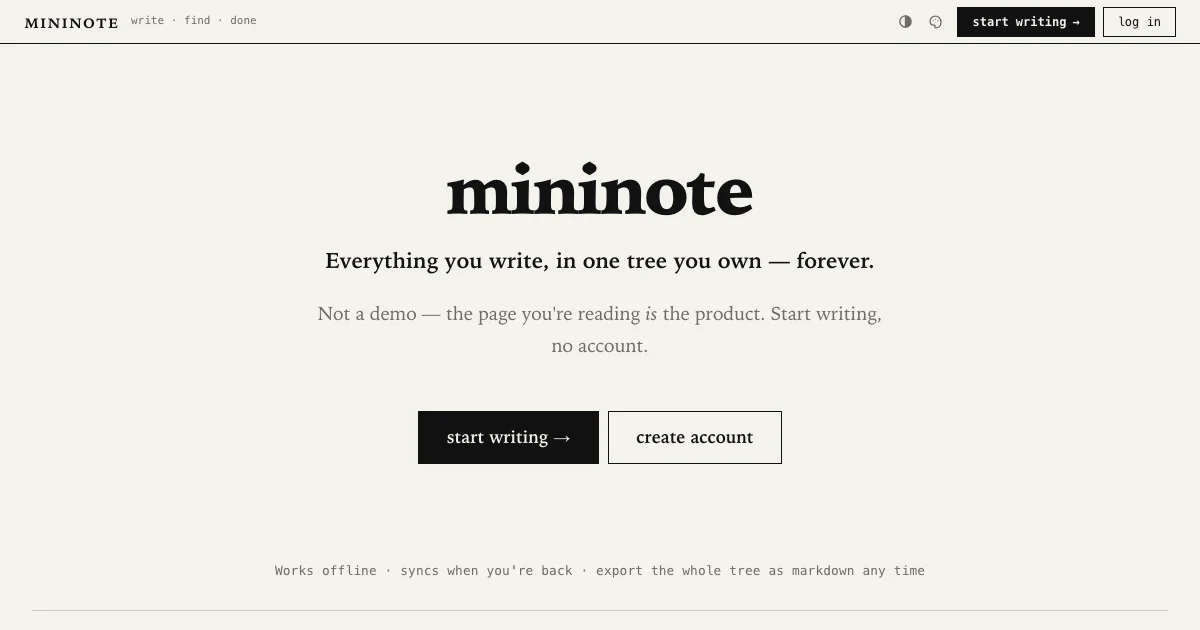
TL;DR: MiniNote turns notes, docs, tickets and AI agent memory into one thing: a Markdown page in a tree you own. The same tree is reachable over a small HTTP API and a remote MCP server with 18 tools, so an agent can write into notes you can still read and edit by hand. It is free to use, works offline, and exports everything as Markdown.
What it is
MiniNote is a notes app built around a single primitive: a page in a tree. The company behind it, Helba, calls it a notespace, and every feature derives from that one shape. A note, a doc, a ticket, a shared page and an agent’s memory are all the same object with different fields, so nothing needs to be integrated because nothing was ever separate.
The clearest demonstration is that the marketing site is the product. The homepage, the about page, the FAQ and all the API documentation are MiniNote pages rendered by MiniNote. There is no separate site to maintain. Open a shared tree at your own subdomain and you get the same editor with a URL.
Two properties carry most of the appeal. First, files-first: every page is plain Markdown in the database, and export takes the entire tree as Markdown at any time, with no tier gating it. Second, local-first: notes live on your device, the app works with no connection, and edits sync when you get back online.
You do not need an account to start. Guest notes are saved on the device, and signing up later brings them with you, so there is no “lost work” moment.
What you can end up holding in the same tree:
- A personal wiki, internal docs, or a project’s living spec
- Tickets and Kanban boards, where a page gains status, priority and assignee fields
- A calendar of events and a deck of flashcards with spaced repetition
- A public site at your own subdomain, with an RSS feed and no build step
The API is the app
Every call is an HTTP POST to a path under /rpc/Service/method, with a bearer token and a JSON body. The body is always an args object. Success returns HTTP 200 with a data field, failure returns an HTTP error with a code and a message.
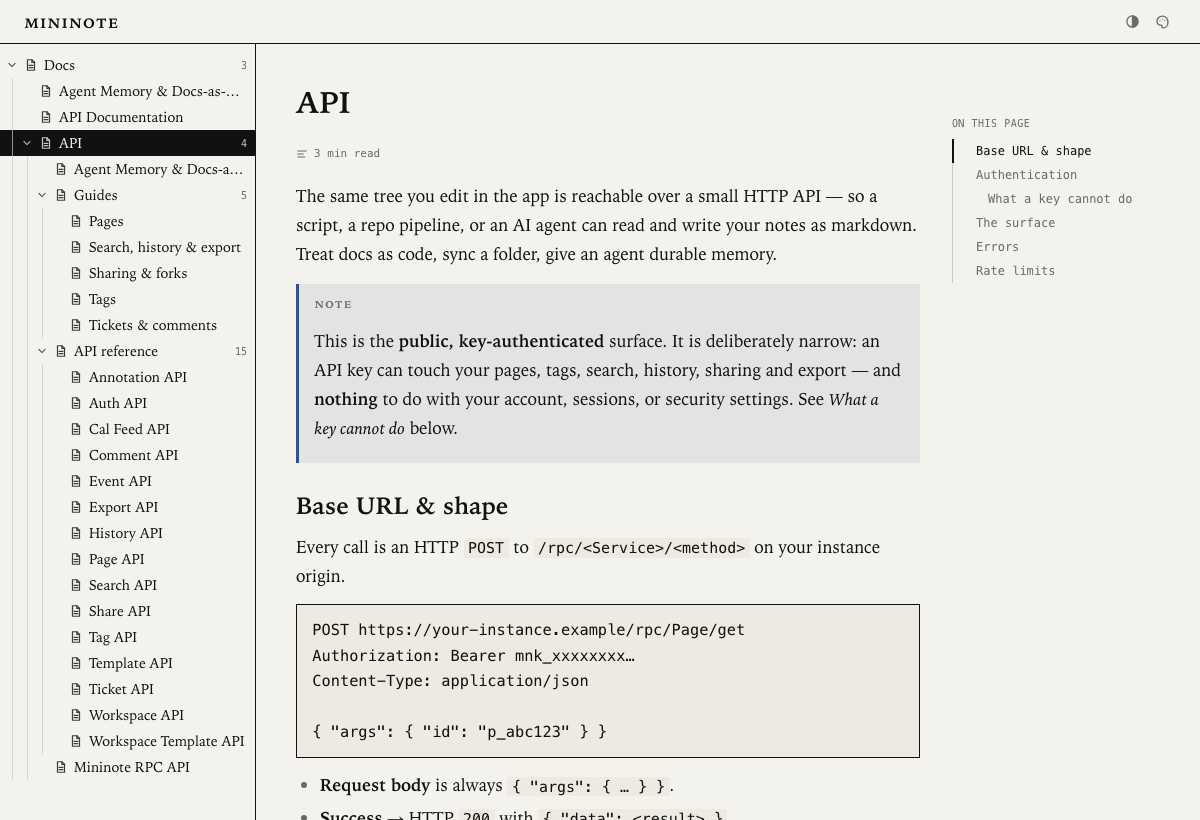
Keys come in two tiers and two scopes, and the combination decides what they can reach:
| Tier | Scope | Behavior |
|---|---|---|
| read | unscoped | Reads everything in the account |
| read | folder-scoped | Reads only one folder and its descendants |
| write | unscoped | Creates, edits, deletes, publishes, manages tickets |
| write | folder-scoped | Same writes, fenced to a single subtree |
A folder-scoped key that reaches outside its fence gets a 404 rather than a 403, so the agent never learns the page exists. Keys are also default-deny: anything not on the documented list is refused, including endpoints added in later versions until someone opens them.
The interesting part is what a key cannot do. The whole Auth, Settings and Activity surface is blocked, which means a leaked key cannot change your password, touch two-factor, mint more keys, or read your session. It cannot escalate, and it cannot lock you out.
export MNK="mnk_your_key_here"

# Create or update a page by slash path. Intermediate folders are made for you.
curl -s https://mininote.ink/rpc/Page/upsert \
  -H "Authorization: Bearer $MNK" \
  -H "Content-Type: application/json" \
  -d '{"args":{"path":"docs/api/auth","title":"Auth","body":"the body"}}'
That single call is the docs-as-code story. Because the operation is idempotent on path, a CI job can push a folder of Markdown on every commit and never create duplicates. Page/export returns one page as Markdown, Page/exportAll returns the whole tree as one document.
Rate limiting is bucketed per key rather than per IP, so your key is never throttled by another tenant and a runaway loop only limits itself. The default budget is 600 requests per minute across the RPC surface.
Agent memory over MCP
MiniNote speaks the Model Context Protocol over remote Streamable HTTP, which means no Docker, no local process, and one command to connect a client:
claude mcp add --transport http mininote https://mininote.ink/mcp \
  --header "Authorization: Bearer mnk_your_key_here"
The server exposes 18 tools. The ones that matter most for memory work:
| Tool | What it does |
|---|---|
list_notes | Flat tree of everything in scope, so the agent discovers instead of guessing paths |
search_notes | Full-text search returning ids, titles and highlighted snippets |
read_note | Reads one note’s Markdown, following references to their target |
write_note | Create or update at a slash path, idempotent, folders auto-made |
update_note | Edit by id, either full rewrite or append and prepend |
restore_version | Roll a note back, and that rollback is itself undoable |
create_ticket | File a ticket with status, priority, assignee, due date and estimate |
set_status | Move a ticket, version-checked and captured to history |
Give an agent a folder-scoped key and that folder becomes the agent’s entire world. The documented memory layout looks like this:
agent-memories/
  myapp-memories        <- an index page with a live table-of-contents directive
    note-a              <- child notes (the actual memories)
    note-b
    session-log         <- optional: the agent appends what it did
The index page lists its children automatically, so a new memory shows up without editing anything. Because the store is Markdown rather than a vector database, the same notes are readable by you, shareable as a link, and exportable as files.
Two design choices make this safer than most agent memory setups. update_note with a replace operation fails loudly when the target text is not found, so an agent cannot silently overwrite a change you made in the editor. And a note’s content is treated as data rather than instructions, which matters because shared and forked notes are untrusted input.
Getting it running
Start at the site and click through to writing as a guest. That gets you a tree in about ten seconds with no signup, and it is the fastest way to judge whether the one-primitive model fits how you actually work.
When you want a script or an agent in the loop, mint a key under Settings, API keys. The raw token is shown once.
# Read one page by id
curl -s https://mininote.ink/rpc/Page/get \
  -H "Authorization: Bearer $MNK" \
  -H "Content-Type: application/json" \
  -d '{"args":{"id":"p_abc123"}}'

# Move a ticket to doing and assign it
curl -s https://mininote.ink/rpc/Ticket/set \
  -H "Authorization: Bearer $MNK" \
  -H "Content-Type: application/json" \
  -d '{"args":{"node_id":"p_abc","status":"doing","assignee":["u_123"]}}'
Tickets are pages with extra fields, so they filter, tag, share and version like any note. Pass base_updated_at when you write to one, and a stale value returns 409 instead of letting two writers clobber each other.
If you want to work from the command line today, there is a third-party Go CLI at github.com/dakolli/mininote-cli with an nvim plugin in progress. It is MIT licensed, has two stars, and is not affiliated with Helba, so treat it as a community project.
What to watch for
MiniNote is not open source, and the company is upfront about that rather than hiding it. What it publishes instead is a live Software Bill of Materials in CycloneDX JSON for both the Go backend and the React frontend, pinned to the exact build SHA serving the page, with a vulnerability gate (govulncheck and npm audit) that fails the build on a known-critical CVE. The argument is that an exact-version dependency list is safe to publish only when the holes are already patched. It is a reasonable position, and it is not the same as reading the source.
Self-hosting is the gap to watch. The FAQ says it is on the roadmap but not released, so right now “your notes are yours” means export is always available, not that you can run the server yourself. A team with a hard requirement to keep notes in its own infrastructure should check back before committing.
The business model is unusual in a good way. Software is free forever, with no pro tier and no per-seat pricing, and the company says it charges for labor such as support and SLAs. It is self-funded, US-based, with no investors to answer to, which is the enforcement mechanism behind the promises on its trust page.
One practical risk is the share surface. Publishing a page is a write operation, and the docs are explicit that a leaked write key can publish your notes. Scope keys to a folder and use read-tier keys wherever publishing is not needed.
Source and Accuracy Notes
- Product page: https://mininote.ink/ (verified via direct visit)
- API documentation: https://mininote.ink/docs/api-documentation
- Agent memory and MCP tools: https://mininote.ink/docs/api/agent-memory
- Pages guide: https://mininote.ink/docs/api/guides/pages
- Sharing and forks: https://mininote.ink/docs/api/guides/sharing-forks
- Tickets and comments: https://mininote.ink/docs/api/guides/tickets-comments
- FAQ: https://mininote.ink/faq
- Trust page: https://mininote.ink/trust
- HN launch thread: https://news.ycombinator.com/item?id=49300129 (23 points, August 14, 2026)
- Thumbnail: homepage screenshot rendered locally at 1200x630
Related Posts
ai-setup
Recall – Persistent Memory for Claude Code via MCP Hooks
Recall gives Claude Code a permanent memory store that survives session restarts and context compaction. Four hooks capture and restore context automatically — with cloud SaaS or self-hosted options.
2/28/2026
dev-tools
Automotive Skills Suite for AI Engineering
Evaluate Automotive Skills Suite for APQP, ASPICE, HARA, safety-plan, and DIA workflows with setup notes, governance risks, and SME review guidance.
5/28/2026
dev-tools
awesome-agentic-ai-zh Roadmap Guide
Explore awesome-agentic-ai-zh as a Chinese agentic AI learning roadmap, with setup notes, track selection, study workflow, and evaluation guidance.
5/28/2026