TL;DR
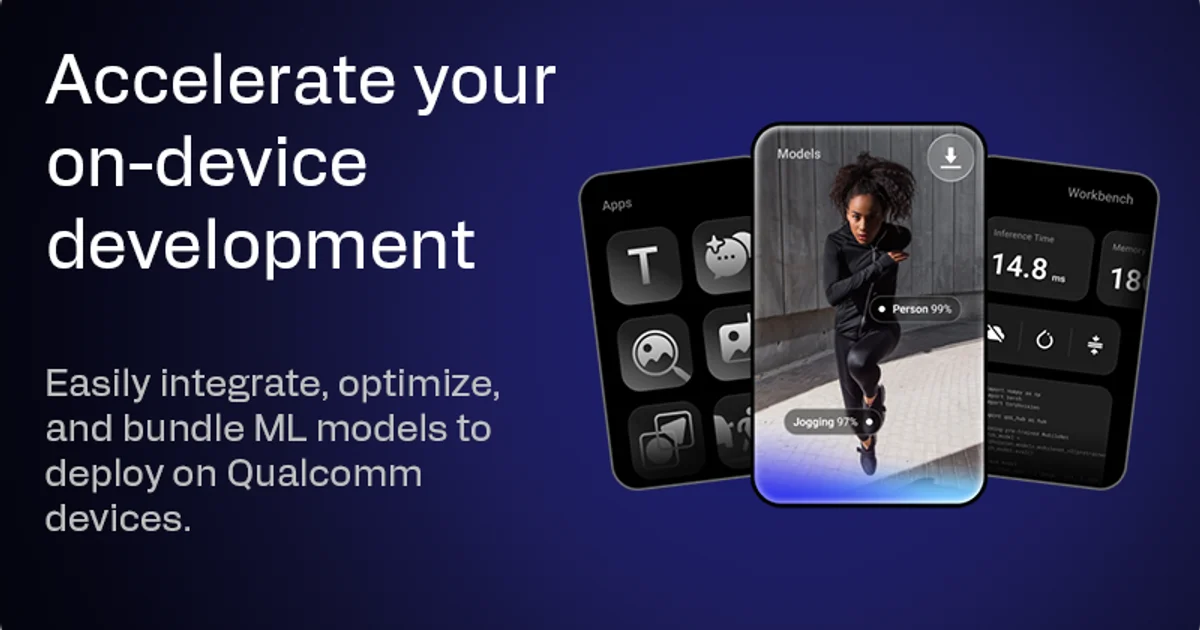
TL;DR: GenieX is Qualcomm’s open-source on-device GenAI inference runtime for Snapdragon devices. It runs GGUF models from Hugging Face locally on the Hexagon NPU, Adreno GPU, or CPU, with an OpenAI-compatible server and CLI — no cloud needed.
Source and Accuracy Notes
- Project page: sdk.nexa.ai (redirects to aihub.qualcomm.com/genai)
- Source repository: github.com/qualcomm/GenieX
- License: BSD-3-Clause (verified)
- Docs: geniex.aihub.qualcomm.com
- HN launch: news.ycombinator.com/item?id=45416455
What Is GenieX?
GenieX is an on-device GenAI inference runtime for Qualcomm Snapdragon chips. It is the community (open-source) version of Qualcomm’s proprietary GENIE runtime. The project was released in mid-2025 and has grown to 8,145 GitHub stars.
The key value proposition: bring almost any GGUF model from Hugging Face — or a pre-compiled bundle from Qualcomm AI Hub — and run it locally on the Hexagon NPU, Adreno GPU, or CPU, with no cloud dependency.
Supported interfaces:
- CLI (
geniex infer ...) - Python (
pip install geniex) - OpenAI-compatible REST server
- Kotlin/Java (Android)
- Docker
Supported devices:
- Windows ARM64 (Snapdragon X series)
- Android (Snapdragon 8 Elite)
- Linux ARM64 (QCS9075 IoT boards)
A free Qualcomm Device Cloud remote session is available if you have no compatible hardware.
Setup Workflow
Step 1: Install the CLI
Linux ARM64 — one line, no sudo required:
curl -fsSL https://qaihub-public-assets.s3.us-west-2.amazonaws.com/qai-hub-geniex/install.sh | sh
```bash

**Windows ARM64** — download the installer from the [GitHub releases](https://github.com/qualcomm/GenieX/releases), run it, then open a new terminal.

### Step 2: Run Your First Model

```bash
# GGUF from Hugging Face -> llama.cpp runtime (NPU / GPU / CPU)
geniex infer google/gemma-4-E4B-it-qat-q4_0-gguf

# Pre-compiled bundle from Qualcomm AI Hub -> Qualcomm AI Engine Direct (NPU)
geniex infer ai-hub-models/Qwen2.5-VL-7B-Instruct
```bash

Drag in an image when using VLM models for multimodal inference.

### Step 3: Run the OpenAI-Compatible Server

```bash
# Start the server
geniex serve --model google/gemma-4-E4B-it-qat-q4_0-gguf

# Query it like any OpenAI-compatible endpoint
curl -X POST http://localhost:8080/v1/chat/completions \
  -H "Content-Type: application/json" \
  -d '{"model": "gemma-4-E4B-it-qat-q4_0-gguf", "messages": [{"role": "user", "content": "Hello"}]}'
```bash

### Step 4: Python SDK

```bash
pip install geniex
```bash

```python
from geniex import GenieX

client = GenieX(model="google/gemma-4-E4B-it-qat-q4_0-gguf")
response = client.chat.completions.create(
    model="gemma-4-E4B-it-qat-q4_0-gguf",
    messages=[{"role": "user", "content": "What is the capital of France?"}]
)
print(response.choices[0].message.content)
Deeper Analysis
Hardware Dispatch
GenieX abstracts two runtimes under a unified interface:
| Model source | Runtime | Hardware |
|---|---|---|
| GGUF from Hugging Face | llama.cpp | NPU / GPU / CPU |
| Pre-compiled AI Hub bundle | Qualcomm AI Engine Direct | Hexagon NPU |
For GGUF models, the hardware target (NPU vs GPU vs CPU) is selected automatically based on what’s available, or manually via the --hardware flag.
Supported Model Types
- LLMs — Gemma 4, Llama 3, Qwen 3, Granite 4, and most mainstream GGUF formats
- VLMs — Qwen2.5-VL and other vision-language models that support image input
Performance Notes
Running on the Hexagon NPU via a pre-compiled AI Hub bundle typically yields significantly better throughput than GGUF on CPU, and lower power consumption than GPU for sustained inference workloads. Actual performance is device-dependent; Qualcomm Device Cloud provides a way to benchmark on real hardware before purchasing.
Practical Evaluation Checklist
- Installed GenieX CLI on a supported platform
- Ran a GGUF model via
geniex infer - Confirmed NPU vs CPU dispatch (check logs on first run)
- Started the OpenAI-compatible server and sent a curl request
- Tried a VLM with an image input
- Benchmarked a pre-compiled AI Hub bundle vs GGUF on the same model
Security Notes
All inference runs entirely on-device. No model weights, prompts, or outputs are transmitted to Qualcomm or any cloud service. This makes GenieX suitable for privacy-sensitive deployments where data cannot leave the device.
The open-source release (BSD-3-Clause) means the runtime can be audited for supply-chain integrity, unlike closed-source on-device SDKs.
FAQ
Q: Does GenieX work on any device, or only Snapdragon? A: Only on Qualcomm Snapdragon platforms. It will not run on Intel, AMD, or Apple Silicon. See the supported platforms table in the README for the full list.
Q: Can I use my own fine-tuned GGUF model?
A: Yes. Any GGUF file hosted on Hugging Face (or served locally) can be passed to geniex infer. The model must be compatible with llama.cpp quantization formats.
Q: What is the difference between the GGUF runtime and the Qualcomm AI Engine Direct runtime? A: GGUF uses llama.cpp for portability across any GGUF model. The AI Engine Direct runtime (used with AI Hub pre-compiled bundles) is Qualcomm’s own NPU kernel and generally delivers better per-watt performance on Snapdragon NPUs.
Q: Is the CLI the only interface, or can I embed this in an app? A: Python SDK, Kotlin/Java (Android), and a REST server are all available. The CLI is the quickest way to experiment; embedding is done via the Python or Android SDKs.
Conclusion
GenieX fills a specific niche: running open GGUF models on Qualcomm Snapdragon hardware with a proper inference runtime, rather than relying on cloud APIs or general-purpose CPU execution. The NPU dispatch for pre-compiled bundles is the standout feature for power-sensitive or privacy-hardened deployments. If you have a Snapdragon X Windows machine, a supported Android device, or access to Qualcomm Device Cloud, GenieX is worth a weekend experiment.
For comparison with other local inference options, see our LocLlmScore benchmarks and the WebMCP Core post on agent tool generation.
Related Posts
ai-setup
Recall – Persistent Memory for Claude Code via MCP Hooks
Recall gives Claude Code a permanent memory store that survives session restarts and context compaction. Four hooks capture and restore context automatically — with cloud SaaS or self-hosted options.
2/28/2026
ai-setup
Sentrial – Catch AI Agent Failures Before Your Users Do
YC W26-backed AI agent observability platform. Trace sessions, detect silent regressions, and A/B test prompts in production before failures reach users.
5/28/2026
ai-setup
IonRouter – Fast Low-Cost AI Inference API
IonRouter is a YC W26 inference API routing open-source and fine-tuned models via an OpenAI-compatible endpoint, built on a C++ runtime optimized for GH200.
5/28/2026