TL;DR
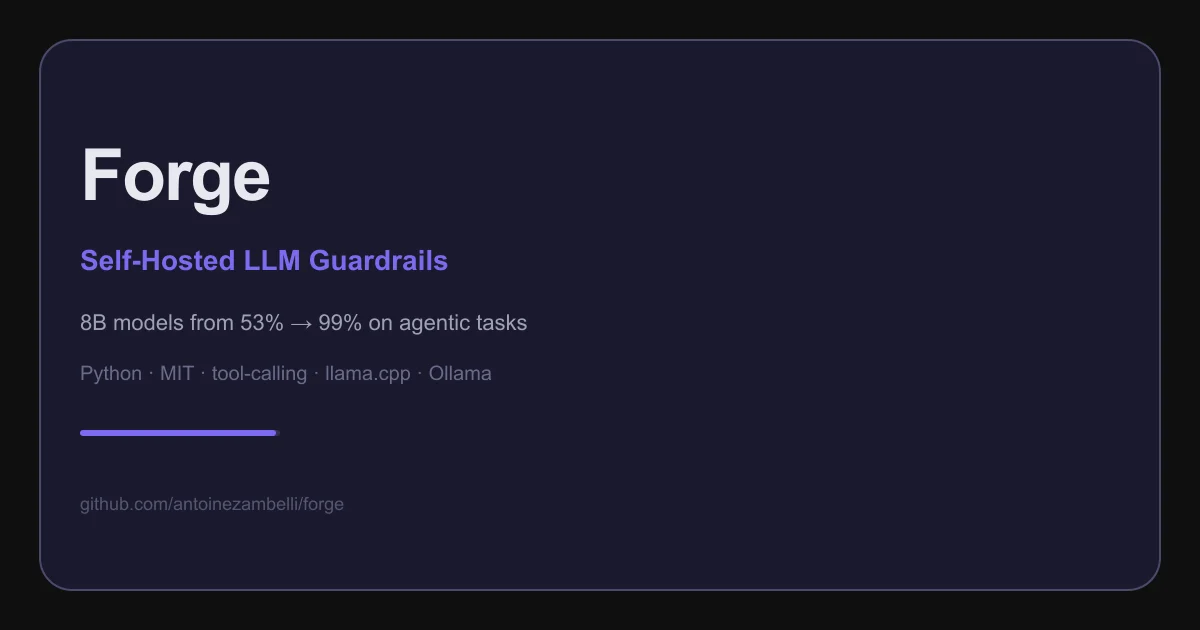
TL;DR: Forge is a Python framework that adds guardrails (parsing rescue, retry nudges, response validation) to self-hosted LLM backends, lifting an 8B model from ~53% to 84%+ success on multi-step tool-calling tasks.
Source and Accuracy Notes
- Project page: github.com/antoinezambelli/forge
- PyPI package: pypi.org/project/forge-guardrails
- License: MIT (verified via LICENSE file in repository)
- HN launch thread: news.ycombinator.com/item?id=48192383
What Is Forge?
Forge is a Python reliability layer for self-hosted LLM tool-calling. It sits inside one agentic loop and makes tool calls more reliable — without being an agent orchestrator or requiring you to rewrite your existing harness.
The core claim from the project: an 8B local model scoring single-digits on tool-calling tasks reaches 84% after adding Forge’s guardrails (measured on Forge’s own 26-scenario v0.7.0 eval suite). Even Sonnet 4.6 improved from 85% to 98% with Forge in proxy mode.
Three ways to use it:
- Proxy server (
python -m forge.proxy) — drops between any client and a local model. OpenAI-compatible clients (opencode, Continue, aider) or Claude Code point to it and get guardrails transparently. - WorkflowRunner — build structured agent loops with Forge managing the full lifecycle (system prompts, tool execution, context compaction, guardrails).
- Guardrails middleware — compose Forge’s reliability stack inside your own orchestration loop.
Supports Ollama, llama-server (llama.cpp), Llamafile, and vLLM as backends.
Setup Workflow
Step 1: Install Forge
pip install forge-guardrails                # core only
pip install "forge-guardrails[anthropic]"  # + Anthropic client (for API key mode)
```bash

For development:

```bash
git clone https://github.com/antoinezambelli/forge.git
cd forge
pip install -e ".[dev]"
```bash

### Step 2: Set up a Backend

**llama-server** (recommended by the project):

```bash
# Download from https://github.com/ggml-org/llama.cpp/releases
llama-server -m path/to/Ministral-3-8B-Instruct-2512-Q8_0.gguf \
  --jinja -ngl 999 --port 8080
```bash

**Ollama** (simpler setup, slightly weaker on harder workloads):

```bash
ollama pull ministral-3:8b-instruct-2512-q4_K_M
```bash

### Step 3: Run a Tool-Calling Loop

```python
import asyncio
from pydantic import BaseModel, Field
from forge import (
    Workflow, ToolDef, ToolSpec,
    WorkflowRunner, LlamafileClient,
    ContextManager, TieredCompact,
)

def get_weather(city: str) -> str:
    return f"72°F and sunny in {city}"

class GetWeatherParams(BaseModel):
    city: str = Field(description="City name")

workflow = Workflow(
    name="weather",
    description="Look up weather for a city.",
    tools={
        "get_weather": ToolDef(
            spec=ToolSpec(
                name="get_weather",
                description="Get the current weather",
                input_schema=GetWeatherParams,
            ),
            fn=get_weather,
        ),
    },
)

async def main():
    client = LlamafileClient(base_url="http://localhost:8080")
    context = ContextManager(compact=TieredCompact(thresholds=[2000, 4000]))
    runner = WorkflowRunner(workflow=workflow, client=client, context=context)
    result = await runner.run(user_message="What's the weather in Tokyo?")
    print(result)

asyncio.run(main())
```bash

Or use **proxy mode** to add guardrails to an existing setup without code changes:

```bash
python -m forge.proxy --backend llama-server --port 8081
Then point Claude Code or any OpenAI-compatible tool at http://localhost:8081.
Deeper Analysis
What the Guardrails Actually Do
Forge’s guardrails are composable middleware applied inside the tool-call loop:
- Parsing rescue — if the model outputs a malformed tool call, Forge intercepts and nudges the model to retry with the correct format.
- Retry nudges — if a tool call fails, Forge provides structured error context back to the model for a second attempt.
- Response validation — tool responses are validated before being fed back to the model.
- Optional step constraints —
required_steps,prerequisites, andterminal_toollet you constrain the loop when you need structure, but apply with zero required steps too.
Proxy Mode vs. Direct Integration
Proxy mode is the fastest path to improvement if you’re already using a coding agent. Point your existing tool at Forge’s proxy and the guardrails apply transparently — the client thinks it’s talking to a smarter model.
Direct integration (WorkflowRunner) gives you more control over the loop lifecycle and is the right choice for building new agentic applications on top of Forge.
Self-Hosted Only?
Forge is designed primarily for self-hosted backends (Ollama, llama-server, Llamafile, vLLM). The [anthropic] extra lets you use the Anthropic API as a backend, which is useful for development and comparison, but the core value proposition is improving reliability of local models.
Practical Evaluation Checklist
- Installed via pip with no dependency conflicts on Python 3.12+
- llama-server or Ollama backend starts and responds to chat completions
- Tool call succeeds on first attempt for a simple single-tool task
- Malformed tool call triggers a rescue/nudge rather than failing silently
- Proxy mode correctly intercepts and guards OpenAI-compatible requests
- Context compaction activates on long conversations (TieredCompact)
Security Notes
- API keys stored in environment variables (
ANTHROPIC_API_KEY, etc.), not in code - Forge validates tool responses before they reach the model — prevents tool output injection attacks on the context
- llama-server runs locally — no data leaves your machine in the default setup
FAQ
Q: Does Forge work with GPT-4 or Claude via their APIs?
A: Proxy mode is OpenAI-compatible, so any client that can point at an OpenAI-compatible endpoint can use Forge. The [anthropic] extra lets you use the Anthropic API as a backend. However, Forge’s primary value is improving reliability of weaker self-hosted models — API-only setups don’t need the same level of guardrails.
Q: What’s the minimum hardware to run this? A: Forge itself is Python with no GPU requirement. The backends (llama-server, Ollama) need a GPU for reasonable inference speed. The project recommends an 8B-parameter model like Ministral 3B or 8B for consumer GPUs; larger models will need more VRAM.
Q: How is this different from LangChain or LlamaIndex? A: Forge is narrower — it focuses specifically on making tool-calling inside one agentic loop reliable. It is not a general orchestration framework, does not manage multi-agent graphs, and does not include its own RAG or document handling.
Conclusion
Forge fills a specific gap in the self-hosted LLM stack: tool-calling reliability. If you’re running a local model and watching it fumble multi-step tasks, Forge’s guardrails can close that gap without a full harness rewrite. Start with proxy mode to test the improvement on your existing setup, then integrate WorkflowRunner directly if you need more control.
MIT license, Python 3.12+, available on PyPI.
Related Posts
ai-setup
Recall – Persistent Memory for Claude Code via MCP Hooks
Recall gives Claude Code a permanent memory store that survives session restarts and context compaction. Four hooks capture and restore context automatically — with cloud SaaS or self-hosted options.
2/28/2026
dev-tools
awesome-agentic-ai-zh Roadmap Guide
Explore awesome-agentic-ai-zh as a Chinese agentic AI learning roadmap, with setup notes, track selection, study workflow, and evaluation guidance.
5/28/2026
dev-tools
Dulus Terminal Agent Setup Guide
Set up Dulus as a terminal AI agent with native and Docker paths, installer profiles, WebChat ports, repo safety checks, and shell-access risks.
5/28/2026