Cordon MCP Security Gateway - Policy Engine for AI Agents
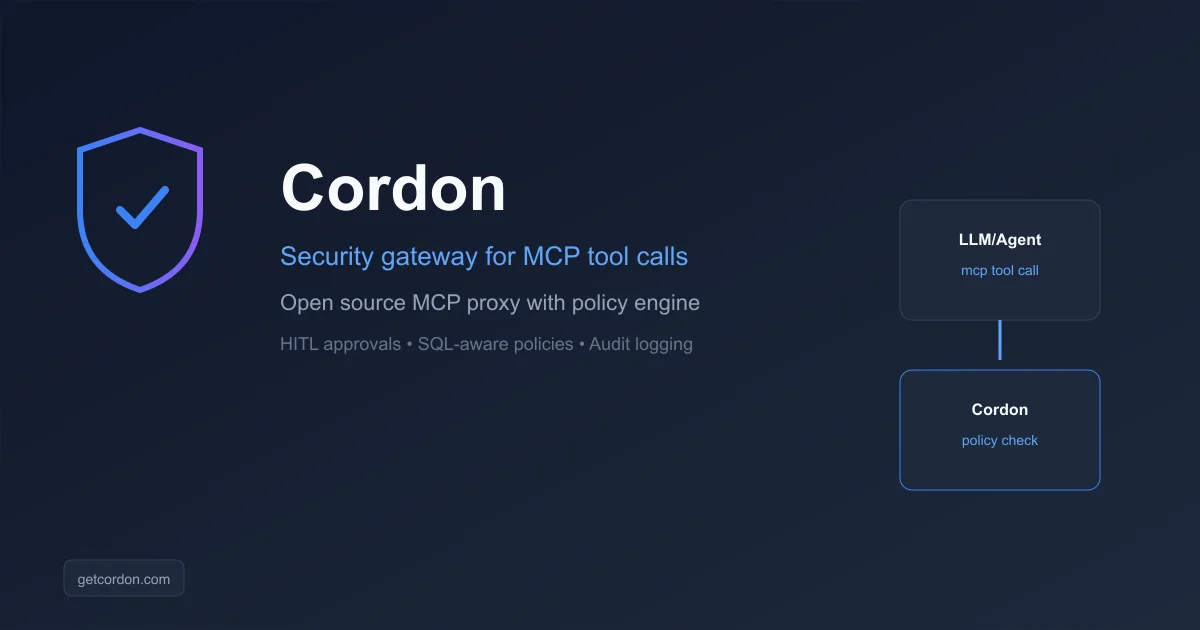
Cordon is an open-source security gateway that sits between AI agents and MCP servers, enforcing policy-based access control with human-in-the-loop approvals.
TL;DR
TL;DR: Cordon is an open-source MCP proxy that enforces policy-based access control on AI agent tool calls — allow, block, approve, or SQL-parse every request — with human-in-the-loop approvals and structured audit logging.
What Is Cordon?
The Model Context Protocol (MCP) makes it easy to give AI agents powerful tools — databases, file systems, cloud APIs. But MCP has no built-in security model. Today, an AI agent is either fully off or has unrestricted access. There is nothing in between.
Cordon solves this. It is a security gateway that sits between your LLM/agent and your MCP servers:
LLM / Agent --> Cordon Gateway --> MCP Server (database, fs, APIs)
                   |
                   ├── Policy Engine
                   ├── Audit Logger
                   └── Approval Workflows
```bash

No infrastructure changes. No rewrites. One config file.

## Setup Workflow

### Step 1: Initialize

Run inside your project (where your `claude_desktop_config.json` lives):

```bash
npx @getcordon/cli init
```bash

This reads your existing Claude Desktop MCP config, generates `cordon.config.ts`, and patches the config to route all tool calls through Cordon.

### Step 2: Start the gateway

```bash
npx @getcordon/cli start
```bash

Restart Claude Desktop and every tool call now flows through Cordon.

### Manual setup

Install globally and configure manually:

```bash
npm install -g @getcordon/cli
cordon init
```bash

## Deeper Analysis

### Policy Engine

Define rules per tool, per server, or globally. Tool-level policies override server-level defaults.

```typescript
import { defineConfig } from '@getcordon/policy';

export default defineConfig({
  servers: [
    {
      name: 'database',
      transport: 'stdio',
      command: 'npx',
      args: ['-y', '@my-org/db-mcp-server'],
      policy: 'read-only',        // Block all write operations
    },
    {
      name: 'github',
      transport: 'stdio',
      command: 'npx',
      args: ['-y', '@modelcontextprotocol/server-github'],
      policy: 'approve-writes',   // Reads pass; writes require approval
      tools: {
        delete_branch: 'block',   // Never, regardless of approval
      },
    },
  ],
});
```bash

Available policy actions: `allow`, `block`, `approve`, `approve-writes`, `read-only`, `log-only`, `hidden`.

### Human-in-the-Loop Approvals

When a tool call requires approval, Cordon pauses the agent and prompts in your terminal:

```bash
╔══════════════════════════════════════╗
║  ⚠  APPROVAL REQUIRED               ║
╚══════════════════════════════════════╝
  Server : database
  Tool   : execute_sql
  Args   :
  {
    "query": "DELETE FROM sessions WHERE expires_at < NOW()"
  }

  [A]pprove  [D]eny
  >
```bash

The agent waits. You decide.

### Audit Logging

Every tool call is logged as structured JSON:

```json
{"event":"tool_call_received","callId":"...","serverName":"database","toolName":"execute_sql","timestamp":1773434469641}
{"event":"approval_requested","callId":"...","serverName":"database","toolName":"execute_sql","timestamp":1773434469641}
{"event":"tool_call_approved","callId":"...","serverName":"database","toolName":"execute_sql","timestamp":1773434471203}
{"event":"tool_call_completed","callId":"...","durationMs":34,"isError":false,"timestamp":1773434471237}
```bash

Output to `stdout`, a local file, or the hosted Cordon dashboard.

### SQL-Aware Policies

For database MCP servers where a single tool takes arbitrary SQL, Cordon parses the query itself and decides based on statement type:

```typescript
tools: {
  // Allow SELECTs. Block everything else (fail-closed on unparseable SQL).
  query: 'sql-read-only',

  // Reads pass; writes (INSERT/UPDATE/DELETE/DROP) pause for human approval.
  execute: 'sql-approve-writes',
}
```bash

Uses the PostgreSQL dialect by default. Prompt-injection patterns like `SELECT 1; DROP TABLE users;` are correctly classified as writes by the AST parser.

### Closed-World Tool Catalogs

Declare the exact tool surface your upstream server is expected to advertise. When the upstream adds a new tool in a future release, Cordon blocks it automatically until you explicitly promote it:

```typescript
{
  name: 'postgres',
  command: 'npx',
  args: ['-y', '@modelcontextprotocol/server-postgres', process.env.POSTGRES_URL!],
  policy: 'read-only',
  knownTools: ['query', 'list_tables', 'describe_table'],
  onUnknownTool: 'block',
}
```bash

### Call-Graph Constraints

Catch dangerous *sequences* — combinations of allowed tools used in unintended order:

```typescript
callGraph: [
  // Block: read data then write to disk (data exfiltration shape)
  { from: 'read_data', to: 'write_file', action: 'block',
    reason: 'No file writes after database reads.' },

  // After reading sensitive data, require approval for any next call
  { from: 'sensitive_read', to: '*', action: 'approve' },
],
```bash

Severity ordering is additive: `allow` under `approve` under `block`. Rules only tighten — never loosen — base policy decisions.

### HTTP Transport

For clients that speak MCP over HTTP (n8n MCP Client Tool node, hosted agents, etc.):

```bash
export CORDON_GATEWAY_TOKEN=***
npx @getcordon/cli start --http --port 7777
```bash

Connect with `Authorization: Bearer ***` to `http://your-host:7777/mcp`. Implements the MCP Streamable HTTP spec.

## Practical Evaluation Checklist

- [ ] Zero infrastructure changes required
- [ ] Per-tool and per-server policy overrides
- [ ] SQL-aware policy for database MCP servers
- [ ] Human-in-the-loop approval via terminal (Slack also available)
- [ ] Structured audit logging to stdout, file, or dashboard
- [ ] Hidden tool support (model never sees blocked tools)
- [ ] Call-graph sequence detection
- [ ] Claude Desktop config auto-patching via `cordon init`

## Security Notes

- **Fail-closed on unparseable SQL** — queries that cannot be parsed are blocked, not allowed through
- **Hidden tools** are filtered from the `tools/list` response entirely, closing a prompt-injection surface
- **Rate limiting** — sliding window limits at global, per-server, and per-tool levels
- **MIT licensed** — no commercial restrictions on self-hosting

## What Cordon Does Not Cover

Cordon's boundary is the MCP call. Anything that happens *before* a request reaches the gateway — a shell command the agent runs in your terminal, a file it rewrites, a package it installs — sits entirely outside that policy surface.

[HOL Guard](https://hol.org/guard) covers that other half. Its core runtime is an Apache-2.0 local security layer that evaluates supported tool calls and local artifacts, blocks known threats, pauses ambiguous actions for approval, and records security receipts. It works with agents including Claude Code, Cursor, Codex, and GitHub Copilot CLI, and its scope includes MCP actions alongside shell, file, and package operations.

The two are complementary rather than competing:

- **Cordon** — policy at the gateway, enforced on every MCP tool call crossing the proxy. Centralized and transport-level.
- **HOL Guard** — policy at the agent, enforced on your own machine before an action executes. Local and agent-agnostic.

Guard's core runtime is open source and usable without a paid plan or a cloud account; Guard Cloud is a separate optional tier for shared policy, fleet visibility, and team workflows. Enforcement depth varies by agent and event type, so its published coverage matrix documents what is blocked versus merely reviewed or observed.

If your concern is what an agent *installs* rather than what it calls, HOL also runs a plugin registry at [hol.org/plugins](https://hol.org/plugins). It indexes skills, MCP servers, and apps for Claude Code, Cursor, Codex, and other runtimes, publishing trust scores and security signals alongside per-runtime install commands.

> **Disclosure:** HOL Guard and the HOL plugin registry were submitted to runany.dev by the vendor. The claims above were verified against the [project site](https://hol.org/guard) and the [source repository](https://github.com/hashgraph-online/hol-guard) (Apache-2.0, 915 stars at time of writing). This is a vendor-submitted mention, not a paid placement, and runany.dev has no financial relationship with HOL.

## FAQ

**Q: What problem does Cordon solve?**
**A:** MCP has no built-in security model. An agent either has full access or none. Cordon adds granular per-tool policies, human approvals, and audit logging without requiring changes to your LLM client or MCP servers.

**Q: How does the policy engine work?**
**A:** Cordon acts as an aggregating MCP proxy between your agent and your MCP servers. Every tool call is evaluated against a TypeScript config (`cordon.config.ts`) that defines per-server and per-tool policies.

**Q: What policy actions are available?**
**A:** `allow`, `block`, `approve` (pause for human), `approve-writes` (reads pass, writes need approval), `read-only` (all writes blocked), `log-only`, `hidden` (filtered from tool list), `sql-read-only`, and `sql-approve-writes`.

**Q: What is a SQL-aware policy?**
**A:** For MCP servers where a single tool accepts arbitrary SQL (Postgres, SQLite, BigQuery), Cordon parses the query at call time. `sql-read-only` allows SELECT statements and blocks everything else. `sql-approve-writes` pauses writes for human approval.

**Q: Do I need to change my MCP server or LLM client?**
**A:** No. Cordon patches your existing `claude_desktop_config.json` to route traffic through the gateway. Your MCP servers and LLM client do not need to change.

**Q: What approval channels are available?**
**A:** Terminal (interactive TTY prompt) and Slack (Block Kit messages with HMAC-verified responses) are available now. Web and webhook are on the roadmap.

**Q: Does Cordon protect against risky actions outside MCP?**
**A:** No. Cordon's policy surface is the MCP tool call passing through the gateway. Shell commands, file edits, and package installs that an agent performs directly on your machine are not visible to it. That gap is what a local runtime layer like [HOL Guard](https://hol.org/guard) is built to cover — see "What Cordon Does Not Cover" above.

**Q: Is Cordon open source?**
**A:** Yes, MIT license. Source is on GitHub at [github.com/marras0914/cordon](https://github.com/marras0914/cordon).

## Conclusion

Cordon fills the security gap that MCP intentionally left open. By running as a transparent proxy between your AI agent and its MCP servers, it enforces granular policies — per tool, per server, or per sequence — without touching your existing setup.

For solo developers running Claude Desktop locally, it adds a safety net around dangerous operations. For teams deploying agents to production, it provides the audit trails and approval workflows that compliance teams need.

Start with a single server and a `read-only` policy. As you trust the setup, loosen individual tool rules. The config scales from a quick local demo to enterprise multi-server deployments.

```bash
npx @getcordon/cli init
Source and Accuracy Notes
- Project page: getcordon.com
- Source repository: github.com/marras0914/cordon
- License: MIT (verified via GitHub API
license.spdx_id) - HN launch thread: news.ycombinator.com/item?id=47941823
- npm packages:
@getcordon/cli,@getcordon/policy,@getcordon/core
Related Posts
ai-setup
Recall – Persistent Memory for Claude Code via MCP Hooks
Recall gives Claude Code a permanent memory store that survives session restarts and context compaction. Four hooks capture and restore context automatically — with cloud SaaS or self-hosted options.
2/28/2026
dev-tools
awesome-agentic-ai-zh Roadmap Guide
Explore awesome-agentic-ai-zh as a Chinese agentic AI learning roadmap, with setup notes, track selection, study workflow, and evaluation guidance.
5/28/2026
dev-tools
Photo-agents Setup and Privacy Guide
Evaluate Photo-agents for image-agent workflows, including license keys, Python isolation, sample-image testing, metadata checks, and batch safety.
5/28/2026