YourGPT 2.0 - AI Agent Platform With Native MCP Integration
YourGPT 2.0 unifies chatbot, voice, and helpdesk into one AI agent platform with native MCP marketplace support, multimodal inputs, and 20+ integrations.
TL;DR
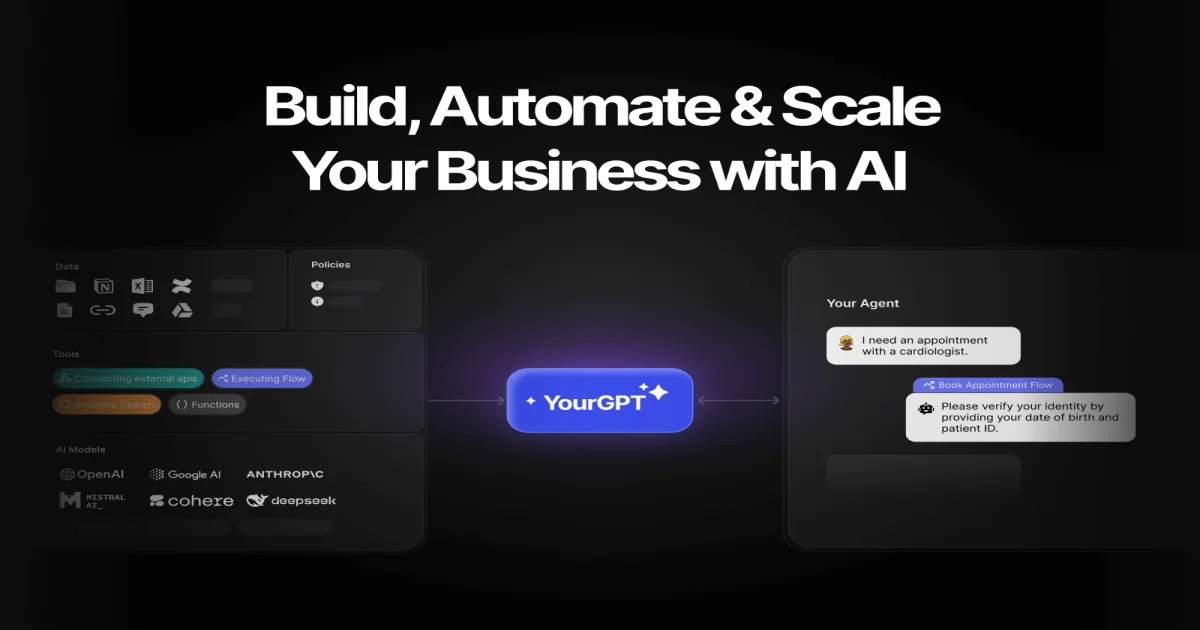
TL;DR: YourGPT 2.0 is an end-to-end AI agent platform that combines chatbots, voice agents, and helpdesk with a native Model Context Protocol (MCP) marketplace, multimodal inputs, and natural-language workflow building — letting non-developers ship production AI agents across web, mobile, and phone channels.
Source and Accuracy Notes
This post is based on the official YourGPT 2.0 launch page, the product homepage, the published llms.txt index, and the Show HN: YourGPT 2.0 thread (Nov 17, 2025). Pricing figures come from the pricing page as of June 2026. Product surface area is large — features and integration lists may shift between releases; verify the live page for the most current spec.
What Is YourGPT?
YourGPT is a hosted AI agent platform aimed at businesses that want to automate customer support, sales conversations, and operational workflows without wiring up a custom LLM stack. Version 2.0 (launched November 2025) repositions the product from “chatbot builder” to a broader “AI agent platform” by adding:
- An AI Copilot that builds workflows from natural-language descriptions
- Native support for Model Context Protocol (MCP) with a built-in marketplace
- Voice agents that handle inbound and outbound phone calls
- Multimodal agents that process text, voice, and images in one flow
- Native integrations with 20+ business tools (Stripe, Airtable, Google Sheets, Notion, Supabase, Slack, Zendesk, Twilio, Cal.com, ClickUp, and more)
- SDKs for React, Flutter, and Android for embedding agents in mobile or web apps
The platform sits in the same category as Botpress, Voiceflow, and Chatbase but with two notable differentiators: native MCP integration (so teams can plug in any MCP-compatible tool server) and a “BYO agent” workflow that lets you run heavier models locally and pipe results back into the platform.
Key Features in 2.0
AI Copilot for Studio
The Studio is where workflows are built. The 2.0 release added an AI Copilot that takes a plain-English description of the flow you want and generates the entire workflow graph — nodes, branches, and tool calls included. The Copilot can also debug a misbehaving flow by showing what happened at each step and pointing to where things went off track.
The “Bring Your Own Agent” option is the more interesting story for technical teams: you can run an agent on your local machine against your own model subscription (so the cost is on your infra, not on YourGPT’s credits) and have it generate large outputs — like a 100+ page corporate website — over several hours. The platform acts as the orchestration layer and the deployment target.
Native MCP Integration and Marketplace
MCP support is the headline infrastructure feature. The 2.0 release added a dedicated MCP Marketplace where teams can browse ready-to-use MCP servers for common tools (Notion, Stripe, Slack, Jira, etc.) and install them with one click. This is the same model as Anthropic’s MCP ecosystem, but bundled directly into the agent builder.
If you maintain your own MCP server, you can connect it to a YourGPT agent with a single URL — the platform handles the protocol negotiation, tool discovery, and execution. The MCP360 layer exposes more than 100 tools through one configuration, which is useful when an agent needs to span multiple back-office systems.
Multimodal Agents
A single agent in YourGPT 2.0 can accept text, voice, and images as input and respond in any of the three formats. The practical effect is that a customer can send a screenshot of a broken UI element, the agent can visually parse it, look up the matching ticket in Zendesk, and reply with a text response that links to the open issue. Or a customer can call the support line, the voice agent transcribes the question, queries a Notion knowledge base, and reads the answer back in a natural voice.
The voice layer uses upgraded TTS/STT models that handle interruptions and barge-in more naturally than the 1.x release. Native iOS and Android SDKs are available so the same agent behavior works inside mobile apps, not just on a web widget.
Phone AI Agents
PhoneAI is the voice-calling subsystem. It handles inbound customer calls 24/7, can place outbound calls for follow-ups, supports 100+ languages for both recognition and synthesis, and integrates with Cal.com for appointment booking. The interactive voice response (IVR) flow lets teams build call trees without writing telephony code.
Ask AI Triggers and CMD+K
A small but useful addition: any webpage can be configured to highlight text on hover and open a chat window that asks the visitor what they want to know about that specific content. The CMD+K palette is a developer-style command interface for navigating the Studio — settings, conversations, and feature toggles are all reachable by typing.
Repo-Specific Setup Workflow
YourGPT is a hosted SaaS, not a self-hosted tool, so “setup” here means connecting your first agent and wiring up one integration.
Step 1: Create an account and pick a plan
# Visit https://yourgpt.ai and click "Get started"
# Free tier is available for testing
# Paid plans start at $19/month for the Starter plan
```bash

The pricing page lists a credit-based model — AI Studio interactions, voice minutes, and MCP tool calls all consume credits. The AI Credits Calculator on the pricing page estimates your monthly usage based on expected conversation volume.

### Step 2: Connect a knowledge source

Agents need data to answer questions. YourGPT supports training from:

- Documents (PDF, Word, Excel, text)
- Websites (crawl and ingest)
- Notion workspaces
- Confluence
- YouTube transcripts
- Gmail and Outlook (for support teams reading historical threads)
- Ticketing systems (Zendesk, Freshdesk, Zoho Desk)

Adding a source is a point-and-click operation in the Studio. Crawling a website is async — the platform ingests content in the background and indexes it for retrieval.

### Step 3: Build a workflow with AI Copilot

```bash
# In the Studio, type a description like:
# "When a customer asks about refund status, look up their order in Stripe,
#  check the Zendesk ticket for context, and reply with the current status
#  and a link to the open ticket."

# The Copilot generates the node graph. Review each step and click "Deploy"
# when ready.
```bash

You can also build flows manually with the drag-and-drop editor if you want full control. The CMD+K palette speeds up node search and configuration.

### Step 4: Connect an MCP server

```bash
# In the Studio, open the MCP Marketplace
# Browse available servers or click "Add custom MCP server"
# Paste the MCP server URL and credentials
# The agent can now call tools exposed by that server
If you do not have an MCP server, YourGPT’s built-in MCP360 layer exposes 100+ tools through a single configuration, which covers most of what a support or sales agent needs.
Step 5: Embed or deploy
For web, drop a JavaScript snippet into your site — the chat widget appears with the agent’s persona, branding, and behavior configured. For mobile, install the React Native, Flutter, or Android SDK. For phone, claim a number through PhoneAI and route inbound calls to the voice agent.
Deeper Analysis
Where YourGPT Fits
The market for AI customer support tools is crowded. YourGPT’s positioning is closer to Voiceflow or Botpress on the visual-builder side, but with the MCP layer it borrows from Anthropic’s developer ergonomics. The tradeoff is depth vs breadth: YourGPT covers chatbot, voice, and helpdesk in one product, but a tool focused purely on voice (Vapi, Retell) or purely on RAG (Glean, Hebbia) will likely outperform it on a single axis.
The BYO Agent workflow is a smart hedge for cost-sensitive teams. Most platforms meter every token and force you to use the in-platform model. YourGPT lets you route heavy workloads to your own infrastructure (with your own model subscription) and only use the platform for orchestration and delivery. This is unusual in the category.
What the MCP Marketplace Actually Does
MCP is a protocol that lets an LLM agent call external tools through a standardized interface. Without MCP, every integration is a custom API call wrapped in a function-calling schema. With MCP, you install a server, the agent discovers its tools, and the LLM can call them like any other tool.
YourGPT’s MCP Marketplace is a curated catalog of pre-built servers. The advantage is speed: instead of writing a Stripe wrapper from scratch, you install the Stripe MCP server and the agent can immediately list charges, refund payments, and create subscriptions. The disadvantage is dependency on the marketplace maintainer — if a server is outdated or buggy, you may need to connect a custom server instead.
Practical Limits
- Credit-based pricing can get expensive at scale. Heavy voice usage on a small plan burns through credits fast. The AI Credits Calculator is worth running before committing.
- MCP marketplace maturity varies — some servers are well-maintained, others lag behind upstream API changes. Treat MCP servers as third-party dependencies.
- Voice quality is good but not best-in-class. If voice is your primary channel, benchmark against Vapi or Retell before committing.
- BYO Agent is for technical teams only. The setup requires local model execution, network exposure for callbacks, and familiarity with agent runtimes.
Practical Evaluation Checklist
Before signing up, verify these against your use case:
- Does the pricing model fit your monthly conversation volume?
- Are the integrations you need (CRM, ticketing, payments) in the MCP Marketplace or available as native integrations?
- Does the voice quality meet your standards for customer-facing calls?
- Can the platform ingest your knowledge sources in the format you have them (Notion, Confluence, PDFs, websites)?
- Do you have technical capacity to maintain MCP servers, or do you depend entirely on the marketplace?
- Does the Studio’s visual builder work for non-technical team members who will be updating workflows?
Security Notes
- The platform stores all conversation transcripts and training data on YourGPT infrastructure. Review the Privacy Policy and Data Processing Agreement before sending PII or regulated data.
- MCP servers can read and write to connected systems. Treat the marketplace as a supply chain — verify the publisher before installing a server that touches production data.
- Voice calls are recorded by default for quality and training. Disable recording if your compliance posture requires it.
- API keys for connected services (Stripe, Zendesk, etc.) are stored in YourGPT’s vault. Use scoped, read-only keys where possible.
- The self-learning architecture updates agent behavior over time based on interactions. Review the Refunds Policy and terms for data retention windows.
FAQ
Q: Is YourGPT 2.0 self-hosted or cloud-only? A: Cloud-only. The platform runs on YourGPT’s infrastructure. You can run your own LLM agent locally and connect it via the BYO Agent workflow, but the orchestration, knowledge base, and deployment are managed by YourGPT.
Q: How does YourGPT pricing work? A: Credit-based. You buy a monthly plan and credits are consumed by Studio interactions, voice minutes, MCP tool calls, and training ingest. The free tier is for testing. Paid plans start at the Starter tier; check the pricing page for current numbers.
Q: Does YourGPT support MCP? A: Yes — native MCP support was added in the 2.0 release. The MCP Marketplace provides one-click installation for common servers, and you can connect custom MCP servers by URL.
Q: Can I use my own LLM model? A: Yes, through the BYO Agent workflow. You run an agent locally against your own model subscription and have it push results into the YourGPT platform for deployment. The platform does not require its own LLM credits for those workflows.
Q: What channels can agents deploy to? A: Web widget, mobile apps (React Native, Flutter, Android via SDKs), WhatsApp, Instagram, Messenger, Slack, Discord, Telegram, LINE, voice/phone (PhoneAI), and email. SMS is supported through Twilio integration.
Q: How is YourGPT different from Voiceflow or Botpress? A: YourGPT bundles chatbot, voice, and helpdesk in one product with native MCP and multimodal support. Voiceflow and Botpress focus primarily on visual flow building; YourGPT adds a marketplace of pre-built MCP integrations and a voice subsystem. The closest direct comparisons are the Voiceflow vs Botpress vs YourGPT and Zendesk vs Freshdesk vs YourGPT comparison pages.
Q: Is there an open-source component? A: YourGPT has a GitHub organization with some open-source tooling, but the core platform is closed-source SaaS. For self-hosted MCP-compatible agent runtimes, look at Mastra or LangGraph.
Conclusion
YourGPT 2.0 is a competent, broad-coverage AI agent platform with a notable edge in MCP integration and a thoughtful BYO Agent option for cost-sensitive technical teams. It is not the most specialized tool in any single category (voice, RAG, helpdesk), but the breadth — chatbot + voice + helpdesk + MCP + 20+ native integrations in one product — is what makes it interesting. Worth a trial run for any team that needs a multi-channel AI agent without wiring up the infrastructure from scratch.
Related Posts
ai-setup
Recall – Persistent Memory for Claude Code via MCP Hooks
Recall gives Claude Code a permanent memory store that survives session restarts and context compaction. Four hooks capture and restore context automatically — with cloud SaaS or self-hosted options.
2/28/2026
dev-tools
Automotive Skills Suite for AI Engineering
Evaluate Automotive Skills Suite for APQP, ASPICE, HARA, safety-plan, and DIA workflows with setup notes, governance risks, and SME review guidance.
5/28/2026
dev-tools
awesome-agentic-ai-zh Roadmap Guide
Explore awesome-agentic-ai-zh as a Chinese agentic AI learning roadmap, with setup notes, track selection, study workflow, and evaluation guidance.
5/28/2026