Woxi: A Wolfram Language Interpreter in Rust
Woxi reimplements the Wolfram Language in Rust, with crates.io and PyPI packages, a Jupyter kernel, and a CLI that runs .wls scripts without a Wolfram license.
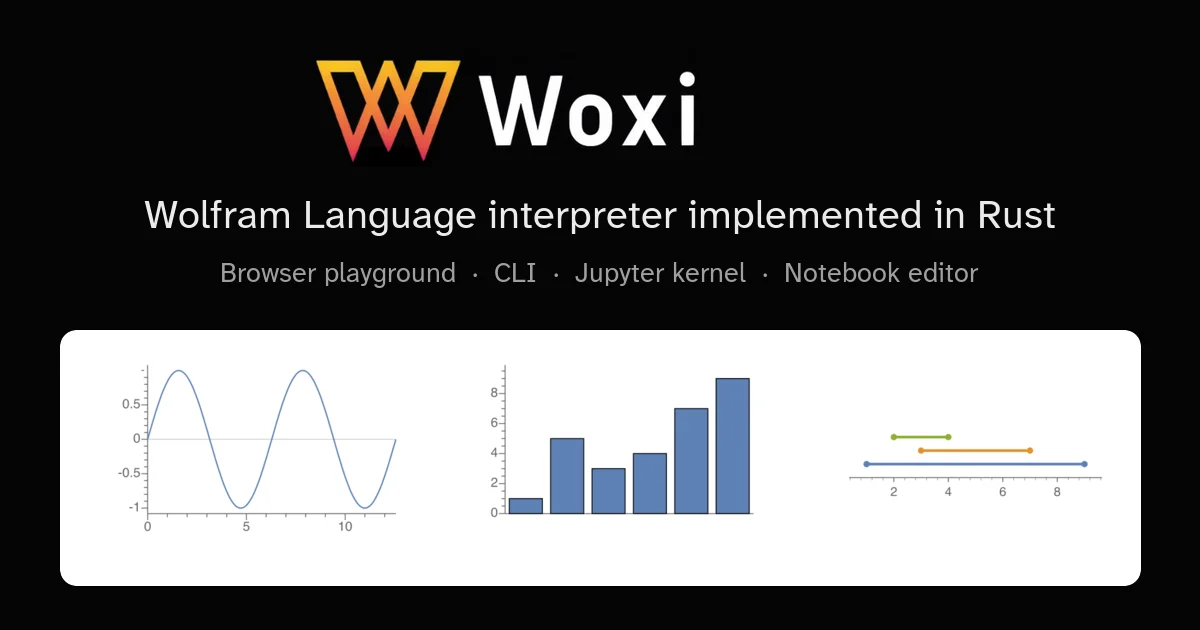
TL;DR: Woxi is a Wolfram Language interpreter written in Rust, installable with
cargo install woxiorpip install woxi. It ships awoxi evalandwoxi runCLI, a Jupyter kernel, a Python API, and a browser playground that keeps everything on your machine. It implements a subset of the language, not all of it.
What it is
Woxi evaluates Wolfram Language expressions. You write Integrate[x^2, x], it returns x^3/3. The symbolic math is real, not a lookup table.
The interpreter core is Rust, and that choice shows up in how it ships. There is a crates.io package and a PyPI package, and the whole thing installs with a single command on macOS, Linux, and Windows. The same binary backs every front end: a terminal CLI, a REPL, a Jupyter kernel, a Python binding, and a browser playground.
The playground runs entirely in your browser, including a bundled JupyterLite instance, so you can evaluate expressions without installing anything. Nothing is sent to a server.
Why it matters
Wolfram Language has a history of being hard to reach. The official Mathematica is proprietary, and the license is priced for a different buyer than the person who wants to script a quick calculation. The open alternative, Mathics, has been around since 2011 and is written in Python.
Woxi is a third implementation, and the difference that matters is what you can do with it. Because the interpreter is a Rust library rather than a Python program, it drops into mobile and embedded contexts where a Python runtime was never going to fit. It also ships as a normal package on crates.io and PyPI, so it fits into existing toolchains without a build from source.
The comparison is the honest way to judge it:
| Woxi | Mathematica | Mathics | |
|---|---|---|---|
| Implementation language | Rust | C++ | Python |
| First release | 2024 | 1988 | 2011 |
| License | AGPL-3.0-or-later | Proprietary | GPL-3.0 |
| Open source | Yes | No | Yes |
Woxi is not a replacement for Mathematica, and the project says so. The docs keep a conformance page listing missing features by release, along with gaps in Mathics parity, so you can check whether the function you need exists before you commit to it.
Getting it running
The Rust binary gives you the CLI and the Jupyter kernel, and it is the fuller install:
cargo install woxiThat gives you a woxi binary you can point at an expression or a script file:
woxi eval 'Integrate[x^2, x]'
woxi run analysis.wls
A .wls file is Wolfram Language source. Running one directly is often simpler than converting it to some other format first.
The Python package wraps the same interpreter and is the lighter option when you only need it from Python:
pip install woxiimport woxi
print(woxi.interpret("Plus[1, 2]"))
# 3
print(woxi.interpret("Integrate[x^2, x]"))
# x^3/3Session state persists between calls on the same thread, which means you can set a variable and use it later without rebuilding the whole expression:
woxi.interpret("x = 42;")
woxi.interpret("x + 1")
# 43
The package also installs a woxi command, so woxi eval, woxi run, and woxi repl work from a pip install too. Only the Jupyter kernel requires the Rust binary.
For notebooks, register the kernel and launch JupyterLab:
woxi install-kernel
jupyter lab
The kernelspec is embedded in the binary, so this works from any directory. Pass --system to register it for every user on the machine rather than just yourself. If jupyter is on your PATH the kernel goes through jupyter kernelspec install, otherwise Woxi writes the kernelspec into Jupyter’s directory directly.
What to watch for
Two things decide whether Woxi fits your project: the subset boundary and the AGPL license.
The subset boundary is the practical one. Woxi tracks the Wolfram Language closely in symbolic computation, where it has Mathics parity as the bar, but it is not complete. The docs list the missing features per release, and functions tied to the broader Mathematica platform, such as data access against Wolfram’s own cloud services, are not in scope. Check the conformance page for your specific expressions.
The AGPL-3.0-or-later license is the one that needs a decision rather than a note. AGPL is a strong copyleft license with network use provisions. For a personal script, a notebook, or an internal tool this is fine. If you plan to embed Woxi in a service you offer to other people, or distribute it inside a proprietary product, that is a question for whoever owns the licensing on your side. Mathics, at GPL-3.0, and the proprietary Mathematica each give you a different answer, and that difference is worth checking before you build on top of it.
Worth knowing about the local state as well: the interpreter runs on the machine, so expressions you evaluate never leave it. The playground takes this further and runs in the browser with no server calls at all.
Source and Accuracy Notes
- Project page: https://woxi.ad-si.com/ — verified via direct visit, playground and docs read
- Source repository: https://github.com/ad-si/Woxi (941 stars, AGPL-3.0, active as of 2026-10-21)
- License: AGPL-3.0-or-later — verified via GitHub API
license.spdx_idand the comparison page on the project docs - Package versions:
woxi0.3.0 on crates.io and PyPI (latest GitHub release v0.3.0, published 2026-08-06) - HN launch thread: https://news.ycombinator.com/item?id=49270040
Related Posts
ai-setup
Recall – Persistent Memory for Claude Code via MCP Hooks
Recall gives Claude Code a permanent memory store that survives session restarts and context compaction. Four hooks capture and restore context automatically — with cloud SaaS or self-hosted options.
2/28/2026
dev-tools
Automotive Skills Suite for AI Engineering
Evaluate Automotive Skills Suite for APQP, ASPICE, HARA, safety-plan, and DIA workflows with setup notes, governance risks, and SME review guidance.
5/28/2026
dev-tools
awesome-agentic-ai-zh Roadmap Guide
Explore awesome-agentic-ai-zh as a Chinese agentic AI learning roadmap, with setup notes, track selection, study workflow, and evaluation guidance.
5/28/2026