Wireflow: sketch user flows in the browser
Wireflow is a free, MIT-licensed browser tool for sketching user flow wireframes, with 125 screen templates, hour estimates and an optional Claude assistant.
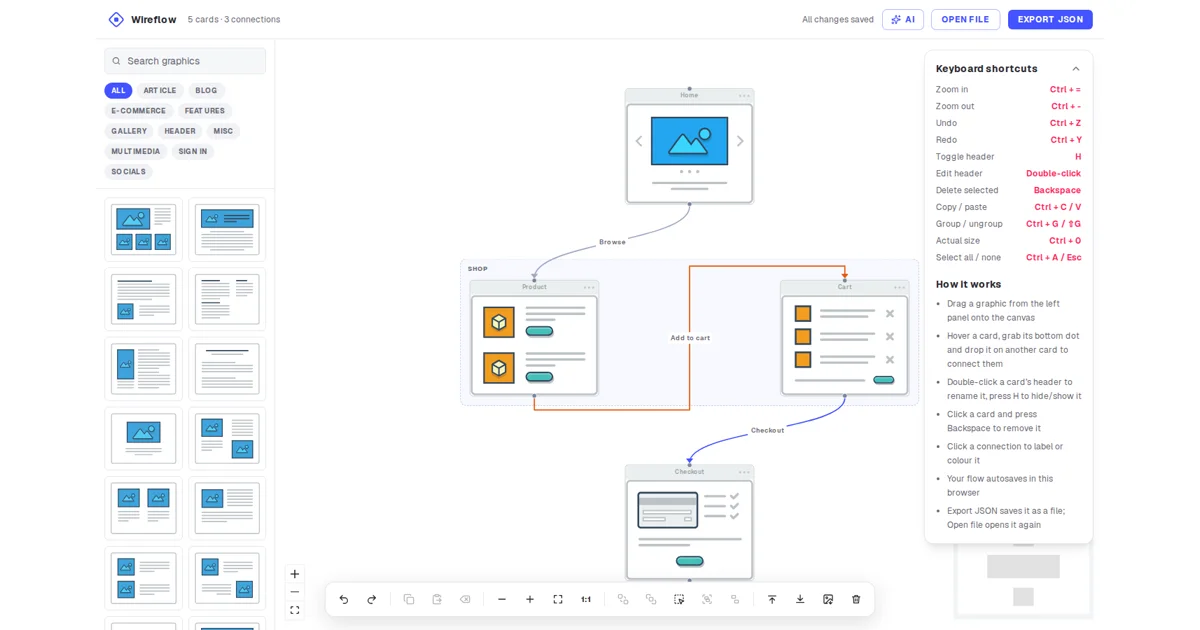
TL;DR: Wireflow is a free, MIT-licensed browser tool for sketching user flows. You drag wireframe screens onto a canvas, connect them with labelled arrows, attach hour estimates and export the result as a PNG or an editable JSON file. The diagram lives in your browser’s local storage, there is no account, and the optional Claude assistant talks straight to Anthropic from the page using your own API key. Self-hosting is one
docker compose up.
What it is
The editor lives at /app on wireflow.co and opens straight into a canvas with a template library down the left, a properties panel on the right, and a toolbar along the bottom. You drag a screen from the sidebar onto the canvas, grab the dot at the bottom of a card and drop it on another card to draw a connection, then export the diagram when it is finished.
The template library is what separates Wireflow from a generic diagram editor. There are 125 templates across twelve categories: Article, Blog, E-Commerce, Features, Gallery, Header, Misc, Multimedia, Sign in, Socials, Flow and Mobile. The E-Commerce set already covers product, cart, checkout, delivery, PayPal and rating screens, so sketching a shopping flow is mostly assembly rather than drawing. The Flow category holds the connective steps that diagrams usually omit, a yes or no choice, a three-way choice, email sent, email code, email confirmed, and wizard steps one through three.
Mobile templates are drawn at 124 px wide rather than the 220 px used by desktop ones, so a phone screen sits on the canvas at the same scale as a laptop screen instead of arriving as a shrunken sticker.
Why it matters
Most wireframing tools want an account and most of them make you draw every screen by hand. Wireflow does neither, and it treats the flow itself as the artefact rather than a pile of static mockups.
Connections are first-class. Each one carries its own label, line shape, stroke width and colour, so the “add to cart” arrow and the “checkout” arrow are visually distinct rather than being two identical lines between two identical boxes. Cards can be renamed, grouped and nested, and a group can be dragged onto or off a card to add or remove it.
There is also an estimates feature that turns the diagram into something you can bill from. You give a card its hours in the Card panel, groups total up automatically, and project stages add the work that is not a screen at all: design, QA, project management, either as fixed hours or as a percentage of the card hours. Set an hourly rate and the header shows what the project costs, with a breakdown per group and a CSV export for the whole table.
The project is MIT licensed and developed in the open at vanila-io/wireflow, with more than 4,000 stars and commits landing as recently as November 2026.
Getting it running
The hosted editor needs nothing but a browser. Open wireflow.co/app, drag a template in and start drawing. There is no sign up, and the page works on touch screens and installs as a progressive web app if you want it in its own window.
For self-hosting, the repo ships a Dockerfile and a compose file. Clone it and build:
git clone https://github.com/vanila-io/wireflow.git
cd wireflow
docker compose up -d --build
That serves the app on port 8083. The image builds with Node 24 and runs the Next.js standalone output as an unprivileged user, and everything the editor needs works inside the container: the landing page, the editor, the offline worker and the templates.
Running from source instead takes Node 20.9 or newer, with Node 24 the recommended version:
npm ci
npm run dev
The development server comes up on http://localhost:3000.
The Claude assistant
The AI button is optional and takes your own Anthropic API key. You describe a flow or a change in plain language and Claude edits the diagram, groups and notes included. It reads the estimates and only changes them when asked, and every change lands as a single undo step.
The privacy story is the interesting part. Requests go directly from your browser to api.anthropic.com with your messages and a compact copy of the diagram. Wireflow has no server in the middle, so the project never sees your key or your diagram, and the diagram the model receives contains screen labels, template ids, positions, connections, group names, note text and estimates, but not your own uploaded images.
The key is remembered on your device by default, stored encrypted in IndexedDB with AES-GCM under a non-extractable device key that WebCrypto generates. That keeps it out of plain sight in browser storage, though it does not protect it from code running on the page or from a browser extension with access to that profile. The README suggests using a dedicated key with an expiry and a spend limit. Each reply shows what it cost.
Where your work lives
Every change autosaves into your browser’s local storage, under the key wireflow-flow-v1, and undo history sits in session storage so it survives a reload of the tab. Nothing is stored on a server, which means clearing site data deletes the diagram.
To keep a copy or move it to another browser, export it as JSON and open it later:
{
  "format": "wireflow",
  "version": 4,
  "diagram": {
    "nodes": [
      { "id": "g1", "type": "group", "position": { "x": -16, "y": -36 },
        "data": { "label": "Checkout" } },
      { "id": "n1", "type": "flow", "parentId": "g1", "position": { "x": 16, "y": 36 },
        "data": { "graphicId": "e-commerce-cart", "label": "Cart", "headerText": "My cart",
                  "showHeader": true, "estimate": 6 } }
    ],
    "edges": [{ "id": "e1", "source": "n1", "target": "n2", "type": "smoothstep",
                "markerEnd": { "type": "arrowclosed" }, "label": "Checkout",
                "style": { "stroke": "#e8590c", "strokeWidth": 3 } }],
    "settings": { "hourlyRate": 90, "currency": "EUR",
                  "stages": [{ "label": "Design", "percent": 20 }] }
  }
}
The file format is versioned, and version 4 adds project stages on top of version 3, which added notes, your own images, estimates and the hourly rate. Older files open unchanged, including those from the earlier gg-editor app, and the loader refuses a newer version rather than overwriting your work with a downgrade.
The app also runs offline after one online visit, since the service worker is scoped to /app only and never touches the landing page or the blog.
Cost and licensing
Wireflow is free forever with no sign up, and the site credits its Open Collective sponsors for keeping it open source. There is no paid tier and no usage meter on the editor itself. The only cost you can accrue is Anthropic API usage if you turn on the AI assistant, which is billed by Anthropic against the key you supply.
Self-hosting is unrestricted under the MIT license, and the Docker path is the officially supported one.
What to watch for
Browser storage is the practical limit. The README warns when local storage, roughly 5 MB, starts filling up, and your own images are scaled down and stored inline in the diagram, so a file full of screenshots will hit that ceiling faster than a file of built-in templates.
The Docker build does not behave identically to the Cloudflare Workers deployment. The /uploads route answers 404 in the container because the R2 binding it needs is not in the image, though nothing in the app uploads today. The GitHub star count and sponsor list are fetched during docker build and refreshed hourly, and the cached page lives on the container disk rather than in R2, so it starts again from the image copy when the container is recreated.
The project has no CI. The README asks contributors to run lint, typecheck, unit tests and both Playwright suites locally before merging, because a framework upgrade can pass the suite against next start and fail against the OpenNext build in workerd, which is what production actually runs.
Source and Accuracy Notes
- Project page: https://wireflow.co/ (verified via direct visit)
- Editor: https://wireflow.co/app (verified via direct visit)
- Source repository: https://github.com/vanila-io/wireflow (MIT, 4171 stars, 395 forks, TypeScript, created 2017-11-05, last push 2026-11-01, verified via the GitHub API on 2026-11-04)
- License: MIT, confirmed from the LICENSE file in the repository
- Product Hunt: https://www.producthunt.com/posts/wireflow (linked from the project README)
- HN launch thread: https://news.ycombinator.com/item?id=38710030 (340 points, 39 comments, 2023-12-20), plus an earlier thread at https://news.ycombinator.com/item?id=24624410 (276 points, 2020-09-29) pointing at the repository
- Tech stack: Next.js 16, React 19, React Flow, Tailwind CSS 4, Radix UI, Lucide, html-to-image, Anthropic SDK, OpenNext for Cloudflare, Vitest, Playwright, ESLint
- Maintained by The Vanila Team and Automatio AI, funded through Open Collective
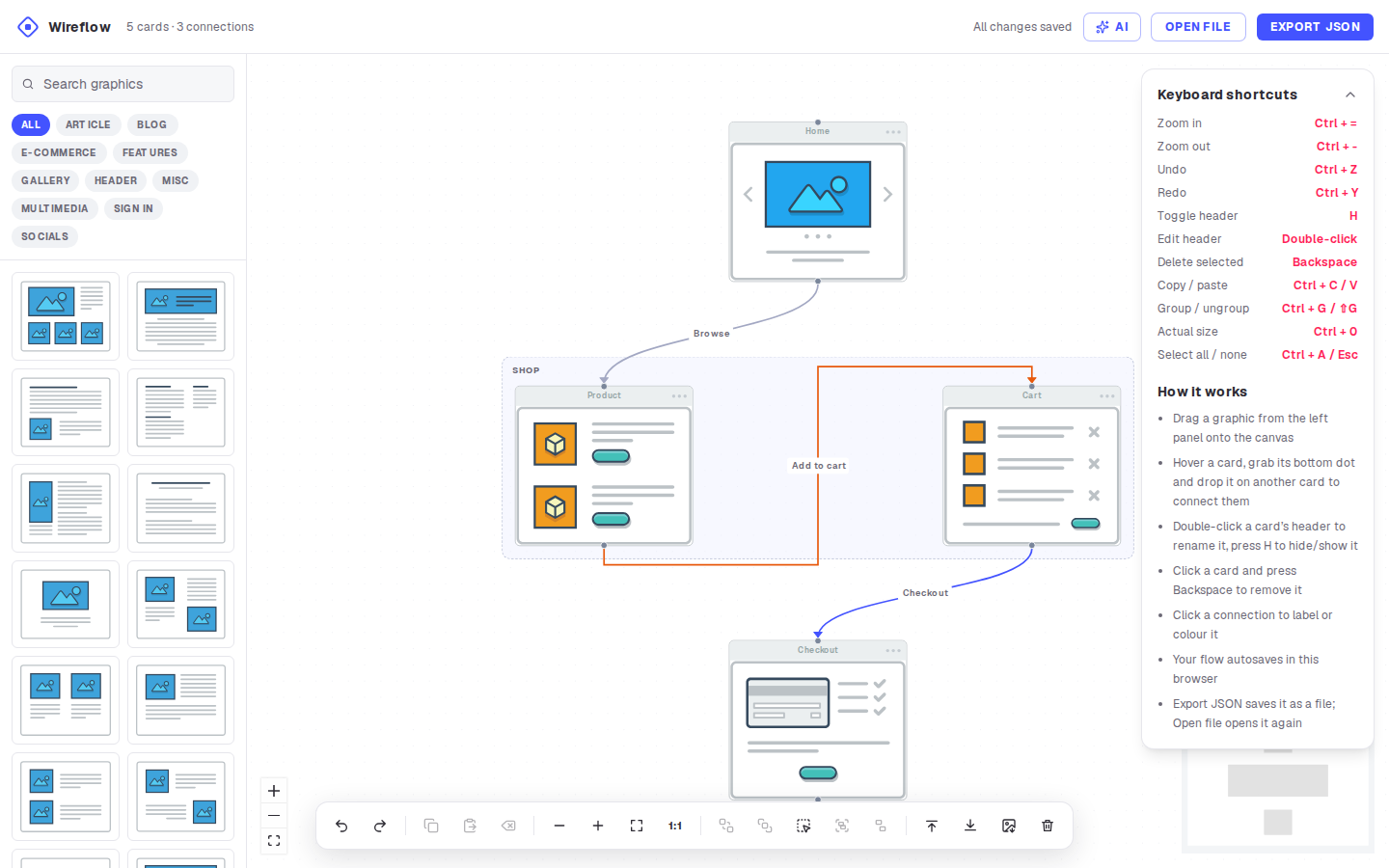
- Thumbnail: the project README screenshot at https://raw.githubusercontent.com/vanila-io/wireflow/master/docs/screenshot.png, a 1440x900 PNG, scaled to fit a 1200x630 frame
Related Posts
ai-setup
Recall – Persistent Memory for Claude Code via MCP Hooks
Recall gives Claude Code a permanent memory store that survives session restarts and context compaction. Four hooks capture and restore context automatically — with cloud SaaS or self-hosted options.
2/28/2026
dev-tools
Automotive Skills Suite for AI Engineering
Evaluate Automotive Skills Suite for APQP, ASPICE, HARA, safety-plan, and DIA workflows with setup notes, governance risks, and SME review guidance.
5/28/2026
dev-tools
awesome-agentic-ai-zh Roadmap Guide
Explore awesome-agentic-ai-zh as a Chinese agentic AI learning roadmap, with setup notes, track selection, study workflow, and evaluation guidance.
5/28/2026