WinGPT – ChatGPT on Windows 3.1 (Yes, Really)
WinGPT ports an AI assistant to Windows 3.1 using Open Watcom, WolfSSL, and the OpenAI API — running natively on a 386 with under 1 MB RAM.
TL;DR
TL;DR: WinGPT is an open-source ChatGPT client built for Windows 3.1 — it runs on a real 386 with under 1 MB of RAM, using Open Watcom C/C++ and a back-ported TLS stack to call the OpenAI API.
Source and Accuracy Notes
- Project page: dialup.net/wingpt
- HN launch thread: news.ycombinator.com/item?id=36472854 (382 points)
- License: GPL v2 — confirmed on project page
- Source: Bundled with modified WolfSSL source (see project page)
What Is WinGPT?
WinGPT is an AI assistant that brings ChatGPT to Windows 3.1. It was built from scratch using Open Watcom C/C++ and communicates with the OpenAI API over TLS 1.3 — something that did not exist on 16-bit Windows.
The project solves two hard problems:
- No native TLS on Windows 3.1 — the author back-ported a TLS stack from WolfSSL (formerly CyaSSL), adapted for the 16-bit environment.
- No modern HTTP client — Windows 3.1’s WinSock lacks the socket options needed for modern TLS. The project works around this by implementing the TLS handshake manually over a blocking socket.
“WinGPT will work on any 16-bit or 32-bit version of Windows post-Windows 3.1. It requires an internet connection and OpenAI API key. It will not work on 64-bit versions of Windows (but does work on stock Windows 2000).” — project page
Setup Workflow
Prerequisites
- Windows 3.1 or later (16-bit or 32-bit)
- 386 DX or better processor
- Under 1 MB of RAM for the application
- Internet connection
- OpenAI API key
Step 1: Download the Binary
Download the pre-built binary from the project page:
https://www.dialup.net/wingpt/download/wingpt10.zipThe ZIP contains binaries for both 16-bit and 32-bit Windows.
Step 2: Configure Your OpenAI API Key
On first launch, WinGPT prompts for your OpenAI API key. This key is stored locally and sent with each request to the OpenAI API.
Step 3: Run on Your Retro Machine
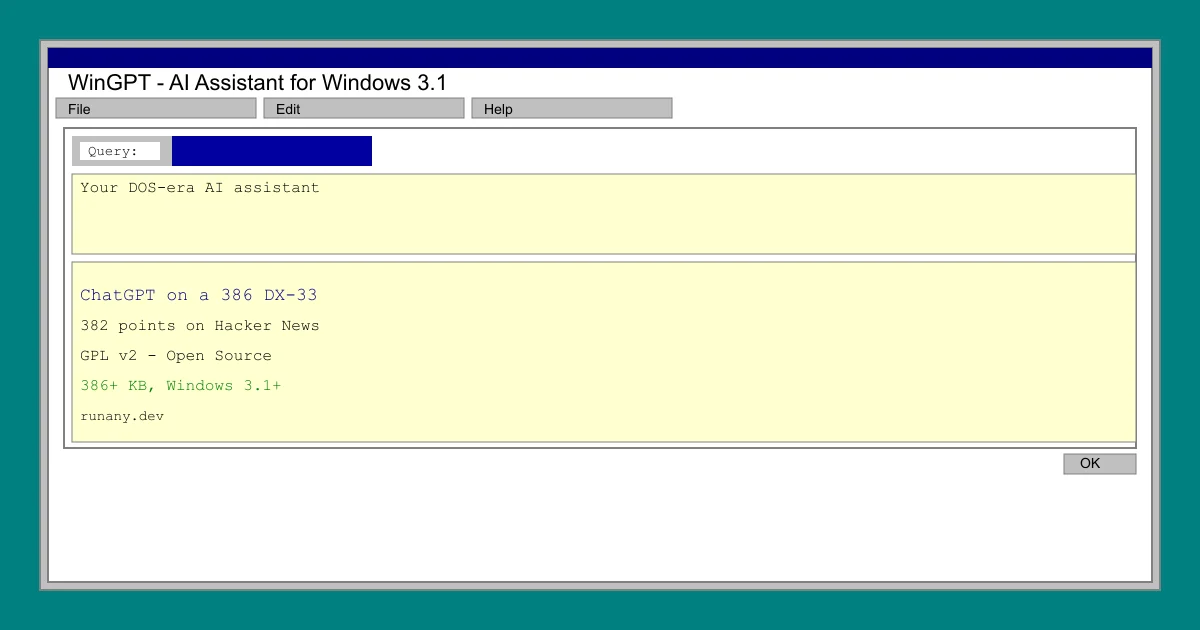
Launch wingpt.exe on your Windows 3.1 VM or hardware. The interface is a native Windows 3.1 dialog — a title bar, menu bar (File, Edit, Help), and a chat area styled in the classic Windows grey.
Step 4: Start Chatting
Type a query and press OK. WinGPT sends it to the OpenAI API and displays the response. The UI is intentionally minimal — a throwback to how Windows 3.1 applications looked before HTTP clients existed.
Deeper Analysis
Why This Matters
WinGPT is a proof-of-concept that demonstrates the gap between “impossible on this hardware” and “just need to port the missing layers.” Windows 3.1 had TCP/IP stack support through WinSock, but nothing like OpenSSL or a modern HTTP client. The author had to implement the TLS handshake from scratch using the blocking socket API.
The project also shows how much the web has changed. The OpenAI API returns JSON — the author notes that “the JSON responses of modern APIs aren’t especially optimized for size.” On a machine with 640 KB of usable RAM (the classic Windows 3.1 ceiling), every byte matters.
Architecture
- Compiler: Open Watcom C/C++ v2 — an open-source compiler that still targets 16-bit x86
- TLS: Back-ported WolfSSL (formerly CyaSSL), stripped to fit the 16-bit memory model
- API: OpenAI Chat Completions API over HTTPS
- UI: Native Windows 3.1 API — no libraries, pure
SendMessageandGetMessage
Limitations
- No streaming — responses arrive as a complete block after the API returns
- No conversation history — each query is a fresh API call
- Requires your own OpenAI API key and pays for usage
- No Windows 3.1 SChannel equivalent — the TLS implementation is custom
- 64-bit Windows is not supported
Practical Evaluation Checklist
- Runs on real 16-bit Windows 3.1 hardware (or VM)
- Compiles with open-source toolchain (Open Watcom v2)
- TLS 1.3 via back-ported WolfSSL
- Native Windows 3.1 UI (no Electron, no React)
- OpenAI API key required (bring your own)
- Source available (bundled with modified WolfSSL)
Security Notes
- Your OpenAI API key is stored in plaintext in the WinGPT configuration
- The TLS implementation, while based on WolfSSL, was adapted for a 16-bit environment — treat it as experimental
- Use a dedicated API key with minimal quota for retro machines you don’t fully trust
- The project predates TLS 1.3 on Windows 3.1 — the back-port is the main attack surface
FAQ
Q: Can this actually run on a real 386? A: Yes. The binary is compiled for 16-bit x86. It runs on a 386 DX-33 with 4 MB of RAM, though the author recommends 8 MB for comfort.
Q: What does the interface look like? A: A standard Windows 3.1 dialog — grey title bar, menu bar (File, Edit, Help), and a scrollable text area. The screenshot on the project page shows a query field, an OK button, and the chat history below.
Q: Is the source code available? A: Yes. The modified WolfSSL source is bundled on the project page alongside the binary download.
Q: What API does it use? A: The OpenAI Chat Completions API. You need an API key and pay per token.
Conclusion
WinGPT is a charming piece of retrocomputing nostalgia that also happens to be a genuine engineering accomplishment. Porting TLS to Windows 3.1 from scratch is not a weekend project — it required implementing the entire handshake state machine over a blocking socket API that predates non-blocking I/O by a decade.
If you have a retro machine gathering dust and an OpenAI API key, WinGPT is the most historically interesting way to run a ChatGPT client. For everyone else, it is a reminder that the gap between “this machine can’t do X” and “X just needs a port” is often smaller than it looks.
Source and Accuracy Notes
- Project page: dialup.net/wingpt
- HN launch thread: news.ycombinator.com/item?id=36472854 (382 points, verified)
- License: GPL v2 (verified on project page)
Related Posts
ai-setup
Recall – Persistent Memory for Claude Code via MCP Hooks
Recall gives Claude Code a permanent memory store that survives session restarts and context compaction. Four hooks capture and restore context automatically — with cloud SaaS or self-hosted options.
2/28/2026
dev-tools
Automotive Skills Suite for AI Engineering
Evaluate Automotive Skills Suite for APQP, ASPICE, HARA, safety-plan, and DIA workflows with setup notes, governance risks, and SME review guidance.
5/28/2026
dev-tools
awesome-agentic-ai-zh Roadmap Guide
Explore awesome-agentic-ai-zh as a Chinese agentic AI learning roadmap, with setup notes, track selection, study workflow, and evaluation guidance.
5/28/2026