WindowSill - Free AI Command Bar for Windows
A free universal command bar for Windows with built-in AI writing, grammar check, tone rewriting, and translation in any app. Plus clipboard history and media controls.
TL;DR
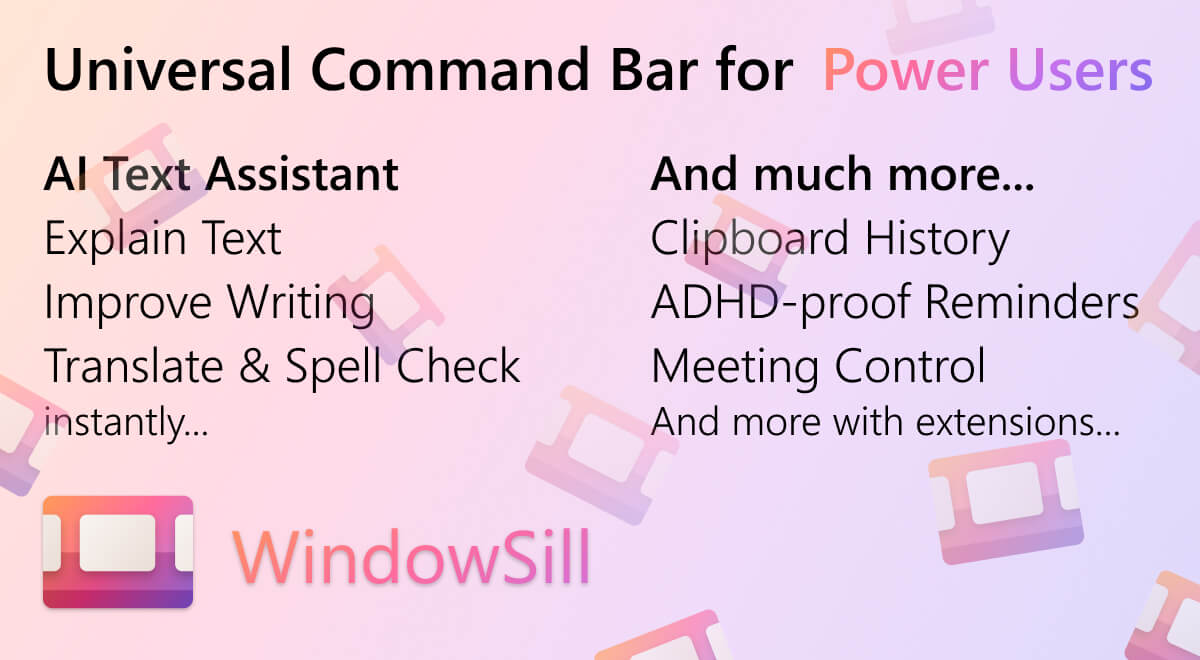
TL;DR: WindowSill is a free Windows command bar that brings AI writing assistance — grammar check, tone rewriting, and translation — directly into any app via a global hotkey. It also ships clipboard history, media controls, and reminders out of the box.
What Is WindowSill?
WindowSill is a Windows-native productivity bar that lives in the system tray and springs to life via a global hotkey. Unlike browser extensions that only work inside web apps, WindowSill intercepts selected text system-wide and runs it through AI-powered tools regardless of which application you’re in.
The core pitch: you select text anywhere, press Alt+Space, and get instant access to grammar correction, tone adjustment, text rewriting, and translation across 35+ languages — without switching windows or copy-pasting into a separate tool.
It sits in the background consuming minimal RAM and stays out of your way until you need it.
Features
From the official product page:
- AI writing assistant — grammar and spell check on selected text
- Text rewriter — adjust tone (formal, casual, professional, etc.)
- AI translation — 35+ languages, works in any app
- Custom AI prompts — define your own rewriting/transformation rules
- Clipboard history — searchable history of recent copies
- Media controls — system-wide playback control (Spotify, YouTube, etc.)
- Short-term reminders — set quick in-app reminders
- Unit converter — built-in quick conversions
- Web browser control — play/pause/forward/rewind any web media
- App launcher — launch apps and URLs from the command bar
- Customizable extensions — community-made extensions available
The free tier includes all core productivity features. WindowSill+ ($4/month) unlocks AI writing assistance (grammar, rewriting, tone, translation). WindowSill Pro adds organization-wide management, graduated pricing for teams, and BYOK (bring your own key) for OpenAI, Anthropic, Google, and local LLMs.
Setup
Install
Download from the Microsoft Store:
# Search "WindowSill" in the Microsoft Store app
# Or visit directly:
https://apps.microsoft.com/detail/9PG6CJPXTPZ0
```bash

No install wizard — it lands in your Start menu and system tray automatically.

### First Launch

1. Open WindowSill from the Start menu
2. It will request **Accessibility** permission (required to read selected text globally)
3. The icon appears in the system tray
4. Press `Alt+Space` to open the command bar

### Enable AI Features

1. Click the system tray icon → **Dashboard**
2. Under **WindowSill+**, click **Start Free Trial** (7-day trial)
3. Or go to **Settings → AI** and add your own API key (Pro only)

## How It Works

WindowSill registers a global hotkey (`Alt+Space` by default) that opens a floating overlay. The overlay reads the currently selected text via Windows Accessibility APIs, sends it to the AI backend (or your own API key), and returns the result to a side panel — all without switching focus from your active app.

```text
User selects text in any app
        ↓
Alt+Space opens WindowSill overlay
        ↓
Selected text sent to AI (or your own API)
        ↓
Result shown in side panel → click to copy/replace
This design means it works inside VS Code, Slack, Notion, Gmail, or any other Windows application — no per-app extension needed.
Practical Evaluation Checklist
- ✅ Works in any Windows app via Accessibility API
- ✅ Grammar and spell check with one keystroke
- ✅ Tone rewriting (formal, casual, professional, friendly)
- ✅ 35+ language translation
- ✅ Clipboard history with search
- ✅ Media controls for web and desktop players
- ✅ Custom AI prompts (define your own rewrite rules)
- ✅ Free tier covers all non-AI features
- ⚠️ AI features require WindowSill+ ($4/month) or Pro
- ⚠️ Requires Windows 10/11 with Accessibility permission
Security Notes
WindowSill needs Accessibility permission to read selected text. This is a broad permission — review the privacy policy before enabling on a work machine. The Pro tier’s BYOK option lets you route AI requests through your own API keys, avoiding WindowSill’s servers entirely for AI processing.
FAQ
Q: Is WindowSill free? A: Yes, the core productivity features (clipboard history, media controls, reminders, unit converter, app launcher) are free forever. AI writing assistance requires WindowSill+ ($4/month) after a 7-day free trial.
Q: Does it work with my own API key? A: WindowSill Pro supports BYOK for OpenAI, Anthropic, Google, and local LLMs. This keeps AI text off WindowSill’s servers.
Q: How is it different from PowerToys Run? A: PowerToys Run is a file/app launcher with plugin support. WindowSill is focused on text manipulation — selecting text and running AI operations on it. They coexist fine.
Q: Does it work on Linux or macOS? A: No — WindowSill is Windows-only, using Windows Accessibility APIs.
Source and Accuracy Notes
- Project page: getwindowsill.app
- Microsoft Store listing: apps.microsoft.com/detail/9PG6CJPXTPZ0
- GitHub organization: github.com/WindowSill-app (no public repo as of publish)
- HN launch thread: news.ycombinator.com/item?id=45346593
- License: Proprietary (not open source)
Related Posts
ai-setup
Recall – Persistent Memory for Claude Code via MCP Hooks
Recall gives Claude Code a permanent memory store that survives session restarts and context compaction. Four hooks capture and restore context automatically — with cloud SaaS or self-hosted options.
2/28/2026
dev-tools
Automotive Skills Suite for AI Engineering
Evaluate Automotive Skills Suite for APQP, ASPICE, HARA, safety-plan, and DIA workflows with setup notes, governance risks, and SME review guidance.
5/28/2026
dev-tools
awesome-agentic-ai-zh Roadmap Guide
Explore awesome-agentic-ai-zh as a Chinese agentic AI learning roadmap, with setup notes, track selection, study workflow, and evaluation guidance.
5/28/2026