Vrite – Open-Source Developer Content Platform
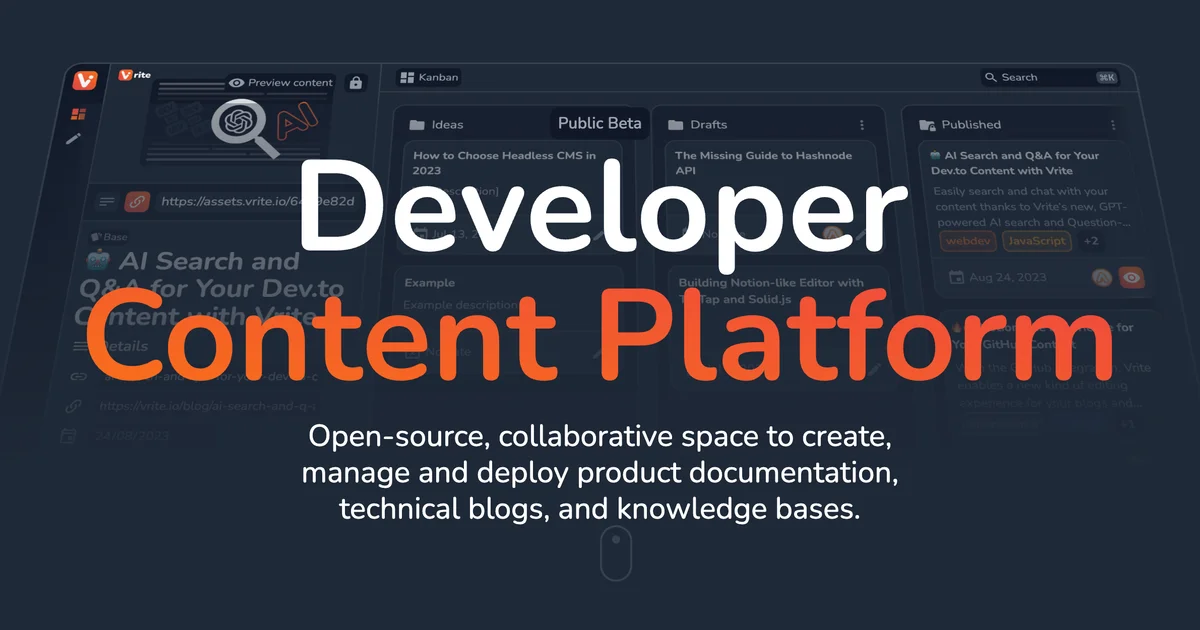
Vrite is an open-source collaborative developer content platform for creating product docs, technical blogs, and knowledge bases with WYSIWYG editing, AI search, and extensions.
TL;DR
TL;DR: Vrite is an open-source, collaborative content platform built for developer documentation and technical blogs — featuring WYSIWYG editing, AI-powered semantic search, Kanban content management, and a flexible extension system.
Source and Accuracy Notes
- Project page: vrite.io
- Source repository: github.com/vriteio/vrite
- License: AGPL-3.0 (verified via GitHub API
license.spdx_id) - HN launch thread: not confirmed — no
news.ycombinator.comlink in README
What Is Vrite?
Vrite is an open-source, collaborative space for creating, managing, and deploying product documentation, technical blogs, and knowledge bases. It targets developer content teams who want the control of self-hosting combined with a modern editing experience.
The project description from the README:
Vrite is an open-source, collaborative space to create, manage, and deploy product documentation, technical blogs, and knowledge bases.
Key features listed in the README:
- Built-in management dashboard with Kanban or List view for content production workflows
- WYSIWYG editing with Markdown support, integrated code editor, code formatting, and real-time collaboration
- AI-powered semantic search for organizing and searching through your content base
- Versatile API and Extension System for delivering content to any frontend
- Open-source with options to self-host or use Vrite Cloud
Setup Options
Self-Hosting
Vrite is fully open-source and can be self-hosted. The repository includes deployment configurations. Refer to the official Usage Guide for detailed self-hosting instructions.
Vrite Cloud
The fastest path to try Vrite is the hosted cloud version at app.vrite.io, which includes free tier access.
Editing Experience
Vrite’s editor combines WYSIWYG formatting with Markdown shortcuts, an integrated code editor with syntax highlighting, and real-time collaboration features. This makes it suitable for teams writing technical documentation where both prose and code samples are first-class citizens.
Content Management
The built-in dashboard supports both Kanban and List views, letting teams manage content production pipelines without requiring external project management tools. Each piece of content can be tagged, categorized, and routed through a workflow.
Extension and API
A versatile API and extension system allows delivering content to any frontend. This makes Vrite useful as a headless CMS for developer-focused sites, where the content can be consumed via API by statically generated sites or custom frontends.
Security Notes
As a self-hosted option, Vrite keeps content on your own infrastructure, which may be important for organizations with data residency or compliance requirements. The AGPL-3.0 license means derivative works must also be open-source if deployed as a networked service.
FAQ
Q: What license is Vrite released under?
A: AGPL-3.0, confirmed via the repository’s license file at github.com/vriteio/vrite/blob/main/LICENSE.
Q: Does Vrite require a database? A: Yes. Vrite is a full-stack application with a database backend. Refer to the deployment documentation for specific database requirements.
Q: Can Vrite be used as a headless CMS? A: Yes. The README explicitly mentions a Versatile API for delivering content to any frontend, indicating headless CMS capabilities.
Q: Is there a hosted option? A: Yes, Vrite Cloud at app.vrite.io offers a hosted version with a free tier.
Conclusion
Vrite fills a gap between general-purpose CMS platforms and developer-specific documentation tools. Its combination of WYSIWYG editing, Kanban workflow management, AI search, and headless API delivery makes it a practical self-hosted choice for teams producing developer documentation, technical blogs, or knowledge bases.
If you need a platform that stays under your control but doesn’t sacrifice the editing experience, Vrite is worth evaluating. Start at vrite.io or deploy from the GitHub repository.
Related Posts
ai-setup
Recall – Persistent Memory for Claude Code via MCP Hooks
Recall gives Claude Code a permanent memory store that survives session restarts and context compaction. Four hooks capture and restore context automatically — with cloud SaaS or self-hosted options.
2/28/2026
dev-tools
Automotive Skills Suite for AI Engineering
Evaluate Automotive Skills Suite for APQP, ASPICE, HARA, safety-plan, and DIA workflows with setup notes, governance risks, and SME review guidance.
5/28/2026
dev-tools
awesome-agentic-ai-zh Roadmap Guide
Explore awesome-agentic-ai-zh as a Chinese agentic AI learning roadmap, with setup notes, track selection, study workflow, and evaluation guidance.
5/28/2026