TL;DR
TL;DR: Visual DB is a web-based front-end builder for databases — design forms, sheets, and reports with drag-and-drop tools instead of custom code.
Source and Accuracy Notes
- Project page: visualdb.com
What Is Visual DB?
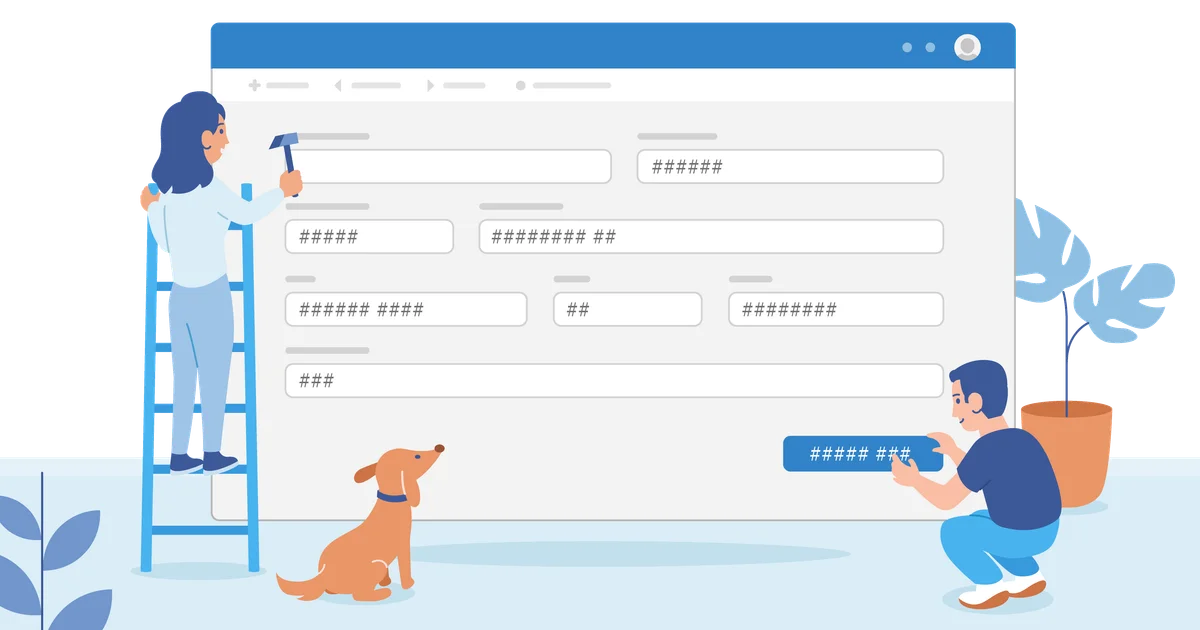
Visual DB is a browser-based tool that lets you build data entry forms, sheets, and reports directly on top of an existing database — without writing code. Instead of hand-rolling CRUD (Create, Read, Update, Delete) interfaces, you drag components onto a canvas and wire them to your database schema.
“Stop spending weeks building basic CRUD applications. Design professional forms, sheets, and reports effortlessly.” — visualdb.com
It positions itself as an Airtable alternative that runs on top of your own database rather than a proprietary data store.
Key Features
AI-powered form builder — Describe what you want and the AI lays out the form automatically, placing fields, grouping related sections, and adding titles. You can fine-tune alignment and spacing manually with smart guides that appear as you drag components.
Master-detail forms — One-to-many relationships (customers and their orders, projects and tasks, invoices and line items) are handled through a master-detail layout: the master record sits at the top, with detail rows in a grid below. Visual DB calls this a core differentiator from typical form builders.
Drag-and-drop reports — Build reports by dragging data fields onto a canvas, apply grouping and aggregation, and publish without a deployment pipeline.
Conditional logic — Show or hide fields based on user input. Apply data validation and choose input types per field.
Pricing
Visual DB offers a free plan with unlimited forms and reports for a single user. The Pro plan costs $15 per month and adds multi-user collaboration, priority support, and advanced customization.
Setup Workflow
Step 1: Connect Your Database
Sign up at app.visualdb.com and connect an existing PostgreSQL, MySQL, or SQLite database. Visual DB introspects your schema and makes tables available for form and report binding.
Step 2: Design a Form
- Click New Form and select the target table.
- Drag fields from the schema panel onto the canvas.
- Use the AI Assist button to auto-layout related fields.
- Add validation rules and conditional visibility.
- Publish — Visual DB generates a shareable URL.
Step 3: Build a Report
- Click New Report and choose a table or join.
- Drag columns onto the report canvas.
- Configure grouping, sorting, and aggregation functions.
- Export as PDF or share via link.
Deeper Analysis
What Makes It Different
The core value proposition is connecting a drag-and-drop UI to a real relational database. Unlike Airtable or Notion, which store data in their own proprietary format, Visual DB writes directly to your existing database. This matters if you already have data in PostgreSQL or MySQL and do not want to migrate to a new platform.
The AI form builder accelerates the initial layout step but does not replace understanding your schema. For complex business rules (cascading validation, multi-step workflows), you still need to configure those manually.
Performance Considerations
Visual DB generates standard HTML forms backed by REST endpoints. Under heavy load (thousands of concurrent form submissions), you would need to evaluate whether the generated queries hit your database indexes appropriately.
Data Privacy
Because Visual DB connects directly to your database, all data stays in your own infrastructure. Visual DB itself does not host your data — it only generates the application layer on top of it.
Practical Evaluation Checklist
- Is your data already in PostgreSQL, MySQL, or SQLite?
- Do non-technical team members need to build forms without asking a developer?
- Is your team large enough that collaboration features in the Pro plan justify $15/month?
- Are your forms simple enough that generated UI meets your UX standards?
If you answered yes to the first two questions and found Pro worthwhile on the third, Visual DB is worth a try. If you need fine-grained workflow automation (multi-step approvals, webhooks, complex branching), you will hit limits faster.
Security Notes
- Database credentials are stored by Visual DB; review their authentication and connection handling before connecting a production database.
- Role-based access control is available on Pro plans — free tier is single-user.
- All form submissions pass through Visual DB servers before reaching your database; consider network-level controls if compliance requires direct database access only.
FAQ
Q: Does Visual DB support PostgreSQL JSON/JSONB columns? A: Core form binding works with standard scalar types. Complex nested JSON fields may require custom field configuration.
Q: Can I white-label the generated forms? A: Pro plan includes custom branding options for forms and reports.
Q: Is there an on-premises version? A: As of July 2026, Visual DB is cloud-only. Self-hosted deployment is not publicly documented.
Q: How does it compare to Appsmith or ToolJet? A: Appsmith and ToolJet are open-source and target developer teams comfortable with JavaScript widgets. Visual DB targets non-technical users who want a spreadsheet-like drag-and-drop experience without any code.
Conclusion
Visual DB fills a specific gap: non-technical teams with existing relational databases who need to build forms and reports without a developer sprint. The AI form builder reduces layout friction, and the master-detail support handles real-world business data relationships. Free tier is generous enough to evaluate fully. Pro at $15/month becomes cost-effective if it replaces even one hour of developer time building a custom CRUD page.
Source: visualdb.com
Related Posts
ai-setup
Recall – Persistent Memory for Claude Code via MCP Hooks
Recall gives Claude Code a permanent memory store that survives session restarts and context compaction. Four hooks capture and restore context automatically — with cloud SaaS or self-hosted options.
2/28/2026
dev-tools
Automotive Skills Suite for AI Engineering
Evaluate Automotive Skills Suite for APQP, ASPICE, HARA, safety-plan, and DIA workflows with setup notes, governance risks, and SME review guidance.
5/28/2026
dev-tools
awesome-agentic-ai-zh Roadmap Guide
Explore awesome-agentic-ai-zh as a Chinese agentic AI learning roadmap, with setup notes, track selection, study workflow, and evaluation guidance.
5/28/2026