Vessel Browser – AI-Native Browser with MCP Support
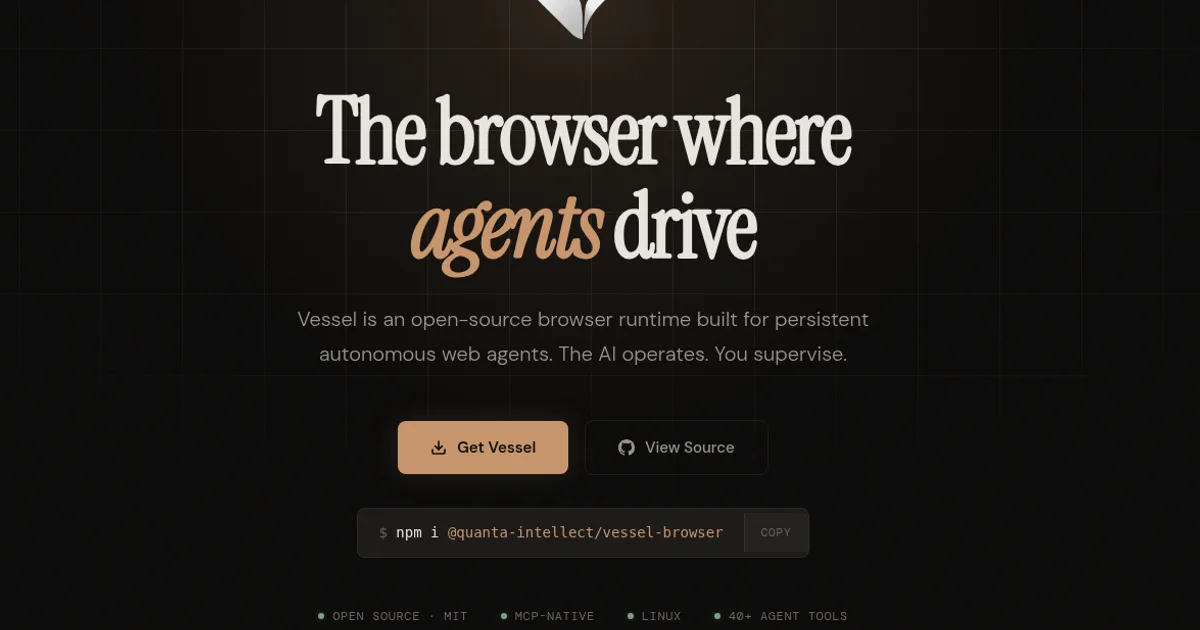
Vessel is an open-source browser built from the ground up for AI agents. It provides durable sessions, MCP control, and BYOK for autonomous web browsing on Linux, Mac, and Windows.
TL;DR
TL;DR: Vessel Browser is an open-source, Chromium-based browser with built-in AI agent support, MCP control, durable sessions, and BYOK model selection — designed so humans can supervise while agents drive the web.
Source and Accuracy Notes
- Project page: quantaintellect.com
- Source repository: github.com/unmodeled-tyler/vessel-browser
- License: MIT
- HN launch thread: news.ycombinator.com/item?id=46145118 ← Show HN
What Is Vessel Browser?
Vessel Browser is an open-source AI-native browser built from the ground up for autonomous agents, not for humans directly. Unlike invisible browser automation frameworks that run headless, Vessel gives you a real Chromium window you can watch. The agent drives — you supervise.
Key differentiators:
- Durable sessions — agents can save and resume named browsing sessions, preserving cookies, localStorage, and page state across tasks
- MCP control — first-class Model Context Protocol support, so you can connect MCP clients (Hermes Agent, OpenClaw, etc.) directly
- BYOK — bring your own API key for AI providers; no vendor lock-in
- Human-in-the-loop — you see every action the agent takes, can approve or block sensitive operations, and take over manually at any time
- Built on Chromium — the underlying engine is Chromium, so it handles all modern web apps and sites correctly
From the README:
“Unlike invisible browser automation, Vessel shows you what the AI is doing in a real browser window. You can follow along, approve important actions, pause or redirect the work, and take over whenever you want.”
Setup Workflow
Step 1: Install on Linux (Fastest)
Download the AppImage from GitHub Releases:
# Download latest release (check https://github.com/unmodeled-tyler/vessel-browser/releases)
chmod +x Vessel-*.AppImage
./Vessel-*.AppImage
```bash

Open Settings (`Ctrl+,`) to configure your AI provider and MCP connection options.

### Step 2: Install via npm

```bash
npm install -g @quanta-intellect/vessel-browser
vessel-browser
```bash

Or run without installing:

```bash
npx @quanta-intellect/vessel-browser
```bash

### Step 3: Connect an MCP Client

Once Vessel is running, enable the MCP server in Settings. Connect your agent via the MCP protocol. The README notes compatibility with Hermes Agent and OpenClaw out of the box.

### Step 4: Install from Source (Linux/macOS)

```bash
curl -fsSL https://raw.githubusercontent.com/unmodeled-tyler/vessel-browser/main/scripts/install.sh | bash
Deeper Analysis
Architecture
Vessel is a Chromium-based browser with an embedded AI sidebar. The core browsing engine is stock Chromium — no custom renderer. The AI layer intercepts page events and exposes them to an MCP server that agents connect to.
Session durability works by serializing browser state (cookies, localStorage, tabs, scroll position) to disk. An agent can issue a “save session as [name]” command and later resume from that exact point.
MCP Integration
The MCP server runs inside the browser process. Agents authenticate via a local socket or HTTP endpoint that Vessel exposes. This is different from external browser automation tools that drive a separate browser over CDP — here the MCP server is built in, which reduces latency and eliminates the need for a separate CDP bridge.
Human Supervision Model
Every AI-initiated action appears in a human-approval queue. Sensitive operations (form submission, navigation to external domains, clipboard access) can be set to always-ask or auto-approved based on rules. You can also pause the agent, take over any tab, or switch to manual browsing without losing session state.
Supported Platforms
As of the current README (July 2026):
- Linux — most mature; AppImage and source installs available
- macOS — packaging available from source (no native installer yet)
- Windows — in progress
Practical Evaluation Checklist
- AppImage launches without errors on a fresh Linux VM
- AI provider API key can be set in Settings UI
- MCP client connects and lists available browser tools
- Agent can navigate to a URL, fill a form, and submit
- Session save and resume works across browser restart
- Human approval queue captures all sensitive actions
- Takes over manual control without losing session state
Security Notes
- BYOK model — you control which AI provider sees your browsing data; no forced cloud dependency
- Human approval gates — sensitive actions (clipboard, form submit, navigation) require human sign-off by default
- Open source — the codebase is auditable on GitHub; no opaque automation
- Treat as early software — the README explicitly warns: “Treat it as early software, especially for sensitive browsing or account access”
FAQ
Q: How is Vessel different from Playwright or Puppeteer? A: Playwright and Puppeteer are developer libraries for programmatic browser control. Vessel is a full browser application with a GUI, human supervision, and durable sessions baked in at the OS level. You use it like a normal browser while agents use it as a runtime.
Q: Does it work with Claude, GPT, or local models? A: Vessel’s AI layer accepts API keys from any provider you configure in Settings. It does not bundle a model — you bring your own key (BYOK). MCP clients like Hermes Agent or OpenClaw handle the actual LLM calls.
Q: Can I use it without an MCP client? A: Yes. The sidebar has a built-in chat interface where you can talk to your configured AI provider directly, without setting up MCP. The MCP route is for fully autonomous agent-driven workflows.
Q: Is there a hosted or cloud version? A: No. Vessel is a local desktop browser. All browsing happens on your machine.
Q: What is Vessel Premium? A: Vessel Premium is a $5.99/month subscription offering a complete AI toolkit trial for 7 days. The core browser is fully open source under the MIT license.
Conclusion
Vessel Browser fills a specific gap in the agentic web browsing space: a real, inspectable browser window that an AI can drive while a human watches and approves. Its built-in MCP server, durable session model, and BYOK approach make it more self-contained than external browser automation setups.
If you are building agent workflows that need to interact with the live web — not just scrape APIs but fill forms, handle auth flows, and navigate complex multi-step web tasks — Vessel is worth evaluating. Linux is the most stable install target today.
Source repository: github.com/unmodeled-tyler/vessel-browser — MIT license, 109 stars as of July 2026.
Related Posts
ai-setup
Recall – Persistent Memory for Claude Code via MCP Hooks
Recall gives Claude Code a permanent memory store that survives session restarts and context compaction. Four hooks capture and restore context automatically — with cloud SaaS or self-hosted options.
2/28/2026
dev-tools
AgentMesh – Define AI Agent Teams in YAML
Define multi-agent AI workflows in YAML and run them locally with one command. AgentMesh brings Docker Compose patterns to AI agent orchestration.
5/28/2026
ai-setup
Sentrial – Catch AI Agent Failures Before Your Users Do
YC W26-backed AI agent observability platform. Trace sessions, detect silent regressions, and A/B test prompts in production before failures reach users.
5/28/2026