Understudy – AI Agent That Operates Your Entire Computer
Understudy is an open-source local AI agent for macOS that automates GUI apps, browsers, and messaging through natural language or teach-by-demonstration. Bring your own model.
TL;DR
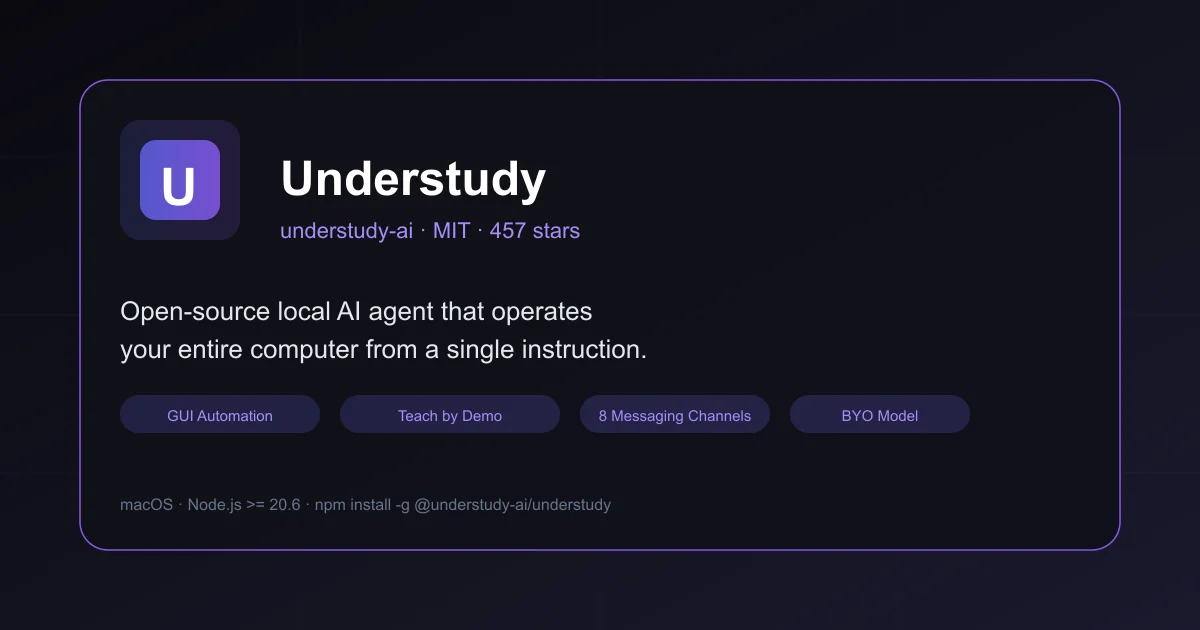
TL;DR: Understudy is an open-source local AI agent (MIT) that operates your macOS computer — clicking GUI apps, controlling browsers, sending messages — from a single natural language instruction or a one-time demonstration.
What Is Understudy?
Understudy is an open-source local AI agent that watches how you work, learns from a single demonstration, and then performs tasks autonomously on your macOS machine. It operates software the way a human would — through the GUI — rather than through APIs or command-line interfaces.
The project is organized around a five-layer progression model that mirrors how a human employee grows into a role:
Layer 1 ┃ Operate Software Natively     Operate any app a human can — see, click, type, verify
Layer 2 ┃ Learn from Demonstrations     User shows a task once — agent extracts intent, validates, learns
Layer 3 ┃ Crystallized Memory           Agent accumulates experience from daily use, hardens successful paths
Layer 4 ┃ Route Optimization            Automatically discover and upgrade to faster execution routes
Layer 5 ┃ Proactive Autonomy            Anticipate needs and act proactively in its own workspace
```bash

Layers 1 and 2 are implemented and usable today. Layers 3-4 are partially implemented. Layer 5 is the long-term direction.

## Setup Workflow

### Prerequisites

| Dependency | Install | Purpose |
|---|---|---|
| Node.js >= 20.6 | `brew install node` or [nvm](https://github.com/nvm-sh/nvm) | Core runtime |
| Xcode Command Line Tools | `xcode-select --install` | Compiles the Swift native helper for screen capture and input events |
| Accessibility permission | System Settings > Privacy & Security > Accessibility | Mouse/keyboard input injection, window queries |
| Screen Recording permission | System Settings > Privacy & Security > Screen Recording | Screenshots, GUI grounding, demonstration recording |

Both permissions must be granted to the **terminal application** that runs Understudy, not to Understudy itself.

### Install via npm

```bash
npm install -g @understudy-ai/understudy
understudy wizard    # walks you through API key setup and model selection
```bash

### Install from source

```bash
git clone https://github.com/understudy-ai/understudy.git
cd understudy
pnpm install && pnpm build
pnpm start -- wizard
```bash

### Start the agent

```bash
understudy daemon --start        # Start the gateway background process
understudy chat                  # Terminal interactive mode (auto-connects to running gateway)
understudy dashboard             # Open the control panel in your browser
understudy webchat               # Browser chat interface
```bash

### Supported Models

Understudy is model-agnostic. The default is `openai-codex/gpt-5.4`. Configure any of the following via `understudy wizard` or environment variables:

| Provider | Auth env var | Notes |
|---|---|---|
| Anthropic | `ANTHROPIC_API_KEY` | Claude models |
| OpenAI | `OPENAI_API_KEY` | GPT-4.x, GPT-5.x, `o*`, Codex |
| Google / Gemini | `GOOGLE_API_KEY` | `gemini` accepted as provider alias |
| MiniMax | `MINIMAX_API_KEY` | `MiniMax-M3`, `MiniMax-M2.7` |
| OpenRouter, xAI, Mistral, Groq, Bedrock, Vertex | Provider-specific | Configured via model registry |

Use `understudy models --list` to see every model available in your current runtime.

## Deeper Analysis

### Teach by Demonstration

The most distinctive feature is the teach system. Instead of writing a prompt, you demonstrate a task once. Understudy captures the intent behind your actions — not the pixel coordinates — so the learned skill survives UI redesigns, window resizing, and even switching to a different app.

```bash
/teach start
# perform the task manually once
/teach stop
# interactively refine the generated SKILL.md
# invoke with natural language: "Find a photo of [person],
# remove background, and send to Alex on Telegram"
The generated skill is a SKILL.md file with metadata.understudy.artifactKind: skill that the agent can replay autonomously. A replay generalizes automatically: a taught Google Image search becomes browser automation; a download becomes a shell command; Pixelmator Pro stays GUI-driven.
Workspace Artifacts: Skill, Worker, Playbook
Understudy’s automation system produces three composable artifact types:
| Artifact | Execution | Role | Example |
|---|---|---|---|
| Skill | Agentic (makes own decisions within quality gates) | A reusable autonomous capability | app-explore: freely navigate an unfamiliar iPhone app |
| Worker | Scripted (fixed sequence, structured output) | A deterministic subtask | appstore-browser-package: browse App Store, capture listing metadata |
| Playbook | Sequences workers and skills as child sessions | A multi-stage orchestrator | 6-stage pipeline: App Store browse → iPhone install → app explore → video edit → YouTube upload → cleanup |
A playbook spawns each stage as an independent child session with its own context window. The separation lets a single pipeline mix scripted reliability with genuine agentic autonomy.
Messaging Channels
Understudy ships with 8 built-in messaging channel integrations: Telegram, Discord, Slack, WhatsApp, Signal, LINE, iMessage, and Web. This enables the “Remote Dispatch” use case demonstrated in the README — sending a message from your phone that triggers Understudy on your Mac to perform a GUI task and respond.
Computer Use
Understudy operates software through GUI automation on macOS. It uses a screenshot-grounded approach to perceive the screen and inject mouse/keyboard events to act. This works across native macOS apps, Chrome (with extension-relay for logged-in tabs), and Playwright-managed browsers as a fallback.
Practical Evaluation Checklist
-
understudy wizardcompletes without errors -
understudy daemon --startstarts the gateway -
understudy chatconnects and responds to a simple task (“open Safari and go to example.com”) - Accessibility and Screen Recording permissions granted;
understudy doctor --deepshows no permission warnings - Teach flow:
/teach start→ perform a 3-step task →/teach stop→ refine → invoke with natural language - Model switching:
understudy models --listshows available models; change viaANTHROPIC_API_KEYenv var - Dashboard:
understudy dashboardopens the browser control panel - Playwright browser mode: with Chrome not installed, Playwright-managed browser automation works
- Optional: signal-cli configured for Signal channel dispatch
Security Notes
- All API keys stay local — Understudy runs entirely on your machine
- Accessibility and Screen Recording permissions grant the agent near-human input capabilities; only grant to a trusted terminal app
- Teach-by-demonstration captures screen content as evidence packs; these stay local
- The agent supports
--messagemode for single-turn CI/script usage without an interactive session
FAQ
Q: Does Understudy work on Linux or Windows? A: Core features (CLI, gateway, browser, channels) are cross-platform by design. Native GUI automation and teach-by-demonstration currently require macOS. Linux and Windows GUI backends are planned.
Q: What models does Understudy use by default?
A: Default is openai-codex/gpt-5.4. Understudy is model-agnostic and supports Anthropic, OpenAI, Google, MiniMax, OpenRouter, and any provider configured in the local model registry.
Q: How does Understudy differ from browser-only agents? A: Understudy operates native macOS GUI apps (Pixelmator Pro, Messages, Finder) in addition to browsers. The teach system captures intent at the application layer rather than at the web page layer, making skills durable across UI changes.
Q: Can Understudy run without internet? A: The agent loop requires a model API call. With a local model server (Ollama, LM Studio) exposed via OpenAI-compatible API, Understudy can run fully offline.
Conclusion
Understudy brings together GUI automation, teach-by-demonstration, and a model-agnostic agent loop into a single open-source tool. The five-layer progression design — from basic operation through proactive autonomy — gives the project a clear roadmap while delivering实用价值 today. For developers who want an agent that works on the same software they do, without surrendering API keys or data to a cloud service, Understudy is worth a serious look.
Install: npm install -g @understudy-ai/understudy
Docs: understudy-ai.github.io/understudy
Source: github.com/understudy-ai/understudy
Source and Accuracy Notes
- Project page: understudy-ai.github.io/understudy
- Source repository: github.com/understudy-ai/understudy
- License: MIT (verified via
LICENSEfile in repository) - HN launch thread: news.ycombinator.com/item?id=42560491 (Show HN: Understudy – Teach a desktop agent by demonstrating a task once, 120 points, 2026-03-12)
- Stars / forks / pushed: verified via GitHub REST API (457 stars, 34 forks, pushed 2026-06-19)
Related Posts
ai-setup
Recall – Persistent Memory for Claude Code via MCP Hooks
Recall gives Claude Code a permanent memory store that survives session restarts and context compaction. Four hooks capture and restore context automatically — with cloud SaaS or self-hosted options.
2/28/2026
dev-tools
AgentMesh – Define AI Agent Teams in YAML
Define multi-agent AI workflows in YAML and run them locally with one command. AgentMesh brings Docker Compose patterns to AI agent orchestration.
5/28/2026
ai-setup
Sentrial – Catch AI Agent Failures Before Your Users Do
YC W26-backed AI agent observability platform. Trace sessions, detect silent regressions, and A/B test prompts in production before failures reach users.
5/28/2026