TL;DR
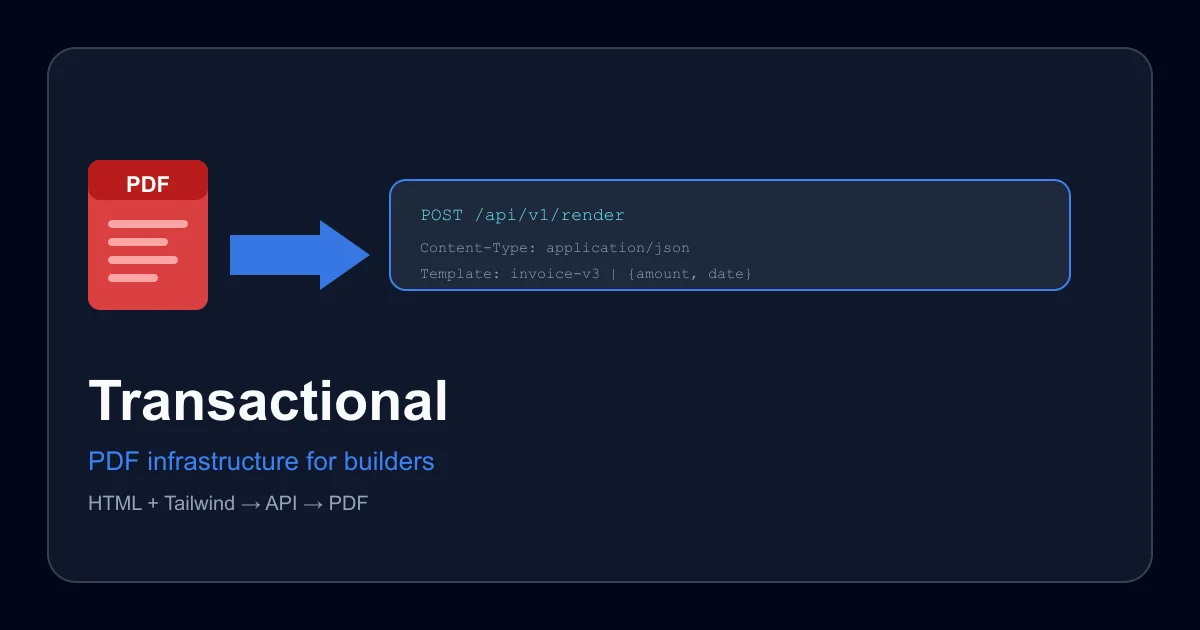
TL;DR: Transactional lets you design PDF templates in HTML and Tailwind CSS, then render them on-demand through a simple API call — no layout engine to manage.
Source and Accuracy Notes
- Project page: transactional.dev ← visited and verified
- Source repository (open-source version): github.com/yves1da2vinci3/designMyPdf-frontend ← README read
- License: MIT (verified via GitHub API)
- HN launch thread: news.ycombinator.com/item?id=40498173
What Is Transactional?
Transactional is a PDF generation API that flips the typical approach. Instead of building PDFs programmatically with a library like jsPDF or wkhtmltopdf, you design the document visually using HTML, Tailwind CSS, and Handlebars templates — then call an API endpoint to render it.
The product targets backend developers and SaaS builders who need to generate transactional PDFs: invoices, receipts, contracts, reports. The core pitch: your frontend developer designs the template, your backend just POSTs variables and gets back a hosted PDF URL.
The rendering pipeline:
- Design the template using HTML + Tailwind in the visual editor
- Mark transactional variables with Handlebars syntax (
{{name}},{{amount}}) - POST the document ID and variables to
/v1/generate - Receive a ready-to-serve PDF URL from the CDN
The open-source version, Design My PDF, mirrors this workflow using Next.js, Mantine, and jsPDF for client-side rendering.
Setup Workflow
Step 1: Create a Template
Sign up at transactional.dev and create a new document. The editor lets you lay out a PDF page using standard HTML elements and Tailwind utility classes.
<div class="p-8 bg-white">
<h1 class="text-2xl font-bold text-gray-900">Invoice</h1>
<p class="mt-2">{{customer_name}}</p>
<p class="text-xl font-semibold">${{amount}}</p>
</div>
```bash
Handlebars supports conditionals and loops:
```html
{{#each items}}
<tr>
<td>{{name}}</td>
<td>${{price}}</td>
</tr>
{{/each}}
```bash
### Step 2: Call the API
```bash
curl -X POST https://api.transactional.dev/v1/generate \
-H "Content-Type: application/json" \
-d '{
"document_id": "invoice-v3",
"variables": {
"customer_name": "Acme Corp",
"amount": "249.00",
"items": [
{"name": "Pro Plan", "price": "199.00"},
{"name": "Setup", "price": "50.00"}
]
}
}'
```yaml
Response:
```json
{
"pdf_url": "https://cdn.transactional.dev/pdf/8c7a3f2..."
}
```bash
### Step 3: Serve or Store the PDF
The generated PDF is hosted on their CDN and returned in the API response. You can embed it in an email, serve it to a user, or pipe it through your own storage.
### Using the Open-Source Version
The [Design My PDF](https://github.com/yves1da2vinci3/designMyPdf-frontend) repository is a full working implementation:
```bash
git clone https://github.com/yves1da2vinci3/designMyPdf-frontend.git
cd designMyPdf-frontend
yarn install
```bash
Set up environment variables (see `.env.local` template in the README):
```bash
NEXT_PUBLIC_API_URL=your_backend_url
CLOUDINARY_CLOUD_NAME=your_cloud_name
CLOUDINARY_API_KEY=your_key
CLOUDINARY_API_SECRET=your_secret
```bash
```bash
yarn devThe open-source version runs entirely client-side using jsPDF, so there is no server-side rendering — the PDF generation happens in the browser. For production server-side generation, the hosted Transactional API is the intended path.
Deeper Analysis
What makes it different from alternatives?
The dominant pattern for PDF generation in web apps is using a server-side library (puppeteer, wkhtmltopdf, weasyprint) that renders a full HTML page to PDF. This works but requires running a headless browser or custom rendering stack. Transactional moves the design burden to a visual editor and exposes a single REST endpoint — the rendering complexity stays on their infrastructure.
Contrast with tools like:
- PDFKit (Ruby/Node) — programmatic PDF construction, no visual editor
- Decktape — converts HTML presentations to PDF, not transactional documents
- Re原型 — form builder to PDF, focused on static forms rather than API-driven generation
MCP support: Transactional exposes an MCP (Model Context Protocol) interface so AI agents can interact with the PDF generation workflow directly — create documents, render them, and embed the resulting URLs without human intervention. The MCP docs are at transactional.dev/docs/mcp.
Paper sizes: The editor supports A1 through A6 in both portrait and landscape orientations, with live preview in an iframe that simulates the actual paper size.
Practical Evaluation Checklist
- Sign up at transactional.dev and create a free account
- Design one template using the visual editor (invoice or receipt is a good start)
- Mark 3–5 Handlebars variables in the template
- Make a test POST call to
/v1/generatewith sample variables - Verify the returned PDF URL loads correctly
- If using the open-source version: clone the repo, configure
.env.local, runyarn dev, and test the client-side PDF export
Security Notes
- PDF templates run on Transactional’s infrastructure — verify their data handling policy before sending sensitive customer data through the API
- The open-source version processes PDFs client-side only; no data leaves the browser when using
jsPDFdirectly - Handlebars variable injection is server-side on the hosted product — sanitize variable content if it includes user-submitted strings
FAQ
Q: Does Transactional support custom fonts? A: The visual editor supports Tailwind’s default font stack. Custom font embedding in PDFs depends on whether the font is available in the PDF rendering pipeline — check the docs for the current font policy.
Q: Is there a free tier? A: The product offers a free starting tier. Specific limits (number of PDFs per month, storage) are available on the pricing page at transactional.dev.
Q: Can I self-host the full pipeline? A: The open-source Design My PDF repo covers the frontend/editor. The full API infrastructure (rendering engine, CDN hosting) is the hosted product and is not currently available as a self-hosted option.
Q: What happens to the generated PDF URLs? A: PDFs are hosted on Transactional’s CDN. The URL returned by the API is a direct link to the file. Check the service’s retention policy if you need long-term storage — you may want to download and re-upload to your own storage.
Q: How does MCP support work? A: The MCP interface lets AI agents create, edit, and render documents programmatically. This is useful for automated workflows where an AI agent needs to produce a PDF without human design steps.
Conclusion
Transactional solves the PDF generation problem from the design side rather than the code side. If your team already has a designer comfortable with HTML and Tailwind, it removes the back-and-forth between design and engineering that typically makes PDF-heavy features painful. The API-first model also makes it straightforward to integrate into any backend stack. The open-source version is useful for experimentation and smaller projects where client-side PDF generation is acceptable.
Related Posts
ai-setup
Recall – Persistent Memory for Claude Code via MCP Hooks
Recall gives Claude Code a permanent memory store that survives session restarts and context compaction. Four hooks capture and restore context automatically — with cloud SaaS or self-hosted options.
2/28/2026
dev-tools
Automotive Skills Suite for AI Engineering
Evaluate Automotive Skills Suite for APQP, ASPICE, HARA, safety-plan, and DIA workflows with setup notes, governance risks, and SME review guidance.
5/28/2026
dev-tools
awesome-agentic-ai-zh Roadmap Guide
Explore awesome-agentic-ai-zh as a Chinese agentic AI learning roadmap, with setup notes, track selection, study workflow, and evaluation guidance.
5/28/2026