Torrix – Self-Hosted LLM Observability Stack
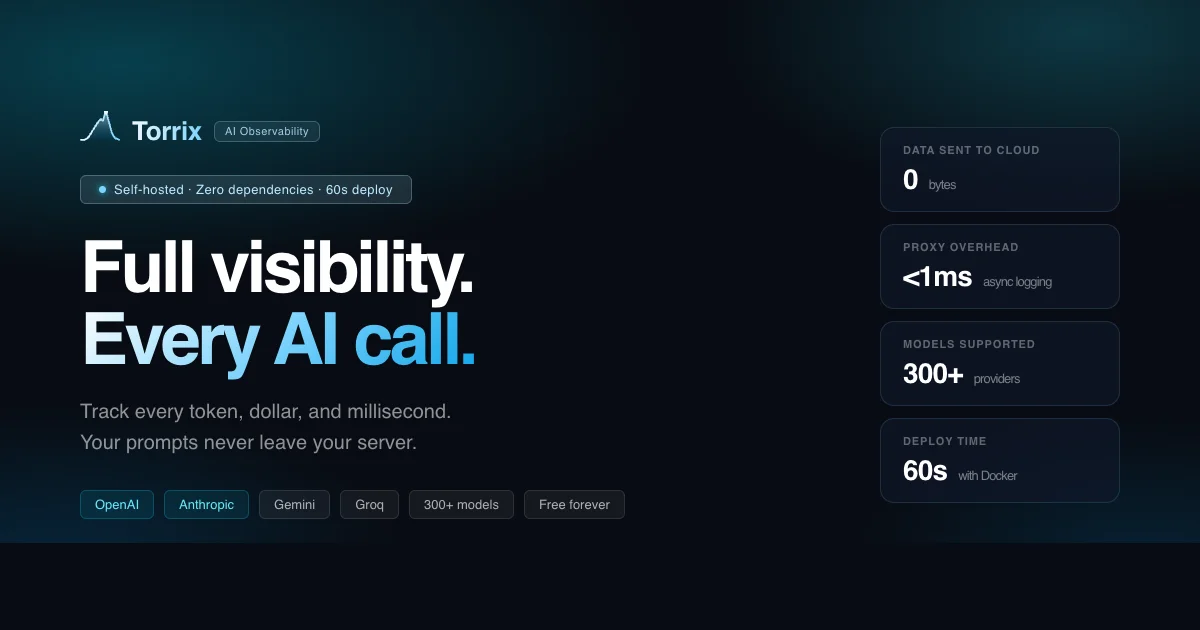
Track tokens, cost, latency, and full prompt traces for any LLM. Torrix is a self-hosted observability tool that runs entirely on SQLite — no Postgres, no Redis required.
TL;DR
TL;DR: Torrix is a self-hosted LLM observability platform that tracks tokens, cost, latency, and full prompt traces using nothing more than SQLite and Docker — no Postgres, no Redis.
Source and Accuracy Notes
- Project page: torrix.ai ← verified
- Source repository: github.com/torrix-ai/install ← README read in full
- License: not specified in repository (no LICENSE file found)
- HN launch thread: news.ycombinator.com/item?id=44725306 ← from HN discovery
What Is Torrix?
Torrix is a self-hosted LLM observability platform. It captures every LLM request — tokens, cost, latency, full prompt traces, reasoning token capture, and PII masking — and lets you view it all in a local dashboard. The standout design decision is the storage backend: it uses SQLite only, requiring neither Postgres nor Redis.
The product supports OpenAI, Anthropic, Google Gemini, Groq, Mistral, Azure OpenAI, DeepSeek, Perplexity, Fireworks, Together AI, Cohere, HuggingFace, Replicate, Ollama, and any HTTP endpoint.
A live demo is available at demo.torrix.ai with pre-loaded sample runs and no signup required.
Setup Workflow
Step 1: Install Docker Desktop
Torrix runs as a Docker container. The only requirement is Docker Desktop.
Step 2: Download the compose file
curl -o docker-compose.yml https://raw.githubusercontent.com/torrix-ai/install/main/docker-compose.community.yml
docker compose up
```bash

On Windows (PowerShell):

```powershell
curl.exe -o docker-compose.yml https://raw.githubusercontent.com/torrix-ai/install/main/docker-compose.community.yml
docker compose up
```bash

### Step 3: Open the dashboard

After startup, open [http://localhost:8088](http://localhost:8088) and create your account. Copy your API key from Settings.

### Step 4: Verify the setup

Check the server is running (no API key needed):

```bash
curl http://localhost:8088/health
```bash

Expected response:

```json
{"ok":true,"name":"Torrix","version":"2.0.0"}
```bash

### Step 5: Send a test run

```bash
curl -X POST http://localhost:8088/proxy \
  -H "Authorization: Bearer <your-torrix-api-key>" \
  -H "x-target-url: https://api.openai.com/v1/chat/completions" \
  -H "x-upstream-authorization: Bearer <your-openai-key>" \
  -H "x-torrix-name: test-run" \
  -H "Content-Type: application/json" \
  -d '{"model":"gpt-4o-mini","messages":[{"role":"user","content":"Hello"}]}'
```bash

Open [http://localhost:8088](http://localhost:8088) — the run appears in your dashboard.

## Deeper Analysis

### No Postgres, No Redis

Most self-hosted observability tools (Grafana+Loki, OpenTelemetry Collector, etc.) require a full database stack. Torrix keeps it simple: a single SQLite database persisted to `./data/` on your host machine. For small-to-medium teams or solo developers, this is significantly easier to operate.

### Python SDK

Torrix also ships a Python SDK:

```bash
pip install torrix
```bash

```python
import torrix
from openai import OpenAI

torrix.init(api_key="<your-torrix-api-key>", base_url="http://localhost:8088")
```bash

After init, all OpenAI calls are automatically traced.

### Prometheus and Grafana

Torrix exposes a `/metrics` endpoint in Prometheus text format:

```bash
curl http://localhost:8088/metrics -H "Authorization: Bearer <your-torrix-api-key>"
```bash

Example output:

```bash
torrix_requests_total 142
torrix_cost_usd_total 0.023400
torrix_tokens_total 58300
torrix_errors_total 2
torrix_latency_p50_ms 312
torrix_latency_p95_ms 891
torrix_latency_p99_ms 1423
torrix_requests_by_model{model="gpt-4o-mini"} 98
torrix_requests_by_model{model="claude-3-5-sonnet-20241022"} 44
```bash

A Prometheus `scrape_configs` entry:

```yaml
scrape_configs:
  - job_name: torrix
    scrape_interval: 30s
    static_configs:
      - targets: ['host.docker.internal:8088']
    metrics_path: /metrics
    authorization:
      credentials: <your-torrix-api-key>
Configuration Options
| Environment variable | Default | Description |
|---|---|---|
DB_PATH | /data/torrix.sqlite | Path to SQLite database inside the container |
TORRIX_TELEMETRY | true | Set to false to opt out of anonymous usage stats |
Practical Evaluation Checklist
- Self-hosted: yes, Docker only
- No Postgres/Redis: confirmed
- Token tracking: yes
- Cost tracking: yes
- Latency tracking: yes (p50/p95/p99)
- Full prompt traces: yes
- Reasoning token capture: yes
- PII masking: yes
- Prometheus endpoint: yes
- Grafana integration: via Prometheus
- Multi-provider support: OpenAI, Anthropic, Gemini, Groq, Mistral, Azure, DeepSeek, Perplexity, and more
- Python SDK: yes
Security Notes
All data stays on your machine. The SQLite database is stored in ./data/ on your host, and Torrix never sends your prompts, responses, or API keys to external servers.
Anonymous telemetry is enabled by default and sends only your instance ID, OS, and Node version. Set TORRIX_TELEMETRY=false to opt out.
FAQ
Q: Does Torrix work without an internet connection? A: Yes. Once the Docker image is pulled, Torrix runs entirely offline. No external services are required.
Q: Can I use Torrix with a model provider that is not listed? A: Yes. Torrix supports any HTTP endpoint, so you can point it at any OpenAI-compatible API or custom model server.
Q: How is data stored?
A: Data is stored in a SQLite database at ./data/torrix.sqlite on your host machine. It persists across restarts.
Q: Can I integrate Torrix with existing Prometheus/Grafana stacks?
A: Yes. Torrix exposes a /metrics endpoint in Prometheus text format. Add the scrape config to your Prometheus instance and build dashboards in Grafana as usual.
Q: What is the difference between the community edition and Pro? A: The community edition is free and self-hosted. The Pro version is available at torrix.ai with additional features.
Conclusion
Torrix fills a real gap for developers who want LLM observability without the operational overhead of a full database stack. The SQLite-only design makes it genuinely easy to run on a laptop or a small VPS, while the Prometheus endpoint ensures it slots into existing monitoring setups. If you are running multiple LLM providers and want to track cost and latency across all of them in one place, Torrix is worth a look.
Live demo: demo.torrix.ai — no signup needed.
Related Posts
ai-setup
Recall – Persistent Memory for Claude Code via MCP Hooks
Recall gives Claude Code a permanent memory store that survives session restarts and context compaction. Four hooks capture and restore context automatically — with cloud SaaS or self-hosted options.
2/28/2026
dev-tools
Automotive Skills Suite for AI Engineering
Evaluate Automotive Skills Suite for APQP, ASPICE, HARA, safety-plan, and DIA workflows with setup notes, governance risks, and SME review guidance.
5/28/2026
dev-tools
awesome-agentic-ai-zh Roadmap Guide
Explore awesome-agentic-ai-zh as a Chinese agentic AI learning roadmap, with setup notes, track selection, study workflow, and evaluation guidance.
5/28/2026