SwiftyLaunch - Ship Your iOS App in Days, Not Weeks
SwiftyLaunch is an iOS and website boilerplate generator trusted by 3000+ developers. It pre-writes 70% of the tedious setup code so you can focus on building your app's core features.
TL;DR
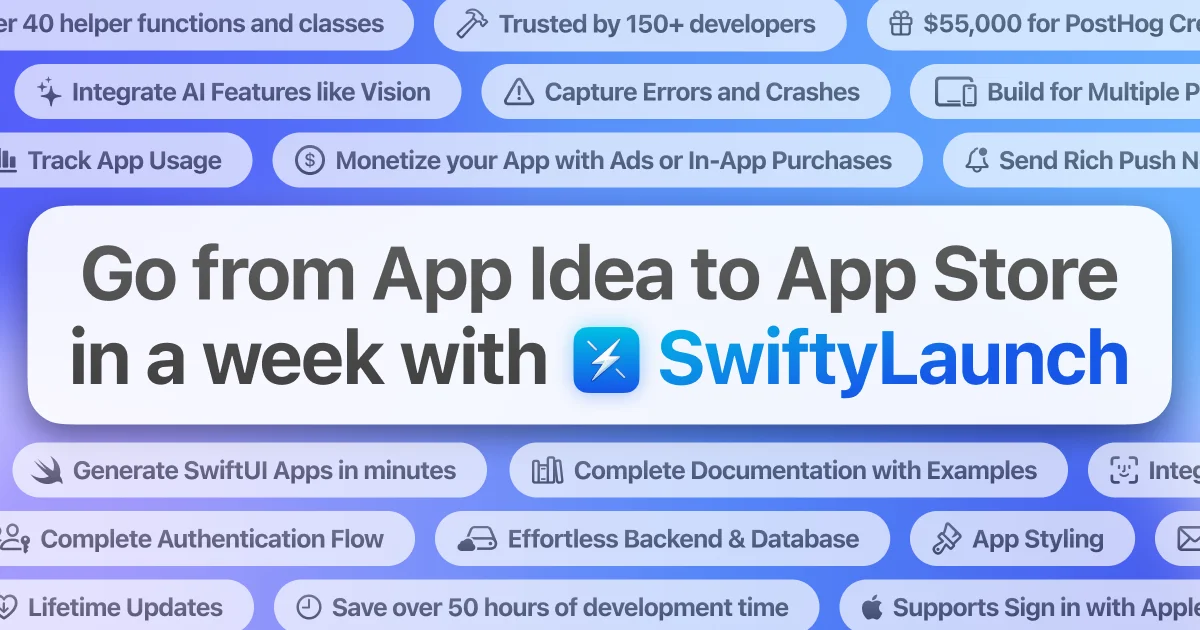
TL;DR: SwiftyLaunch is a paid boilerplate generator for iOS (and web) that pre-writes 70% of the tedious setup code — authentication, analytics, push notifications, in-app purchases, backend, and more — so you ship your app’s core features instead of spending 75+ hours on scaffolding.
What Is SwiftyLaunch?
SwiftyLaunch is a commercial boilerplate generator built for iOS developers who want to ship faster. Instead of starting each project from scratch, you answer a few questions about your app’s platforms, style, and required modules, and SwiftyLaunch generates a complete Xcode project with the boilerplate already wired up.
The product ships as a macOS app that runs locally. You select your destination platforms (iOS, web, or both), choose an app style, pick the modules you need, and the generator produces a project with all the tedious integrations already done for you.
Modules Overview
SwiftyLaunch organizes its output into self-contained modules, each wrapping a specific technology:
| Module | What it sets up | Time saved |
|---|---|---|
| AppKit | Xcode project structure, SwiftUI app entry, Info.plist, Privacy Manifest | 5 hrs |
| DBKit | Cloud database access (CloudKit or Supabase) | 12 hrs |
| AuthKit | Sign in with Apple, email/password, biometric auth (Face ID/Touch ID) | 7 hrs |
| NotifKit | Push notification setup and notification permission handling | 5 hrs |
| InAppPurchaseKit | One-line paywalls, StoreKit configuration | 7 hrs |
| AIKit | AI integration scaffolding (OpenAI, Anthropic) | 5 hrs |
| AnalyticsKit | PostHog analytics and crash reporting with $55,000 in free credits | 4 hrs |
| BackendKit | Serverless backend (Cloudflare Workers or similar) | 13 hrs |
| AdsKit | Google AdMob banner integration in SwiftUI | 7 hrs |
| SharedKit | Convenience functions, views, modifiers used across modules | 5 hrs |
The product page estimates the alternative (setting all of this up manually) at 75+ hours of tedious setup before you write a single line of feature code.
Setup Workflow
Step 1: Download and Install
Download SwiftyLaunch from swiftylaun.ch and install the macOS app. The generator requires:
- macOS (no specific version listed, but requires Xcode)
- Xcode 15.3 or later (Xcode 16 recommended)
- For iOS targets: iOS 17.0 or later
Step 2: Configure Your Project
Open SwiftyLaunch and specify:
- Platforms: iOS only, or iOS + Web bundle
- App Style: Choose from pre-built SwiftUI styles
- Modules: Toggle on the modules your app needs (e.g., AuthKit if you need login, AdsKit if you plan to monetize with ads)
Step 3: Enter API Keys
For some providers (analytics, AI, ads), SwiftyLaunch can automatically generate API keys and inject them into your Xcode project. For others, you follow the included docs to create keys manually — typically under 20 minutes total.
Step 4: Open in Xcode and Build
SwiftyLaunch generates a complete .xcodeproj file. Open it, review the generated code, and start writing your feature logic immediately.
Pricing
SwiftyLaunch is a paid product, not open source:
- iOS only: $179 USD (one-time)
- iOS + Web bundle: $229 USD (one-time)
Both licenses allow unlimited projects. Licenses can be extended at a 45% discount after expiry. Students with a valid ID receive a discount code.
The product is also available through Setapp, a subscription platform for macOS apps.
Practical Evaluation Checklist
Strengths:
- Covers the full scaffolding stack: auth, analytics, payments, ads, push notifications, backend, and AI — in one tool
- macOS native app, runs locally, no cloud dependency for code generation
- PostHog integration includes $55,000 in free credits (AnalyticsKit)
- 3,000+ developers already using it; strong community (Discord with 218 members)
- Student discount available
Weaknesses:
- Commercial closed-source product — you cannot audit or fork the generated code
- Only targets iOS (SwiftUI) and web; no Android or cross-platform support
- Xcode-only workflow; no command-line interface
- No free tier or trial; pricing is opaque without visiting the site
Fit for:
- Indie iOS developers who want to ship a monetized app (with IAP or ads) in the shortest time
- Developers who are confident in Swift/SwiftUI but want to avoid repetitive infrastructure setup
- Teams prototyping iOS apps quickly before committing to a full architecture
Not fit for:
- Developers who need to audit every line of their boilerplate (closed source)
- Cross-platform projects requiring Android or React Native
- Free or open-source projects where a paid boilerplate conflicts with licensing
Source and Accuracy Notes
- Project page: swiftylaun.ch
- GitHub: github.com/smallwhite-org (organization owning the product)
- License: Commercial (closed source, one-time purchase)
- HN launch thread: news.ycombinator.com/item?id=39573840 — “Show HN: I made a tool to help iOS Devs launch their Apps much quicker”
FAQ
Q: Is this just a boilerplate, or does it also configure services? A: SwiftyLaunch goes beyond a conventional boilerplate. In addition to generating code, it automagically generates API keys for some providers and guides you through the setup process end-to-end.
Q: Can I use this to build a free app with no in-app purchases? A: Yes. Modules are optional — you can deselect InAppPurchaseKit and AdsKit if you do not need them.
Q: Does it work with SwiftUI or UIKit?
A: SwiftyLaunch targets SwiftUI exclusively. It generates .swift files using SwiftUI patterns.
Q: Is there a trial version? A: No free trial is advertised. The product page mentions availability through Setapp, which offers a subscription model.
Conclusion
SwiftyLaunch fills a specific niche: the iOS developer who has a great app idea and does not want to spend 75 hours setting up analytics, push notifications, authentication, and payments before writing the first line of feature code. At $179 for iOS-only, it is positioned as a professional tool that pays for itself on the first project. If you are an indie iOS dev targeting the App Store and want to minimize scaffolding overhead, it is worth evaluating against building everything from scratch or piecing together multiple open-source templates.
Related Posts
ai-setup
Recall – Persistent Memory for Claude Code via MCP Hooks
Recall gives Claude Code a permanent memory store that survives session restarts and context compaction. Four hooks capture and restore context automatically — with cloud SaaS or self-hosted options.
2/28/2026
dev-tools
Automotive Skills Suite for AI Engineering
Evaluate Automotive Skills Suite for APQP, ASPICE, HARA, safety-plan, and DIA workflows with setup notes, governance risks, and SME review guidance.
5/28/2026
dev-tools
awesome-agentic-ai-zh Roadmap Guide
Explore awesome-agentic-ai-zh as a Chinese agentic AI learning roadmap, with setup notes, track selection, study workflow, and evaluation guidance.
5/28/2026