SwarmZero – AI Agent Marketplace with No-Code Builder
SwarmZero is an open-source Python SDK for building, orchestrating, and monetizing AI agent swarms. Supports OpenAI, Anthropic, Mistral, Gemini, Ollama, and more.
TL;DR
TL;DR: SwarmZero is an open-source Python SDK for building AI agent swarms — multiple agents that coordinate to handle complex tasks — with a no-code builder platform for non-developers.
Source and Accuracy Notes
- Project page: swarmzero.ai
- Source repository: github.com/swarmzero/swarmzero
- Documentation: docs.swarmzero.ai
- License: Apache-2.0 (verified via GitHub API
license.spdx_id) - HN launch thread: news.ycombinator.com/item?id=44894375
What Is SwarmZero?
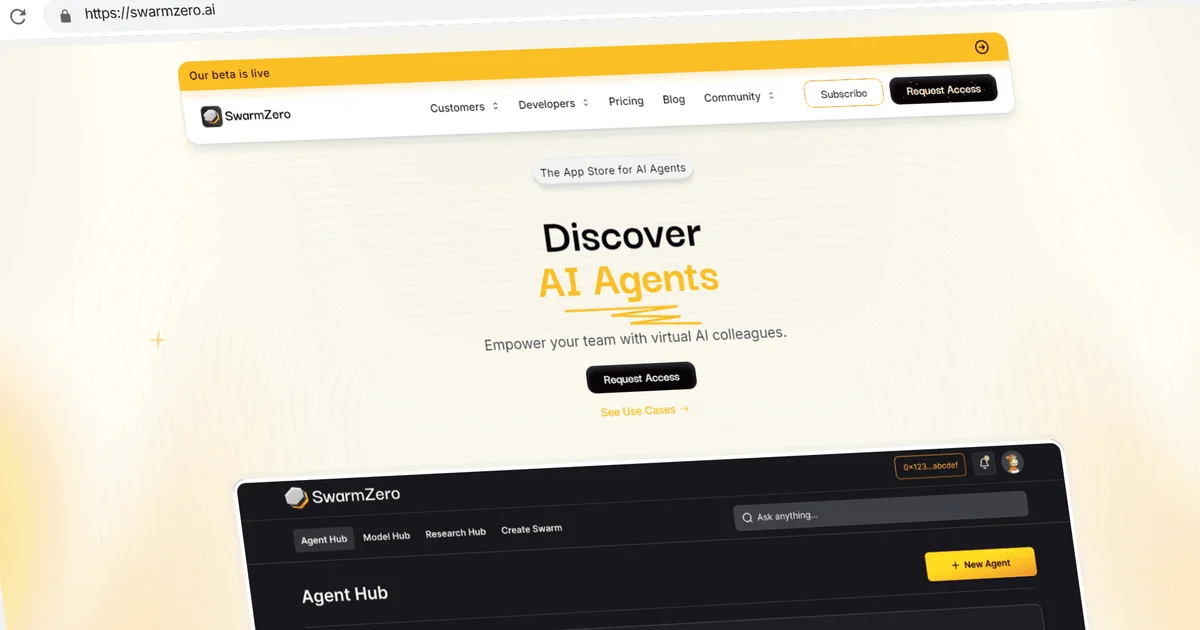
SwarmZero positions itself as an AI agent marketplace — a platform for building, orchestrating, and monetizing AI agents without writing code. The SDK is Apache-2.0 licensed and self-hostable.
From the README:
“This library provides you with an easy way to create and run AI Agents and Swarms of Agents.”
Core concepts
- Agent — A single AI agent backed by an LLM, configured via TOML or YAML
- Swarms — Multiple agents that coordinate together on complex, multi-step tasks
- Tools — Agents can call external tools (Slack, Salesforce, Gmail, and more)
- Marketplace — The hosted platform for discovering and sharing agents built by the community
Supported LLM Providers
The SDK integrates with a wide range of providers:
- OpenAI
- Azure OpenAI
- Anthropic (Claude)
- MistralAI
- Google Gemini
- Nebius
- Ollama (local inference)
- AWS Bedrock
- OpenRouter
Setup Workflow
Prerequisites
- Python 3.11 or higher
- An API key for your chosen LLM provider (e.g.,
OPENAI_API_KEY)
Installation
Install via pip:
pip install swarmzero
```bash

Or via Poetry:

```bash
poetry add swarmzero
```bash

### Configuration

1. Copy the example env file:

```bash
cp .env.example .env
```bash

2. Add your API key to `.env`:

```text
OPENAI_API_KEY=sk-your-key-here
```bash

3. Create a configuration file (`swarmzero_config.toml` or `swarmzero_config.yaml`):

```toml
[agent]
model = "gpt-4o"
timeout = 30
enable_multi_modal = true

[sample_prompts]
prompts = [
    "What can you help me do?",
    "Which tools do you have access to?",
    "What are your capabilities?"
]
```bash

### Running a Single Agent

```python
from swarmzero.sdk_context import SDKContext
from swarmzero import Agent

sdk_context = SDKContext(config_path="./swarmzero_config.toml")
agent = Agent(sdk_context=sdk_context)

result = agent.run("Summarize the documents in the current directory")
print(result)
```bash

### Running a Swarm

```python
from swarmzero.sdk_context import SDKContext
from swarmzero import Swarm

sdk_context = SDKContext(config_path="./swarm_config.toml")
swarm = Swarm(sdk_context=sdk_context)

result = swarm.run("Analyze our sales data and generate a weekly report")
print(result)
Deeper Analysis
What makes it different
SwarmZero’s approach to multi-agent swarms is its distinguishing feature. Rather than a single agent handling everything, a swarm distributes tasks across specialized agents that coordinate through the SDK. This mirrors the emergent behavior pattern seen in OpenAI’s Swarm framework, but SwarmZero packages it as a deployable, self-hostable product.
The no-code marketplace builder lowers the barrier for non-developers. Users can create agents through a visual interface and connect them to tools like Slack and Gmail — similar to what Zapier or n8n offer, but oriented specifically toward AI agent orchestration.
Strengths
- Multi-provider flexibility — Swap LLM backends without changing agent logic
- Self-hostable — Full SDK works offline; no dependency on the hosted platform
- Configuration-driven — TOML/YAML config keeps code minimal
- Apache-2.0 — Permissive license for commercial use
- 274 GitHub stars at time of writing
Limitations
- Python 3.11+ required (no Python 3.9/3.10 support)
- No built-in vector database or RAG primitives — those are left to the user
- The marketplace/platform hosted features are separate from the open-source SDK
- Documentation is relatively minimal for advanced swarm orchestration patterns
Practical Evaluation Checklist
- Install SDK with
pip install swarmzero - Configure a single-agent setup with a TOML file
- Run a basic single-agent prompt
- Scale to a 2–3 agent swarm with distinct roles
- Connect an external tool (e.g., Slack or Gmail)
- Evaluate response quality vs. a single-agent baseline
Security Notes
- API keys stored in
.env— never commit this file to version control - The SDK runs LLM inference via external providers; audit data handling policies of your chosen provider
- Self-hosted deployment gives you full control over agent execution environment
FAQ
Q: Is SwarmZero free to use? A: The open-source SDK is Apache-2.0 licensed and free to use, modify, and commercialize. The hosted marketplace platform may have its own pricing tiers.
Q: Can I run agents locally without an external API?
A: Yes, using Ollama. Set ollama_server_url = 'http://localhost:11434' in your config and use a local model like llama3.
Q: How does a swarm differ from a single agent? A: A swarm coordinates multiple specialized agents, each with its own role and tools. A single task can be decomposed and processed in parallel by different agents, then synthesized by a orchestrator.
Q: Does SwarmZero support non-Python languages? A: The SDK is Python-native. Other language support would require wrapping the API endpoints the SDK exposes.
Conclusion
SwarmZero bridges the gap between developer-friendly agent SDKs (like OpenAI’s Swarm) and no-code agent platforms. Its multi-provider LLM support, self-hostable SDK, and marketplace offering make it a practical choice for teams building multi-agent systems without committing to a single cloud provider.
If you want to experiment with agent swarms on your own infrastructure, the SDK is a lightweight starting point. If you prefer a fully managed marketplace experience with pre-built agents, the hosted platform handles that too.
Source: github.com/swarmzero/swarmzero — Apache-2.0, Python >= 3.11
Related Posts
ai-setup
Recall – Persistent Memory for Claude Code via MCP Hooks
Recall gives Claude Code a permanent memory store that survives session restarts and context compaction. Four hooks capture and restore context automatically — with cloud SaaS or self-hosted options.
2/28/2026
dev-tools
awesome-agentic-ai-zh Roadmap Guide
Explore awesome-agentic-ai-zh as a Chinese agentic AI learning roadmap, with setup notes, track selection, study workflow, and evaluation guidance.
5/28/2026
dev-tools
Dulus Terminal Agent Setup Guide
Set up Dulus as a terminal AI agent with native and Docker paths, installer profiles, WebChat ports, repo safety checks, and shell-access risks.
5/28/2026