Superpowered – AI Meeting Notes Without the Bot
Superpowered captures meeting audio at the OS level, generating AI notes, action items, and summaries without a bot joining your call. Free tier available.
TL;DR
TL;DR: Superpowered captures meeting audio at the OS level to generate AI-powered notes, action items, and summaries — no bot needs to join the call.
What Is Superpowered?
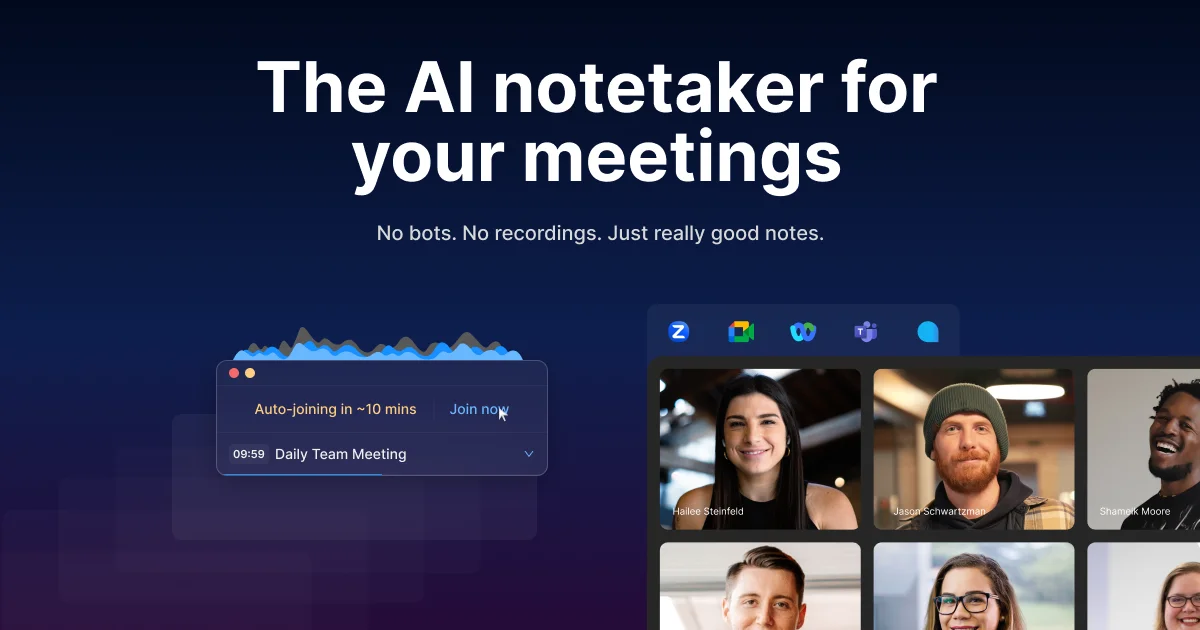
Most AI meeting tools work by having a robot join your call. Superpowered takes a different approach: it captures audio directly from your operating system’s audio stream, so the meeting platform sees nothing but your voice.
From the product page:
“Superpowered is the AI notetaker for your meetings. It transcribes your meetings without using bots and gives you great notes after.”
The product sits in your menu bar (macOS) or system tray (Windows) and integrates with Zoom, Google Meet, Microsoft Teams, Webex, and Around. After each meeting, you get structured AI-generated notes including a summary, key points, and action items.
The company is backed by Y Combinator (W21 batch) and has been covered by TechCrunch.
Setup
Step 1: Download and Install
Download from superpowered.me/download. The app is available for macOS and Windows.
Step 2: Connect Your Calendar
On first launch, Superpowered prompts you to connect your calendar (Google Calendar or Outlook). This enables automatic meeting detection and one-click join links.
Step 3: Grant Audio Access
Superpowered needs permission to capture system audio. On macOS, this requires granting the app screen recording or audio capture permission in System Preferences > Security & Privacy. Windows handles this through standard app permission dialogs.
Step 4: Join a Meeting Normally
Once configured, you join meetings as usual — Superpowered captures the audio in the background without any bot joining the call. Notes appear in the Superpowered app and sync to your dashboard after the meeting ends.
Key Features
- No-bot join — captures audio at the OS level; meeting participants see no external bot
- Multi-platform support — Zoom, Google Meet, Teams, Webex, Around
- AI Notes — structured notes with summary, key points, and action items
- AI Templates — predefined note formats for 1-1s, sales calls, interviews, and more
- Calendar integration — auto-detects upcoming meetings; one-click join
- Auto-join — configurable to automatically join meetings from your calendar
- SOC-2 Type II certified (per the security page)
- macOS menu bar and Windows system tray residence
Pricing
| Plan | Price | Notes |
|---|---|---|
| Free | $0 | Core transcription and basic AI notes |
| Basic | $25/month | Additional templates and longer meeting support |
| Pro | $50/month | Full feature set including advanced AI analysis |
Annual billing offers a discount (up to 54% savings vs monthly).
How It Differs From Alternatives
Tools like Otter.ai, Fireflies.ai, and Gong all work by having an AI bot join your meeting as a participant. Superpowered’s OS-level audio capture means:
- No bot appears in the participant list
- Meeting organizers do not need to approve a third-party bot
- Audio is captured regardless of which meeting platform is used (for supported platforms)
The tradeoff is that OS-level capture requires the app to be running and have the appropriate permissions granted, whereas bot-based tools only need a shared meeting link.
Security Notes
The security page lists SOC-2 Type II certification. For teams handling sensitive meeting content, this is the primary compliance marker to verify with Superpowered’s sales team before broader deployment.
FAQ
Q: Does Superpowered record both sides of the conversation? A: Yes, when you join a meeting while Superpowered is running, it captures all audio from the call — including other participants’ voices — and transcribes the full meeting.
Q: Does the meeting platform see Superpowered as a participant? A: No. Superpowered captures audio at the OS level, so it does not appear as a bot or guest in the meeting participant list.
Q: What happens to my meeting data? A: Transcripts and AI-generated notes are stored in your Superpowered account. The security page references SOC-2 Type II compliance. Review their privacy policy for data retention specifics.
Q: Is there a free trial for paid plans? A: The Free plan is permanently free. Paid plan trials are not explicitly advertised on the pricing page — check the site for current trial offers.
Source and Accuracy Notes
- Project page: superpowered.me
- Y Combinator page: ycombinator.com/companies/superpowered
- HN launch thread: news.ycombinator.com/item?id=27218067 (Show HN: Superpowered — YC W21)
- TechCrunch coverage: techcrunch.com/2021/03/10/superpowered-lets-you-see-your-schedule-and-join-meetings-from-the-mac-menu-bar
- License: proprietary (not open source)
Related Posts
ai-setup
Recall – Persistent Memory for Claude Code via MCP Hooks
Recall gives Claude Code a permanent memory store that survives session restarts and context compaction. Four hooks capture and restore context automatically — with cloud SaaS or self-hosted options.
2/28/2026
dev-tools
Automotive Skills Suite for AI Engineering
Evaluate Automotive Skills Suite for APQP, ASPICE, HARA, safety-plan, and DIA workflows with setup notes, governance risks, and SME review guidance.
5/28/2026
dev-tools
awesome-agentic-ai-zh Roadmap Guide
Explore awesome-agentic-ai-zh as a Chinese agentic AI learning roadmap, with setup notes, track selection, study workflow, and evaluation guidance.
5/28/2026