SQL Simulator: test SQL against a subset of your database
SQL Simulator builds a small subsetted copy of your production database from the SQL script you want to test, runs it against that copy, then wipes the objects.
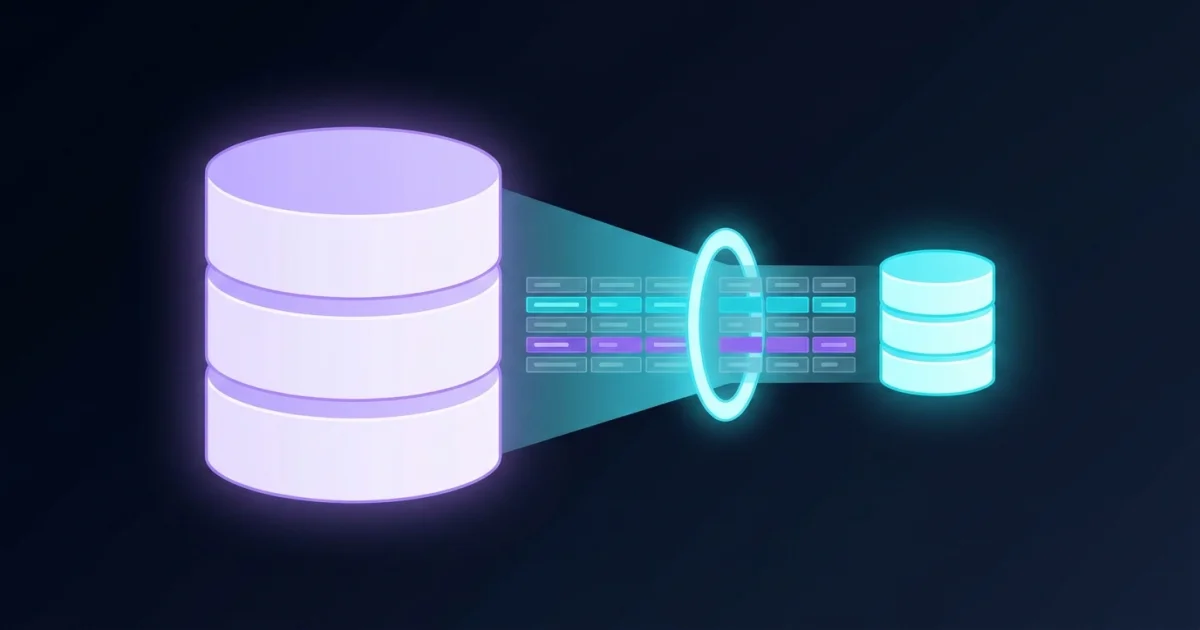
TL;DR: SQL Simulator builds a small copy of your production database from the SQL script you want to test, runs the script against that copy, then destroys the objects it created. A built-in data governor caps how many sensitive records can be pulled out per request and per day, so the test database holds far less than a full restore would.
What it is
SQL Simulator is a commercial CI/CD tool from Tribal Knowledge, a small vendor run by Weston Goodwin out of Powhatan, Virginia. You hand it a SQL script and it works out which tables that script touches, pulls the matching rows out of your real database, and assembles a subsetted copy inside a throwaway container. Your script then runs against that copy instead of production.
The manual version of this is tedious and easy to get wrong. To test a single insert you would need to pull the table DDL off production, recreate it in an empty database, copy the specific primary key values your script depends on, then run it. Goodwin’s docs spell out that sequence for a one line insert:
Insert into tableA values (1, 'test');The tool automates all of it, with one step added in front. Every mode opens with static analysis of the script, which is how the tool knows which tables to go looking for. What ends up in the test database is a small set of real rows, assembled with the same foreign key relationships as the original.
Why it matters
The pitch is narrower than database cloning and more interesting. Goodwin’s origin story is that a former CISO told him his biggest problem was developers copying production databases and taking them home, and that no access control stops someone once they hold a full dump. The response was to limit what can be extracted in the first place, rather than trying to police what happens after.
That is what the data governor does. You set caps on how many rows of a sensitive field can be retrieved, both per request and per day. The worked example in the docs allows one Social Security number across every table in a generated database. There is also a “Celebrity Data” flag, where a record you mark needs manager approval before anyone can pull it.
The framing is tied to US state breach notification law. Each state sets its own reporting threshold, and the docs use 300 as a prudent benchmark. Keep the number of sensitive records in a test database under that line and a leak stays small enough to handle without a headline.
Getting it running
SQL Simulator itself runs as a Docker container on your laptop or a server. You download a docker-compose.yml and start it:
cd sql-simulator
docker-compose up
Then you point the tool at two databases. The source database is the one you want to sample. The pod database is the one inside the container where the subset gets built. For Postgres the pod side is fixed: server postgres, port 5432, database postgres, with the username and password you picked during install.
Supported source engines, per the documentation:
- SQL Server
- Oracle
- MySQL
- Postgres
The company FAQ page also lists Azure SQL.
Worth knowing before you start: the compose file link in the current Docker install guide returns a 404 page, so the file has to come from Tribal Knowledge rather than from the docs page. The docs themselves are unusually easy to work with. The GitBook site publishes an llms.txt index at the top level, and every page has a Markdown version you can fetch by appending .md to the URL.
The three modes
Each mode runs the same opening steps and then stops at a different point:
| Mode | Steps | Where it stops |
|---|---|---|
| Preview Merge | static analysis, DDL lookup, create tables, copy data | Before your script runs |
| Postview Merge | static analysis, DDL lookup, create tables, copy data, execute script | With your script’s results in place |
| Dry Run | static analysis, DDL lookup, create tables, copy data, execute script, destroy all objects | With the database emptied out again |
Dry Run is the interesting one for a pipeline. The script executes, then a final step drops every object the run created. You get the pass or fail signal of a real migration without leaving a mutated schema behind.
You can drive the same thing over a local REST API, which is what the batch file tutorials in the docs cover. The source database goes in as JSON:
curl -X POST "http://localhost:8080/api/DataSources/Add" \
  -H "Content-Type: application/json" \
  -d '{
    "database_type": "POSTGRES",
    "source_uid": "your db user",
    "source_pwd": "your db password",
    "source_database_name": "your db name",
    "source_server": "your db host",
    "source_port": "5432",
    "simulated_uid": "pod user",
    "simulated_pwd": "pod password",
    "simulated_database_name": "postgres",
    "simulated_server": "postgres",
    "simulated_port": "5432"
  }'
Then kick off a run. The API exposes PreviewMerge, DryRun and PostviewMerge as separate endpoints under /api/Run/:
curl -X GET "http://localhost:8080/api/Run/DryRun" \
  -H "accept: text/plain"
The published tutorials only cover the Windows batch file form of these calls, using caret line continuations. The requests are plain HTTP, so the same calls work from bash or a CI script with backslashes instead.
The self destruct clock
Every database the tool creates destroys itself after 15 minutes of inactivity, or 9 hours of use, whichever comes first. When the pod goes, the database and the simulator itself go with it, and the docs are blunt that it cannot be restored. You recreate the pod from the marketplace listing and start over.
Two things fall out of that. The pod is genuinely ephemeral, which removes a whole category of “who left a copy of production running on a laptop” problems. But you also cannot inspect the subset after the fact, so if a run produces a surprising result and you want to poke at the data, you need to do it inside the window.
00DB, the Kubernetes side
00DB is the same idea with a different deployment target. It is Kubernetes only, and the docs pitch it as zero trust and zero trace. It creates proxy databases that are subsetted images of your production data, spins them up on demand, caps how many secure records come out per day, then drops them after 15 minutes of inactivity.
The governance rules carry over, including per query quotas on fields like Social Security numbers. It installs into a cluster through the Kubernetes install guide, which makes it the version to look at if your team already lives on Kubernetes and has a staging namespace to play in.
What to watch for
The limitations page is the most useful thing on the site. SQL Simulator processes DDL and DML statements only. Procedural language is out, so T-SQL and PL/SQL blocks are not covered. Bind variables, CTEs, CROSS APPLY and MERGE are all listed as unsupported, and tables without a primary key or unique record may come back with inaccurate results. If your migration script depends on any of those, the tool will not give you the coverage you want.
On the commercial side, this is a closed source product from GoodTech, LLC. There is no public repository linked from the product page or the docs, and the container image and marketplace pod are the distribution channel. The vendor says no credit card is needed to try it and offers a free onboarding session, but pricing details are not published on the site right now. The pricing link in the documentation sidebar points at a page that also returns a 404.
Documentation quality is the strongest part of the project. It is honest about limitations, the llms.txt index makes the whole thing scriptable, and there is a 60 second explainer video on the welcome page. But the product is beta labelled, small, and the kind of tool that needs a real evaluation before you put it in front of a compliance team.
Source and Accuracy Notes
- Project page: https://www.tribalknowledge.tech/ (verified via direct visit)
- SQL Simulator documentation: https://ssdocker.tribalknowledge.tech/ (verified via direct visit)
- 00DB documentation: https://weston-goodwin.gitbook.io/00db (verified via direct visit)
- Author background and reasoning: https://ssdocker.tribalknowledge.tech/getting-started/about-sql-simulator-beta-docker
- 60 second overview video: https://youtu.be/2E6VSCPqAd0
- HN launch thread: https://news.ycombinator.com/item?id=42295177
- License: proprietary commercial product from GoodTech, LLC. No public source repository is linked from the product or documentation pages.
Related Posts
ai-setup
Recall – Persistent Memory for Claude Code via MCP Hooks
Recall gives Claude Code a permanent memory store that survives session restarts and context compaction. Four hooks capture and restore context automatically — with cloud SaaS or self-hosted options.
2/28/2026
dev-tools
Automotive Skills Suite for AI Engineering
Evaluate Automotive Skills Suite for APQP, ASPICE, HARA, safety-plan, and DIA workflows with setup notes, governance risks, and SME review guidance.
5/28/2026
dev-tools
awesome-agentic-ai-zh Roadmap Guide
Explore awesome-agentic-ai-zh as a Chinese agentic AI learning roadmap, with setup notes, track selection, study workflow, and evaluation guidance.
5/28/2026