specification.website: Platform-Agnostic Web Spec
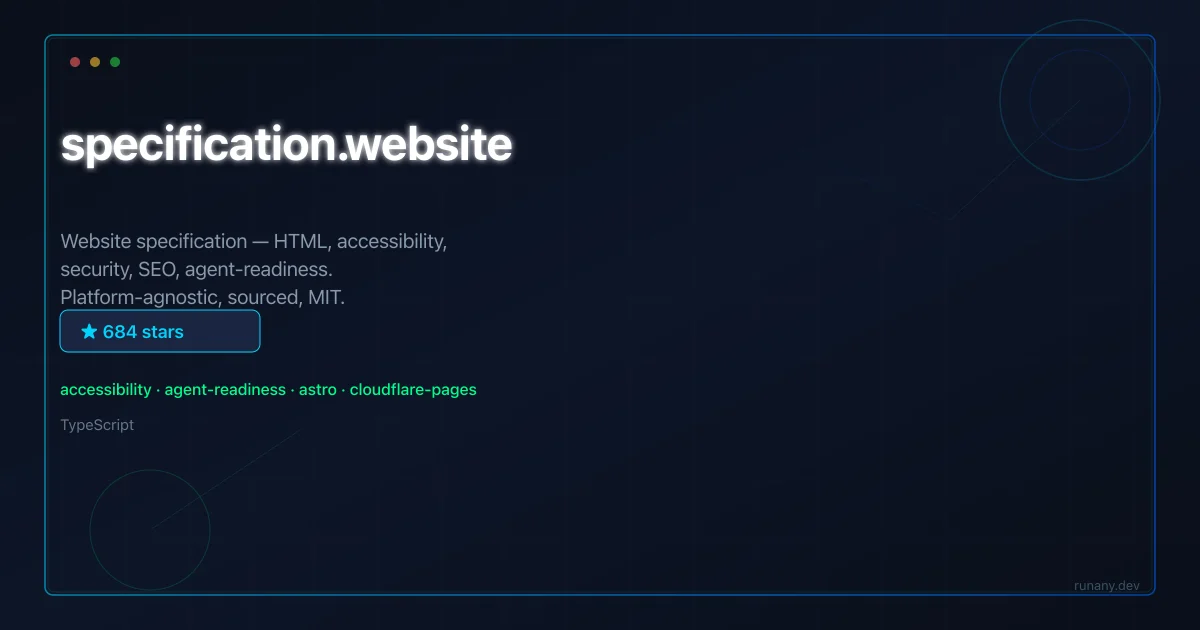
specification.website is an MIT-licensed, source-cited web spec covering HTML, SEO, accessibility, security, llms.txt and more, with an MCP server for AI agents.
TL;DR
TL;DR: specification.website is an open, MIT-licensed, source-cited web specification that collects HTML, SEO, accessibility, security headers, well-known URIs, llms.txt, and agent-readiness rules in one place, with an MCP server so AI agents can read the spec directly.
Source and Accuracy Notes
- Project page: specification.website
- Source repository: github.com/jdevalk/specification.website
- License: Code MIT, content CC BY 4.0 (verified in README badges)
- MCP server: mcp.specification.website/mcp
What Is specification.website?
specification.website is a static site that reads as a spec, in the same way the HTML Living Standard reads as a spec. The site collects the rules that the modern web expects a site to follow and ties every claim to a primary source such as WHATWG, MDN, WCAG, the IETF RFCs, schema.org, llmstxt.org, or Google Search Central.
The categories it covers include Foundations (HTML, head, document basics), SEO, Accessibility, Security (headers, transport, policies), Well-Known URIs, Agent Readiness, Performance, Privacy, Resilience, and Internationalisation. Each page is a small spec entry with sections for ## What it is, ## Why it matters, ## How to implement, ## Common mistakes, and ## Verification. Status levels are Required, Recommended, Optional, or Avoid.
The project is explicit about what it is not. It is not a framework, not a tutorial, and not platform-specific. It does not say “use this Next.js plugin.” It describes the outcome and lets you choose the implementation. Where the standards are unsettled, the spec says so.
Repo-Specific Setup Workflow
Step 1: Requirements
Node.js 22.12+ and npm. The dev server runs on port 31337 by convention.
Step 2: Install and run
git clone https://github.com/jdevalk/specification.website.git
cd specification.website
npm install
npm run dev      # http://localhost:31337
npm run build    # static output in ./dist
npm run preview  # serve ./dist on port 31337
Step 3: Add or change a spec page
- Find the right category under
src/content/spec/<category>/. - Copy an existing
.mdfile, for examplesrc/content/spec/foundations/title.md. - Fill in the front matter (see schema in
src/content.config.ts). At minimum:title,summary,category,status,order, andsources. - Write the body using the section template (
## What it is,## Why it matters,## How to implement,## Common mistakes,## Verification). - Open a PR. The build will fail if the schema is invalid, and that is intentional.
Step 4: Use the MCP server
A separate Cloudflare Worker in mcp/ exposes the spec to MCP-aware agents. See mcp/README.md for the connection config and the deployment steps. Tools include the categories, individual spec entries, and the search index, so an agent can ask “is X required” and get a sourced answer.
Deeper Analysis
Derivation pipeline
A useful property of the project is that the spec is the single source of truth. From the source markdown, the build derives the public /spec/, /checklist/, /llms.txt, /llms-full.txt, /sitemap-index.xml, /rss.xml, per-page .md endpoints, the Pagefind search index, and the MCP server’s bundled data. You do not hand-edit any of those artifacts; you edit the source markdown and they regenerate. This keeps the spec consistent and makes it practical to add a rule without breaking downstream consumers.
Agent readiness as a first-class concern
Agent Readiness is its own category, not an afterthought. The site treats AI agent legibility as a property of the web platform that deserves a spec entry the same way WCAG or sitemap.xml does. Combined with the MCP server, this means an agent can query the spec directly instead of scraping pages, and a human can audit which rules apply to their site through the checklist view.
The sourcing discipline
The README is unusually clear about the project’s sources. The site draws on WHATWG, MDN, WCAG 2.2 and the Understanding documents, IETF RFCs, sitemaps.org, schema.org, llmstxt.org, Google Search Central, web.dev, Yoast, and accessibility references like the Equalize Digital Accessibility Checker docs and the WP Accessibility Knowledge Base. Every page cites at least one source. The contribution rules are “cite your sources, stay platform-agnostic, be honest about status.” That tone matters for a project that aims to be a spec rather than a blog.
Practical Evaluation Checklist
- Do you need a single, source-cited reference for what a modern site should do?
- Do you want a checklist view you can hand to a frontend or platform team?
- Is
llms.txtorllms-full.txtimportant to you as a deliverable? - Will your AI agents benefit from an MCP server over the spec?
- Do you want to extend the spec with a new page and have the build fail if the schema is wrong?
- Is the platform-agnostic stance a better fit for your stack than framework-specific guides?
Security Notes
The spec’s Security category covers the same surface as the well-known hardening guides: transport, headers, content security policy, cookies, and /.well-known/security.txt. The site itself sets the headers it documents and serves the security.txt file at the agreed path. The MCP server is a separate Cloudflare Worker, so the spec is not coupled to the read API. The content is CC BY 4.0 and the code is MIT, so you can fork and ship a private mirror for internal use.
The site uses Plausible for analytics and explicitly says there is no cookie banner, no newsletter capture, and no marketing surfaces. If you self-host it, keep that posture unless you have a concrete reason to change it.
FAQ
Q: Is specification.website a framework or a tutorial? A: No. It is a platform-agnostic spec. It describes the outcomes a site should meet, not the framework code to write.
Q: How is this different from MDN or web.dev? A: It is a curated, opinionated subset with explicit status levels (Required, Recommended, Optional, Avoid) and a checklist view. MDN and web.dev are general references. specification.website is a checklist-shaped spec you can hand to a team.
Q: Can AI agents use the spec directly?
A: Yes. The MCP server at mcp.specification.website/mcp exposes the spec to MCP-aware agents. The repo also serves llms.txt and llms-full.txt for LLM consumers that prefer text.
Q: What license applies to the content? A: Content is CC BY 4.0 and code is MIT. You can reuse, fork, and ship a private mirror.
Q: Can I add a new rule to the spec? A: Yes. Copy an existing page, fill in the schema, and open a PR. The build will reject invalid front matter so the spec stays consistent.
Conclusion
specification.website is a useful project for teams that want a single, source-cited contract for what their site should do. The platform-agnostic stance avoids the framework wars, the MCP server makes the spec consumable by agents, and the llms.txt derivation keeps the LLM side aligned with the same source. It is not a replacement for a deep dive into WCAG, MDN, or the WHATWG HTML standard. It is a curated layer on top of them, which is exactly the gap most teams actually need.
Related reading: GitHub Trending tools, Developer tools, Adam CAD, Runtime, SEO Score API.
Related Posts
ai-setup
Recall – Persistent Memory for Claude Code via MCP Hooks
Recall gives Claude Code a permanent memory store that survives session restarts and context compaction. Four hooks capture and restore context automatically — with cloud SaaS or self-hosted options.
2/28/2026
dev-tools
Automotive Skills Suite for AI Engineering
Evaluate Automotive Skills Suite for APQP, ASPICE, HARA, safety-plan, and DIA workflows with setup notes, governance risks, and SME review guidance.
5/28/2026
dev-tools
awesome-agentic-ai-zh Roadmap Guide
Explore awesome-agentic-ai-zh as a Chinese agentic AI learning roadmap, with setup notes, track selection, study workflow, and evaluation guidance.
5/28/2026