SourceWizard – AI Setup Wizard That Installs SDKs for You
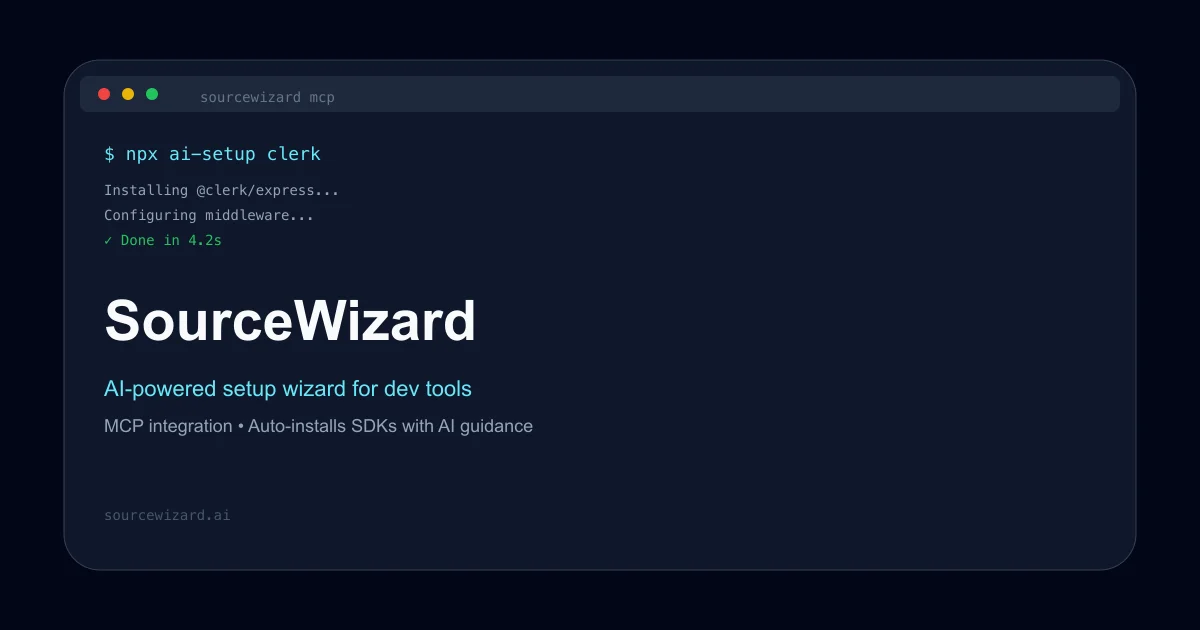
SourceWizard is an open-source CLI that uses AI to install and configure SDKs automatically — handling middleware, env vars, and package setup so you stop reading READMEs.
TL;DR
TL;DR: SourceWizard is an open-source CLI that uses AI to install and configure SDKs — handling middleware, env vars, and multi-package setup — so you stop reading READMEs and stop configuring manually.
What Is SourceWizard?
SourceWizard is an open-source CLI tool that combines AI-powered package search with automated installation and configuration. It was built to solve a real developer pain point: setting up SDKs correctly takes time, and “AI coding agents like Cursor and Claude often hallucinate or use deprecated API calls” when working without context.
From the official README:
“AI-powered setup wizard for dev tools and libraries with MCP (Model Context Protocol) integration.”
The tool works as a standalone CLI and also as an MCP server, meaning it can be integrated directly into Claude Code, Cursor, and other MCP-compatible editors.
Setup Workflow
Prerequisites
- Node.js 18 or later
- npm or npx
- Optional: API key from sourcewizard.ai/dashboard for cloud features
Step 1: Install the CLI
npm install -g @sourcewizard/sourcewizard
```bash

Or run directly with npx:

```bash
npx @sourcewizard/sourcewizard install <package-name>
```bash

### Step 2: Install a Package with AI Guidance

```bash
# Search for packages with natural language
sourcewizard search "react testing library"

# Install and configure a package
sourcewizard install clerk
```bash

### Step 3: Set Up MCP Integration

SourceWizard works as an MCP server, giving your AI coding agent real-time, up-to-date package documentation. Add this to your MCP settings file (for example, `~/.config/claude-code/mcp_settings.json`):

```json
{
  "mcpServers": {
    "sourcewizard": {
      "command": "npx",
      "args": ["sourcewizard", "mcp"],
      "env": {
        "SOURCEWIZARD_API_KEY": "your-api-key-here"
      }
    }
  }
}
```bash

Available MCP tools:
- `search_packages` — AI-powered package and code snippet search
- `install_package` — install and configure packages with AI guidance

### Step 4: Repository Analysis

```bash
# Analyze repository structure
sourcewizard repo [path]

# Build the entire project
sourcewizard build

# Run tests for a specific target
sourcewizard test //sourcewizard:sourcewizard
Deeper Analysis
The Problem It Solves
Setting up a new SDK typically involves: reading the README, installing the package, configuring middleware, setting env vars, and handling edge cases. This is tedious and repetitive. SourceWizard automates the entire chain by combining package search, AI-guided install, and automated configuration in one command.
MCP Integration
The MCP (Model Context Protocol) integration is the most interesting part for AI coding workflows. Instead of an AI agent guessing at API calls or reading outdated docs, SourceWizard provides a real MCP tool that returns current, accurate package information. From the README:
“No hallucinated or deprecated API calls.”
This is a meaningful improvement over the baseline problem many AI coding agents have with third-party SDKs.
Supported Packages
The tool currently supports a growing list of packages. The HN launch demo showed clerk as the example (npx ai-setup clerk), but the tool is designed to work with any package that has a known setup flow.
Practical Evaluation Checklist
- Does it install correctly? Run
sourcewizard install <package>and verify the package is installed and configured - Does MCP tool return accurate results? Query
search_packagesand verify the returned information matches current package docs - Does it handle errors gracefully? Test with a non-existent package and verify a clear error message
- Is the terminal UI clear? The tool shows progress tracking during installation
- Does it integrate with Claude Code / Cursor? Requires MCP client setup — verify your editor supports MCP
Security Notes
- The
SOURCEWIZARD_API_KEYis required for cloud AI features. Keep it in your environment variables, not hardcoded. - The tool reads your
package.jsonand repository structure — it does not send your codebase to external servers except when using the cloud API key for AI features. - Local MCP mode can be used without an API key for basic package installation.
FAQ
Q: Is this related to the PostHog Install AI Wizard? A: SourceWizard is similar in concept to PostHog’s Install AI Wizard but supports a broader range of packages and works as a standalone CLI and MCP server.
Q: Does it work with all npm packages? A: The tool uses AI to generate setup flows. It works best with packages that have standard installation patterns. Some complex packages may require manual configuration.
Q: What package managers does it support? A: Primarily npm/node.js packages. The tool detects your repository structure and runs appropriate commands.
Q: Is an API key required?
A: No — basic CLI features like sourcewizard install work without an API key. AI-powered search and cloud features require an API key from sourcewizard.ai/dashboard.
Conclusion
SourceWizard solves a real friction point in developer workflows: the gap between “install a package” and “actually have it configured correctly.” Its MCP integration is particularly valuable for AI coding workflows where agents need accurate, current package information. The open-source Apache 2.0 license means you can inspect, modify, and contribute to the tool.
If you spend time configuring SDKs manually or debugging AI agent SDK mistakes, SourceWizard is worth a try. Start with npx @sourcewizard/sourcewizard install <package> and see how it handles your next setup.
Source and Accuracy Notes
- Project page: sourcewizard.ai
- Source repository: github.com/sourcewizard-ai/sourcewizard
- License: Apache 2.0 (verified via LICENSE file on main branch)
- HN launch thread: news.ycombinator.com/item?id=45987702
- npm package: www.npmjs.com/package/sourcewizard
Related Posts
ai-setup
Recall – Persistent Memory for Claude Code via MCP Hooks
Recall gives Claude Code a permanent memory store that survives session restarts and context compaction. Four hooks capture and restore context automatically — with cloud SaaS or self-hosted options.
2/28/2026
dev-tools
Automotive Skills Suite for AI Engineering
Evaluate Automotive Skills Suite for APQP, ASPICE, HARA, safety-plan, and DIA workflows with setup notes, governance risks, and SME review guidance.
5/28/2026
dev-tools
awesome-agentic-ai-zh Roadmap Guide
Explore awesome-agentic-ai-zh as a Chinese agentic AI learning roadmap, with setup notes, track selection, study workflow, and evaluation guidance.
5/28/2026