SnapAPI – Screenshot, PDF and Extraction API
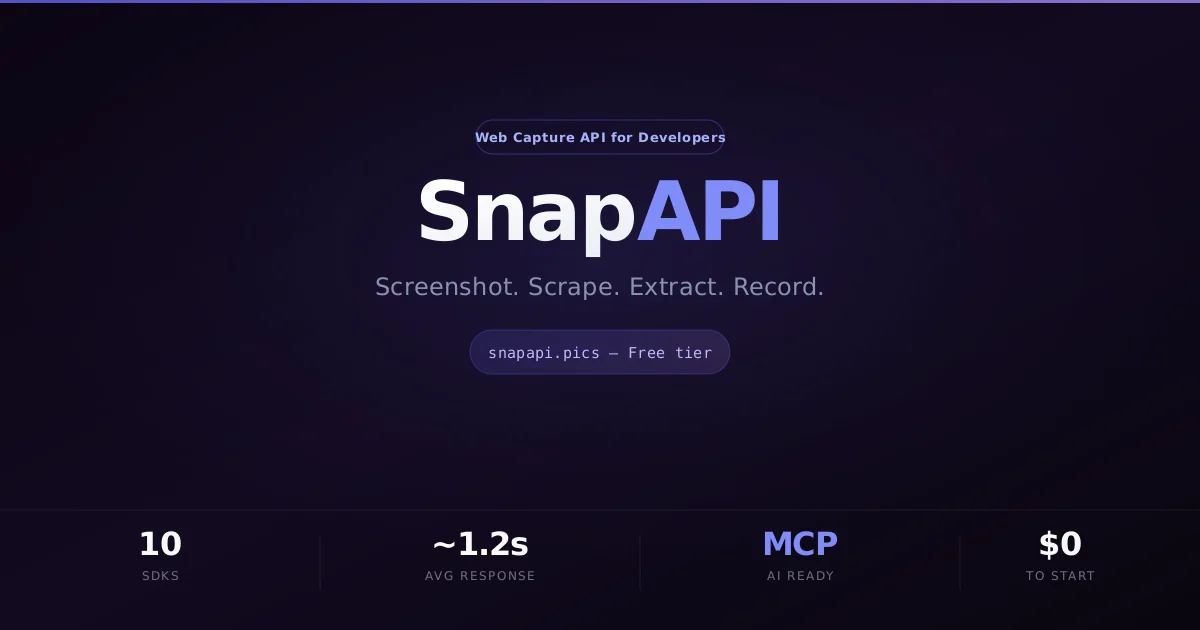
A fast REST API for screenshots, PDFs, web scraping, and content extraction built with Fastify and Playwright. Free tier: 200 requests/month with Go SDK and MCP server.
TL;DR
TL;DR: SnapAPI is a developer-focused REST API that handles screenshots, PDF generation, web scraping, and structured content extraction using Playwright under the hood — free up to 200 requests per month, with a Go SDK and MCP server support.
Source and Accuracy Notes
- Project page: snapapi.pics — verified
- Source repository (Go SDK): github.com/Sleywill/snapapi-go — MIT license, verified
- Source repository (MCP server): github.com/Sleywill/snapapi-mcp — MIT license, verified
- HN launch thread: news.ycombinator.com/item?id=47073746
What Is SnapAPI?
SnapAPI is a REST API for automated screenshot capture, PDF generation, web scraping, and structured content extraction. It is built on Fastify and Playwright, and is aimed at SaaS teams that need reliable, scalable web capture without managing browser infrastructure themselves.
The HN launch post describes it as a response to the operational complexity of self-hosting Playwright — dealing with browser contexts, memory leaks, cookie banners, and crash recovery. SnapAPI handles all of that as a managed service.
The API supports four core operations:
- Screenshot API — capture full-page screenshots in PNG, JPEG, or WebP from any URL
- PDF Generation — render any URL or HTML string as a PDF
- Web Scraping — extract raw HTML or structured content from web pages
- Content Extraction — pull OG images, metadata, and structured data from pages
SnapAPI also provides a Go SDK (zero external dependencies) and an MCP server so AI agents can call screenshot and extraction endpoints directly.
Pricing
SnapAPI offers a free tier with no credit card required:
| Plan | Price | Requests/month |
|---|---|---|
| Free | $0 | 200 |
| Starter | $19/month | 5,000 |
| Pro | $79/month | 50,000 |
The Pro plan also includes video recording capabilities. Annual billing provides additional savings.
API Reference
The base URL for all endpoints is https://api.snapapi.pics/v1. Authentication uses an API key passed as a header:
curl -H "x-api-key: YOUR_API_KEY" \
  "https://api.snapapi.pics/v1/screenshot?url=https://example.com"
```bash

### Screenshot endpoint

```bash
curl -H "x-api-key: YOUR_API_KEY" \
  "https://api.snapapi.pics/v1/screenshot?url=https://example.com&format=png&full_page=true"
```bash

Supported formats: `png`, `jpeg`, `webp`. The `full_page=true` parameter captures the entire scrollable page.

### PDF generation

```bash
curl -H "x-api-key: YOUR_API_KEY" \
  "https://api.snapapi.pics/v1/pdf?url=https://example.com"
```bash

Supports rendering from a live URL or raw HTML input.

### Content extraction

```bash
curl -H "x-api-key: YOUR_API_KEY" \
  "https://api.snapapi.pics/v1/extract?url=https://example.com&fields=og_image,title,description"
```bash

Returns structured JSON with page metadata, OG images, headings, and links.

### Webhooks

SnapAPI supports webhooks for async processing. You register a URL and SnapAPI POSTs the result when a job completes. The webhook payload includes a signature for HMAC verification.

### Async processing

For long-running jobs, SnapAPI supports asynchronous mode with polling or webhook callbacks. Jobs return a `job_id` that can be queried for status and results.

## SDKs and Integrations

### Go SDK

The official Go SDK is at [github.com/Sleywill/snapapi-go](https://github.com/Sleywill/snapapi-go) (MIT license). It is dependency-free and supports context propagation:

```go
client := snapapi.New("YOUR_API_KEY")
result, err := client.Screenshot(ctx, &snapapi.ScreenshotOpts{
    URL:      "https://example.com",
    Format:   "png",
    FullPage: true,
})
```bash

### MCP server

The MCP server at [github.com/Sleywill/snapapi-mcp](https://github.com/Sleywill/snapapi-mcp) lets AI tools call SnapAPI endpoints directly using the Model Context Protocol. It supports screenshot, scrape, and extract operations.

### Python

Python can call the REST API directly:

```python
import requests

response = requests.get(
    "https://api.snapapi.pics/v1/screenshot",
    params={"url": "https://example.com", "format": "png"},
    headers={"x-api-key": "YOUR_API_KEY"}
)
Practical Evaluation Checklist
- Free tier works without a credit card
- Screenshot captures full page correctly (full_page parameter)
- PDF output matches browser rendering
- Content extraction returns correct OG metadata
- Webhook signature verification works
- Go SDK compiles and runs without extra dependencies
- MCP server connects to a working MCP client
- Rate limits are appropriate for the tier
FAQ
Q: Is this a replacement for self-hosted Playwright? A: For production use cases where you need screenshots, PDFs, or scraping at scale, yes. The operational burden of managing Playwright instances (browser contexts, memory leaks, crash recovery) is exactly what SnapAPI is designed to eliminate. If you need full programmatic control over browser behavior or are running in a zero-network environment, self-hosted Playwright is still the option.
Q: What happens when the free tier runs out?
A: The API returns a 429 rate limit error. You can upgrade to Starter or Pro from the dashboard without changing any code — just the x-api-key header stays the same.
Q: How does SnapAPI handle anti-bot detection? A: The HN post mentions the author dealt with cookie banners and anti-bot measures. Specific bypass techniques are not documented publicly, but the service is positioned as production-ready for common use cases like link previews and documentation capture.
Q: Can I self-host SnapAPI? A: There is no documented self-hosted option. The service is managed-only. If you need full control, the HN post author suggests self-hosting Playwright directly, which comes with the operational complexity the service abstracts away.
Q: What is the MCP server good for? A: The MCP server exposes screenshot, scrape, and extract as tools that AI agents can call directly — useful for AI coding assistants or agents that need to capture web page state as part of their workflow.
Conclusion
SnapAPI fills a specific niche: developers who need reliable, scalable web capture (screenshots, PDFs, scraping, extraction) without the operational overhead of running Playwright at scale. The free tier is generous enough for evaluation and small projects, and the Go SDK and MCP server make it easy to integrate into developer toolchains. The managed service model means you do not have to think about browser infrastructure — just call the API and get your result back.
Related Posts
ai-setup
Recall – Persistent Memory for Claude Code via MCP Hooks
Recall gives Claude Code a permanent memory store that survives session restarts and context compaction. Four hooks capture and restore context automatically — with cloud SaaS or self-hosted options.
2/28/2026
dev-tools
Automotive Skills Suite for AI Engineering
Evaluate Automotive Skills Suite for APQP, ASPICE, HARA, safety-plan, and DIA workflows with setup notes, governance risks, and SME review guidance.
5/28/2026
dev-tools
awesome-agentic-ai-zh Roadmap Guide
Explore awesome-agentic-ai-zh as a Chinese agentic AI learning roadmap, with setup notes, track selection, study workflow, and evaluation guidance.
5/28/2026