SmoothCSV - Open 1M Rows in 2 Seconds
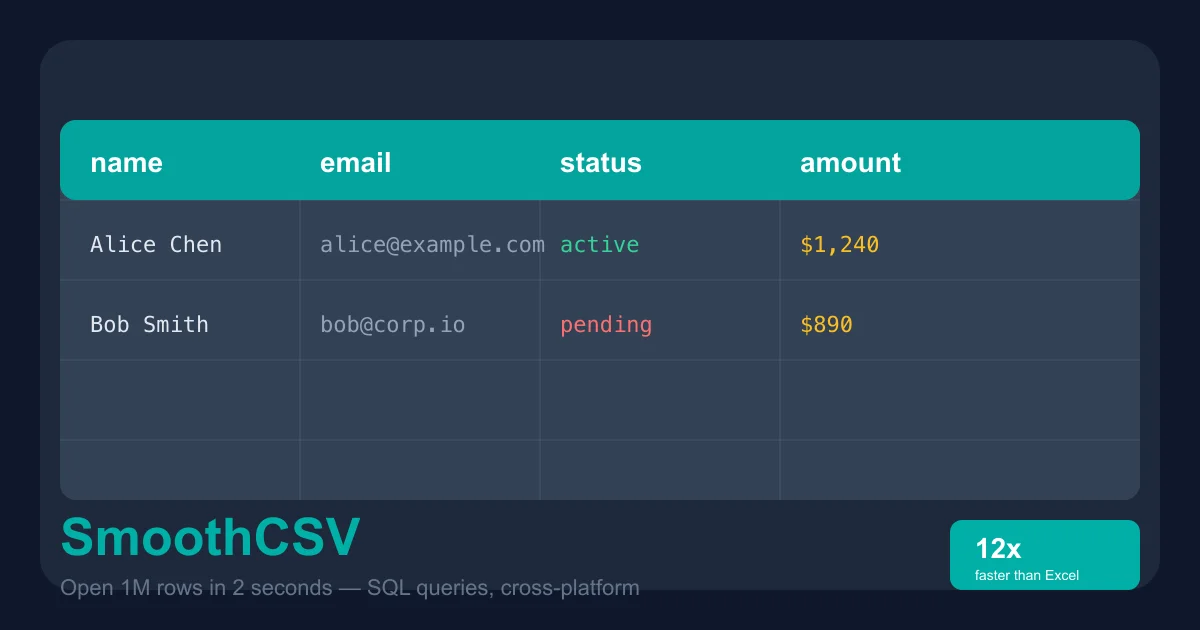
SmoothCSV is a cross-platform CSV editor that handles million-row files with SQL query support, dark mode, and Excel import/export. 1.2k GitHub stars.
TL;DR
TL;DR: SmoothCSV is a cross-platform CSV editor that opens million-row files in seconds, supports SQL queries directly on CSVs, and works on macOS, Windows, and Linux — free to download.
Source and Accuracy Notes
- Project page: smoothcsv.com — verified by direct visit
- Source repository: github.com/kohii/smoothcsv3 — verified README read
- GitHub stars: 1,213 (as of 2026-06-18, per GitHub API)
- License: No license file present — all rights reserved by kohii. Download is free; paid license available for commercial use.
- HN launch threads: Show HN (44537558), Show HN 1M rows (46974584)
What Is SmoothCSV?
SmoothCSV is a desktop CSV editor built by kohii, a full-stack developer working on it in spare time. The pitch is direct: open huge CSV files without the freezing and lag that plagues Excel and Google Sheets.
According to the project’s own benchmarks, SmoothCSV opens a 100 MB CSV file 12 times faster than Microsoft Excel. The current version is v3.22.0 (released mid-2026), available for Windows, macOS, and Linux.
Key features from the README:
- Power Grid Editor — spreadsheet-like editing with no lag on large files
- SQL Console — run
SELECTqueries directly on CSV data without importing into a database - CSV Compare — diff two CSV files and highlight differences row by row
- Find & Replace — regex support for bulk text replacement
- Filtering — visual condition builder or SQL-style filter expressions
- Multi-cell editing — edit hundreds of cells simultaneously
- Excel import/export — open and save
.xlsxfiles - Customizable keyboard shortcuts, command palette, auto-backup, and more
The app is localized into English, Japanese, French, Spanish, Italian, Simplified Chinese, Portuguese, Russian, German, and Korean.
Setup Workflow
SmoothCSV is a standalone desktop application — no server, no CLI to configure, no environment variables.
Step 1: Download
Head to smoothcsv.com/download or the GitHub releases page.
Current version as of this post: v3.22.0.
Downloads available for:
- Windows x64 (
.exeinstaller) - Windows ARM64
- macOS (Universal DMG, Apple Silicon + Intel)
- Linux (deb, rpm, AppImage — see the download page)
Step 2: Install
Run the installer for your platform. No admin rights required on macOS and Linux if you use the portable/AppImage version.
Step 3: Open a File
Launch SmoothCSV and drag a CSV file onto the window, or use File > Open. The file opens instantly regardless of size.
# CLI launch (optional)
smoothcsv /path/to/large-file.csv
```bash

The CLI can also jump directly to a specific row and column:

```bash
smoothcsv /path/to/file.csv --row 5000 --col 3
```bash

### Step 4: Run a SQL Query

Open the SQL Console (`Ctrl+Shift+K` / `Cmd+Shift+K`) and type any `SELECT` query:

```sql
SELECT name, email, amount
FROM current_file
WHERE status = 'active'
ORDER BY amount DESC
LIMIT 20
Results display as an editable grid — you can sort, filter, and export the query output.
Deeper Analysis
Performance on Large Files
SmoothCSV’s benchmark claim of 12x faster than Excel on a 100 MB file is notable because most CSV editors either load the entire file into memory (causing UI freeze) or use streaming (losing random-access editing). The project uses a custom rendering engine that keeps the UI responsive regardless of file size, though the exact internals are not documented publicly.
SQL Console as a Primary Workflow
The built-in SQL Console is more than a novelty. Because CSVs have no schema enforcement, most analysts end up importing into SQLite or pandas for filtering. SmoothCSV eliminates that step — you get ad-hoc SELECT, WHERE, ORDER BY, GROUP BY, and even JOIN between two open CSV files, all without leaving the editor.
CSV Compare for Data Auditing
The diff view highlights added, removed, and changed rows in color coding. This is particularly useful for auditing data pipelines, comparing exports from two database queries, or tracking changes in configuration files.
Pricing
The app is free to download and use. A paid license is available at smoothcsv.com/pricing for commercial use — individual and team tiers exist. The source code is on GitHub but without an open-source license, so you can study it but not redistribute modifications.
Practical Evaluation Checklist
- Opens a 100+ MB CSV without freezing the UI
- SQL
SELECTqueries return results in under 1 second on indexed-style queries - CSV Compare correctly identifies row-level differences between two versions of the same file
- Excel
.xlsximport preserves formatting and data types where possible - Dark mode toggle works without restart
- Keyboard shortcuts are customizable and the command palette covers all major features
- Auto-backup triggers before overwriting an existing file
Security Notes
SmoothCSV runs entirely locally. There is no cloud sync, no telemetry disclosed in the README, and no account required to use the app. File processing happens on-disk, not in a browser or remote server.
Auto-backup creates local backup copies before saving — a useful safeguard when editing production data files.
As with any desktop application handling sensitive data, verify your local installation against the official release checksums on the GitHub releases page before first run.
FAQ
Q: Does SmoothCSV support comma-separated files other than CSV? A: Yes. It auto-detects delimiter (comma, semicolon, tab, pipe) and also lets you set a custom delimiter per file. TSV and PSV files open correctly without configuration.
Q: Can I use SmoothCSV commercially without paying? A: The download is free, but commercial use requires a paid license. See smoothcsv.com/pricing for tiers.
Q: Is the source code open source? A: The code is on GitHub (1.2k stars) but with no open-source license — all rights are reserved. You can view and fork it for personal use, but redistribution of modified versions is not permitted.
Q: How does it compare to Excel for CSV editing? A: Excel is a general spreadsheet tool that happens to open CSVs. SmoothCSV is purpose-built for CSVs: it opens files 12x faster (per project benchmarks), handles messy data with flexible delimiters and quote rules, and includes a SQL console for ad-hoc querying that Excel lacks natively.
Q: Does it work offline? A: Yes. SmoothCSV is a fully offline desktop application. No internet connection required after installation.
Conclusion
SmoothCSV solves the everyday CSV problem that every developer and data analyst runs into: you need to open a file, make a quick edit or lookup, and move on — but your tool either freezes, corrupts data, or forces you into a full spreadsheet application. With SQL query support, a fast rendering engine, and cross-platform availability, it fills a specific niche between “notepad with line numbers” and “full Excel installation.”
If you regularly work with CSV files over a few MB, SmoothCSV is worth the download. The free tier is fully functional for personal use.
Related Posts
ai-setup
Recall – Persistent Memory for Claude Code via MCP Hooks
Recall gives Claude Code a permanent memory store that survives session restarts and context compaction. Four hooks capture and restore context automatically — with cloud SaaS or self-hosted options.
2/28/2026
dev-tools
Automotive Skills Suite for AI Engineering
Evaluate Automotive Skills Suite for APQP, ASPICE, HARA, safety-plan, and DIA workflows with setup notes, governance risks, and SME review guidance.
5/28/2026
dev-tools
awesome-agentic-ai-zh Roadmap Guide
Explore awesome-agentic-ai-zh as a Chinese agentic AI learning roadmap, with setup notes, track selection, study workflow, and evaluation guidance.
5/28/2026