Sipp – Zero-Dependency WebGPU AI Inference in the Browser
Sipp is an open-source AI runtime that runs GGUF models directly in-browser via WebGPU, with a symmetric API for local execution and cloud gateway routing. Built with Rust and C++.
TL;DR
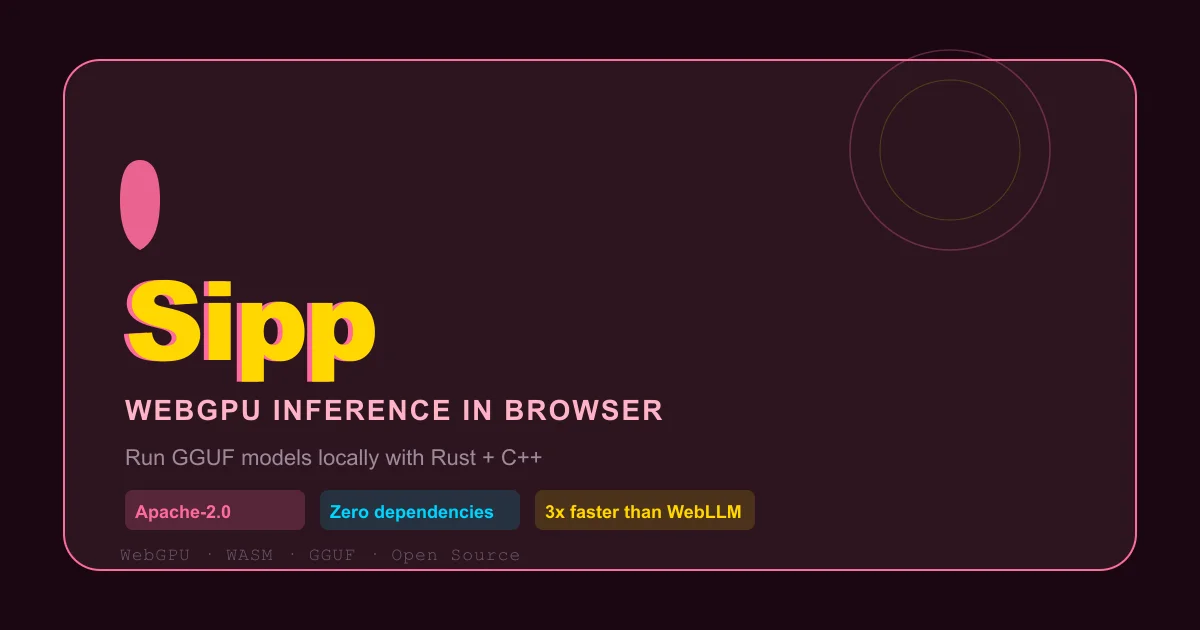
TL;DR: Sipp is an open-source WebGPU runtime that runs GGUF models directly in the browser with zero npm dependencies, offering a symmetric API for both local inference and cloud gateway routing — and benchmarks 3x faster than WebLLM.
Source and Accuracy Notes
- Project page: sipp.sh ← visited and verified
- Source repository: github.com/noumena-labs/Sipp ← read README (36 stars, master branch, pushed 2026-06-27)
- License: Apache-2.0 ← verified via GitHub API
- HN launch thread: news.ycombinator.com/item?id=48660884
- Docs: sipp.sh/docs ← verified install commands
What Is Sipp?
Sipp is an AI inference runtime built by Noumena Labs that runs GGUF-format language models directly in the browser via WebGPU. It is marketed as “AI inference, freshly squeezed.”
The core engine is written in Rust and C++, with a thin TypeScript/JavaScript surface. The project positions itself as an alternative to WebLLM and Transformers.js — claiming significantly faster time-to-first-token and higher decode throughput.
The key differentiator is a symmetric API that works identically for local WebGPU inference and remote cloud gateway endpoints:
import { SippClient } from '@sipphq/sipp';
const blender = new SippClient();

// Local WebGPU inference
const juice = await blender.add('edge', { kind: 'local', source: '/models/llama3.gguf' });

// Cloud gateway — same interface
const ice = await blender.add('cloud', { kind: 'gateway', baseUrl: 'https://gateway.example.com/v1/' });

// Run on either seamlessly
const [smoothie, snowcone] = await Promise.all([
  blender.chat([{ role: 'user', content: 'Explain Sipp.' }], { endpoint: juice }),
  blender.chat([{ role: 'user', content: 'Create a Sipp app.' }], { endpoint: ice })
]);
```bash

The site describes it as having zero npm dependencies on the client side, WASM with OPFS-backed caching for model weights, and cross-platform support spanning the browser, desktop, and cloud bare-metal.

## Supported Packages

Sipp ships three officially maintained SDK packages:

| Package | Install command | Description |
|---|---|---|
| **JavaScript/TypeScript** | `npm install @sipphq/sipp` | Browser and client-side inference |
| **Node server** | `npm install @sipphq/sipp-server` | Server-side inference and framework route handlers |
| **Rust** | `cargo add sipp-rs` | Native apps and services via the `sipp` crate |
| **Python** | via PyPI (wheels) | Scriptable local inference from Python, backed by the native runtime |

A self-hosted **Gateway Server** is also available as source-available software for teams that want to run and audit their own model routing layer.

## Performance Benchmarks

Sipp publishes benchmark results comparing its WebGPU engine against WebLLM and Transformers.js, measured on a Nvidia GTX 3080 (1 warm-up run, 3 measured runs averaged):

| Runtime | TTFT (ms) | Decode (tok/s) | E2E Latency (ms) |
|---|---|---|---|
| **Sipp** | **24.3** | **77.07** | **6,655** |
| WebLLM | 160.0 (6.55x slower) | 25.80 (2.99x slower) | 19,930 (2.99x slower) |
| Transformers.js | 301.0 (12.38x slower) | 33.25 (2.32x slower) | 15,670 (2.35x slower) |

Metrics: **TTFT** = Time to First Token (lower is better); **Decode** = tokens per second (higher is better); **E2E Latency** = end-to-end inference latency (lower is better).

You can run the benchmarks yourself at [benchmark.sipp.sh/benchmark](https://benchmark.sipp.sh/benchmark).

## Setup

### Browser (JavaScript)

```bash
npm install @sipphq/sipp
```bash

```javascript
import { SippClient } from '@sipphq/sipp';
const blender = new SippClient();
const juice = await blender.add('edge', { kind: 'local', source: '/models/llama3.gguf' });
const response = await blender.chat([{ role: 'user', content: 'Hello!' }], { endpoint: juice });
```bash

### Node.js server

```bash
npm install @sipphq/sipp-server
```bash

See the [server docs](https://sipp.sh/docs/packages/node.html) for framework integration.

### Rust

```bash
cargo add sipp-rs
```bash

See the [Rust SDK docs](https://sipp.sh/docs/packages/rust.html).

## Build from source

The CLI tool ships with `sipp`:

```bash
sipp build wasm                # Compile high-performance WebGPU assets
sipp run demos serve chat      # Launch a local, hardware-accelerated test canvas
The contribution guide and architecture overview are in the docs/ directory of the repository.
Browser Demos
The Sipp showcase section lists several live browser demos:
- Banana Brawl — A swarm of agents, each running a local model, competing in-browser
- Sketch Critic — Draw something and a local vision model gives live feedback on the canvas
- Aria — Chat with a VRM character whose emotes and replies are generated by a local model
All demos run entirely in-browser with no server round-trip.
Ecosystem Packages
Sipp is structured around a small number of first-party packages:
@sipphq/sipp— Client-side browser SDK@sipphq/sipp-server— Node.js server-side SDKsipp-rs— Rust crate for native applications- Gateway Server (source-available) — Self-hosted model routing for teams
Practical Evaluation Checklist
- Installed
@sipphq/sippand loaded a GGUF model in-browser - Verified model weights stay local (no network requests for inference)
- Tested the symmetric API by swapping local and cloud endpoints
- Ran the benchmark suite at benchmark.sipp.sh
- Checked the roadmap for planned features (vector memory, PII masking, smart routing)
- Joined the Discord for active development updates
Security Notes
Because model weights and inference stay on-device with the WebGPU backend, Sipp has a structural advantage for sensitive workloads: prompts never leave the browser. The cloud gateway mode routes traffic through a configurable proxy, giving teams control over key management and audit logs when self-hosting the Gateway Server.
That said, the project is under active development — the README carries a warning that breaking changes are expected and it may not yet be suitable for mission-critical production environments.
FAQ
Q: Does Sipp require a server, or does everything run in-browser? A: The client-side SDK runs entirely in the browser via WebGPU with no server required for inference. A Gateway Server is available for teams that want a self-hosted proxy or cloud routing layer.
Q: What model formats does Sipp support? A: Sipp runs GGUF-format models. The client uses WASM with OPFS-backed caching to store model weights locally.
Q: How does Sipp compare to WebLLM? A: The official benchmarks show Sipp achieving 24.3ms TTFT versus WebLLM’s 160ms — approximately 6.5x faster — on a GTX 3080. Decode throughput is 77 tok/s versus 25.8 tok/s for WebLLM.
Q: What licenses is Sipp released under?
A: The project is Apache-2.0 licensed (verified via GitHub API license.spdx_id).
Q: Is this production-ready? A: The README explicitly warns that Sipp is under active development and breaking changes are expected. It is not yet recommended for mission-critical production use.
Conclusion
Sipp is an interesting entry in the browser-side AI inference space — the combination of a Rust/C++ core, a symmetric local/cloud API, and its claimed 3x performance advantage over WebLLM makes it worth watching. The zero-dependency client claim is notable for developers building privacy-sensitive or offline-first AI UIs where sending prompts to a remote API is not acceptable.
If you want to run models locally in-browser with a clean API surface, Sipp is worth evaluating. Track the roadmap (vector memory, PII masking, smart routing) to see how the project matures.
Links:
- sipp.sh — project site with live demos
- github.com/noumena-labs/Sipp — source repo
- HN thread — discussion
Related Posts
ai-setup
Recall – Persistent Memory for Claude Code via MCP Hooks
Recall gives Claude Code a permanent memory store that survives session restarts and context compaction. Four hooks capture and restore context automatically — with cloud SaaS or self-hosted options.
2/28/2026
dev-tools
Automotive Skills Suite for AI Engineering
Evaluate Automotive Skills Suite for APQP, ASPICE, HARA, safety-plan, and DIA workflows with setup notes, governance risks, and SME review guidance.
5/28/2026
dev-tools
awesome-agentic-ai-zh Roadmap Guide
Explore awesome-agentic-ai-zh as a Chinese agentic AI learning roadmap, with setup notes, track selection, study workflow, and evaluation guidance.
5/28/2026