Shuru – Local-First MicroVM Sandbox for AI Agents on macOS
Shuru boots lightweight ephemeral Linux VMs on macOS using Apple Virtualization.framework, giving AI agents a disposable sandbox to run code safely without touching the host.
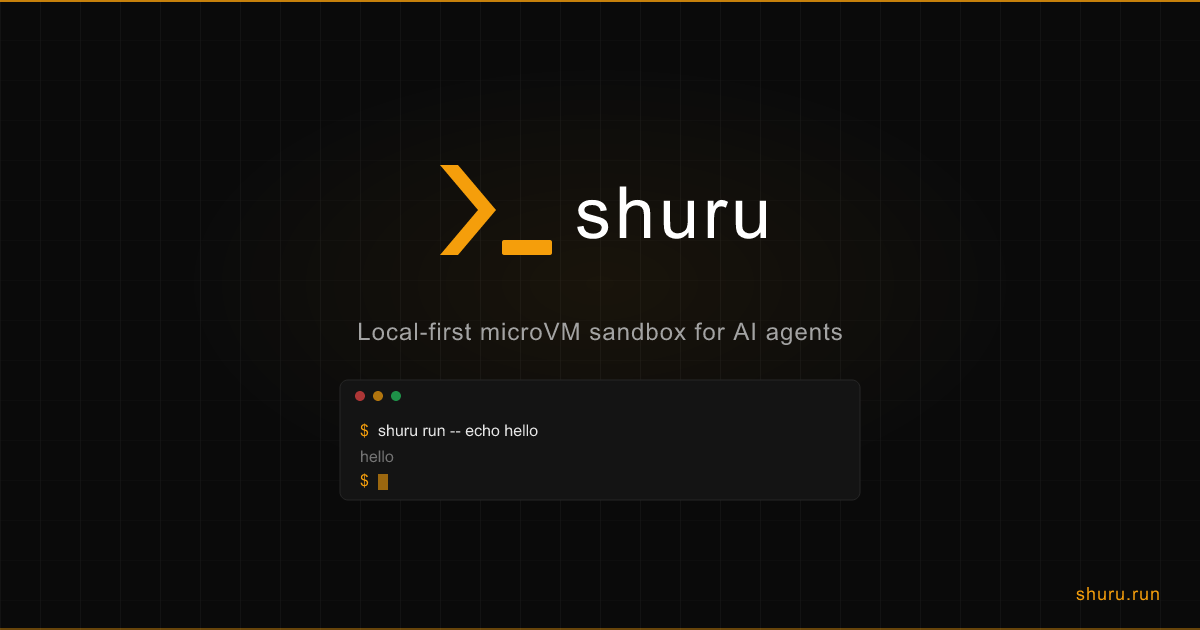
TL;DR
TL;DR: Shuru runs disposable ephemeral Linux VMs on macOS using Apple’s Virtualization.framework, letting AI agents execute untrusted code safely without touching the host.
Source and Accuracy Notes
- Project page: shuru.run ← verified
- Source repository: github.com/superhq-ai/shuru ← README read in full
- License: Apache-2.0 (verified via GitHub API
license.spdx_id) - HN launch thread: news.ycombinator.com/item?id=47113567 (213 points, 66 comments)
- Stars: 811 (as of 2026-07-16, GitHub API)
What Is Shuru?
Shuru is a local-first microVM sandbox for AI agents running on macOS. It boots lightweight Linux VMs using Apple’s Virtualization.framework — no Docker, no full VM overhead. Every sandbox is ephemeral: the rootfs resets on each run, giving agents a clean disposable environment to install packages, execute code, and run tools without touching your host machine.
On Linux (experimental), Shuru uses a KVM backend available in release builds for ARM64 hosts.
Key characteristics from the README:
- Ephemeral by default — rootfs resets on every run
- VirtioFS mounts — share host directories read-only (writes go to an overlay layer discarded on exit)
- Network controls — allow specific hosts only, or full networking with
--allow-net - Checkpoint system — save disk state to reuse environments across runs (v0.1.11+)
- Port forwarding — forward host ports to guest over vsock without a network device
- Config file —
shuru.jsonfor persistent mount and port-forward settings
Setup Workflow
Step 1: Install
macOS (Apple Silicon, macOS 14+):
brew tap superhq-ai/tap && brew install shuru
```bash

Or via the install script (macOS and experimental Linux):

```bash
curl -fsSL https://raw.githubusercontent.com/superhq-ai/shuru/main/install.sh | sh
```bash

### Step 2: Run a Command in a MicroVM

```bash
# Interactive shell
shuru run

# Run a single command
shuru run -- echo hello
```bash

### Step 3: Control Network Access

```bash
# No network access (default, most secure)
shuru run -- apt-get install -y python3

# Allow all network
shuru run --allow-net -- curl https://api.openai.com

# Allow specific hosts only
shuru run --allow-net --allow-host api.openai.com --allow-host registry.npmjs.org
```bash

### Step 4: Mount Host Directories

```bash
# Read-only mount (guest can read, writes go to overlay — host untouched)
shuru run --mount ./src:/workspace -- cat /workspace/config.txt

# Read-write mount (requires --allow-host-writes)
shuru run --allow-host-writes --mount ./src:/workspace:rw -- touch /workspace/test.txt
```bash

### Step 5: Use Checkpoints

```bash
# Save a configured environment
shuru checkpoint create py --allow-net -- sh -c 'apt-get install -y python3 gcc'

# Reuse the checkpoint (ephemeral — changes discarded on exit)
shuru run --from py -- python3 script.py
```bash

### Step 6: Port Forwarding

```bash
# Create a checkpoint with nginx, then serve with port forwarding
shuru checkpoint create web --allow-net -- apt-get install -y nginx
shuru run --from web -p 8080:80 -- nginx

# From the host
curl http://127.0.0.1:8080/
```bash

## Deeper Analysis

### Security Model

Shuru's security posture is rooted in isolation:

- **Ephemeral rootfs** — every run starts from a clean slate; no persistent state means no residual malware or credential leakage between agent runs
- **Overlay mounts** — by default, guest writes go to a tmpfs overlay discarded on VM exit. The host filesystem is never modified unless explicitly mounted read-write with `--allow-host-writes`
- **Network allowlisting** — unlike a container with full network access, Shuru can restrict outbound connections to a whitelist of hosts. This limits an agent's blast radius if compromised
- **No privileged mode** — VMs run at the hypervisor level, not as user-space containers that share the host kernel

### Performance

Apple's Virtualization.framework is a bare-metal hypervisor built into macOS. Compared to Docker Desktop (which runs a Linux VM in the background), Shuru's microVMs have lower boot overhead because:

- No Docker daemon overhead
- Lightweight rootfs (base image only, not a full OS distro)
- VirtioFS for directory sharing avoids full disk images for simple file access

Boot time is typically under a second for a cached image.

### Comparison with Alternatives

| Feature | Shuru | Docker | VirtualBox |
|---|---|---|---|
| Boot speed | sub-second | 1–3s | 10–30s |
| Ephemeral by default | yes | no (named volumes persist) | no |
| Host filesystem isolation | overlay tmpfs | writable layer + volumes | shared or VBoxsf |
| Network allowlisting | per-host | all-or-nothing | all-or-nothing |
| Host | macOS Apple Silicon | cross-platform | cross-platform |
| No full OS image | yes | no (Linux VM) | no |

### Limitations

- **macOS only (primary)** — Linux support is experimental and not production-ready
- **Apple Silicon only** — no Intel macOS support
- **No GPU pass-through** — VM has no GPU access; suitable for CLI tools, not GUI-bound workloads
- **Checkpoint size** — saving environments to checkpoints stores the disk delta; large environments consume significant disk space

## Practical Evaluation Checklist

- [ ] macOS 14+ on Apple Silicon available
- [ ] Install via Homebrew or install script
- [ ] Run `shuru run -- echo hello` successfully
- [ ] Verify no host filesystem modification after write attempt
- [ ] Test network allowlisting with `--allow-host`
- [ ] Create and reuse a checkpoint
- [ ] Test port forwarding from guest to host
- [ ] Clean up checkpoints with `shuru checkpoint list` / `shuru checkpoint delete`

## Security Notes

- Default mount is **read-only** to host — writes go to an overlay tmpfs discarded on VM exit
- Network is **deny-by-default** — explicitly grant access per host with `--allow-host`
- Checkpoints save disk state — be aware of what state your checkpoint contains before reusing across different trust contexts
- The `--allow-host-writes` flag lets the guest write directly to the host filesystem — only use this when you intentionally need persistent host-side effects

## FAQ

**Q: How is this different from Docker for AI agents?**
**A:** Docker persists state by default through named volumes and writable layers. Shuru resets the rootfs on every run, making it fundamentally disposable. There's also no Docker daemon overhead, and Shuru uses Apple's native hypervisor instead of a Linux VM inside Docker Desktop.

**Q: Can I run Linux containers in Shuru?**
**A:** Shuru boots a minimal Linux rootfs image, not container images. It does not run Docker or Kubernetes workloads. The focus is CLI tool execution, not containerized microservices.

**Q: Does Shuru work on Intel Macs?**
**A:** No. Shuru requires Apple Silicon (M-series chips) because it uses Apple's Virtualization.framework, which is ARM-only and not available on Intel macOS.

**Q: How do I clean up checkpoint images?**
**A:** Use `shuru checkpoint list` to see saved checkpoints and `shuru checkpoint delete <name>` to remove ones you no longer need. Checkpoints are stored locally and persist until explicitly deleted.

**Q: Can the guest access the GPU?**
**A:** No. GPU pass-through is not supported. Shuru VMs have no GPU access and are suited for CLI-based workloads only.

## Conclusion

Shuru brings the security isolation of a VM to the lightweight world of AI agent tooling. Its ephemeral-by-default model, host filesystem protection, and fine-grained network allowlisting make it a compelling choice for developers who want to let agents execute code safely without the blast radius of a full Docker setup or the slowness of a traditional VM. It is production-ready for macOS Apple Silicon environments; Linux remains experimental.

If you want to give an AI agent a disposable Linux shell where untrusted code runs and disappears on exit, Shuru is purpose-built for that workflow.

```bash
brew tap superhq-ai/tap && brew install shuru
shuru run
Related Posts
ai-setup
Recall – Persistent Memory for Claude Code via MCP Hooks
Recall gives Claude Code a permanent memory store that survives session restarts and context compaction. Four hooks capture and restore context automatically — with cloud SaaS or self-hosted options.
2/28/2026
dev-tools
AgentMesh – Define AI Agent Teams in YAML
Define multi-agent AI workflows in YAML and run them locally with one command. AgentMesh brings Docker Compose patterns to AI agent orchestration.
5/28/2026
dev-tools
Superset – Orchestrate 100+ Coding Agents in Parallel
Superset runs Claude Code, Codex, Cursor, and other AI coding agents simultaneously in parallel workspaces. Orchestrate agents, automated workflows, and code.
5/28/2026