shot-scraper 1.10 - Record WebM Video from YAML Storyboards
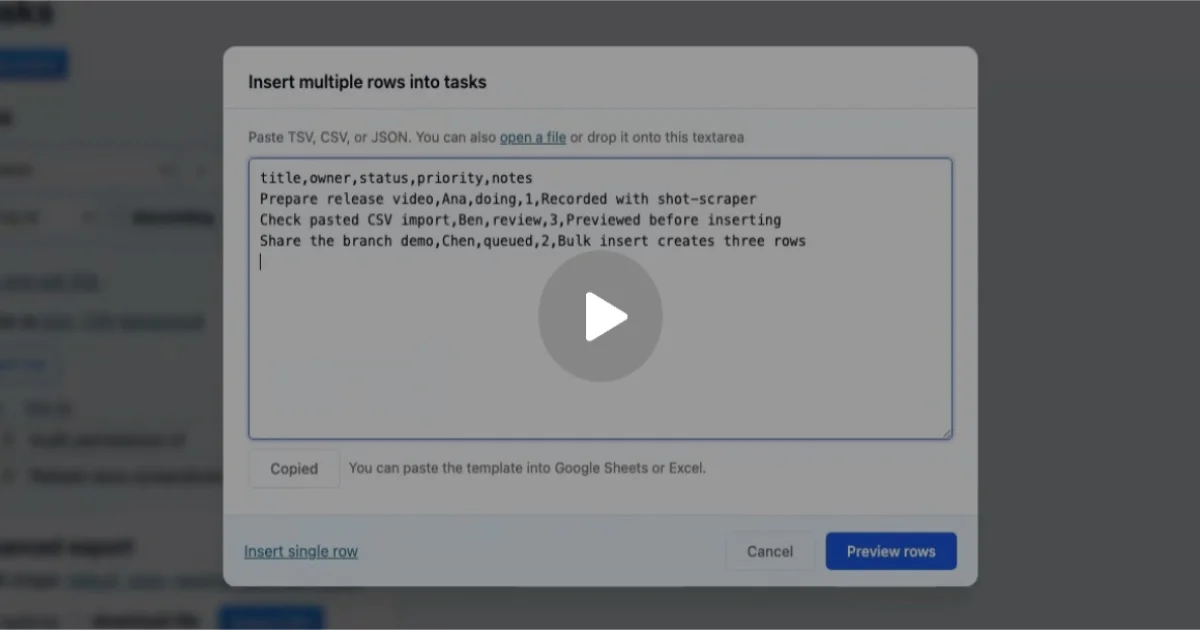
shot-scraper, Simon Willison's screenshot tool, just gained a video feature. Define WebM demos in YAML, automate setup steps, and record smooth browser walkthroughs automatically.
TL;DR
TL;DR: shot-scraper 1.10 adds a
shot-scraper videocommand that records WebM walkthroughs from YAML-defined storyboards — automating browser demos without manual recording.
Source and Accuracy Notes
- Project page: shot-scraper.datasette.io
- Source repository: github.com/simonw/shot-scraper
- License: Apache 2.0 (verified from README)
- Latest release: v1.10 (2026-06-30, verified via GitHub API)
- HN launch thread: news.ycombinator.com/item?id=48606537 (launched 2022, recent video feature 2026)
- Simon Willison’s announcement: simonwillison.net/2026/Jun/30/shot-scraper-video/
What Is shot-scraper?
shot-scraper is a CLI tool by Simon Willison for taking automated screenshots and scraping pages using JavaScript. It powers screenshots for Datasette documentation and runs in GitHub Actions via the shot-scraper-template repository.
The tool has been around since 2022. Version 1.10 (released June 30, 2026) introduces the shot-scraper video subcommand — the focus of this post.
Setup
pip install shot-scraper
shot-scraper install
```bash

The `install` subcommand pulls in the Playwright browser binary needed for rendering.

## Taking Screenshots

```bash
shot-scraper https://example.com/
# Saves as example-com.png
```bash

## The New Video Feature

The headline addition in 1.10 is `shot-scraper video`. It records WebM videos from a YAML storyboard file.

### Basic Storyboard

```yaml
scenes:
  - action: open
    url: https://example.com
  - action: screenshot
    output: example.png
  - action: pause
    seconds: 2
```bash

Run it:

```bash
shot-scraper video my-story.yaml -o demo.webm
```bash

### Storyboard Actions Reference

The full action list (copied verbatim from the [v1.10 release notes](https://github.com/simonw/shot-scraper/releases/tag/1.10)):

- `click` — click an element
- `type` — type text into a field
- `fill` — fill a form field
- `press` — press a keyboard key
- `scroll` — scroll the page
- `pause` — wait a fixed number of seconds
- `wait_for` — wait for a CSS selector
- `wait_for_url` — wait for a URL pattern
- `open` — navigate to a URL
- `screenshot` — capture a PNG frame
- `sh` — run a shell command
- `python` — run a Python script
- `javascript` / `js` — execute inline JavaScript

Setup steps run before recording starts:

```yaml
setup:
  - sh: npm install
  - python: my_setup_script.py
  - server: npm start
```bash

Viewport size, cursor visibility, and click rings are configurable via flags:

```bash
shot-scraper video story.yaml --viewport "1280,720" --show-cursor --click-rings -o out.webm
Deeper Analysis
Why YAML Storyboards?
The key advantage over screen recording is repeatability. A storyboard is version-controllable, shareable, and CI-friendly. You can define the exact sequence of interactions once and replay it against any page state — useful for documenting evolving web apps or generating consistent demo videos for releases.
Comparison with Alternatives
| Tool | Approach | CI-friendly |
|---|---|---|
| shot-scraper video | YAML storyboard, Playwright | Yes |
| Screen recording | Manual capture | No |
| Puppeteer/Playwright scripts | JavaScript/TypeScript | Yes, but more code |
The YAML format is more accessible than raw JavaScript for non-developers on your team.
Practical Evaluation Checklist
- Install via pip — no Docker required
- Playwright-based rendering handles SPAs and JavaScript-heavy sites
--mp4flag produces MP4 output alongside WebM- Can run shell/Python setup steps before recording
- GitHub Actions integration via template repo
Security Notes
- Runs a full browser locally — treat it like any other browser-based tool with network access
- No sandboxing built in beyond Playwright’s default browser context
- Review storyboard files before running against untrusted URLs
FAQ
Q: Does it work on macOS?
A: Yes. pip install works on macOS with Python 3.8+. Playwright’s browser binary downloads automatically on first run.
Q: Can it record mobile viewports?
A: Use --viewport with a mobile dimension string, e.g. --viewport "390,844".
Q: How is this different from a Playwright script? A: shot-scraper video exposes a declarative YAML interface instead of a programmatic JavaScript one. For complex branching logic or loops, you still need a Playwright script — but for linear walkthroughs, the YAML is faster to write.
Q: Does it support audio? A: No. WebM output is video-only. Audio capture is not currently supported.
Conclusion
shot-scraper video brings the same philosophy that made screenshot automation popular — simple CLI, no browser GUI required, version-controllable inputs — to video recording. The YAML storyboard format makes it accessible to technical writers and devs alike. If you need to produce consistent browser demos for docs, releases, or marketing, this is worth a look.
Related Posts
ai-setup
Recall – Persistent Memory for Claude Code via MCP Hooks
Recall gives Claude Code a permanent memory store that survives session restarts and context compaction. Four hooks capture and restore context automatically — with cloud SaaS or self-hosted options.
2/28/2026
dev-tools
Automotive Skills Suite for AI Engineering
Evaluate Automotive Skills Suite for APQP, ASPICE, HARA, safety-plan, and DIA workflows with setup notes, governance risks, and SME review guidance.
5/28/2026
dev-tools
awesome-agentic-ai-zh Roadmap Guide
Explore awesome-agentic-ai-zh as a Chinese agentic AI learning roadmap, with setup notes, track selection, study workflow, and evaluation guidance.
5/28/2026