Satyrn – Modern Jupyter Client for macOS
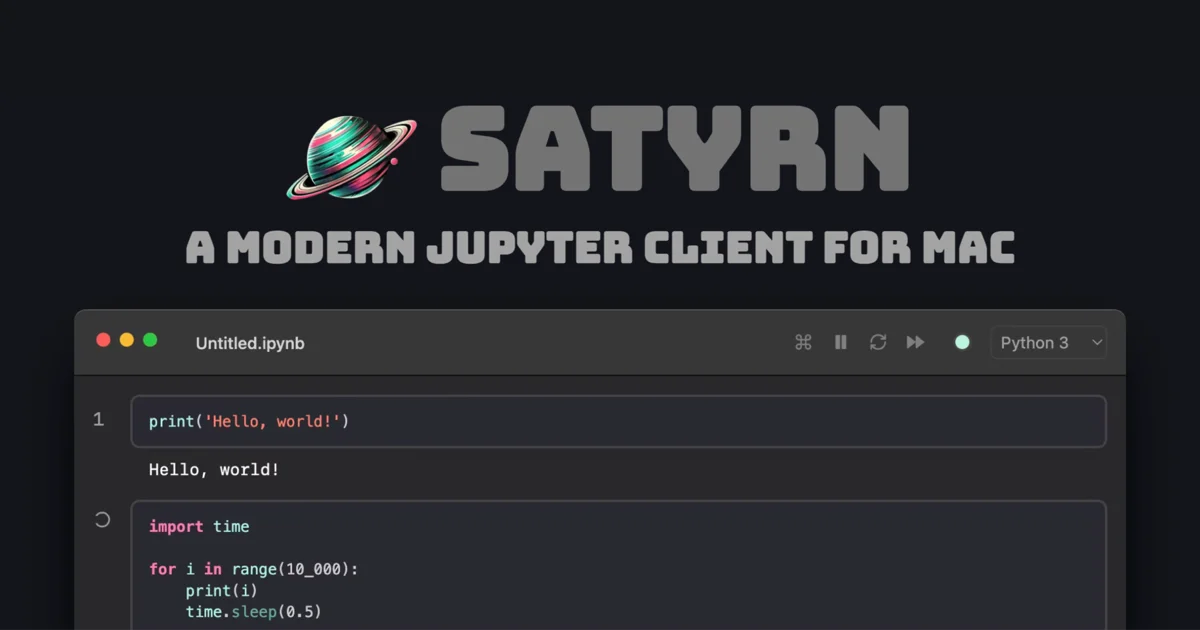
Satyrn is a native macOS Jupyter client with AI autocomplete, agent mode, SQL cells, and faster startup than VS Code. Built for data scientists who want a focused notebook experience.
TL;DR
TL;DR: Satyrn is a native macOS Jupyter notebook client that starts faster than VS Code and JupyterLab, with built-in AI autocomplete, agent mode for automated analysis, SQL cells for database queries, and a minimalist design that keeps you in flow.
Source and Accuracy Notes
Official site: satyrn.app HN Launch: Show HN: A modern Jupyter client for macOS (611 points, July 2024) Blog: satyrn.app/blog
What Is Satyrn?
Satyrn is a purpose-built Jupyter notebook client for macOS. The founder, a former scientist who learned to code with Jupyter, built it after years of frustration with existing options — wrapping JupyterLab in a Chrome app, then switching to VS Code for Copilot integration, but never finding a truly focused, lightweight notebook experience.
The result is a native macOS app that opens .ipynb files directly from Finder, auto-detects existing kernels and conda environments, and gets you coding in seconds rather than minutes.
Key Features
Speed and Simplicity
Satyrn’s most immediate advantage is startup time. The app launches and executes your first cell faster than both VS Code and JupyterLab. For data scientists who open notebooks dozens of times per day, this compounds into significant time savings.
The setup is intentionally minimal: download the app, open an .ipynb file, and start working. No configuration files, no extension hunting, no kernel path debugging.
AI-Powered Development
Intelligent Autocomplete — Satyrn includes context-aware code completion that understands your notebook’s variables, imports, and data structures. Unlike generic autocomplete, it learns from the cells you’ve already executed.
Agent Mode — Put your analysis on autopilot. Agent mode lets you describe what you want in plain English, and Satyrn generates and executes the code. This is particularly useful for repetitive data cleaning tasks or exploratory analysis where you know the goal but not the exact steps.
AI Edits — Rewrite code effortlessly by describing the change you want. Instead of manually refactoring a loop or restructuring a dataframe operation, tell Satyrn what you need and it handles the transformation.
Context-Aware Prompt Cells — Generate code inline with prompt cells that understand your notebook’s context. These cells feed your existing variables and imports into the AI, so generated code works with your data from the start.
Data and Database Integration
SQL Cells — Query databases directly from your notebook using SQL cells. No need to switch to a database client or write Python SQLAlchemy boilerplate. Write your SQL, get your results as a dataframe, and continue your analysis.
Schema-Aware AI — Teach the AI about your database schema, and it generates more accurate SQL queries and data transformations. This reduces the back-and-forth of debugging column names and table relationships.
Plotly Integration — Explore millions of datapoints interactively with built-in Plotly support. Copy graphs and tables to your clipboard with one click for reports or presentations.
Code Quality
Linting with Ruff — Satyrn integrates the Ruff language server for real-time linting. Catch bugs and style issues as you type, not after running the entire notebook.
Black Formatting — Keep your code consistent with automatic Black formatting. Your notebooks stay readable even after rapid experimentation.
Code Search — Find what you’re looking for across all cells with code search. Particularly useful in long notebooks where scrolling becomes impractical.
Remote Development
Server Connections — Connect to remote servers directly from Satyrn. Run heavy computations on a cloud instance while keeping your notebook interface local. This is essential for working with large datasets that don’t fit on your laptop.
Setup Workflow
Step 1: Download and Install
# Visit satyrn.app and download the alpha
# The app is a standard macOS .dmg — drag to Applications
```bash

### Step 2: Open a Notebook

```bash
# Double-click any .ipynb file in Finder
# Or drag a notebook onto the Satyrn app icon
```bash

Satyrn automatically detects existing Python kernels and conda environments. If you have Jupyter already installed, your kernels appear immediately.

### Step 3: Configure AI Features (Optional)

```bash
# AI features require an API key
# Go to Satyrn → Settings → AI
# Enter your OpenAI or compatible API key
```bash

### Step 4: Connect to Remote Servers (Optional)

```bash
# For remote development:
# Satyrn → Settings → Servers
# Add your SSH connection details
# Notebooks run on the remote machine, UI stays local
Deeper Analysis
The Electron Rewrite
Satyrn was originally built in Swift but was rewritten in Electron. The founder documented this decision in a blog post titled “Why I rewrote my Swift app in Electron.” The switch enabled cross-platform potential and easier integration with web-based Jupyter protocols, though the current focus remains macOS-native.
Positioning Against VS Code
VS Code’s Jupyter extension is the dominant notebook experience for many developers. Satyrn differentiates on three axes:
- Startup speed — Native app launch versus VS Code’s extension loading
- Focused interface — No sidebar, no file explorer, no git panel — just your notebook
- macOS integration — Finder integration, native window management, system-wide shortcuts
The Agent Mode Trade-off
Agent mode is powerful but requires trust. When you let an AI generate and execute code automatically, you’re trading control for speed. For exploratory analysis on disposable notebooks, this is ideal. For production data pipelines, you’ll want to review each cell before execution.
Practical Evaluation Checklist
Use this checklist when deciding if Satyrn fits your workflow:
- You work primarily on macOS
- You open notebooks multiple times per day (startup speed matters)
- You prefer a focused interface over a full IDE
- You use AI coding assistance and want it integrated into your notebook
- You query databases as part of your analysis workflow
- You work with large datasets and need remote server connections
- You value native macOS app behavior (window management, shortcuts, Finder integration)
Security Notes
API Key Storage — Satyrn stores AI API keys locally. Review the app’s keychain usage in macOS System Settings if you have strict credential policies.
Remote Server Access — When connecting to remote servers, Satyrn uses SSH. Ensure your SSH keys are properly secured and consider using key-based authentication rather than passwords.
Notebook Execution — Agent mode executes AI-generated code automatically. For sensitive data or production environments, review generated code before execution or disable agent mode.
Data Privacy — If you use AI features, your code and data are sent to the AI provider (OpenAI or compatible). Check your organization’s data processing policies before using AI features with proprietary datasets.
FAQ
Q: Is Satyrn free to use? A: Satyrn offers a free tier with core notebook functionality. AI features and advanced capabilities may require a paid plan. Check the pricing page at satyrn.app for current details.
Q: Does Satyrn work with existing Jupyter kernels? A: Yes. Satyrn auto-detects installed kernels and conda environments. If you have Jupyter installed, your existing kernels work immediately without configuration.
Q: Can I use Satyrn on Windows or Linux? A: Satyrn is currently macOS-only. The Electron rewrite suggests cross-platform support is possible in the future, but there is no official timeline for Windows or Linux releases.
Q: How does agent mode handle errors? A: Agent mode includes error handling that attempts to fix issues automatically. If the AI-generated code fails, Satyrn can retry with modifications. You can also intervene manually at any point.
Q: Does Satyrn support Jupyter extensions? A: Satyrn implements core Jupyter functionality natively rather than relying on the extension ecosystem. Features like linting, formatting, and AI are built-in rather than added via extensions.
Conclusion
Satyrn fills a specific gap in the Jupyter ecosystem: a fast, focused, macOS-native notebook client that doesn’t try to be everything. It won’t replace VS Code for full-stack development or JupyterLab for complex multi-file projects. But for data scientists and analysts who live in notebooks and want a tool that gets out of the way, Satyrn delivers.
The AI features are well-integrated rather than bolted on, and the SQL cells eliminate a common context-switching pain point. The 611-point HN launch suggests strong community interest, and the active blog shows continued development.
If you’re a macOS user who opens notebooks daily and values speed over feature breadth, Satyrn is worth trying.
Related Posts
ai-setup
Recall – Persistent Memory for Claude Code via MCP Hooks
Recall gives Claude Code a permanent memory store that survives session restarts and context compaction. Four hooks capture and restore context automatically — with cloud SaaS or self-hosted options.
2/28/2026
dev-tools
Automotive Skills Suite for AI Engineering
Evaluate Automotive Skills Suite for APQP, ASPICE, HARA, safety-plan, and DIA workflows with setup notes, governance risks, and SME review guidance.
5/28/2026
dev-tools
awesome-agentic-ai-zh Roadmap Guide
Explore awesome-agentic-ai-zh as a Chinese agentic AI learning roadmap, with setup notes, track selection, study workflow, and evaluation guidance.
5/28/2026