Runtime – Skills-Based Browser Automation Without DOM
Runtime uses predefined DOM attributes as skill gateways to automate browsers, sidestepping expensive LLM reasoning at execution time.
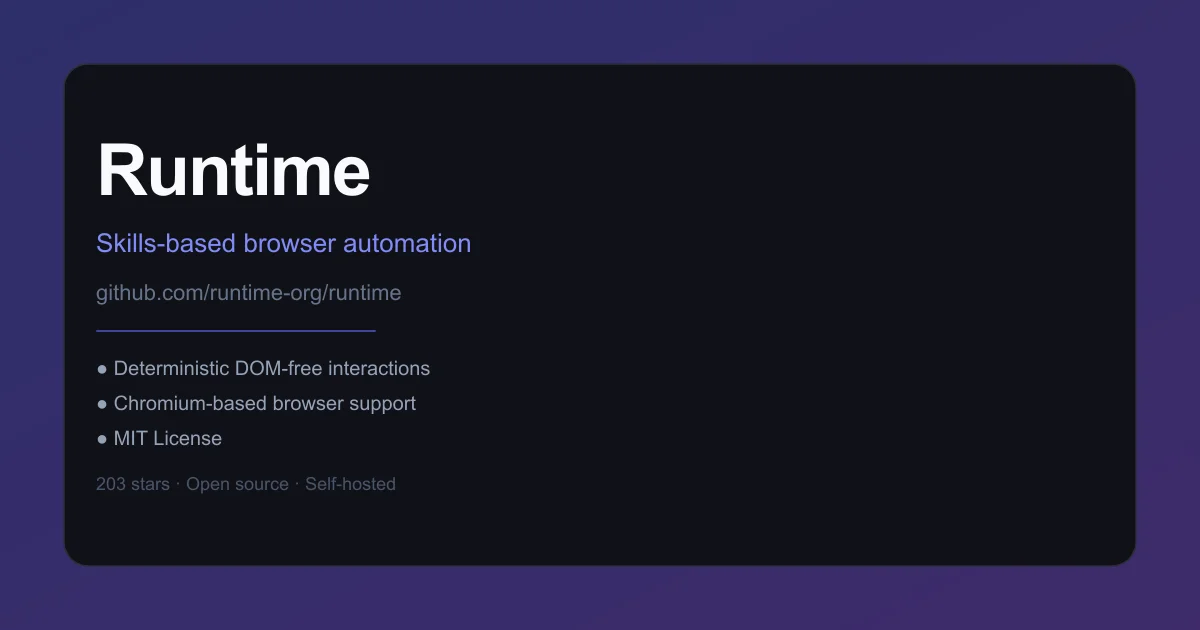
TL;DR
TL;DR: Runtime replaces fragile DOM manipulation with a declarative skill layer, letting browser agents interact via predefined attribute gates instead of reasoning about the live page structure on every action.
Source and Accuracy Notes
- Project page: runtime.org (redirects to GitHub Pages)
- Source repository: github.com/runtime-org/runtime
- License: MIT (verified via LICENSE file)
- HN launch thread: news.ycombinator.com/item?id=41613289 (via Show HN)
What Is Runtime?
Most browser AI agents follow the same pattern: at execution time, they inspect the live DOM, then prompt an LLM to decide which element to click or type into. This works but has two compounding problems. DOM trees are large and change frequently, so the LLM reasoning token cost is high. And because the DOM mutates between inference and action, a single heuristic miss can break the entire flow.
Runtime takes a different approach. Instead of reasoning about the DOM at runtime, it pre-defines skills — declarative action schemas that target specific DOM attribute patterns. Each skill encodes the human-readable intent (search, purchase, extract), the URL it applies to, and a fixed sequence of attribute-gated steps. The agent executes the skill as a deterministic script rather than querying the LLM for each interaction.
The project’s README frames it as a deterministic alternative to tools like Comet, Dia, Genspark, and browser-use. The key claim is a 3x speed improvement in the demo GIF on GitHub, attributed directly to skipping LLM-at-runtime DOM reasoning.
Setup
Prerequisites
- Node.js 18+
- pnpm, npm, or bun (runtime-org/runtime uses pnpm in its package manager field)
- Chromium-based browser (Chrome, Edge, Brave; Firefox support in progress)
Install
pnpm add @runtime-org/runtime
```bash

### Run interactively

```bash
npx runtime "https://www.amazon.com" "search for wireless headphones under 50 dollars"
```bash

### Programmatic usage

```typescript
import { createRuntime } from "@runtime-org/runtime";

const runtime = createRuntime();

const result = await runtime.run({
  url: "https://www.amazon.com",
  task: "search for wireless headphones under 50 dollars",
  skills: [
    {
      name: "search_products",
      description:
        "Search for a product on Amazon. This skill takes the user query as input and returns a list of product results.",
      input: { text: "string" },
      output: "results",
      steps: [
        { action: "navigate_to_url", url: "https://www.amazon.com" },
        { action: "wait_for_selector", selector: "#twotabsearchtextbox" },
        { action: "click", selector: "#twotabsearchtextbox" },
        { action: "type", selector: "#twotabsearchtextbox", input_key: "text" },
        { action: "press_enter" },
        {
          action: "wait_for_selector",
          selector:
            "div[data-component-type='s-search-result'][data-asin]:not([data-asin=''])",
        },
        { action: "scroll_down", times: 3 },
        {
          action: "extract_list",
          selector:
            "div[data-component-type='s-search-result'][data-asin]:not([data-asin=''])",
          schema: {
            asin: "@data-asin",
            title:
              "[data-cy='title-recipe'] a h2::text",
            price:
              "[data-cy='price-recipe'] .a-row [aria-describedby='price-link'] .a-price .a-offscreen::text",
            link: "[data-cy='title-recipe'] a::href",
          },
          output_key: "results",
        },
      ],
    },
  ],
});
The skill above targets Amazon search. The search_products skill navigates, types into the search box, and extracts structured product data by reading Blink-level DOM attributes (data-component-type, data-asin, data-cy) rather than CSS selectors or XPath. These attributes are set at render time and are far more stable than computed layout properties.
Deeper Analysis
Why attribute-gated skills are faster
Traditional DOM agents feed the full element hierarchy to the LLM and ask it to pick the next action. With complex pages like Amazon or GitHub, a single step can consume 2,000–5,000 reasoning tokens. Runtime skips this by pre-encoding the action path as a fixed sequence of wait_for_selector + click/type/extract_list operations, each gated by stable render-time attributes.
The skill JSON above shows how this works in practice. The extract_list step uses @data-asin as an attribute accessor, ::text and ::href as pseudo-selectors for text and link extraction. The LLM never sees the DOM — it only receives structured output from the skill executor.
Coverage and scalability
Runtime’s README acknowledges this approach is not infinitely scalable. Pre-defining skills for every target site requires manual authoring. The team is working on a solution for automated skill generation, but it is not yet public.
In practice, this means Runtime is best suited for stable, high-value targets (Amazon, GitHub, internal tools) rather than arbitrary websites. For one-off scraping of unfamiliar sites, a traditional DOM agent may still be more practical despite the speed cost.
License and deployment
Runtime is MIT licensed. The agent runs entirely locally with no API dependencies, meaning no OpenAI/Anthropic key is required for the browser layer. This makes it suitable for air-gapped environments or cost-sensitive self-hosted deployments.
Practical Evaluation Checklist
- Does it eliminate LLM-at-runtime DOM calls? Yes, by design
- Chromium support confirmed (Chrome, Edge); Firefox in progress
- MIT license — no commercial restrictions
- No vendor lock-in or required API keys
- npm/pnpm/bun compatible
- Skill authoring requires per-site effort
- Active development (last push August 2025 per GitHub API)
Security Notes
Runtime executes browser actions locally. It does not send DOM content to external APIs unless you explicitly forward skill output to one. For internal tool automation, this keeps sensitive UI data off third-party servers. As with any browser automation tool, follow least-privilege principles: run Runtime in an isolated browser profile when automating against production systems.
FAQ
Q: How does Runtime compare to browser-use? A: Browser-use uses LLM-driven DOM analysis at each step. Runtime pre-defines deterministic attribute-gated skill sequences, avoiding per-step LLM calls. The tradeoff is that Runtime requires upfront skill authoring per target site.
Q: Does it work with Firefox? A: Chromium-based browsers are supported (Chrome, Edge, Brave). Firefox support is listed as “coming soon” in the README.
Q: Is an API key required? A: No. Runtime runs entirely locally without external API dependencies. Skill output is processed by your own runtime environment.
Q: What is the skill file format? A: Skills are defined as JSON with a name, description, input schema, output key, and a steps array. Each step is a named action (navigate_to_url, click, type, extract_list, etc.) with a selector and optional parameters.
Conclusion
Runtime is a focused alternative for teams that automate the same browser flows repeatedly — internal dashboards, e-commerce workflows, legacy web apps. The deterministic skill approach trades generality for speed and predictability. If your automation targets are stable and well-defined, the upfront skill authoring cost pays off in faster execution and lower token bills. For arbitrary one-off scraping, a DOM-agent approach remains more flexible.
MIT licensed, self-hosted, no API lock-in.
Related Posts
ai-setup
Recall – Persistent Memory for Claude Code via MCP Hooks
Recall gives Claude Code a permanent memory store that survives session restarts and context compaction. Four hooks capture and restore context automatically — with cloud SaaS or self-hosted options.
2/28/2026
dev-tools
Automotive Skills Suite for AI Engineering
Evaluate Automotive Skills Suite for APQP, ASPICE, HARA, safety-plan, and DIA workflows with setup notes, governance risks, and SME review guidance.
5/28/2026
dev-tools
awesome-agentic-ai-zh Roadmap Guide
Explore awesome-agentic-ai-zh as a Chinese agentic AI learning roadmap, with setup notes, track selection, study workflow, and evaluation guidance.
5/28/2026