Rough.js: sketchy hand-drawn shapes for Canvas and SVG
Rough.js draws sketchy, hand-drawn shapes on Canvas or SVG in under 10 kB gzipped. How the primitives, fills, and options actually work.
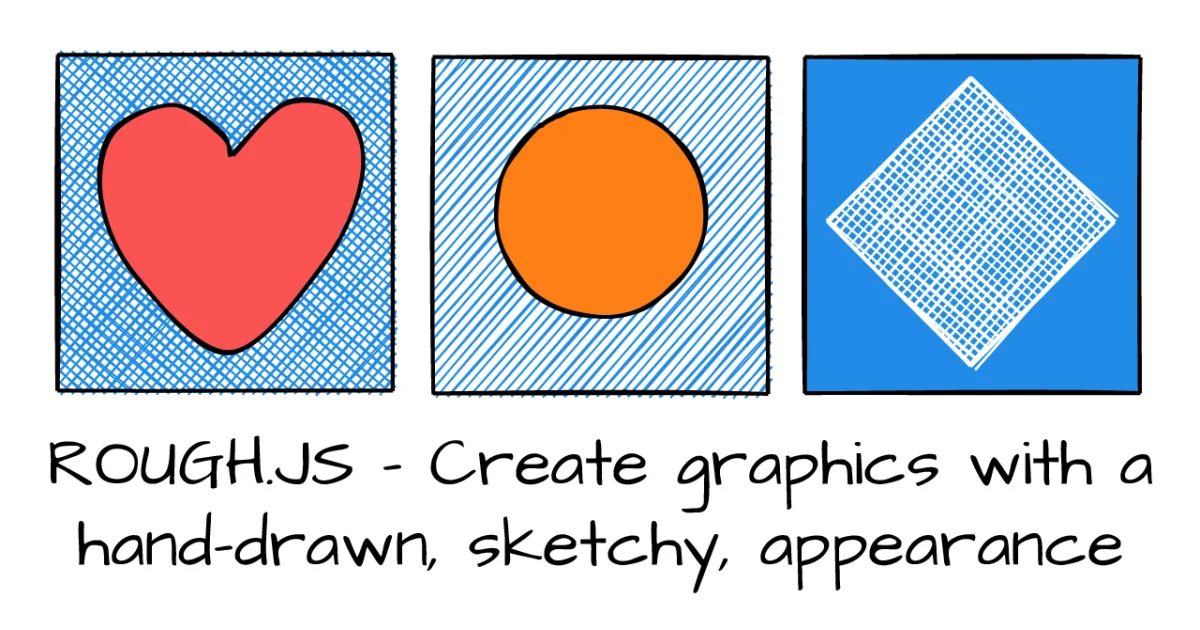
TL;DR: Rough.js renders sketchy, hand-drawn shapes onto a Canvas element or into an SVG, so you can get a hand-inked look without shipping a single image asset. You install one package, call
rough.canvas(el)orrough.svg(el), then draw lines, circles, and paths with options that control how rough the strokes come out.
What it is
Rough.js is a rendering library, not a design tool. It gives you a set of primitives (line, rectangle, ellipse, circle, arc, curve, polygon, and SVG path data) and draws each one as if a person sketched it with a pen. Every stroke is generated twice with a slight offset and a bit of random wander, which is where the wobble comes from.
There are two backends and they share the same method names. rough.canvas(canvasElement) draws directly into the 2D context. rough.svg(svgElement) returns a node that you append into the SVG DOM, so the result stays inspectable and styleable with CSS.
Size is the other selling point. The bundled CommonJS file is about 30 kB minified and under 10 kB gzipped, with four small runtime dependencies that handle hachure fills and path point math. License is MIT, and the project has been on npm since 2015 under the roughjs name.
Why it matters
The sketch look is one of those things that is painful to fake and trivial to add with a library like this. Think about the empty states, onboarding illustrations, and whiteboard-style diagrams that a text-heavy product needs but never wants to pay a designer for. Shipping those as PNGs means a request per asset and a fixed resolution. Shipping them as Rough.js output means the shape is live: you can recolor it, animate the draw order, or regenerate it at a different size without losing the pen texture.
There is a second benefit that is less obvious. Because the output is vector-ish geometry rather than a bitmap, the sketchy texture survives being scaled. A rough rectangle drawn at four times the size still looks like a pen line, just a heavier one, whereas an upscaled PNG turns to mush.
Getting it running
npm install --save roughjsCanvas is the shortest path. Create a canvas element, hand it to rough.canvas, and draw:
import rough from 'roughjs';

const rc = rough.canvas(document.getElementById('canvas'));
rc.rectangle(10, 10, 200, 200);
The SVG backend works the same way, except the drawing call returns a node instead of painting immediately:
import rough from 'roughjs';

const svg = document.getElementById('svg');
const rc = rough.svg(svg);
const node = rc.rectangle(10, 10, 200, 200);
svg.appendChild(node);
If you are not using a bundler, the package ships an IIFE build you can drop in a script tag from unpkg.
The shape primitives
All methods take an optional options object as the last argument, and options can also be set once on the constructor if you want a house style for every shape.
| Method | Signature | Draws |
|---|---|---|
line | (x1, y1, x2, y2) | A straight segment between two points |
rectangle | (x, y, width, height) | A rectangle from the top-left corner |
ellipse | (centerX, centerY, width, height) | An ellipse around a center point |
circle | (centerX, centerY, diameter) | A circle given by its diameter |
arc | (x, y, width, height, start, stop, closed) | An elliptical arc, angles in degrees |
curve | (points) | A smooth curve through a point list |
polygon | (vertices) | A closed shape from vertex pairs |
linearPath | (points) | An open path through a point list |
path | (d) | Any SVG path data string |
Watch the coordinate conventions, because they are not consistent. rectangle anchors at the top-left corner, ellipse and circle take a center point, and circle gives you a diameter while ellipse gives you two radii. Mixing them up produces shapes that are offset from where you expect.
Fill styles
The default fill is hachure: sketchy parallel lines drawn inside the shape. That is the detail that makes Rough.js look like a sketch rather than a wobbled vector shape, and it is also the most expensive thing the library does.
rc.rectangle(15, 15, 80, 80, { fill: 'red' });
rc.rectangle(120, 15, 80, 80, { fill: 'red', hachureAngle: 60, hachureGap: 8 });
rc.rectangle(220, 15, 80, 80, { fill: 'rgba(255,0,200,0.2)', fillStyle: 'solid' });
Seven fill styles are available: hachure (the default), solid, zigzag, cross-hatch, dots, dashed, and zigzag-line. If a shape is just a background behind text, solid will look cleaner and cost almost nothing.
Options worth knowing
These are the ones that come up most often, with the defaults read out of the library’s own option resolution rather than guessed:
| Option | Default | Effect |
|---|---|---|
roughness | 1 | How much the strokes wander. 0 is a clean shape, above 10 is noise |
bowing | 1 | How far the strokes bow away from the ideal path |
stroke | #000 | Outline color. Set to none to drop the outline entirely |
strokeWidth | 1 | Outline width in pixels |
fill | unset | Fill color. Unset means no fill |
fillStyle | hachure | Which fill algorithm to use |
fillWeight | half the stroke width | Thickness of the hachure strokes |
hachureAngle | built-in diagonal | Angle of the hachure lines in degrees |
hachureGap | four times the stroke width | Space between hachure lines in pixels |
seed | unset | Locks the randomness so the same shape regenerates identically |
The seed option deserves special attention. Because every shape is built from random offsets, the same call produces a different result on every render unless you pin the seed. Pass a number between 1 and 2^31 and the shape becomes deterministic, which matters for snapshot tests, for server-rendered output that must match the client, and for interfaces where a chart should not shuffle its own scribbles on every repaint.
Generating without drawing
There is also a generator mode that separates shape creation from rendering. The generator returns a plain drawable object, and you paint it later with draw:
const rc = rough.canvas(canvas);
const shape = rc.generator.rectangle(10, 10, 100, 100, { fill: 'red' });
rc.draw(shape);
This is the right shape of API when you need to build up a scene first and render it in one pass, or when you want to hold a drawable across renders without recomputing the geometry.
What to watch for
Maintenance is the first thing to know. The current npm release is 4.6.6 and the repository has not been pushed to since July 2024. The library is stable and the API has barely moved, so for sketch illustrations that is completely fine. If you are picking it up for a long-lived project that depends on new browser APIs or on TypeScript types tracking recent releases, go in knowing that maintenance is quiet.
Second, hachure fills are expensive. Each filled shape generates a whole set of line operations, so a chart with a few hundred filled bars will cost noticeably more than the same chart with solid fills. Measure before you fill a screen full of shapes.
Third, the Canvas and SVG backends are not interchangeable in terms of what you get afterwards. SVG output is a real DOM subtree, so you can target it with CSS, attach a click handler, and get selected text. Canvas output is just pixels on a surface, which is faster for large numbers of marks but gives you no per-element hit testing and no accessible content. A mixed setup often works best: canvas for the bulk of the scribbles, SVG for anything that needs to be interactive or readable.
Finally, remember that canvas drawings are invisible to screen readers and to text selection. If the sketch carries information rather than decoration, put real text next to it.
Source and Accuracy Notes
- Project page: https://roughjs.com/ , verified via direct visit
- Source repository: https://github.com/rough-stuff/rough , the npm package metadata still points at the older
pshihn/roughpath - License: MIT, confirmed from both the npm package metadata and the repository license
- Current version: roughjs 4.6.6 on npm, 21,362 GitHub stars at the time of writing
- API reference: https://github.com/rough-stuff/rough/wiki/API
- HN launch thread: https://news.ycombinator.com/item?id=16571827
Related Posts
ai-setup
Recall – Persistent Memory for Claude Code via MCP Hooks
Recall gives Claude Code a permanent memory store that survives session restarts and context compaction. Four hooks capture and restore context automatically — with cloud SaaS or self-hosted options.
2/28/2026
dev-tools
Automotive Skills Suite for AI Engineering
Evaluate Automotive Skills Suite for APQP, ASPICE, HARA, safety-plan, and DIA workflows with setup notes, governance risks, and SME review guidance.
5/28/2026
dev-tools
awesome-agentic-ai-zh Roadmap Guide
Explore awesome-agentic-ai-zh as a Chinese agentic AI learning roadmap, with setup notes, track selection, study workflow, and evaluation guidance.
5/28/2026