Reflame - Instant React Deployment in 50-500ms
Deploy client-rendered React apps in milliseconds with Reflame. VSCode extension and GitHub App deliver production-parity previews faster than Vercel or Netlify.
TL;DR
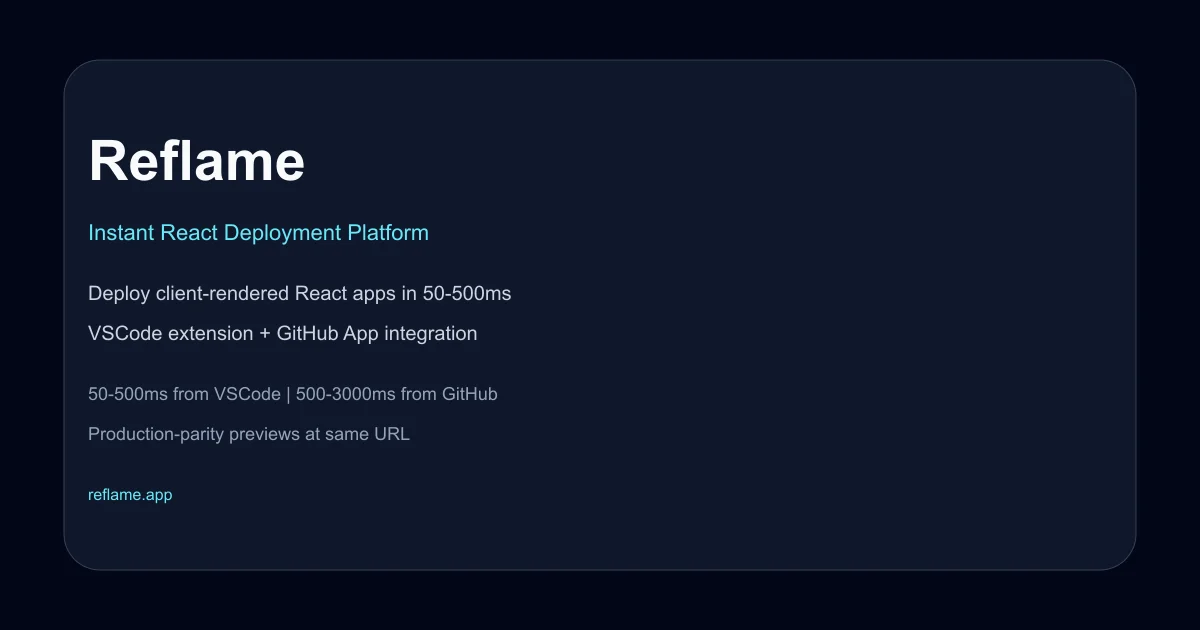
TL;DR: Reflame deploys client-rendered React apps in 50-500ms from VSCode or 500-3000ms from GitHub, making preview and production deploys fast enough to stay in flow state.
Source and Accuracy Notes
This post is based on the official Show HN launch post by the founder (ex-Brex engineer) and the Reflame website. The product launched in October 2022 with 147 points on Hacker News. The website is a client-rendered SPA and was not directly scrapable for this article; all technical details come from the founder’s launch write-up.
What Is Reflame?
Reflame is a deployment platform built specifically for client-rendered React web applications. Unlike general-purpose deployment platforms that treat builds as slow, batch-oriented processes, Reflame was designed from the ground up to make deploys so fast they become part of the inner development loop.
The core promise: every time you save a file in VSCode, your change is live on a preview URL in 50-500ms. Every git push triggers a production or preview deploy in under 3 seconds. No build queues, no status dashboards to babysit, no context switching.
The founder built Reflame after leaving Brex, motivated by the friction of existing deployment tools. Even fast platforms like Vercel and Netlify introduce enough latency between code change and live preview that developers break flow state, switch tasks, and lose context.
How Reflame Achieves Millisecond Deploys
Client-Rendered React Only
Reflame’s speed comes from a deliberate constraint: it only supports client-rendered React applications. No server-side rendering, no server components, no backend builds. This eliminates the heaviest parts of the build pipeline and lets Reflame focus on shipping optimized client bundles to the edge.
This means Reflame is not suitable for Next.js apps with SSR/API routes, Remix apps with server loaders, or any framework that requires server-side computation. If your app is a pure client-rendered React SPA (Create React App, Vite + React, or similar), Reflame is purpose-built for your workflow.
Two Deployment Paths
Reflame offers two integration points, each optimized for a different part of the development cycle:
VSCode Extension (50-500ms): The extension watches your file system and deploys every save to a Live Preview URL. This is the fastest path and the one designed to replace local development for many use cases.
GitHub App (500-3000ms): The GitHub App deploys automatically on every push. The default branch goes to production; all other branches go to preview URLs. This replaces the Netlify/Vercel GitHub integration but runs multiple orders of magnitude faster.
Live Preview Modes
Live Previews support two update modes, both delivering changes over the internet to any connected browser:
Development Mode: Uses React Fast Refresh for state-preserving hot updates. Component state survives across edits, matching the local development experience but accessible from any device.
Production Mode: Triggers a full browser reload on every change. The extra friction buys you a byte-identical version of the fully optimized production build, so you develop against exactly what customers will see.
Production-Parity Previews
One of Reflame’s distinctive design choices is that all previews are served from the same URL as production. Instead of generating unique subdomains per branch (like branch-name.app-preview.dev), every preview is accessed at https://reflame.app (or your custom domain).
This works through session cookies. The CDN checks a cookie to determine which version of the app to serve to your browser. The result: preview URLs are identical to production URLs, eliminating an entire class of environment-specific bugs that only appear when the URL changes.
This also means sharing a preview link does not require generating special URLs or managing access controls per branch. Anyone with the link sees the same app you see, routed to the correct version by their session state.
Practical Evaluation Checklist
Before adopting Reflame, verify these constraints match your stack:
- Your app is client-rendered React only (no SSR, no server components)
- You use VSCode as your primary editor (for the extension path)
- Your deploy targets are static assets served from a CDN
- You value fast previews over complex build pipelines
- Your team is comfortable with session-cookie-based preview routing
- You do not require server-side middleware or API routes in your deploy
Security Notes
Reflame’s session-cookie-based preview routing introduces a security consideration: anyone with access to the production URL can potentially view preview deployments if they can manipulate their session cookie. Ensure your preview content does not contain sensitive data that should be restricted beyond what the production app exposes.
The GitHub App integration follows standard OAuth patterns. Review the permissions requested and scope them to the minimum required repositories. As with any deployment platform, ensure your build environment is isolated and does not leak secrets into client bundles.
FAQ
Q: What frameworks does Reflame support? A: Reflame supports client-rendered React applications only. This includes Create React App, Vite + React, and similar SPA setups. It does not support Next.js with SSR, Remix with server loaders, or any framework requiring server-side computation.
Q: How does Reflame compare to Vercel or Netlify on speed? A: Reflame deploys are 50-500ms from VSCode and 500-3000ms from GitHub pushes. The founder describes this as multiple orders of magnitude faster than Vercel or Netlify for equivalent client-rendered React deploys. The difference is large enough that you will rarely see an in-progress deploy status.
Q: Can I use Reflame with a custom domain? A: Yes. Reflame supports custom domains for both production and preview deployments. Previews are served from the same custom domain as production, differentiated by session cookies rather than subdomain routing.
Q: What happens if my app uses API routes or server-side rendering? A: Reflame is not designed for server-side workloads. If your app requires API routes, SSR, or server components, Reflame will not meet your needs. The platform is optimized exclusively for client-rendered React SPAs where the build output is static assets.
Q: Is there a free tier or pricing information available? A: Pricing details were not included in the launch post. Check the Reflame website directly for current pricing and plan information. The product launched with a public signup flow.
Conclusion
Reflame occupies a narrow but valuable niche: deployment for client-rendered React apps where speed matters more than build flexibility. If your workflow involves frequent deploys, constant preview checking, and a pure client-side React stack, Reflame’s 50-500ms deploy times can meaningfully reduce context switching and keep you in flow state longer.
The production-parity preview system (same URL, session-cookie routing) is a thoughtful design choice that eliminates an entire category of preview-vs-production discrepancies. The trade-off is a hard constraint on what kinds of apps Reflame can deploy, which will disqualify it for many teams running SSR or full-stack frameworks.
For the teams it fits, Reflame represents a meaningful shift in how fast the deploy-preview-ship cycle can run.
Related Posts
ai-setup
Recall – Persistent Memory for Claude Code via MCP Hooks
Recall gives Claude Code a permanent memory store that survives session restarts and context compaction. Four hooks capture and restore context automatically — with cloud SaaS or self-hosted options.
2/28/2026
dev-tools
Automotive Skills Suite for AI Engineering
Evaluate Automotive Skills Suite for APQP, ASPICE, HARA, safety-plan, and DIA workflows with setup notes, governance risks, and SME review guidance.
5/28/2026
dev-tools
awesome-agentic-ai-zh Roadmap Guide
Explore awesome-agentic-ai-zh as a Chinese agentic AI learning roadmap, with setup notes, track selection, study workflow, and evaluation guidance.
5/28/2026