RCLI – On-Device Voice AI for Apple Silicon
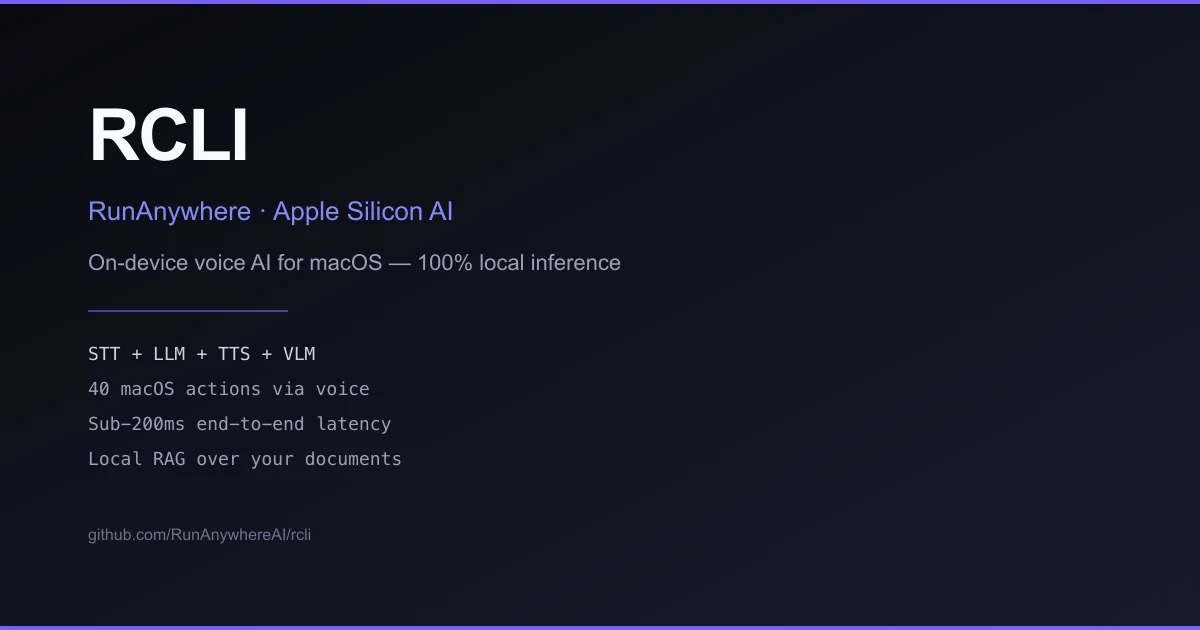
RCLI runs a full STT + LLM + TTS pipeline on Apple Silicon with MetalRT acceleration. No cloud, no API keys — just 40 macOS voice actions and sub-200ms latency.
TL;DR
TL;DR: RCLI is an open-source voice AI tool that runs entirely on Apple Silicon — STT, LLM inference, and TTS via a custom MetalRT engine — with no cloud dependency and no API keys required.
Source and Accuracy Notes
- Project page: runanywhere.ai and github.com/RunanywhereAI/rcli
- License: MIT (verified)
- HN launch thread: news.ycombinator.com/item?id=47326101
What Is RCLI?
RCLI is a command-line voice AI tool built by RunAnywhere, Inc. that runs a complete STT + LLM + TTS + VLM pipeline natively on Apple Silicon Macs. The project was launched on YC W26 (2026).
The core differentiator is MetalRT, a proprietary GPU inference engine built specifically for Apple Silicon that accelerates both LLM decoding and speech processing on the Metal GPU. According to the project docs, MetalRT on M3 Max outperforms llama.cpp and Apple MLX on decode throughput.
Key capabilities:
- 40 macOS voice actions — open apps, control Spotify, adjust volume, and more via voice
- Local RAG over documents — ingest docs, ask questions by voice, approximately 4ms hybrid retrieval latency
- On-device vision — camera and screen capture analysis via VLM
- Sub-200ms end-to-end latency claimed for the full voice pipeline
- No cloud, no API keys — everything runs locally
The README notes that MetalRT requires M3 or later. M1/M2 Macs fall back to llama.cpp automatically.
Setup
Prerequisites
- macOS 13 or later
- Apple Silicon (M3 recommended for MetalRT; M1/M2 fallback to llama.cpp)
- About 1GB for initial model downloads
Install
One-command install:
curl -fsSL https://raw.githubusercontent.com/RunanywhereAI/RCLI/main/install.sh | bash
```bash

**Or via Homebrew:**

```bash
brew tap RunanywhereAI/rcli https://github.com/RunanywhereAI/RCLI.git
brew install rcli
rcli setup          # downloads AI models (~1GB, one-time)
```bash

### Upgrade

```bash
brew update && brew upgrade rcli
```bash

If you hit checksum errors after a release, force-refresh the tap:

```bash
cd $(brew --repo RunanywhereAI/rcli) && git fetch origin && git reset --hard origin/main
brew reinstall rcli
```bash

## Usage

```bash
rcli                             # interactive TUI (push-to-talk + text)
rcli listen                      # continuous voice mode
rcli ask "open Safari"           # one-shot command
rcli ask "play some jazz on Spotify"
rcli vlm photo.jpg "what's in this image?"  # vision analysis
rcli camera                      # live camera VLM
rcli screen                      # screen capture VLM
rcli metalrt                     # MetalRT GPU engine management
rcli llamacpp                    # llama.cpp engine management (M1/M2 fallback)
How MetalRT Works
MetalRT is RunAnywhere’s custom inference engine targeting Apple Silicon’s unified memory architecture. The README includes benchmark graphs comparing MetalRT decode throughput against llama.cpp and Apple MLX on M3 Max, showing higher throughput for the proprietary engine.
The full voice pipeline uses three concurrent threads on the Metal GPU:
- VAD — Silero voice activity detection
- STT — Zipformer streaming + Whisper/Parakeet offline
- LLM — Qwen3 / LFM2 / Qwen3.5 with KV cache continuation and Flash Attention
- TTS — for speech output
The STT benchmark claims 714x faster than real-time for the Zipformer-based model.
Practical Evaluation Checklist
Strengths:
- Fully local — no network calls, no API keys, no data leaving the machine
- Unified voice + vision + document pipeline in a single CLI
- Model hot-swap from the TUI (Qwen3, LFM2, Qwen3.5)
- Active development — pushed as recently as March 2026
Caveats:
- MetalRT GPU acceleration requires M3 or later — older Apple Silicon falls back to slower llama.cpp
- Only targets macOS (no Linux or Windows)
- 1GB+ model download on first run
- Community tool (MIT licensed, but from a YC-backed startup with a proprietary engine)
Security Notes
Since everything runs locally with no outbound network calls for inference, RCLI has a minimal attack surface for a voice AI tool. However:
- The install script pulls from GitHub raw content — verify the URL before piping to bash
- Model files are downloaded from RunAnywhere’s servers on first setup — review the source if you need fully air-gapped installation
FAQ
Q: Does it work on Intel Macs? A: No. RCLI targets Apple Silicon only. The MetalRT engine uses Metal GPU APIs unavailable on Intel.
Q: What models are supported?
A: The README mentions Qwen3, LFM2, and Qwen3.5 for the LLM stage. Models are downloaded during rcli setup.
Q: How does it compare to Apple’s native Siri or macOS Speech Recognition? A: RCLI runs a full LLM in the loop, meaning you can have multi-turn conversations, ask complex questions, and get reasoning-capable responses. Native macOS speech recognition is limited to transcription-only without the LLM layer.
Q: Is my voice data sent anywhere? A: No. The entire STT + LLM + TTS pipeline runs locally on your Mac.
Conclusion
RCLI is a compelling option for developers who want a privacy-first voice interface to their Mac — running a full LLM pipeline locally with no cloud dependency. The MetalRT engine is a standout differentiator for M3+ users, and the breadth of integrations (40 macOS actions, local RAG, VLM screen analysis) makes it more capable than a simple speech-to-text wrapper.
If you have an M3 or later Mac and want on-device voice AI, RCLI is worth trying. M1/M2 users get the same features but with llama.cpp fallback performance, which is slower for LLM inference.
Related Posts
ai-setup
Recall – Persistent Memory for Claude Code via MCP Hooks
Recall gives Claude Code a permanent memory store that survives session restarts and context compaction. Four hooks capture and restore context automatically — with cloud SaaS or self-hosted options.
2/28/2026
dev-tools
Automotive Skills Suite for AI Engineering
Evaluate Automotive Skills Suite for APQP, ASPICE, HARA, safety-plan, and DIA workflows with setup notes, governance risks, and SME review guidance.
5/28/2026
dev-tools
awesome-agentic-ai-zh Roadmap Guide
Explore awesome-agentic-ai-zh as a Chinese agentic AI learning roadmap, with setup notes, track selection, study workflow, and evaluation guidance.
5/28/2026