QueryGlow – Self-Hosted Database GUI for PostgreSQL & MySQL
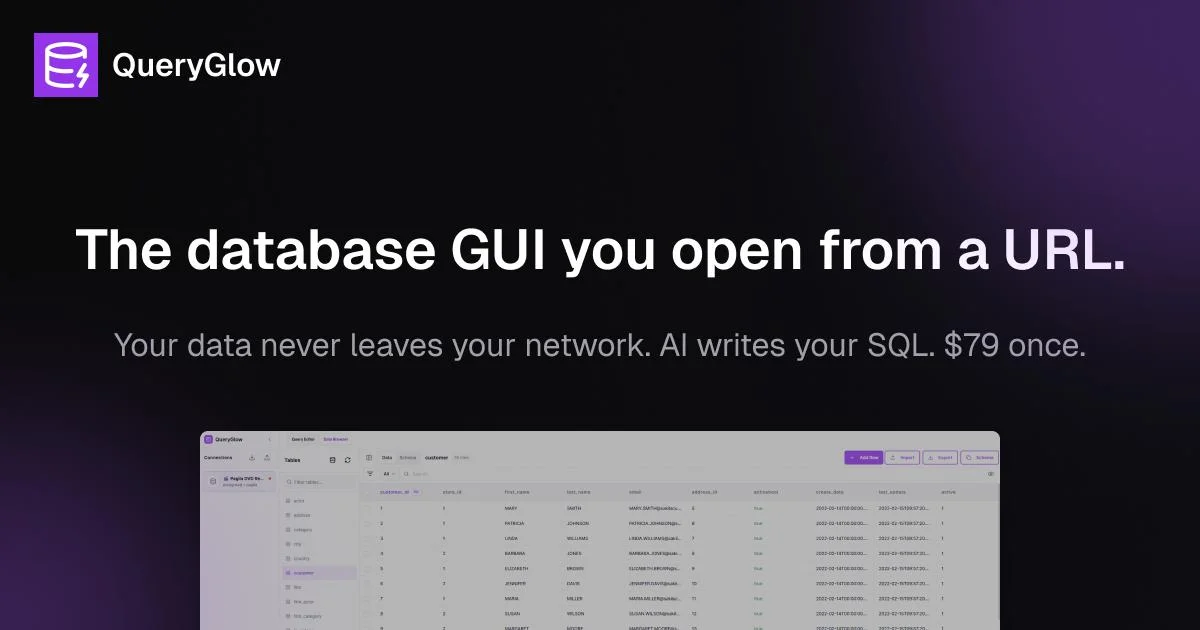
QueryGlow is a self-hosted database GUI supporting PostgreSQL, MySQL, SQLite and more. AI writes SQL from plain English but only sees your schema — never your data. $79 once, unlimited team.
TL;DR
TL;DR: QueryGlow is a self-hosted web-based database GUI (PostgreSQL, MySQL, SQLite, MariaDB, CockroachDB, TimescaleDB) with an AI assistant that writes SQL from plain English — and only ever receives your schema, never your data. Priced at $79 once with unlimited deployments.
Source and Accuracy Notes
- Project page: queryglow.com
- Source repository: github.com/queryglow/queryglow
- License: Proprietary (paid once, $79 lifetime license; source available after purchase)
- HN launch thread: news.ycombinator.com/item?id=46274898
- Demo: demo.queryglow.com (live, no signup required)
What Is QueryGlow?
QueryGlow is a web-based, self-hosted database GUI built as a modern alternative to pgAdmin and DBeaver. It runs as a Docker container on your own server, giving you browser-based access to query and manage six database engines:
- PostgreSQL
- MySQL
- SQLite
- MariaDB
- CockroachDB
- TimescaleDB
The standout differentiator is its AI query assistant: describe what you want in plain English, and QueryGlow generates the SQL. Crucially, when the AI feature is active, only your schema (table and column names) is sent to the AI provider — zero rows of data ever leave your network. You bring your own API key (OpenAI, Claude, or Gemini).
Setup Workflow
Step 1: Requirements
- A Linux, macOS, or Windows host
- Docker installed
- A PostgreSQL, MySQL, SQLite, or other supported database already running
Step 2: Pull and Run the Docker Container
docker pull queryglow/queryglow
docker run -d \
  --name queryglow \
  -p 3000:3000 \
  -v queryglow-data:/app/data \
  queryglow/queryglow
After startup, open http://your-server:3000 in any browser.
Step 3: Connect a Database
- Click Add Connection in the left sidebar.
- Select your database type (PostgreSQL, MySQL, SQLite, etc.).
- Enter host, port, username, and password.
- For SSH tunnels, toggle SSH Tunnel and provide your private key and tunnel host.
- Click Connect.
Credentials are encrypted at rest with AES-256-GCM.
Step 4: Set Up the AI Assistant (Optional)
- Open Settings → AI Provider.
- Choose OpenAI, Claude, or Gemini.
- Paste your own API key — QueryGlow never stores it.
- The AI now answers queries using only your schema names, never your data rows.
Step 5: Invite Your Team
Unlimited users are included. There are no per-seat fees and no subscription. Deploy once and share the URL with your team.
Key Features
AI Query Assistant
Describe a query in plain English — “show all orders from the last 30 days with customer name” — and the AI generates the SQL. The AI provider only receives table and column names. No row data is ever transmitted.
EXPLAIN Visualizer
Click Explain next to any query to get a color-coded execution plan node tree. QueryGlow highlights slow nodes and suggests indexes with ready-to-run CREATE INDEX statements.
Safe Mode
Blocks destructive operations by default: DROP DATABASE, DELETE without a WHERE clause, and bulk updates require confirmation. Production databases show a persistent red banner to prevent accidents.
Query History and Saved Queries
Every executed query is auto-saved. Saved queries can be named, described, and tagged for reuse across the team.
CSV Import and Export
Import data via CSV with insert, upsert, or replace modes. Formula injection is blocked. Export any query result to CSV in one click.
Six Database Engines
PostgreSQL, MySQL, MariaDB, SQLite, CockroachDB, and TimescaleDB — all in one GUI, with schema-aware SQL autocomplete for each.
Pricing
$79 once, lifetime license. Includes:
- Full source code access (after purchase)
- Deploy on unlimited servers
- All 6 database engines
- AI query assistant
- Lifetime v1.x updates
No monthly fees. No seat limits. No telemetry.
Alternative payment methods (PayPal, Bitcoin) are available by emailing [email protected].
Security Notes
- All database credentials are encrypted at rest using AES-256-GCM with tamper detection.
- Zero telemetry — QueryGlow does not phone home.
- The AI assistant only sends schema metadata (table/column names) to the provider you configure; row data never leaves your network.
- Safe Mode is enabled by default on first launch and blocks destructive queries.
- No cloud dependency — everything runs on your own infrastructure.
FAQ
Q: Does QueryGlow work with SQLite files?
A: Yes. SQLite is supported. You can connect to a local .db or .sqlite file directly.
Q: Can I self-host on a Raspberry Pi or low-end VPS? A: The Docker image is lightweight and runs comfortably on any host with Docker support, including ARM-based devices.
Q: Is the AI assistant available in the self-hosted version? A: Yes. The AI feature works in the self-hosted build — you bring your own OpenAI, Claude, or Gemini API key. No data leaves your network.
Q: How does QueryGlow compare to DBeaver or pgAdmin? A: Unlike desktop tools, QueryGlow is entirely web-based — share a URL with your team instead of installing software on each machine. It also includes an AI assistant that DBeaver and pgAdmin lack. The one-time pricing model is another contrast to DBeaver’s subscription tiers.
Q: What happens after purchase? A: After purchase you receive access to the GitHub repository with full source code and installation instructions.
Conclusion
QueryGlow fills a specific gap: teams that want a shared, web-based database GUI with modern AI assistance but need everything to stay self-hosted. The $79 one-time price is competitive with annual DBeaver or DataGrip subscriptions, and the zero-telemetry, BYOK-AI architecture addresses the data-privacy concerns that often arise with AI-assisted database tools.
If you manage multiple databases across teams and want browser-based access, SQL autocomplete, and an English-to-SQL assistant without a subscription or cloud dependency, QueryGlow is worth evaluating.
Related Posts
ai-setup
Recall – Persistent Memory for Claude Code via MCP Hooks
Recall gives Claude Code a permanent memory store that survives session restarts and context compaction. Four hooks capture and restore context automatically — with cloud SaaS or self-hosted options.
2/28/2026
dev-tools
Automotive Skills Suite for AI Engineering
Evaluate Automotive Skills Suite for APQP, ASPICE, HARA, safety-plan, and DIA workflows with setup notes, governance risks, and SME review guidance.
5/28/2026
dev-tools
awesome-agentic-ai-zh Roadmap Guide
Explore awesome-agentic-ai-zh as a Chinese agentic AI learning roadmap, with setup notes, track selection, study workflow, and evaluation guidance.
5/28/2026