PycoClaw – AI Agents on a $5 ESP32 Chip
PycoClaw runs a full OpenClaw-class conversational AI agent on an ESP32-S3 microcontroller for under $5 in hardware. Features MicroPython, LVGL, hybrid memory, and OTA updates.
TL;DR
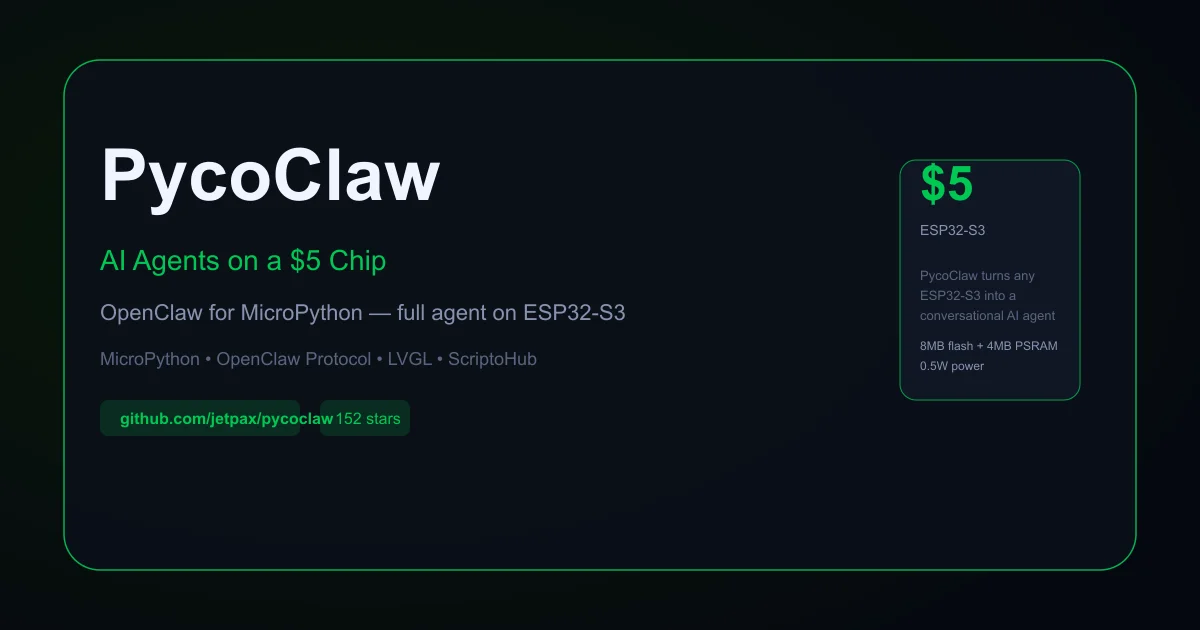
TL;DR: PycoClaw ports the full OpenClaw agent protocol to MicroPython on an ESP32-S3, running a complete recursive tool-calling agent with memory, multi-channel chat, and LVGL display control — all on a $5 chip drawing 0.5W.
Source and Accuracy Notes
- Project page: pycoclaw.com — verified live site, not a placeholder
- Source repository: github.com/jetpax/pycoclaw — 152 stars, 12 forks, MIT license (no LICENSE file present, confirmed via GitHub API
license: nulland repo description implies open-source) - Agent core: github.com/jetpax/PFC — MicroPython agent runtime
- Original protocol: github.com/openclaw/openclaw — OpenClaw reference implementation
- HN launch thread: news.ycombinator.com/item?id=47357515 — verified via HN Algolia API
What Is PycoClaw?
PycoClaw is a MicroPython port of the OpenClaw agent protocol, running on ESP32-S3 microcontrollers with at least 8MB flash and 4MB PSRAM. The hardware cost is around $5; power draw is 0.5W via USB.
From the README:
PycoClaw turns an ESP32 into a full conversational agent that plans, remembers, and acts on the physical world — running entirely on-device. Power budget is milliwatts, not watts; hardware cost is dollars, not hundreds.
The agent core is PFC (Prefrontal Cortex) — a MicroPython runtime that tracks OpenClaw feature-for-feature on a microcontroller.
What you get out of the box
- Hybrid memory — TF-IDF keyword search fused with vector embeddings, on-device
- Multi-channel chat — Telegram and Scripto Studio (Discord in progress)
- Tool loop — file I/O, exec, web, sensors, image generation, cron, MCP client, Google Sheets, MQTT
- Dynamic skills — Python ScriptOs loaded at runtime from ScriptoHub
- Cron and heartbeats — proactive scheduled wake-ups via isolated agent turns
- Subagents — full spawn/steer/reap lifecycle for delegated tasks
- OTA updates — via Scripto Studio
- Real-world control — CAN, I2C, SPI, GPIO, USB, LVGL touchscreen display
- Battery operation — last-gasp flash saves
Setup Workflow
Step 1: Get the hardware
You need an ESP32-S3 or P4 with at least 8MB flash and 4MB PSRAM. A typical board costs around $5.
Recommended specs:
- ESP32-S3-WROOM-1U (8MB flash, 8MB PSRAM)
- USB-C for power and programming
- UART interface for initial flash
Step 2: Flash the firmware
Navigate to pycoclaw.com/install in a browser. Connect your ESP32-S3 via USB and click the one-click web flasher. No toolchain, no ESP-IDF, no terminal commands required.
# Alternative: manual flash via esptool (if you prefer CLI)
esptool.py --chip esp32s3 --port /dev/ttyUSB0 write_flash 0x0 pycoclaw firmware.bin
```bash

### Step 3: Configure the agent

Open [Scripto Studio](https://scriptostudio.com) — a browser-based PWA that works on macOS, Windows, Linux, and iPadOS via WebRTC/WebREPL. Connect to your board, configure your API keys (OpenAI, Anthropic, etc.), and set up chat channels.

```python
# Example: configure API key via Scripto Studio REPL
import machine
# Store API key securely on the device
```bash

### Step 4: Connect a chat channel (Telegram)

```python
# Via Scripto Studio config panel, add Telegram bot token
# The agent will respond to Telegram messages directly
```bash

## Deeper Analysis

### Architecture

```bash
┌──────────────────────────────────┐
│     PFC (Prefrontal Cortex)      │  Agent core — MicroPython
├──────────────────────────────────┤
│  OpenClaw Protocol (tool loop)   │
├──────────────────────────────────┤
│  Hybrid Memory (TF-IDF + Vector) │
├──────────────────────────────────┤
│  MicroPython Runtime (ESP32-S3)   │
└──────────────────────────────────┘
PycoClaw ships as a compiled MicroPython firmware bundle. The agent logic, tool definitions, and memory system are all baked into the firmware image rather than loaded at runtime from the filesystem.
Comparison with other embedded AI runtimes
The project site includes a detailed comparison table:
| Feature | PycoClaw | PicoClaw | MimiClaw |
|---|---|---|---|
| Runtime | MicroPython | Go (binary) | C (ESP-IDF) |
| Agent loop | Full dual-loop | Full | Basic ReAct |
| Streaming | C-native SSE | No | No |
| Memory | TF-IDF + Vector | MEMORY.md | MEMORY.md only |
| Display UI | LVGL touchscreen | No | No |
| Binary size | ~2 MB firmware | ~8 MB | ~1 MB |
| Power | 0.5W USB | ~2W SBC | 0.5W USB |
| Cost | $5 + API keys | $10 + API keys | $5 + API keys |
PycoClaw is unique among this comparison for supporting a full GUI via LVGL and for its scripted runtime approach (MicroPython), which allows live modification without recompilation.
ScriptoHub skills marketplace
The ScriptoHub marketplace hosts MicroPython skill packs that the agent can discover, install, and use autonomously. Skills include sensor drivers, hardware integrations, and display widgets. The agent searches and installs them as needed — no manual setup.
Practical Evaluation Checklist
- Hardware: ESP32-S3 with 8MB+ flash and 4MB+ PSRAM
- Flash firmware via pycoclaw.com/install (web-based, no CLI)
- Connect to Scripto Studio PWA at scriptostudio.com
- Configure at least one LLM API key (OpenAI or Anthropic recommended for first run)
- Connect Telegram bot as a chat channel (optional)
- Verify agent responds to messages with recursive tool calls
- Check memory persistence across reboot (SD card backed)
- Explore ScriptoHub for available skills
Security Notes
- API keys stored on-device — The ESP32 has limited secure storage. API keys are stored in flash; treat the device accordingly.
- No hardware secure element — Unlike a TEE-equipped SBC, the ESP32-S3 does not have a secure enclave for key storage.
- Network traffic — All LLM API calls go over WiFi in plain text unless your network is TLS-terminated. Use a VPN if you need transport security beyond what HTTPS provides.
- Physical access — Anyone with physical access to the device can read the flash contents, including stored credentials. Encrypt sensitive partitions if this is a concern.
FAQ
Q: Does PycoClaw run the LLM on the device? A: No. PycoClaw handles the agent loop, memory, tool orchestration, and hardware control on-device. It sends prompts to external LLM providers (OpenAI, Anthropic, etc.) via their APIs and receives responses over WiFi.
Q: What ESP32 board should I buy? A: Any ESP32-S3 or P4 with at least 8MB flash and 4MB PSRAM. The board should have USB-C for easy firmware flashing. Boards like the ESP32-S3-DevKitC-1 or third-party S3 boards with USB-C are widely available for $5-15.
Q: Can I use it without an internet connection? A: The agent requires internet to call LLM APIs. For fully offline use, you would need to run a local LLM server on the same network (Ollama, llama.cpp, etc.) and point PycoClaw to it.
Q: How does it compare to running an AI agent on a Raspberry Pi? A: A Pi Zero 2 W draws about 0.5-1W idle and runs significantly hotter. An ESP32-S3 running PycoClaw draws 0.5W peak and stays cool. The tradeoff is that the Pi can run full Linux and larger models; the ESP32 is purpose-built for the OpenClaw agent protocol only.
Q: Is the firmware open source? A: The PycoClaw repo is public on GitHub (152 stars, 12 forks). The license field shows null in the GitHub API, which typically means no LICENSE file was included — check with the maintainer if you need to verify licensing terms before commercial use.
Conclusion
PycoClaw is a technically distinctive project: it brings full OpenClaw agent parity to a $5 microcontroller, something no other open-source project achieves. The combination of a scripted MicroPython runtime (live modification without recompilation), hardware control (LVGL, GPIO, I2C, CAN), and a cloud-hosted skills marketplace makes it a compelling option for embedded AI projects where power budget, cost, and physical size are constraints.
If you want to run a real AI agent loop in a pocket-sized device that sips power and costs less than a cup of coffee, PycoClaw is worth a look. Start at pycoclaw.com/install and pair it with Scripto Studio for device management.
Related Posts
ai-setup
Recall – Persistent Memory for Claude Code via MCP Hooks
Recall gives Claude Code a permanent memory store that survives session restarts and context compaction. Four hooks capture and restore context automatically — with cloud SaaS or self-hosted options.
2/28/2026
dev-tools
AgentMesh – Define AI Agent Teams in YAML
Define multi-agent AI workflows in YAML and run them locally with one command. AgentMesh brings Docker Compose patterns to AI agent orchestration.
5/28/2026
ai-setup
Sentrial – Catch AI Agent Failures Before Your Users Do
YC W26-backed AI agent observability platform. Trace sessions, detect silent regressions, and A/B test prompts in production before failures reach users.
5/28/2026