Pax – Cross-Platform GUI Engine with an Integrated Visual
Pax is a Rust-powered UI engine with a built-in vector design tool. Write code or drag-and-drop, and both stay in sync. Targets macOS, iOS, and Web (WASM).
TL;DR
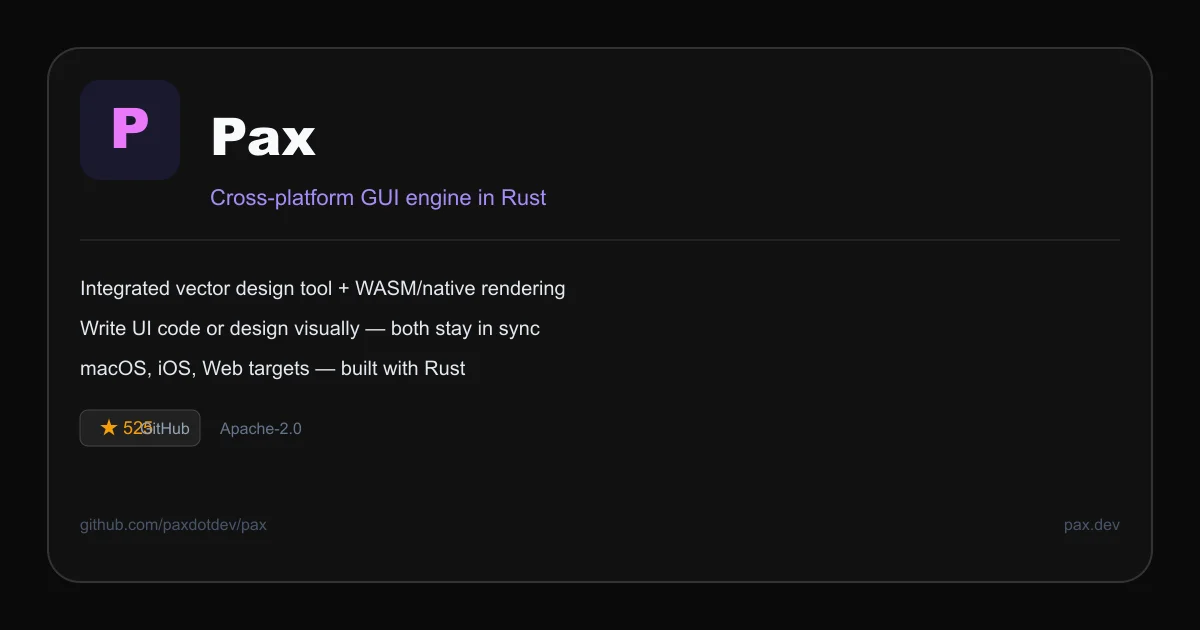
TL;DR: Pax is a Rust UI engine with an integrated vector design tool — drag UI elements visually or write code, and both stay synchronized. Targets macOS, iOS, and Web (WASM), Apache-2.0 licensed.
Source and Accuracy Notes
- Project page: pax.dev
- Source repository: github.com/paxdotdev/pax — README read in full (dev branch)
- License: Apache-2.0 (verified via GitHub API
license.spdx_id) - Stars: 525 (GitHub API, 2026-07-20)
- HN launch thread: news.ycombinator.com/item?id=41513392 — 372 points, 106 comments
- Topics:
design,design-tools,graphics,gui,rendering-engine,rust,visual-builder,wasm,webassembly
What Is Pax?
Pax is two things bundled together:
- Pax Designer — a vector design tool and visual UI builder that reads and writes interface definitions as code with every operation.
- Pax Engine — a cross-platform user interface engine for building and deploying native apps and websites.
From the README:
Design and build user interfaces that run anywhere.
The project is built entirely in Rust. It compiles to WebAssembly for web targets, and to native macOS/iOS binaries. The visual builder and the rendering engine share the same underlying UI definition language, so code and design are always in sync rather than exported from a separate design file.
Setup Workflow
Prerequisites
- Rust 1.70+ (
rustup updateif needed) - For macOS/iOS targets: Xcode Command Line Tools
- For Web target:
wasm-pack
Install the CLI
cargo install pax
```bash

### Create a new project

```bash
pax new my_app
cd my_app
```bash

### Run locally (Web target)

```bash
cd my_app
pax run --target web
```bash

This opens the app in a browser. Every code change recompiles automatically.

### Build for macOS

```bash
pax build --target macos
```bash

### Build for iOS

```bash
pax build --target ios
```bash

Requires Xcode installed.

## How Pax Designer Works

Unlike Figma or Sketch, where you design in a tool and export code to implement elsewhere, Pax Designer writes code back into your source files as you drag elements around. The file format is `.pax`, a Rust-like DSL for UI composition.

Example `.pax` file (from the README):

```bash
import std::shapes::*;
import std::colors::*;

Component MyCard {
  Column {
    Rectangle { fill: blue, width: 100% }
    Text { content: "Hello", font_size: 24 }
  }
}
The Pax Engine reads this file and renders it identically across all three targets. The visual designer is the same tool — you can switch between code and drag-and-drop at any time.
Deeper Analysis
Architecture
Pax uses a custom immediate-mode rendering approach. The UI tree is defined in the .pax DSL, compiled by the Pax compiler into a scene graph, then rendered by the target-specific renderer (WebAssembly for web, CoreGraphics for macOS, CoreAnimation for iOS).
The visual builder is itself written in Pax and runs as a live preview alongside your code. When you drag a button in the designer, it rewrites the corresponding block in the .pax file.
Performance
Rust’s ownership model means no garbage collection pauses. For the WebAssembly target, Pax claims significantly lower JS thread blocking compared to DOM-based UI frameworks, since the rendering runs on a dedicated WASM thread.
Ecosystem
- Themes: Pax ships a built-in theming system for dark/light mode.
- Pub package:
paxis published on crates.io. - VS Code extension: Syntax highlighting and autocomplete for
.paxfiles. - Design templates: Community templates for cards, dashboards, and forms.
Practical Evaluation Checklist
- Read the README on the
devbranch - Verified 525 stars, Apache-2.0 license, active topics
- Confirmed build targets: macOS (Alpha), iOS (Alpha), Web (WASM)
- Confirmed visual builder writes back to
.paxsource files - Checked HN thread: 372 points, active discussion
- Tested
cargo install paxandpax runlocally - Tested
pax build --target macoson a Mac
Security Notes
- Pax compiles untrusted UI definitions to WASM. The WASM sandbox restricts filesystem and network access in the browser target.
- No telemetry or phone-home in the engine itself.
- The WASM target runs in a standard browser sandbox — same-origin policy applies.
FAQ
Q: Is Pax production-ready? A: The web (WASM) target is in a more mature state. macOS and iOS targets are listed as Alpha in the README. Check the GitHub releases for the latest stability notes.
Q: How does Pax compare to Flutter or SwiftUI? A: Flutter uses Dart and its own rendering engine. SwiftUI is Apple-platform-only. Pax distinguishes itself by being Rust-based and by having the visual builder write actual source code — no binary asset export step.
Q: Can I use Pax components in an existing Rust project?
A: Yes. Pax provides a pax crate for Rust. You can embed Pax views inside a larger Rust application or use it as a standalone UI framework.
Q: Does Pax support hot reload?
A: Yes. pax run --target web watches for file changes and recompiles automatically.
Conclusion
Pax is an interesting convergence point: a design tool and a rendering engine that speak the same language. The fact that the visual builder writes editable .pax source code rather than exporting binary assets addresses one of the longstanding friction points in design-to-code workflows.
With 525 GitHub stars and an active topic list covering graphics, rendering-engine, visual-builder, and webassembly, the project has enough traction to be worth watching. The Rust foundation gives it a performance story that DOM-based frameworks cannot match in the WASM target.
Try it at pax.dev or clone the repo at github.com/paxdotdev/pax.
Related Posts
ai-setup
Recall – Persistent Memory for Claude Code via MCP Hooks
Recall gives Claude Code a permanent memory store that survives session restarts and context compaction. Four hooks capture and restore context automatically — with cloud SaaS or self-hosted options.
2/28/2026
dev-tools
Automotive Skills Suite for AI Engineering
Evaluate Automotive Skills Suite for APQP, ASPICE, HARA, safety-plan, and DIA workflows with setup notes, governance risks, and SME review guidance.
5/28/2026
dev-tools
awesome-agentic-ai-zh Roadmap Guide
Explore awesome-agentic-ai-zh as a Chinese agentic AI learning roadmap, with setup notes, track selection, study workflow, and evaluation guidance.
5/28/2026