osa-mcp: Give AI Access to Every Scriptable macOS App
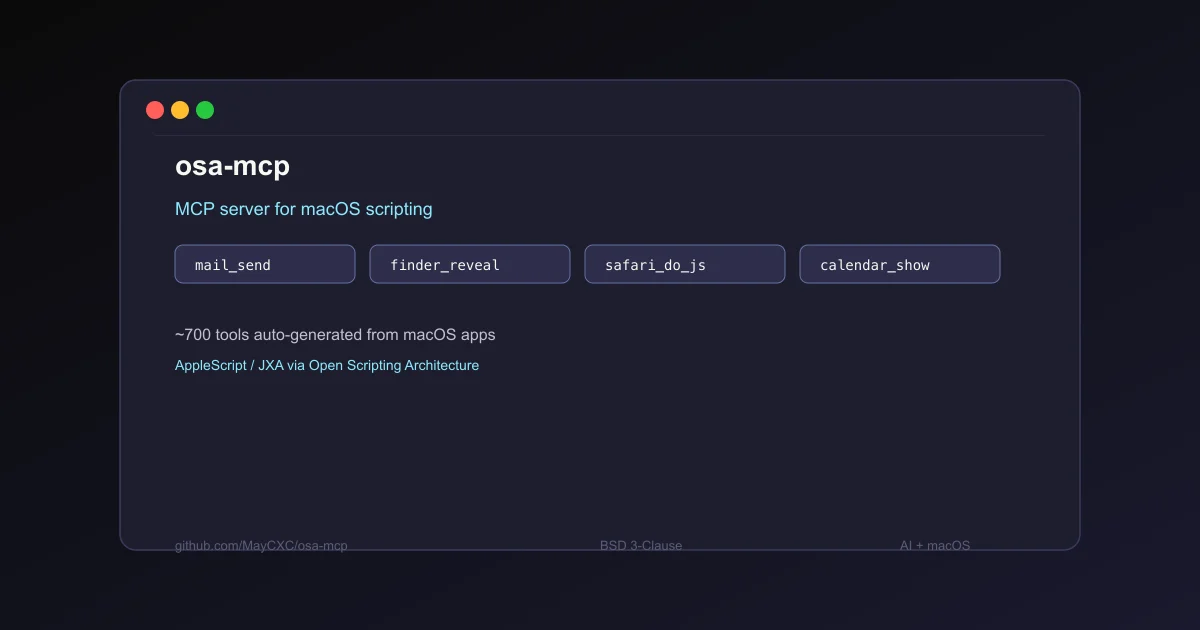
osa-mcp is an MCP server that auto-discovers all scriptable macOS apps and generates ~700 tools with real descriptions. Connect to Claude Desktop or any MCP-compatible AI in seconds. BSD 3-Clause.
TL;DR
TL;DR: osa-mcp is an MCP server that auto-discovers every scriptable app on your Mac and exposes ~700 read/write/execute tools — no config, no hardcoded lists. Connect to Claude Desktop and control Mail, Finder, Safari, Calendar, and more directly from conversation.
Source and Accuracy Notes
- Project page: github.com/MayCXC/osa-mcp
- npm package: npmjs.com/package/osa-mcp
- License: BSD 3-Clause (verified via
LICENSEfile on GitHub) - HN launch thread: news.ycombinator.com/item?id=47594807
What Is osa-mcp?
osa-mcp (Open Scripting Architecture MCP) is a Model Context Protocol server that exposes macOS applications as AI-usable tools. It reads each app’s native scripting dictionary — the same interface AppleScript and JXA use — and automatically generates MCP tools with real parameter descriptions and return types.
On a typical Mac, osa-mcp discovers and generates tools in about 4 seconds. There is no app registry, no configuration file to maintain, and no hardcoded list of supported apps. If an app is scriptable, it appears automatically.
The project was built by MayCXC and posted to Hacker News in March 2026.
Setup Workflow
Prerequisites
- A Mac with macOS (scriptable apps are a macOS-only feature)
- Bun runtime (required for from-source installs; also available via npx and Homebrew)
- Claude Desktop or any MCP-compatible AI client
Option 1: npx (fastest, no install)
claude mcp add my-mac -- npx -y osa-mcp
```bash

### Option 2: bunx

```bash
claude mcp add my-mac -- bunx osa-mcp
```bash

### Option 3: Homebrew

```bash
brew install MayCXC/osa-mcp/osa-mcp
claude mcp add my-mac -- osa-mcp
```bash

### Option 4: Remote Mac over SSH

If your AI runs on a different machine, connect to your Mac over SSH:

```bash
# Enable Remote Login in System Settings > General > Sharing first
claude mcp add my-mac -- npx -y osa-mcp --ssh [email protected]
```bash

### JSON config (manual)

Add to your MCP settings file:

```json
{
  "mcpServers": {
    "my-mac": {
      "type": "stdio",
      "command": "npx",
      "args": ["-y", "osa-mcp"]
    }
  }
}
```bash

For SSH, add `"--ssh", "[email protected]"` to the args array.

### Install from source

```bash
git clone https://github.com/MayCXC/osa-mcp.git
cd osa-mcp
bun install
bun link
claude mcp add my-mac -- osa-mcp
```bash

Requires [Bun](https://bun.sh).

## Deeper Analysis

### How tool discovery works

osa-mcp uses macOS Open Scripting Architecture (OSA) to interrogate each app's scripting dictionary. Every scriptable app on macOS ships with a sdef (scripting definition) file that describes its objects, commands, and parameters in a structured format. osa-mcp parses these sdefs and converts them into MCP tool definitions on the fly.

This means the tool set is exactly whatever apps you have installed — and it stays current as you install or remove apps.

### What categories of tools it generates

**Commands** (perform actions):
- `mail_send`, `mail_reply`, `mail_forward`
- `finder_reveal`, `finder_move`, `finder_duplicate`
- `music_play`, `music_pause`, `music_search`
- `calendar_show`, `reminders_show`, `notes_show`
- `safari_do_javascript`, `safari_search_the_web`
- `messages_send`, `terminal_do_script`

**Lists and gets** (read data):
- `mail_list_messages`, `mail_get_message`
- `calendar_list_events`, `calendar_list_calendars`
- `finder_list_files`, `finder_list_disks`
- `notes_list_notes`, `reminders_list_reminders`
- `safari_list_tabs`, `safari_list_documents`

**Application properties** (read settings):
- `mail_get_application` — inbox, fetch interval, primary email
- `finder_get_application` — desktop, trash, home, startup disk
- `music_get_application` — current track, player state

### Navigating the object hierarchy

Many tools accept a `parent` parameter for navigating into nested objects:

```jsonc
// List events in a specific calendar
{ "parent": ["calendars", "byName", ["Work"]] }

// List messages in the inbox
{ "parent": ["inbox"] }

// Get the first window's current tab
{ "parent": ["windows", 0] }
Path steps: "key" accesses a property, 0 accesses by index, [] calls a method, ["arg"] calls with arguments.
The Execute tool
For anything the generated tools do not cover, osa-mcp provides a catch-all execute tool that runs arbitrary AppleScript or JavaScript for Automation (JXA). This bridges the gap for one-off operations without a generated tool.
Practical Evaluation Checklist
- Connects to Claude Desktop in under 2 minutes (npx route)
- Generates ~700 tools on a typical Mac in ~4 seconds
- Tool descriptions come from app sdefs (real, not placeholder)
- Covers Mail, Calendar, Finder, Notes, Reminders, Safari, Music, Messages, Terminal
- Remote Mac support via SSH for users who run AI on a different machine
- Execute tool covers cases where generated tools fall short
- BSD 3-Clause license — permissive for personal and commercial use
- Active HN discussion with positive reception
Security Notes
osa-mcp grants AI direct access to scriptable applications on your Mac. This is a significant trust boundary. Consider:
- What you expose: Mail access means read/write on all email accounts; Finder means file system access; Messages means access to all chat transcripts
- SSH mode: When connecting to a remote Mac, anyone with network access to that Mac and the right SSH credentials can trigger osa-mcp tools — apply standard SSH hardening (key-based auth, fail2ban, firewall)
- Least privilege: Run osa-mcp on a dedicated Mac or user account if you need hard separation between AI tooling and sensitive data
For teams, this is best suited to personal developer workstations rather than shared infrastructure.
FAQ
Q: Does osa-mcp work on iOS or iPadOS? A: No. osa-mcp relies on macOS-specific Open Scripting Architecture (OSA), which is not available on iOS or iPadOS. The HN thread mentions a separate project working on iOS Simulator access as an alternative.
Q: How is this different from macOS’s built-in AppleScript? A: AppleScript is a manual scripting language you write yourself. osa-mcp auto-generates MCP-compatible tools from the same underlying scripting dictionaries, making the same capabilities available to any AI that speaks the MCP protocol — without writing AppleScript code.
Q: Does it work with Cursor, Windsurf, or other MCP-compatible editors? A: Yes. osa-mcp exposes the standard MCP protocol interface, so any MCP-compatible AI client can use the generated tools, not just Claude Desktop.
Q: What if an app is not scriptable? A: Apps without scripting dictionary support are silently skipped during discovery. There is no fallback or workaround within osa-mcp itself — you would need the Execute tool with raw AppleScript/JXA to attempt something manually.
Q: How does it handle apps that require user permission (Automation permissions in System Settings)? A: macOS prompts for Automation permission the first time a script attempts to control an app. This is the same prompt AppleScript triggers. osa-mcp does not bypass these prompts.
Conclusion
osa-mcp fills a real gap in the MCP ecosystem: bridging AI assistants and the rich set of scriptable applications already installed on every Mac. Rather than hardcoding integrations for Mail, Calendar, or Finder, it builds them dynamically from the app’s own scripting dictionaries. For developers running AI on macOS who want their assistant to actually control their desktop — not just chat about it — this is the most zero-configuration path available today.
The catch is that it is Mac-only, and the security implications of granting AI scripting access to your desktop apps require some thought. For personal developer workstations, the convenience probably outweighs the risk. For shared environments, proceed with caution.
Related Posts
ai-setup
Recall – Persistent Memory for Claude Code via MCP Hooks
Recall gives Claude Code a permanent memory store that survives session restarts and context compaction. Four hooks capture and restore context automatically — with cloud SaaS or self-hosted options.
2/28/2026
dev-tools
AgentMesh – Define AI Agent Teams in YAML
Define multi-agent AI workflows in YAML and run them locally with one command. AgentMesh brings Docker Compose patterns to AI agent orchestration.
5/28/2026
ai-setup
Sentrial – Catch AI Agent Failures Before Your Users Do
YC W26-backed AI agent observability platform. Trace sessions, detect silent regressions, and A/B test prompts in production before failures reach users.
5/28/2026