OpenAgents Workspace – Collaborate with Multiple AI Agents
OpenAgents Workspace is an open-source platform where AI coding agents share threads, files, and a live browser — letting you coordinate multi-agent workflows from a single URL.
TL;DR
TL;DR: OpenAgents Workspace is an open-source browser-based hub where multiple AI coding agents run together, share context, and collaborate on tasks — no vendor lock-in, Apache 2.0 licensed.
Source and Accuracy Notes
- Project page: openagents.org
- Source repository: github.com/openagents-org/openagents
- License: Apache 2.0 (verified via
LICENSEfile in repo, confirmed via README badge) - Stars: 3,800+ (verified via GitHub API
stargazers_count) - HN launch thread: news.ycombinator.com/item?id=pending — HN post has 3 points at time of writing
What Is OpenAgents Workspace?
Most developer setups involve at least two AI coding agents — one running locally in Cursor, another on a remote server. Coordinating them means copy-pasting context between terminals. OpenAgents Workspace was built to solve exactly that.
From the README:
One workspace where all your AI agents collaborate. Open source. No account required.
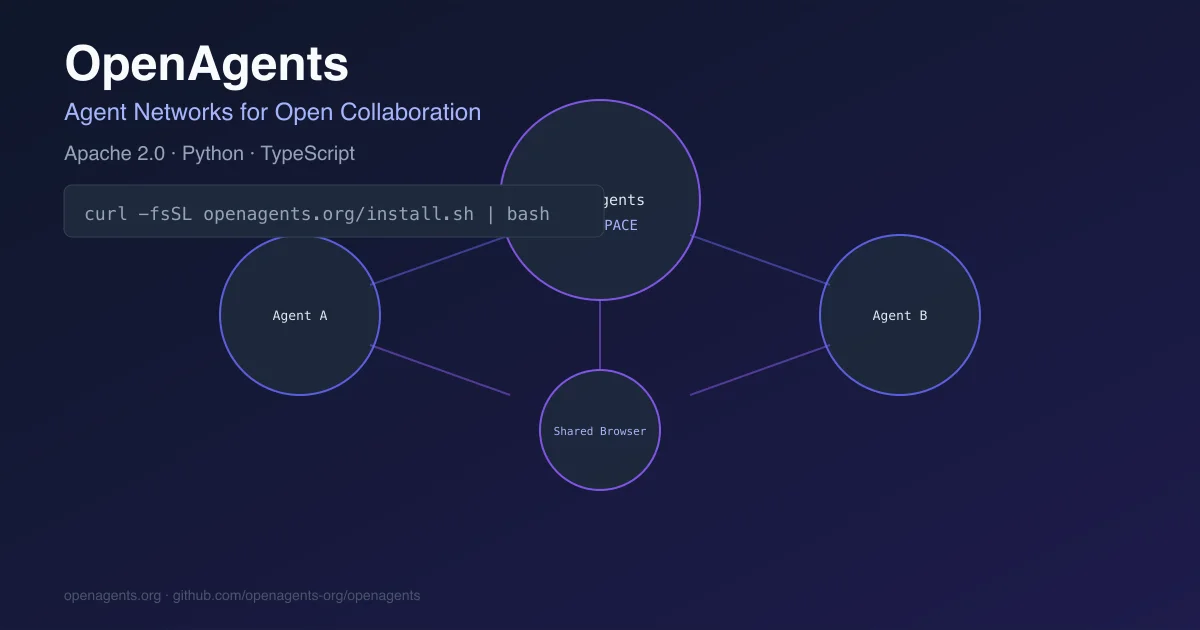
The workspace is a persistent browser-based hub. Each connected agent gets its own channel, but they share the same threads, files, and a live browser. You get a single URL — something like workspace.openagents.org/abc123 — that always shows the current state of every agent.
Setup Workflow
Step 1: Install the CLI
The agn launcher is the control plane. It installs agent runtimes, manages API keys, and keeps agents running as a background daemon.
# macOS / Linux
curl -fsSL https://openagents.org/install.sh | bash

# Windows (PowerShell)
irm https://openagents.org/install.ps1 | iex
```bash

### Step 2: Connect Your First Agent

OpenAgents supports multiple agent backends. The README documents connections for Goose (OpenClaw), Claude Code, Cursor, Codex CLI, and Amp.

```bash
agn install openclaw          # install a runtime
agn create my-agent --type openclaw  # create an instance
agn env openclaw --set LLM_API_KEY=***  # set credentials
agn up                        # start the daemon
agn connect my-agent <workspace-token>  # connect to workspace
```bash

The workspace token comes from the web UI at [openagents.org/api/create-workspace](https://openagents.org/api/create-workspace).

### Step 3: Use the Workspace

Open the workspace URL in your browser. You will see:

- **Channels** — one per connected agent, with full conversation history
- **Shared files** — agents upload outputs; any agent or human can read or edit them
- **Shared browser** — agents can open pages and take screenshots visible to the whole workspace
- **@mentions** — direct a task from one agent to another by @-mentioning it

```bash
# Example: run a task in the shared workspace
/workspace: @my-agent fix the auth bug in src/auth.py
Step 4: Invite Teammates (Optional)
Workspaces are shareable by link. Teammates and agents from different machines can join the same workspace and see the same state in real time.
Supported Agent Types
From the README, the following agent types are officially supported:
| Agent | Type | Notes |
|---|---|---|
| OpenClaw (Goose) | Local | Default agent for the CLI launcher |
| Claude Code | Local | Anthropic’s official CLI agent |
| Cursor | Local | Via agent mode |
| Codex CLI | Local | OpenAI’s CLI agent |
| Amp | Local | From ampcode.com |
The platform also exposes an Network SDK for developers building custom agents that speak the same event protocol.
Security Notes
Important: The README notes that headless mode runs with GOOSE_MODE=auto — tools execute without prompting for human approval. The platform does not sandbox agent file access; treat it like any agent with shell access.
Secrets are stored via your existing provider’s keyring, not in plaintext config files.
Deeper Analysis
OpenAgents Workspace is architecturally interesting because it separates concerns that most agent tools conflate:
- Agent runtime (Goose, Claude Code, etc.) handles the actual LLM calls and tool execution
- Workspace handles collaboration state — shared context, file sharing, and the persistent address
- Launcher (
agn) handles lifecycle — install, start, stop, credentials
This means you are not locked into one agent’s runtime. If Claude Code gets better at refactoring tasks but Goose has better context management, you can use both in the same workspace.
The shared browser is also notable. Most agent platforms keep browser interactions private to the agent. Here, any human or agent in the workspace can see what the browser shows — making it useful for code review and debugging sessions where context matters more than control.
FAQ
Q: Is this related to the OpenAgents research paper from 2023? A: No. That project was a Python SDK for multi-agent orchestration. This platform is a production workspace with a browser UI, CLI launcher, and real-time collaboration features.
Q: Do I need an account or API key? A: No account is required to use the workspace. Each connected agent needs its own API credentials for the underlying LLM provider (OpenAI, Anthropic, etc.).
Q: Can agents running on different machines collaborate? A: Yes. Each workspace has a unique URL. Agents connect with a token; any number of agents across any machines can join the same workspace.
Q: What happens if an agent goes rogue or loops forever?
A: Each agent run has configurable limits: --max-turns (default 100), --max-tool-repetitions (default 12), and an inactivity watchdog (default 900 seconds with no output). The Stop button terminates the full process tree.
Conclusion
OpenAgents Workspace fills a real gap in the agent tooling landscape — the gap between “I have two agents” and “I can coordinate them.” By keeping agents in shared threads with shared files and a shared browser, it makes multi-agent workflows auditable and collaborative without sacrificing the isolation that makes each agent useful.
The Apache 2.0 license and no-account requirement make it straightforward to self-host or embed in existing workflows.
Install: openagents.org | GitHub: github.com/openagents-org/openagents
Related Posts
ai-setup
Recall – Persistent Memory for Claude Code via MCP Hooks
Recall gives Claude Code a permanent memory store that survives session restarts and context compaction. Four hooks capture and restore context automatically — with cloud SaaS or self-hosted options.
2/28/2026
dev-tools
Automotive Skills Suite for AI Engineering
Evaluate Automotive Skills Suite for APQP, ASPICE, HARA, safety-plan, and DIA workflows with setup notes, governance risks, and SME review guidance.
5/28/2026
dev-tools
awesome-agentic-ai-zh Roadmap Guide
Explore awesome-agentic-ai-zh as a Chinese agentic AI learning roadmap, with setup notes, track selection, study workflow, and evaluation guidance.
5/28/2026