Native: an open-source workspace engine on SQLite
Native stores documents, projects, and messages in one SQLite file you own, then exposes them to Claude, Codex, or any MCP client over stdio.
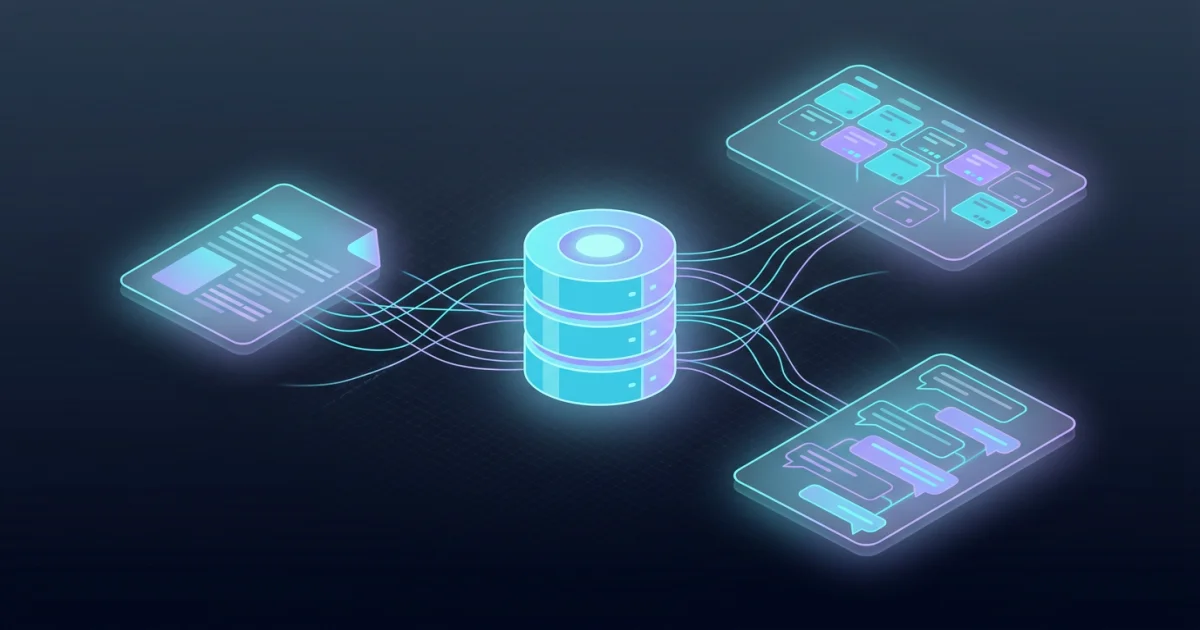
TL;DR: Native keeps your documents, projects, and messages inside one SQLite file you own, and hands them to Claude, Codex, or any MCP client over stdio. The engine and its MCP server are open source today under AGPL, written in Rust, and build with one cargo command. The hosted workspace, sign-in, and desktop app are still preview-only, so what you can evaluate right now is the storage engine and its query surface.
What Native is
Native is an open-source workspace engine, and its author frames it as an alternative to ChatGPT Space rather than a copy of it. The pitch on the project page names three problems with the hosted version: context locked to a single provider, a model choice limited to OpenAI, and yet another interface to switch to. Native’s answer is that context should live in a database you own, that any model should be able to read it, and that the interface should be a view over that data instead of the thing that owns it.
Under the hood it is a Rust codebase with a single queryable SQLite database holding documents, projects, and messages together. A few details make that more than a schema choice:
- Writes go through an event log that is the real source of truth, with projections rebuilt from it, which is what makes “trace and restore any change” plausible rather than decorative.
- Relationships between records are typed and directed, things like
supersedesanddepends_on, so context is a graph rather than a pile of notes. - Agents talk to it with SQL and MCP instead of browser screenshots, and a per-node visibility layer decides which records a teammate and their agent can read.
- The interface is treated as an arbitrary view, so a renderer can be replaced without moving the data.
Why the SQLite bet matters
Native published a benchmark on 27 October 2026 comparing three ways of giving an agent access to a Markdown vault of roughly 11,000 files. The headline is a 40x reduction in tokens per fully correct answer. The table below is their own chart data rather than a restatement of that number.
| Setup | Tokens per fully correct answer | Relative to the wikilink run |
|---|---|---|
| Native’s SQLite MCP | 172k | 43.5x fewer |
| Native-to-Markdown | 653k | 11.5x fewer |
| Markdown + wikilinks | 7.5M | baseline |
Cached input dominates every column: 143k of the 172k tokens in the Native run, and 7.3M of the 7.5M in the wikilink run. The gap is not about one model being smarter, it is about how much text has to be pushed through the context window to get to an answer.
The other measured wins follow from the same cause. The wikilink agent reached a median peak of 89k context tokens per retrieval, the Native-to-Markdown agent used almost half of that, and the Native SQLite MCP agent used roughly a third. On a fixed 1M input token cap per question, the MCP setup had 30x fewer failed trials. Median answers came back in one sixth of the time compared to Markdown-based grep. The 20x lower token bill figure is modelled against provider pricing rather than measured on a real invoice, so treat it as an estimate.
One finding in that write-up is worth pulling out because it was not planned: the Native-to-Markdown agent, given no SQL, worked out on its own to write Python scripts for the filtering and joining it needed. The typed schema is what made that possible, and even then plain SQL beat the improvised scripts.
Running the engine locally
The public repository holds the engine, the MCP server, the full tool implementation, the event log and projections, search and queries, export, and the federation protocol work. What is not in it yet are the hosted service, accounts and sign-in, the workspace apps, and the desktop app.
The setup guide for the local route needs Git, the Rust toolchain pinned by rust-toolchain.toml (1.98.0), and an MCP client that can launch a stdio server. Node.js is not needed for this path.
git clone https://github.com/withnative/native.git
cd native
git rev-parse HEAD
cargo build --locked --bin mcp-stdio
That produces target/debug/mcp-stdio. Point your client at the binary and pass one argument: the path to a SQLite file you choose. Keep the database outside the clone so replacing the source checkout does not take your data with it.
{
  "mcpServers": {
    "native": {
      "command": "/home/you/native/target/debug/mcp-stdio",
      "args": ["/home/you/native-data/native.db"]
    }
  }
}
Verification takes three steps. Restart the client and call the engine_info tool, expecting a response that identifies native-ce. Create a small test record and read it back. Then restart the client once more and look for the same record, which is the step that catches a database path that was configured wrong.
If you already have preview access, the plugin route skips the build:
claude plugin marketplace add withnative/plugins && claude plugin install native@withnative
codex plugin marketplace add withnative/plugins && codex plugin add native@withnative
The tool surface
The repository publishes a generated inventory of the MCP tools. The legacy complete surface advertises 90 tools totalling 225,377 compact bytes of descriptors, while a focused profile cuts that to 27 tools and 71,592 bytes. The documentation is candid that filtering is lossy, since hiding a tool can make a workflow lose a dependency it needed.
That size matters more than the count, because the tool catalogue travels to the model on every session. A quarter-megabyte of descriptors is a fixed cost that a smaller surface avoids. The inventory file breaks down where those bytes go, with schema annotations and repeated fragments making up a large share of the total, and it lists the exact byte cost of each tool so you can see what you are paying for before you expose it.
What to watch for
Three things are worth knowing before you build on this.
The scope is the first one. The repository is a read-only snapshot published without its development history, and the hosted product is not part of it. Self-hosting the whole thing, with apps, sign-in, and team membership on your own server, is on the roadmap rather than shipped. What runs today is the engine and its MCP server against a local SQLite file.
The licence is the second. AGPL-3.0-only means that running a modified version as a network service for a team carries an obligation to offer those users the corresponding source. For a local single-user setup that is a non-issue, but it is a real consideration for a shared server.
The benchmark’s limits are the third. It is one 40-question set on one vault, run by the people who built the product, and the author states plainly that it does not establish a universal advantage for every vault or budget. Severe latency constraints, such as small models aiming for sub-second responses, have not been tested yet. And the same author says that at a few hundred files, plain Markdown is perfectly fine and you probably never need anything else. The 11,000-file figure is described as about two months of context for a two-person team working heavily with agents, so if your vault is still in the dozens of notes, this is not for you yet.
One practical detail from the setup guide deserves repeating: file access to the SQLite database bypasses the policy layer, so keep the file off shared filesystems and do not run multiple writers against it.
Source and Accuracy Notes
- Project page: https://www.withnative.ai/ : verified via direct visit
- Benchmark post: https://www.withnative.ai/research-and-posts/markdown-context-benchmark : figures read from the published chart summary data and text
- Source repository: withnative/native : Rust, AGPL-3.0-only, 142 stars at the time of writing, verified from the license file and repository metadata
- HN launch thread: https://news.ycombinator.com/item?id=50258875 : 11 points, 27 October 2026
Related Posts
dev-tools
Automotive Skills Suite for AI Engineering
Evaluate Automotive Skills Suite for APQP, ASPICE, HARA, safety-plan, and DIA workflows with setup notes, governance risks, and SME review guidance.
5/28/2026
dev-tools
awesome-agentic-ai-zh Roadmap Guide
Explore awesome-agentic-ai-zh as a Chinese agentic AI learning roadmap, with setup notes, track selection, study workflow, and evaluation guidance.
5/28/2026
dev-tools
Baguette iOS Simulator Automation Guide
Set up Baguette for iOS Simulator automation, web dashboards, device farms, gesture input, streaming, and camera testing with Xcode caveats.
5/28/2026