MrScraper - AI Web Scraper With Built-in Proxies
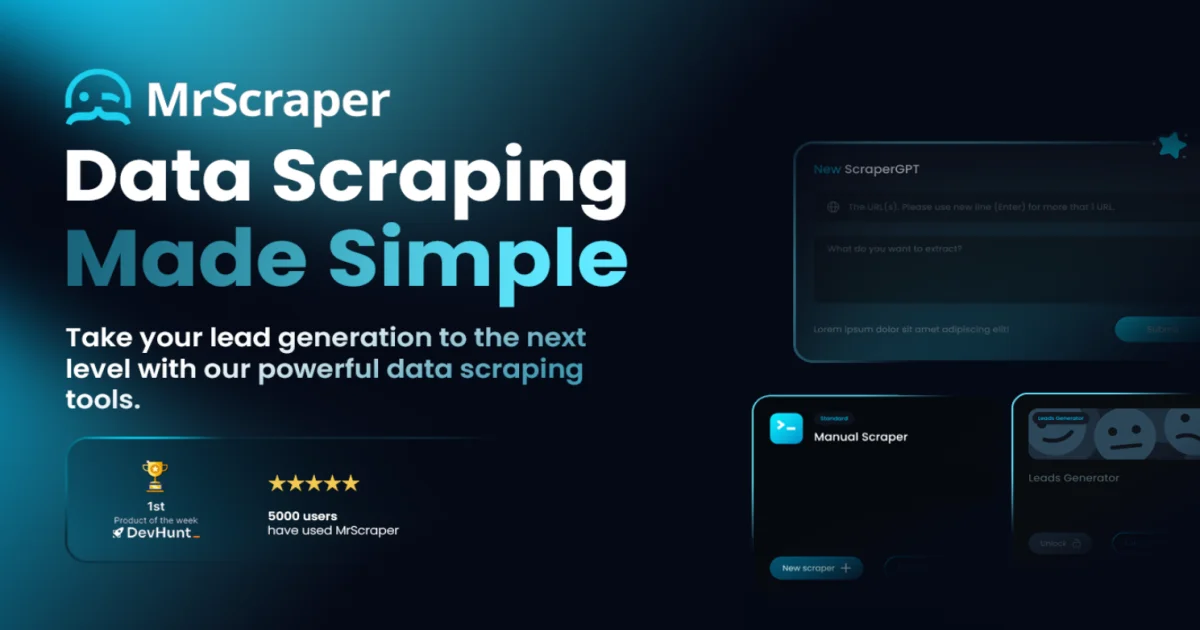
MrScraper is visual web scraping platform with built-in proxies, headless browsers, and AI extraction. A no-code workflow for getting clean data from any site at scale.
TL;DR
TL;DR: MrScraper is visual web scraping platform that pairs a no-code workflow builder with built-in rotating proxies, headless browser infrastructure, and AI-assisted data extraction, so non-developers and developers alike can pull clean structured data from any site without managing their own browser fleet.
Source and Accuracy Notes
- Official site: mrscraper.com
- Show HN launch: HN #39912719 - 215 points, top of the visual scraping category at the time of the launch
- Product positioning and feature claims drawn from the public homepage, pricing page, and changelog at the time of writing
MrScraper is a hosted SaaS, not an open-source project. The product has been live since 2023 and positions itself as a managed alternative to rolling your own Playwright cluster, residential proxy pool, and parsing pipeline. Treat the platform as production-shaped but verify current limits, pricing tier changes, and proxy coverage against the live dashboard before committing budget.
What Is MrScraper?
MrScraper is a managed web scraping platform that bundles three things that usually live in separate tools: a visual no-code workflow builder, a headless-browser execution layer, and a rotating proxy network. The product targets two overlapping audiences - growth, ops, and SEO teams that need recurring data pulls without engineering involvement, and developers who would rather not operate browser infrastructure themselves.
The core value plain: stop hand-rolling a Puppeteer script, a proxy rotation script, a CAPTCHA workaround, and a parser, then babysitting the whole thing when a target site changes layout. MrScraper ships those pieces as one product with a visual canvas on top.
The platform homepage frames the offering around three jobs:
- Visual scraping workflows     # Drag-and-drop recipe builder
- Managed proxies and browsers  # Residential + datacenter + headless fleet
- AI extraction                 # LLM-assisted field mapping and parsing
```bash

You point the builder at a target URL, click through the page to teach it the data you want, configure proxy and browser behavior, and MrScraper returns structured output (JSON, CSV, or webhook). The AI layer helps when target pages change frequently, when DOM structure is irregular, or when the field you want is not wrapped in clean HTML.

## Setup Workflow

MrScraper is a hosted platform - you sign up at [mrscraper.com](https://mrscraper.com), confirm your account, and build scrapers in the browser. There is nothing to install, no Docker container, and no VPS to provision.

### Step 1: Create account and pick a plan

```bash
# Account creation is browser-only
# Plans at time of writing (verify live page for current pricing):
# - Free tier       # Limited runs, small proxy budget
# - Starter         # For hobby and small recurring jobs
# - Pro             # Production scraping with higher concurrency
# - Business        # Custom volume, dedicated support
```bash

Start on the free tier to validate the workflow against your target site. Move to a paid plan only once the scraper runs cleanly and you know your real run frequency.

### Step 2: Build the first scraper visually

In the dashboard, open the visual builder and enter a target URL. The browser preview loads the page, you click the data fields you care about, and MrScraper generates selectors automatically. Common entry points:

```text
- Product name and price from an e-commerce listing
- Job title, company, and location from a careers page
- Article headline, author, and date from a news index
- Contact details from a directory page
```bash

You can layer in pagination, infinite scroll handling, and login flows when needed. The builder is the main draw for non-developer users - it removes the need to write XPaths or CSS selectors by hand.

### Step 3: Configure proxy and browser behavior

```text
Proxy options:
- Datacenter proxies    # Cheapest, fastest, blocked by tougher targets
- Residential proxies   # Higher success rate on protected sites
- ISP proxies           # Middle ground, harder to detect
- Custom proxy import   # Bring your own pool

Browser options:
- Headless mode         # Default, fastest
- Headful with session  # For sites that check for real browser fingerprint
- Custom user agent     # Override default
- Geolocation           # Pick exit country
```bash

Pick the cheapest proxy type that works against your target. Many public sites work fine on datacenter proxies; sites behind Cloudflare, DataDome, or PerimeterX usually need residential or ISP proxies.

### Step 4: Schedule and route output

Set the scraper to run on a schedule (one-off, hourly, daily, weekly) and pick an output destination:

```text
Output options:
- Download as JSON or CSV
- Webhook to your own endpoint
- Push to Google Sheets
- Email delivery
- API pull from the MrScraper dashboard
```bash

For production use, webhook delivery into your own database or queue is the cleanest path. For ad-hoc work, the JSON or CSV download is fine.

### Step 5: Monitor runs and handle failures

Each scraper run produces a log with HTTP status, proxy used, render time, fields extracted, and any failure reason. When a target site changes layout, the AI extraction layer can keep returning useful output for a while, but you will eventually need to re-teach the scraper. Watch the failure rate on the dashboard and set up an alert if it crosses a threshold you care about.

## Deeper Analysis

### Where MrScraper fits in the stack

Web scraping sits on a spectrum from hand-written scripts to fully managed services. MrScraper sits firmly in the managed end:

```text
Hand-written Puppeteer + own proxies    # Most control, most ops burden
Open-source framework (Scrapy, etc.)    # Control + infra responsibility
MrScraper                              # Visual builder + managed infra
Enterprise scraping API (Bright Data, etc.)   # Highest scale, highest price
The trade-off is clear: you give up fine-grained control over browser fingerprinting, proxy rotation strategy, and custom parsing logic in exchange for shipping faster and not having to operate browser infrastructure.
Strengths relative to alternatives
The main wins MrScraper offers against both hand-rolled scripts and pure API-based competitors:
- Visual builder lowers the bar for non-developers to ship a working scraper
- Bundled proxy network removes a separate vendor relationship for most teams
- AI extraction is genuinely useful on messy targets where selectors break weekly
- Hosted execution means no idle infrastructure cost when you are not scraping
The product is also one of the cheaper options for low-to-medium volume scraping. If you need under a million pages per month and you do not have an in-house scraping engineer, MrScraper is competitive on price.
Limits and trade-offs
The managed model has real costs:
- Less control over browser fingerprinting than a custom Puppeteer setup
- Proxy costs can climb fast on protected targets that need residential IPs
- AI extraction is opaque - hard to debug when it returns the wrong field
- Vendor lock-in on the visual recipe format if you build a large library of scrapers
- Compliance is on you - the platform does not decide what is legal to scrape in your jurisdiction
For high-volume, high-frequency scraping (millions of pages per day, real-time pricing feeds), the per-request economics tilt toward building your own pipeline. MrScraper is best at the long tail of one-off and recurring jobs that are too small to justify a dedicated scraping engineer.
Signal from launch
The Show HN launch landed at 215 points, which is well above the median for a Show HN. That signal reflects two things: the visual builder solves a real pain for non-developers, and the bundled proxy + browser story is genuinely differentiated from pure SaaS competitors that only sell proxy access. Sustained traction after launch matters more than the launch number, so check live reviews and current product updates before committing.
Practical Evaluation Checklist
- Identify one target site you actually need data from before signing up
- Validate the free tier can extract the fields you care about
- Test against at least one protected site to gauge proxy requirements
- Confirm the output format (JSON, CSV, webhook) fits your downstream pipeline
- Check pricing on the run volume you actually expect, not the volume you hope for
- Review the platform’s terms of service and your target site’s terms before scaling
- Plan an exit - know how to export your scraper recipes if you leave
- Set up failure-rate alerts on the dashboard before relying on a scraper in production
- Verify residential proxy coverage for the geographies you need
Security Notes
MrScraper is a hosted SaaS that runs scraping jobs against target sites on your behalf. Several security considerations apply:
- The platform handles authentication and proxy credentials for you, so review the account security settings - enable 2FA, restrict API key scope, and rotate keys on a schedule
- Webhook delivery to your own endpoint should be over HTTPS with a shared secret for integrity checking
- Output data may include personal information depending on your target - you remain responsible for GDPR, CCPA, and other privacy compliance downstream
- Do not scrape authentication-gated content you do not have rights to access
- Audit the platform’s data retention policy - scraped data should not persist longer than your use case requires
- Treat AI extraction output as untrusted - validate field types and ranges before feeding into downstream systems
For teams in regulated industries (finance, healthcare), loop in compliance and legal before using any scraping platform, including MrScraper. The platform removes technical friction but does not remove legal responsibility.
FAQ
Q: Is MrScraper open source?
A: No. MrScraper is a hosted SaaS product. If you need an open-source scraping framework, look at Scrapy (Python), Crawlee (Node.js), or Playwright with your own proxy pool. MrScraper targets the opposite end - teams that want to skip the framework and infrastructure step.
Q: Do I need to know how to code to use MrScraper?
A: For most scraping jobs, no. The visual builder lets you click on data fields and configure a workflow without writing code. For advanced use cases (custom parsing logic, complex authentication flows, integration with internal APIs), some scripting is useful. The platform is friendlier to non-developers than raw Puppeteer or Scrapy.
Q: How does MrScraper handle sites that block scrapers?
A: The platform ships a rotating proxy network (datacenter, residential, ISP), headless browser infrastructure, and an AI extraction layer. Tougher targets usually require residential or ISP proxies and may need a headful browser session. There is no guarantee any specific site can be scraped - that depends on the target site’s anti-bot measures and the platform’s current capabilities.
Q: Can I bring my own proxies?
A: Yes, depending on the plan. Custom proxy import is available on higher tiers, which lets you pair MrScraper’s visual builder and browser infrastructure with your own proxy pool.
Q: Is scraping with MrScraper legal?
A: Scraping legality depends on the target site, the data being scraped, your jurisdiction, and the jurisdiction of the target. MrScraper removes technical friction but does not change the legal picture. Review the target site’s terms of service, robots.txt, and applicable laws (CFAA in the US, GDPR in the EU, etc.) before scaling any scraping operation. When in doubt, consult a lawyer.
Q: How does MrScraper compare to Bright Data or Oxylabs?
A: Bright Data and Oxylabs are proxy-first platforms with scraping APIs layered on top. MrScraper is scraping-first with proxies bundled. For pure proxy access at high volume, Bright Data and Oxylabs have larger pools. For a turnkey scraping workflow with a visual builder, MrScraper is more accessible to non-developers.
Conclusion
MrScraper is a reasonable choice when your bottleneck is shipping a working scraper fast rather than fine-tuning browser fingerprinting. The visual builder lowers the bar for non-developers, the bundled proxy network removes a separate vendor, and the AI extraction layer is genuinely useful on targets with irregular DOM structure. The trade-off is reduced control and per-request pricing that climbs with volume.
For most runany.dev readers, MrScraper fits well in the long tail of one-off and recurring scraping jobs - the kind where building a custom Puppeteer pipeline is overkill but a managed service is justified. For high-volume production scraping, evaluate the unit economics carefully and compare against building your own pipeline. The Show HN reception at 215 points suggests the product solves a real problem, and the platform has been live long enough that pricing, limits, and proxy coverage are well-documented on the public site.
Related Posts
ai-setup
Recall – Persistent Memory for Claude Code via MCP Hooks
Recall gives Claude Code a permanent memory store that survives session restarts and context compaction. Four hooks capture and restore context automatically — with cloud SaaS or self-hosted options.
2/28/2026
dev-tools
Automotive Skills Suite for AI Engineering
Evaluate Automotive Skills Suite for APQP, ASPICE, HARA, safety-plan, and DIA workflows with setup notes, governance risks, and SME review guidance.
5/28/2026
dev-tools
awesome-agentic-ai-zh Roadmap Guide
Explore awesome-agentic-ai-zh as a Chinese agentic AI learning roadmap, with setup notes, track selection, study workflow, and evaluation guidance.
5/28/2026