Morphik MCP Server – Document Search for AI Assistants
Connect Claude and other AI assistants to a Morphik knowledge base via the official MCP server. Supports multimodal search, file ingestion, and document retrieval.
TL;DR
TL;DR: Morphik publishes an official MCP server (
@morphik/mcp) that lets Claude Desktop and other MCP-compatible AI assistants search a Morphik knowledge base, ingest files, and retrieve documents — without writing any retrieval code.
Source and Accuracy Notes
- Project page: morphik.ai — verified June 28, 2026
- Source repository: github.com/morphik-org/morphik-core — README read June 28, 2026
- MCP documentation: docs.morphik.ai/using-morphik/mcp — verified June 28, 2026
- License: Business Source License 1.1 (verified via LICENSE file in repo)
- HN launch threads: github.com/morphik-org/morphik-core #43763814, #43601495
What Is Morphik?
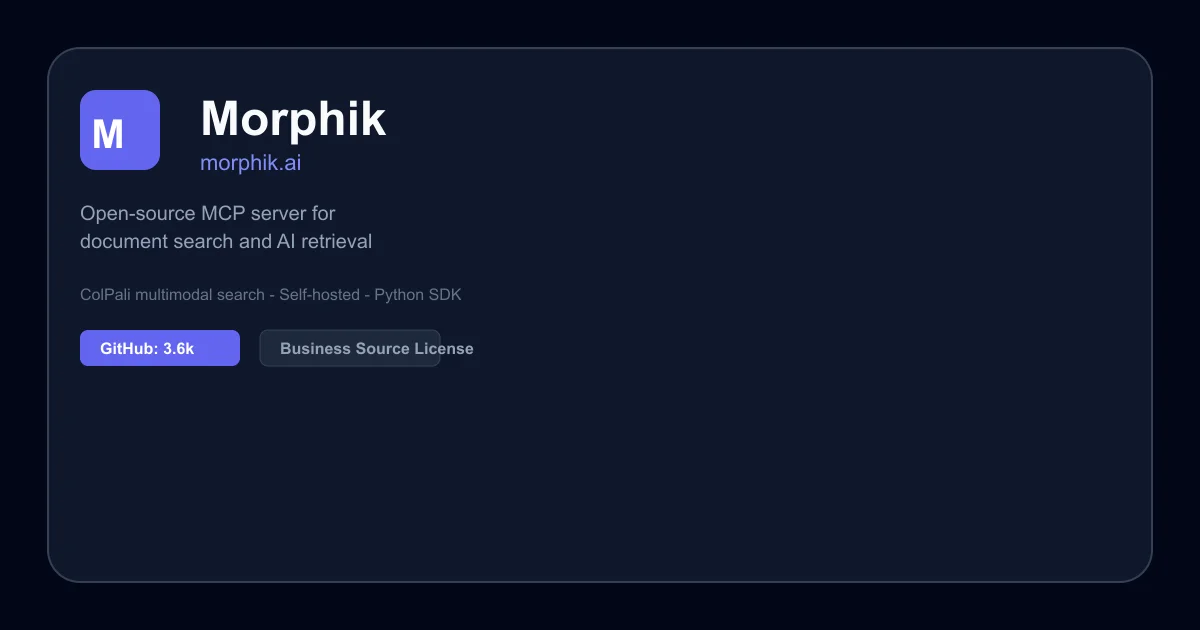
Morphik is an AI-native document search and storage platform. According to its GitHub README, it provides “the most accurate document search and store for building AI apps” — with a focus on multimodal data that goes beyond plain text extraction. Morphik uses ColPali (a vision-language model approach) to understand the visual layout of documents, not just their text content.
The platform ships a hosted service with a free tier, plus a fully self-hostable open-source version.
Morphik’s core value proposition: traditional RAG pipelines break down on visually rich documents (charts, diagrams, tables). Morphik’s multimodal approach keeps those spatial relationships intact during retrieval.
What Is the Morphik MCP Server?
The @morphik/mcp package bridges Morphik to any AI assistant that supports the Model Context Protocol (MCP). Once configured, Claude Desktop (and other MCP clients) can:
- Search your Morphik knowledge base with natural language queries
- Ingest files from disk or base64-encoded bytes
- Retrieve full documents or individual relevant chunks
- Manage documents — list, delete, check ingestion status, set metadata filters
The MCP server speaks two transport protocols: StdIO (default, for local clients like Claude Desktop) and Streamable HTTP (for remote or web-based deployments).
Prerequisites
- Node.js 16.0.0 or higher
- A running Morphik server (local or cloud). Cloud users get a URI from morphik.ai/signup.
Setup Workflow
Step 1: Install the MCP Package
No explicit npm install step is needed for StdIO mode — npx handles it on first run. For Streamable HTTP mode:
npm install && npm run build:streamable
```bash

### Step 2: Configure Claude Desktop

Open your Claude Desktop config file:

- **macOS:** `~/Library/Application Support/Claude/claude_desktop_config.json`
- **Windows:** `%APPDATA%\Claude\claude_desktop_config.json`

Add the `morphik` entry under `mcpServers`:

```json
{
  "mcpServers": {
    "morphik": {
      "command": "npx",
      "args": [
        "-y",
        "@morphik/mcp",
        "--uri=your-morphik-server-uri"
      ]
    }
  }
}
```bash

For a **local Morphik server**, omit `--uri` or use `--uri=local`:

```json
{
  "mcpServers": {
    "morphik": {
      "command": "npx",
      "args": [
        "-y",
        "@morphik/mcp"
      ]
    }
  }
}
```bash

### Step 3: Restart Claude Desktop

Close and reopen Claude Desktop. The Morphik MCP tools become available in the conversation.

## Available MCP Tools

Once connected, these tools are registered with the MCP client:

### Ingestion

- `ingest-text` — Push raw text with optional metadata and folder scopes
- `ingest-file-from-path` — Upload a file from disk (sandboxed by `--allowed-dir`)
- `ingest-file-from-base64` — Upload client-provided bytes (useful in Streamable mode)
- `ingest-files-from-paths` — Batch upload multiple files

### Retrieval

- `retrieve-chunks` — Returns the most relevant text/image pages with optional padding, folder scopes, and metadata filters
- `retrieve-docs` — Returns whole documents instead of individual chunks
- `get-pages-in-range` — Fetches up to 10 consecutive pages from a document

### Document Management

- `list-documents` — Paginated listing with folder/end-user scope support
- `get-document` — Retrieve metadata for a specific document ID
- `check-ingestion-status` — Poll processing state for a document
- `delete-document` — Remove a document and its derived data
- `morphik-filters` — View, set, or clear typed metadata filters (eq/regex/number_range/date_range)

### File Navigation

- `list-allowed-directories`, `list-directory`, `search-files`, `get-file-info` — Help Claude browse only explicitly allowed directories when ingesting files.

## Streamable HTTP Mode

If StdIO is not available (e.g., remote server, web deployment), use Streamable HTTP instead:

```bash
node build/index_http.js --uri=<your-uri> --allowed-dir=~/Documents
The server exposes:
/mcp— JSON RPC requests/health— Health check endpoint
Deeper Analysis
Why this matters: The MCP protocol is rapidly becoming the standard way to give AI assistants structured, tool-mediated access to external data. Rather than building a one-off retrieval endpoint, publishing an MCP server means any MCP-compatible client can connect to Morphik — not just Claude.
Self-hosted vs. cloud: The open-source version gives you full control over the retrieval infrastructure. The cloud version handles scaling and management. Both use the same MCP interface.
Multimodal search: Morphik’s use of ColPali means it can search by visual understanding of documents, not just text extraction. This is particularly valuable for technical documentation with diagrams, screenshots, or mixed-media content.
Practical Evaluation Checklist
- Does Claude Desktop connect to the MCP server on restart?
- Can you ingest a PDF and retrieve relevant chunks with a natural language query?
- Do metadata filters correctly scope retrieval results?
- Does Streamable HTTP mode work behind a reverse proxy?
- Does the
--allowed-dirsandbox correctly block access outside the specified directory?
Security Notes
- The
--allowed-dirflag (StdIO) andallowed-dirparameter (HTTP) sandbox file access. Only directories explicitly passed are accessible. - In Streamable HTTP mode, the server should be deployed behind TLS termination — the
/mcpendpoint has no built-in authentication (MCP handles auth handshake). - Claude Desktop config files should not be world-readable on shared systems.
FAQ
Q: Does this work with Cursor or other MCP-compatible editors? A: Yes. Any tool that implements the MCP StdIO or HTTP transport can connect, not just Claude Desktop.
Q: What file types does Morphik ingest? A: Morphik processes PDFs, images, videos, and other multimodal documents. The exact supported formats are documented at docs.morphik.ai.
Q: Can I self-host the Morphik server? A: Yes. The open-source version runs via Docker or direct installation. See docs.morphik.ai/getting-started. Note that self-hosted deployments have limited official support — the Discord community helps.
Q: What is the Business Source License? A: Morphik uses BSL 1.1, which permits free use for development and self-hosting, but converts to the Morphik Commercial License under certain conditions (e.g., running it as a service for third parties). See the LICENSE file for details.
Q: What Node.js version is required? A: Node.js 16.0.0 or higher.
Conclusion
The @morphik/mcp package is a clean, standards-compliant way to give AI assistants live access to a document knowledge base. With ColPali-powered multimodal search under the hood, it handles visually rich content that plain text extraction would destroy.
If you already use Claude Desktop or any MCP-compatible AI tool and have documents to search, this is a five-minute setup that replaces an entire RAG pipeline.
Get started at morphik.ai/signup or self-host via the open-source repo.
Related Posts
ai-setup
Recall – Persistent Memory for Claude Code via MCP Hooks
Recall gives Claude Code a permanent memory store that survives session restarts and context compaction. Four hooks capture and restore context automatically — with cloud SaaS or self-hosted options.
2/28/2026
dev-tools
Automotive Skills Suite for AI Engineering
Evaluate Automotive Skills Suite for APQP, ASPICE, HARA, safety-plan, and DIA workflows with setup notes, governance risks, and SME review guidance.
5/28/2026
dev-tools
awesome-agentic-ai-zh Roadmap Guide
Explore awesome-agentic-ai-zh as a Chinese agentic AI learning roadmap, with setup notes, track selection, study workflow, and evaluation guidance.
5/28/2026