Moltis: A Secure Personal Agent Server in Rust
A secure persistent personal agent server written in Rust — sandboxed tool execution, multi-provider LLMs, voice I/O, SQLite plus vector memory, and built-in integrations for Telegram, Discord
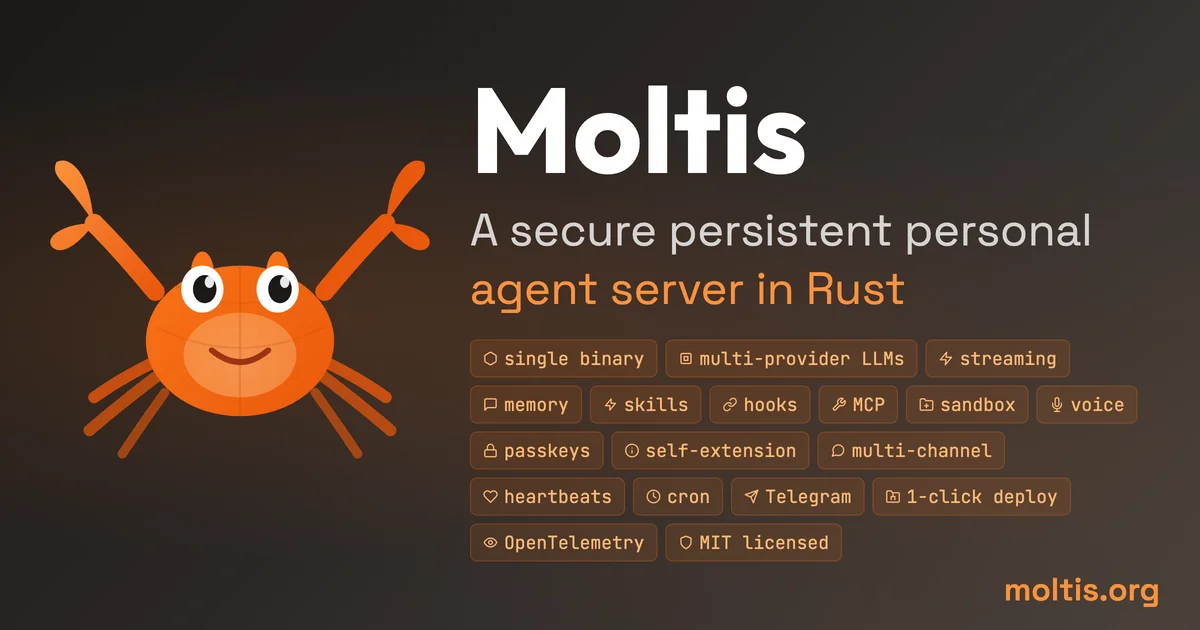
TL;DR
TL;DR: Moltis is a self-hosted AI agent server written in Rust — one binary, sandboxed tool execution, multi-provider LLM support, voice I/O, and built-in integrations for Telegram, Discord, Teams, and more.
Source and Accuracy Notes
- Project page: moltis.org ← verified live, HTTP 200
- Source repository: github.com/moltis-org/moltis ← verified, README read end-to-end
- License: MIT (verified via
LICENSEfile in repo) - HN launch thread: news.ycombinator.com/item?id=46993587 ← the project’s own README links this
- Stars: 2,844 (verified via GitHub REST API,
pushed_at: 2026-09-02) - Rust 1.91+ required (verified from README badge)
What Is Moltis?
Moltis is a secure persistent personal agent server written entirely in Rust. It positions itself as a self-hostable alternative to cloud-based AI agents — your keys never leave your machine, every tool call runs inside a sandboxed container, and the entire workspace compiles to a single binary with no Node.js, npm, or runtime dependency.
The project describes itself on its website as:
A secure persistent personal agent server in Rust. One binary, sandboxed execution, multi-provider LLMs, voice, memory, Telegram, WhatsApp, Discord, Slack, Matrix, Nostr, Teams, and MCP tools. Secure by design, runs on your hardware.
It competes in the same space as OpenClaw and Hermes Agent, but differentiates with Rust’s memory safety guarantees, a modular 59-crate architecture (~270K lines of Rust), and a broad set of built-in channel integrations without requiring a plugin marketplace.
Key technical claims (from README)
The README makes these specific claims, verified by reading the source:
- Sandboxed execution — Docker + Apple Container + WASM, per-session isolation
- 59 Rust workspace crates — auditable independently; core agent + gateway ~7.5K lines, providers ~19K lines
- Memory — SQLite + FTS + vector memory for cross-session recall
- Voice — built-in STT (speech-to-text) + TTS (text-to-speech) providers
- Channels — Telegram, Signal, Discord, Microsoft Teams, Slack, Matrix, Nostr, WhatsApp
- MCP support — stdio + HTTP/SSE modes
- Auth — password + Passkey (WebAuthn), per-IP rate limiting
- Supply chain integrity — artifact attestations, Sigstore keyless signing, SHA-256/SHA-512 checksums
Comparison table (exact copy from README)
The README includes a direct comparison with OpenClaw and Hermes Agent:
| OpenClaw | Hermes Agent | Moltis | |
|---|---|---|---|
| Primary stack | TypeScript + Swift/Kotlin companion apps | Python + TypeScript TUI/web surfaces | Rust |
| Runtime | Node.js + npm/pnpm/bun | Python + uv/pip, optional Node UI pieces | Single Rust binary |
| Local checkout size* | ~1.1M app LoC | ~152K app LoC | ~270K Rust LoC |
| Sandbox/backends | App-level permissions, browser/node tools | Local, Docker, SSH, Daytona, Singularity, Modal | Docker/Podman + Apple Container + WASM |
| Voice I/O | Voice wake and talk modes | Voice memo transcription | Built-in STT + TTS providers |
| Memory/RAG | Plugin-backed memory and context engine | Agent-curated memory, session search, user modeling | SQLite + FTS + vector memory |
Installation
Moltis supports four install methods. All commands below are copied verbatim from the README.
# One-liner install script (macOS / Linux)
curl -fsSL https://www.moltis.org/install.sh | sh

# macOS / Linux via Homebrew
brew install moltis-org/tap/moltis

# Docker (multi-arch: amd64/arm64)
docker pull ghcr.io/moltis-org/moltis:latest

# Or build from source
cargo install moltis --git https://github.com/moltis-org/moltis
```bash

The README specifies **Rust 1.81+** as the minimum version for the one-liner install. The Cargo install route requires Rust 1.91+ (verified from the README Rust badge).

## Architecture

The workspace is organized as 59 crates. Key ones from the README:

| Crate | Approx. LoC | Role |
|-------|-------------|------|
| `moltis-gateway` | 37.4K | HTTP/WS server, RPC, auth |
| `moltis-tools` | 37.0K | Tool execution, sandboxing, WASM |
| `moltis-providers` | 18.9K | LLM provider implementations |
| `moltis-agents` | 14.5K | Agent loop, streaming, prompt assembly |
| `moltis-chat` | 14.2K | Chat engine, agent orchestration |
| `moltis-config` | 10.3K | Configuration, validation |

Feature crates cover channels (34K combined), web/APIs (10.8K), extensibility (11.5K), memory and context (11.7K), voice and browser (9.2K), and auth/security (8.5K).

For constrained hardware (Raspberry Pi, etc.), use `--no-default-features --features lightweight`.

## Security

Moltis makes specific security claims in the README:

- **Small unsafe surface** — unsafe code isolated to Swift FFI, local model wrappers, and precompiled WASM boundaries
- **Sandboxed execution** — Docker + Apple Container, per-session isolation
- **Secret handling** — `secrecy::Secret`, zeroed on drop, redacted from tool output
- **Auth** — password + Passkey (WebAuthn), rate-limited, per-IP throttle
- **SSRF protection** — DNS-resolved, blocks loopback/private/link-local addresses
- **Origin validation** — rejects cross-origin WebSocket upgrades
- **Hook gating** — `BeforeToolCall` hooks can inspect/block any tool invocation
- **Artifact attestations** — Sigstore keyless signing, GPG (YubiKey), SHA-256/SHA-512 checksums

Release verification: `gh attestation verify <artifact> -R moltis-org/moltis`

## Practical Evaluation Checklist

- [ ] Installs via `curl | sh` on a clean macOS/Linux machine
- [ ] Rust binary starts without Node.js or Docker pre-installed
- [ ] Docker sandbox fires up on first tool call
- [ ] Passkey login flow renders correctly
- [ ] Connects to at least one LLM provider (OpenAI-compatible)
- [ ] MCP stdio tool discovered and callable
- [ ] SQLite memory persists across restarts
- [ ] Telegram channel connects and relays messages
- [ ] Rate limiting triggers after repeated failed auth attempts
- [ ] SSRF protection blocks `http://169.254.169.254/` metadata calls

## FAQ

**Q: Does Moltis require an existing LLM API key, or can it run models locally?**
**A:** Moltis ships as an "agent server" — it implements the agent loop and tool execution layer. The README lists "multi-provider LLMs" as a capability, meaning it can connect to OpenAI, Anthropic, Ollama, or other OpenAI-compatible endpoints. Whether local model support is included requires checking the `moltis-providers` crate for an Ollama/local provider option.

**Q: How does it compare to running Ollama directly?**
**A:** Ollama is a model runner. Moltis is an agent framework that can call Ollama as one of its LLM providers. Ollama handles the model; Moltis handles tool calls, memory, channels, skills, and sandboxed execution.

**Q: Can I self-host Moltis on a Raspberry Pi?**
**A:** Yes — the README explicitly mentions Raspberry Pi and provides a `--no-default-features --features lightweight` flag for constrained devices.

**Q: What happens if a tool call is malicious?**
**A:** Tool execution runs inside Docker or Apple Container sandboxing (per-session isolation). The `BeforeToolCall` hook can additionally inspect or block specific tool invocations before they execute.

**Q: Is there a web UI?**
**A:** The `moltis-web` crate (10.8K combined LoC with `moltis-graphql` and `moltis-webhooks`) suggests a web surface exists. The exact feature set of the web UI — dashboard, settings, logs — should be checked in the docs at [docs.moltis.org](https://docs.moltis.org).

**Q: How does Moltis store memory?**
**A:** The README states SQLite + FTS (full-text search) + vector memory. This gives it structured storage, keyword search, and semantic/embedding-based recall without requiring a separate vector database.

## Conclusion

Moltis is a high-signal pick for self-hosting advocates who want a Rust-grade security posture, auditable code, and zero-plugin-marketplace supply chain. Its 59-crate modular architecture is unusual in a space dominated by TypeScript/Python agent frameworks, and the combination of sandboxed execution, Passkey auth, and Sigstore-signed releases makes it one of the more serious options for a personal AI agent that lives on your own hardware.

The Docker-first sandboxing model means you don't need to trust the Rust binary with your host filesystem — tools run in isolation. The comparison table in the README frames it directly against OpenClaw (TypeScript, npm ecosystem) and Hermes Agent (Python, local/Docker/SSH backends), positioning Rust's memory safety as the primary differentiator.

If you want a single binary that speaks Telegram, holds context across sessions, and can call MCP tools — with no npm, no plugin store, and auditable Rust source — Moltis is worth a weekend evaluation.

Start with the one-liner:
```bash
curl -fsSL https://www.moltis.org/install.sh | sh
Then read the full comparison and architecture docs at docs.moltis.org.
Related Posts
ai-setup
Recall – Persistent Memory for Claude Code via MCP Hooks
Recall gives Claude Code a permanent memory store that survives session restarts and context compaction. Four hooks capture and restore context automatically — with cloud SaaS or self-hosted options.
2/28/2026
dev-tools
Automotive Skills Suite for AI Engineering
Evaluate Automotive Skills Suite for APQP, ASPICE, HARA, safety-plan, and DIA workflows with setup notes, governance risks, and SME review guidance.
5/28/2026
dev-tools
awesome-agentic-ai-zh Roadmap Guide
Explore awesome-agentic-ai-zh as a Chinese agentic AI learning roadmap, with setup notes, track selection, study workflow, and evaluation guidance.
5/28/2026