Moltis - Self-Hosted AI Agent with Memory and
MIT-licensed AI agent server in one Rust binary. Sandboxed execution, hybrid vector + full-text memory, MCP tools, and Pi-inspired self-extending skills at runtime.
TL;DR
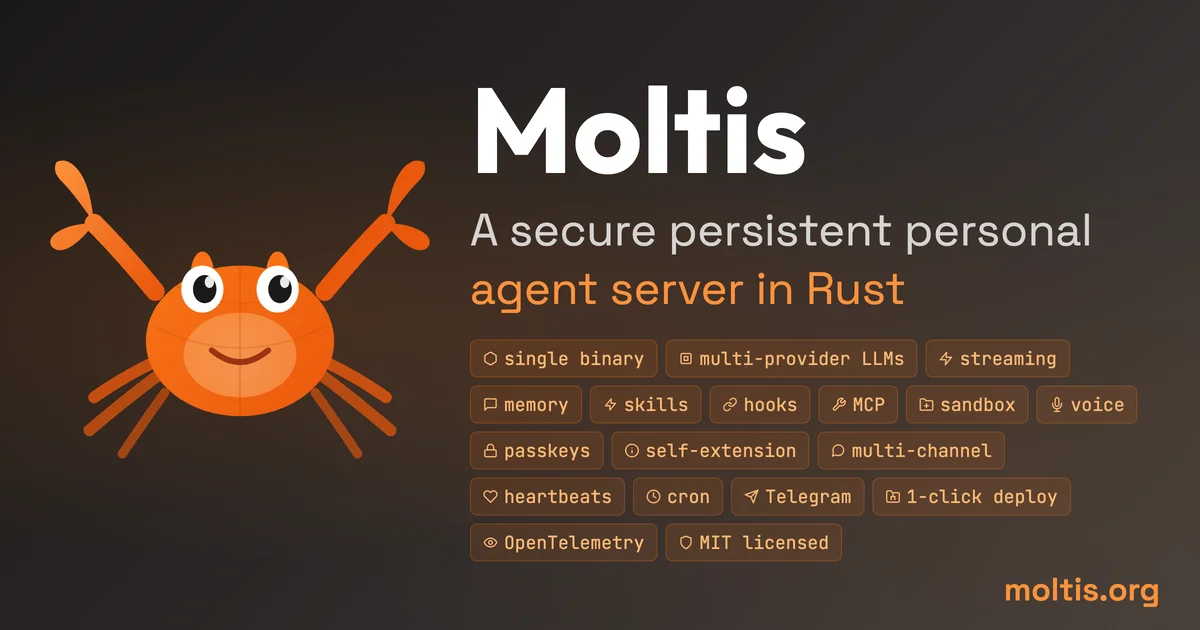
TL;DR: A self-hosted AI agent server built entirely in Rust — one binary, no runtime dependencies, with hybrid memory and the ability to create its own skills at runtime.
Source and Accuracy Notes
- Project page: moltis.org — verified live
- Source repository: github.com/moltis-org/moltis — verified, MIT license
- License: MIT — verified from LICENSE.md
- HN launch thread: news.ycombinator.com/item?id=46993587 — Show HN, 131 points, Feb 2026
What Is Moltis?
Moltis is an open-source personal AI agent server written in Rust. It ships as a single binary (~60MB) with no Node.js, Python, or other runtime dependencies. The author’s own description reads:
“I built Moltis because I wanted an AI assistant I could run myself, trust end to end, and make extensible in the Rust way using traits and the type system.”
Core design goals:
- Self-hosted — runs on your own hardware, no cloud service required
- Privacy-first — no telemetry phoning home; full OpenTelemetry + Prometheus observability built in
- Multi-provider LLM routing — OpenAI, local GGUF/MLX, Hugging Face
- Sandboxed execution — Docker, Podman, or Apple Containers
- Hybrid memory — vector + full-text search combined
- MCP tool servers — plugins with OAuth 2.1, stdio or HTTP/SSE, auto-restart
- Multi-channel — web UI, Telegram, WhatsApp, Discord, Slack, Matrix, Nostr, Teams, API
- Self-extending — Pi-inspired: creates its own skills at runtime, session branching, hot-reload
Setup Workflow
Prerequisites
- Linux, macOS, or a cloud VM
- Docker, Podman, or Apple Containers (for sandboxing)
- At least one LLM provider API key (OpenAI, local GGUF/MLX, or Hugging Face)
Step 1: Install
One-line install via the official script:
curl -fsSL https://www.moltis.org/install.sh | sh
```bash

Or via Homebrew:

```bash
brew install moltis-org/tap/moltis
```bash

For manual installation, grab the latest release binary from [github.com/moltis-org/moltis/releases](https://github.com/moltis-org/moltis/releases).

### Step 2: Configure Providers

Create a `config.toml` to point Moltis at your LLM(s). The author ships a reference config in the repo:

```toml
[llm]
providers = ["openai", "local"]

[llm.openai]
api_key = env.OPENAI_API_KEY
model = "gpt-4o"

[llm.local]
type = "gguf"  # or "mlx" for Apple Silicon
model_path = "/opt/models/moltis-q4.kggml"
```bash

### Step 3: Run

```bash
moltis serve
```bash

The web UI starts on `http://localhost:8080` by default. Connect Telegram or Discord via the channels section in the config file.

### Step 4: Deploy to DigitalOcean

1-click deploy is available via the DigitalOcean App Platform:

```bash
cloud.digitalocean.com/apps/new?repo=https://github.com/moltis-org/moltis/tree/main
```bash

Or use the provided Docker image on any host:

```bash
docker pull moltisorg/moltis:latest
docker run -p 8080:8080 -v $HOME/.moltis:/data moltisorg/moltis
Deeper Analysis
Architecture
At 150k lines of Rust, Moltis is non-trivial. The author describes it as sharing ideas with OpenClaw (same memory approach, Pi-inspired self-extension) but being Rust-native throughout. Key architectural notes from the HN thread:
- Trait-based extensibility — Rust’s type system and traits for plugin authoring
- 376 feature-gated code paths (
#[cfg(feature = "...")]) — compile-time control over what you ship - Sandboxed tool execution — MCP tool servers run isolated, with auto-restart on failure
- Shared context across channels — Telegram conversation context carries into the web session
Self-Extending Skills
The most distinctive claim is runtime self-extension: the agent can author its own skills, hooks, and MCP tools while running. This is described as Pi-inspired — drawing from the Pi paper on language model agents that modify their own prompt and tool set. Skills are hot-reloaded without restart, and sessions can branch so experimental skills can be tested in isolation.
Privacy Model
Moltis explicitly avoids phoning home. There is no mandatory telemetry. Observability is opt-in via OpenTelemetry and Prometheus exports — you point them at your own collector. For users who want full auditability of what an AI assistant does with their data, this is a meaningful default.
Practical Evaluation Checklist
- Single binary installation works on a fresh Ubuntu VM
- Web UI accessible at localhost after first launch
- OpenAI provider connects with a test prompt
- Local GGUF model loads and responds
- Telegram channel connects and maintains context across messages
- MCP tool server (e.g. Filesystem or Web Search) loads and executes
- New skill created by the agent persists across sessions
- Sandbox isolation confirmed — tool cannot reach outside allowed paths
- Prometheus metrics endpoint responds at
/metrics - Docker image runs on a remote VPS without additional setup
Security Notes
- Sandboxed execution is enforced via Docker/Podman/Apple Containers — tools run in isolation
- No mandatory telemetry — nothing leaves the host unless you configure it
- MCP OAuth 2.1 — tool servers authenticate before gaining access
- Self-hosted by default — credentials never route through a third-party cloud
The primary attack surface is any MCP tool you grant access to. Treat tool permissions like OS-level permissions — the agent effectively has the capabilities of its allowed tools.
FAQ
Q: Does Moltis require a GPU? A: No. It routes to whichever LLM you configure. Running a local GGUF model (via llama.cpp) benefits from a GPU, but Moltis itself is CPU-compatible.
Q: How does it compare to Ollama for local inference? A: Ollama focuses on model hosting. Moltis adds an agent loop, hybrid memory, multi-channel delivery (Telegram, Discord, etc.), and runtime skill creation on top. They are complementary.
Q: Is this production-ready? A: The author describes it as alpha. He uses it daily and ships because it is useful, not because it is complete. For self-hosted personal use it is functional; for mission-critical production workloads, evaluate carefully.
Q: Can I run it on Apple Silicon? A: Yes. The binary supports macOS (including Apple Silicon), and the MLX backend is designed specifically for Apple Silicon GGUF/MLX models.
Conclusion
Moltis fills a specific niche: users who want a full-featured, self-hosted AI agent without the operational complexity of chaining together Ollama, a memory vector DB, an MCP host, and a chat UI. The single-binary constraint is the right tradeoff for this audience — install it on a $6/month VPS and have a persistent agent with memory and tools in under five minutes. The self-extending skill system is the most experimental part and worth watching as it matures.
Related Posts
ai-setup
Recall – Persistent Memory for Claude Code via MCP Hooks
Recall gives Claude Code a permanent memory store that survives session restarts and context compaction. Four hooks capture and restore context automatically — with cloud SaaS or self-hosted options.
2/28/2026
dev-tools
Automotive Skills Suite for AI Engineering
Evaluate Automotive Skills Suite for APQP, ASPICE, HARA, safety-plan, and DIA workflows with setup notes, governance risks, and SME review guidance.
5/28/2026
dev-tools
awesome-agentic-ai-zh Roadmap Guide
Explore awesome-agentic-ai-zh as a Chinese agentic AI learning roadmap, with setup notes, track selection, study workflow, and evaluation guidance.
5/28/2026