MimicScribe: meeting notes that stay on your Mac
MimicScribe records meetings on macOS, names every speaker, and transcribes on the Neural Engine. Audio never leaves the machine and the AI provider is your choice.
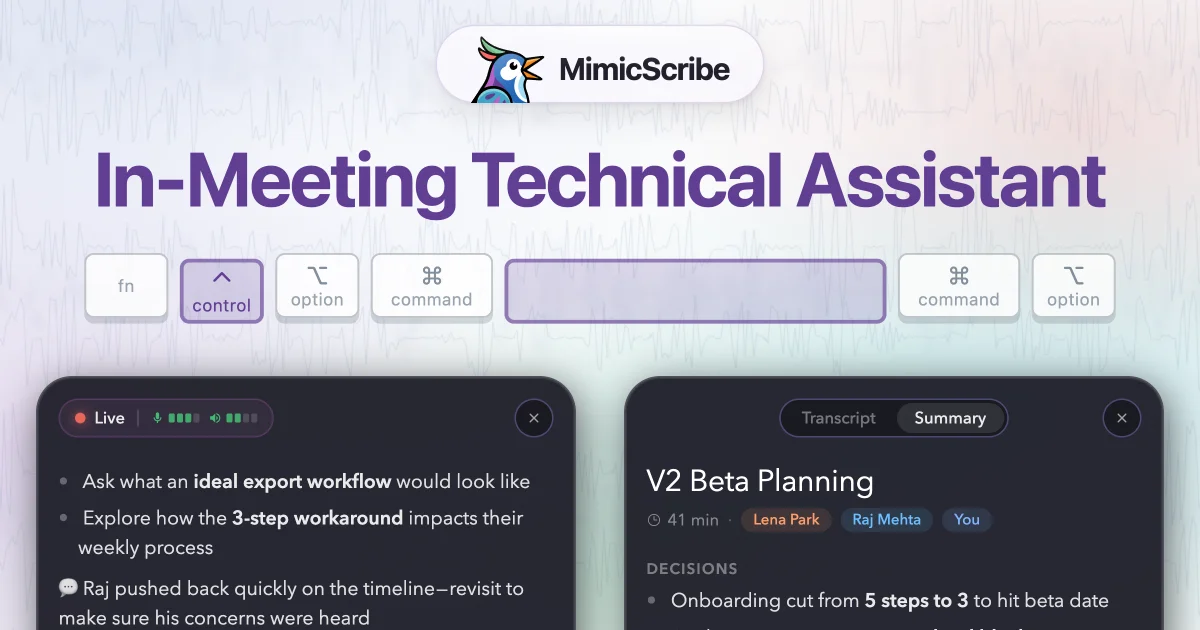
TL;DR: MimicScribe puts a meeting recorder in the macOS menu bar and runs the speech model on the Neural Engine, so a call comes back transcribed with speakers named and no audio leaving the Mac. It captures system sound at the OS level, so no bot joins your Meet or Zoom call. Recording, transcription and speaker separation are free, and you decide whether summaries run on a local model, your own endpoint, or their Gemini proxy.
What it is
MimicScribe is a native macOS app, built and supported by one developer. It sits in the menu bar rather than the Dock, and it records whatever your Mac is playing, including a call in Zoom, Teams, Google Meet or a Slack huddle, without joining as a participant.
The part worth paying attention to is what happens to that audio. Speech recognition runs locally on the Neural Engine, the recording is split into speaker turns, and a voice gets a name the app can reuse once it has heard it before. There is no language picker: the same model handles 25 languages and works out what is being spoken.
It also keeps an index of past meetings, writes Markdown notes into an Obsidian or Logseq vault, and exposes an MCP server so an agent can read and correct the transcripts. The audio is a plain .m4a in a Recordings folder you can open in Finder, and the app keeps rotating local database snapshots so a bad edit can be undone.
Why it matters
The standard meeting recorder works by adding a participant. The bot shows up in the attendee list, the transcription happens in someone else’s cloud, and everyone in the room knows they are being captured. That changes how people talk, and it hands your conversation to a third party.
MimicScribe takes the other route. It taps system audio directly from macOS, so the attendee list stays clean and the recording never needs to leave the machine. Audio never leaves the Mac on any configuration, and a fresh install does not send even text anywhere until you pick an AI provider.
The usual objection to local models is quality. What is interesting here is how far the diarization goes. The vendor publishes raw benchmark output in a public repository, broken down by benchmark type, and the numbers are specific enough to be worth reading rather than skimming.
The privacy claim is checkable rather than a promise. The app keeps a live log of every request it makes, and macOS gives you two ways to watch the sockets from outside the app:
# Live view of every connection the app has open (press q to quit)
nettop -p mimicscribe

# One-time snapshot of its open sockets
lsof -i -nP -a -p $(pgrep -x mimicscribe)
Getting it running
Download the app, drag it to Applications, and launch it. The first run opens a setup wizard that pulls models, asks for permissions, and lets you pick where the text AI should run.
There are two hard requirements: macOS 15 or later, and Apple Silicon. There is no Intel build. The current download is a release candidate, v1.0.0-rc.42.
The wizard grabs about 1.4 GB of models and requests Microphone and System Audio Recording. Accessibility is only asked for if you switch on voice typing or automatic recording, and Reminders is only requested the first time you send an action item there.
The hotkeys are worth learning before the first call:
| Action | Shortcut |
|---|---|
| Start and stop recording | Hold Control + Space |
| Meeting assistant | Control + Space while recording |
| Flag a moment | Control + Shift + Space |
| Dictation insert mode | Left Option |
| Voice transform mode | Left Option + Shift |
| Cancel | Escape |
MimicScribe can also start recording by itself when a call begins. That lane reads process names, call signals and browser tab titles on the Mac and never sends them anywhere.
There is a second half to the app that behaves more like a dictation tool. Hold Left Option and speak to type into any text field, or select text and ask for it to be rewritten, translated or shortened in place. Each app can carry its own profile, so chat apps get a different prompt and provider than your editor.
The models behind it
| Model | Purpose | Size |
|---|---|---|
| Parakeet Ultra | Speech to text | about 632 MB |
| Multilingual MiniLM (L12-v2) | Meeting and reference search | about 500 MB |
| Nemotron 3 speaker refinement | Re-checking speaker identity after a meeting | about 190 MB |
| Speaker diarization | Splitting audio into turns | about 22 MB |
| LocalVQE | Echo cancellation | about 5 MB |
| Silero VAD | Voice activity detection | about 1 MB |
Parakeet Ultra runs through CoreML on the Neural Engine. Diarization starts from Pyannote Community 1 and adds Nemotron 3 refinement on top, with grammar clues used to pick the cleanest speech for building a voice profile. A profile needs roughly 20 seconds of good audio, and each voice can hold more than one centroid, so the same person in a different room does not contaminate the average.
The published results, all measured on the vendor’s own corpus and harness:
- Live transcription drops 1.7% of real words, against 7.1% for the best other real-time model they tested
- 96.6% of live speaker labels are correct during the call
- 45 of 57 test recordings list exactly the right speakers
- 92% of returning voices are named, with 0 wrong names across 779 trials
- Word error rate is 13.6% across 18.8 hours of meetings, including heavy crosstalk, and 28% fewer words are dropped
- 96.4% of amounts, dates and IDs keep the value that was said
Treat these as one company’s measurements rather than an independent evaluation. The value is in the level of detail, and the raw result files are public.
Talking to it from an agent
The MCP server is the piece that turns this from a recorder into something an agent can work with. It runs inside the app binary, so the config is short:
{
  "mcpServers": {
    "mimicscribe": {
      "command": "/Applications/MimicScribe.app/Contents/MacOS/mimicscribe",
      "args": ["--mcp-server"]
    }
  }
}
CLI agents take one line:
claude mcp add mimicscribe -- /Applications/MimicScribe.app/Contents/MacOS/mimicscribe --mcp-server
gemini mcp add mimicscribe /Applications/MimicScribe.app/Contents/MacOS/mimicscribe --mcp-server
codex mcp add mimicscribe -- /Applications/MimicScribe.app/Contents/MacOS/mimicscribe --mcp-server
The detail that decides whether an agent behaves is how it refers to a meeting. Every meeting-scoped tool takes a UUID, latest, focus, an ISO date, or a title fragment, and when a fragment or date matches more than one meeting the tool returns an ambiguity error with a candidate list instead of quietly picking one. An agent that grabs the first match is doing it wrong, and the tool says so.
Agents can also fix speaker attribution and have the summary regenerated, then write the corrected copy to a vault or a ticket system. Until January 1, 2027 the free tier lets agents read and edit every meeting. The MCP server has to be switched on in Settings, which the documentation frames as your consent for that access, and a connected agent can reach on-device meetings too.
What to watch for
Pricing is the first thing to sort out. Recording, transcription, speaker separation, voice profiles, voice typing and search are free, with AI summaries limited to the first 30 meetings and then five a week. Pro is a one-time purchase that lifts those limits and unlocks the MCP server, Markdown export and your own OpenAI-compatible endpoint. The list price is $75, and the site still shows the $50 launch price that was scheduled to end on October 31, 2026. Cloud AI is a separate subscription at $10 a month or $84 a year.
Apple Silicon only rules out older Macs entirely, and the app is still a release candidate from a single maintainer with no account system, just a license key.
Consent is on you. MimicScribe does not announce itself to participants, and recording law varies by state and country, so the documentation suggests telling attendees at the top of the call.
Summary quality tracks the provider you pick. The built-in prompts are tuned against Gemini, so a small local model will handle dictation fine and do a worse job on meeting summaries, which are the long-context task. Ollama and LM Studio both work as OpenAI-compatible endpoints, and pointing at a local model keeps the transcript text on the machine as well.
One more switch to know about. On a new install, setup starts in transcripts-only mode with “Require on-device AI” turned on, which means transcription and speaker separation work immediately but the summary and assistant features stay off until you choose a provider. A network log in Settings shows every request the app makes, live.
Source and Accuracy Notes
- Project page: https://mimicscribe.app/ (verified by direct visit on 2026-11-01)
- Download page: https://mimicscribe.app/download
- Quick start guide: https://mimicscribe.app/docs/quick-start
- Full documentation text: https://mimicscribe.app/llms-full.txt
- Benchmark results: https://github.com/MimicScribe/benchmarks
- Open source components: FluidAudio and LocalVQE (Apache-2.0), dtln-aec-coreml and mimicscribe-proxy (MIT)
- Version at time of writing: v1.0.0-rc.42, a closed source app built on those open source pieces
- Pricing, model sizes and benchmark figures read from the vendor’s own pages and documentation on 2026-11-01
Related Posts
ai-setup
Recall – Persistent Memory for Claude Code via MCP Hooks
Recall gives Claude Code a permanent memory store that survives session restarts and context compaction. Four hooks capture and restore context automatically — with cloud SaaS or self-hosted options.
2/28/2026
dev-tools
Dulus Terminal Agent Setup Guide
Set up Dulus as a terminal AI agent with native and Docker paths, installer profiles, WebChat ports, repo safety checks, and shell-access risks.
5/28/2026
dev-tools
OpenSquilla Agent Gateway Setup Guide
Set up OpenSquilla with uv, onboarding, OpenRouter env keys, gateway runtime, Git LFS model files, and migration paths from other agents.
5/28/2026