Memex – Claude Code Alternative Built on Rust and Tauri
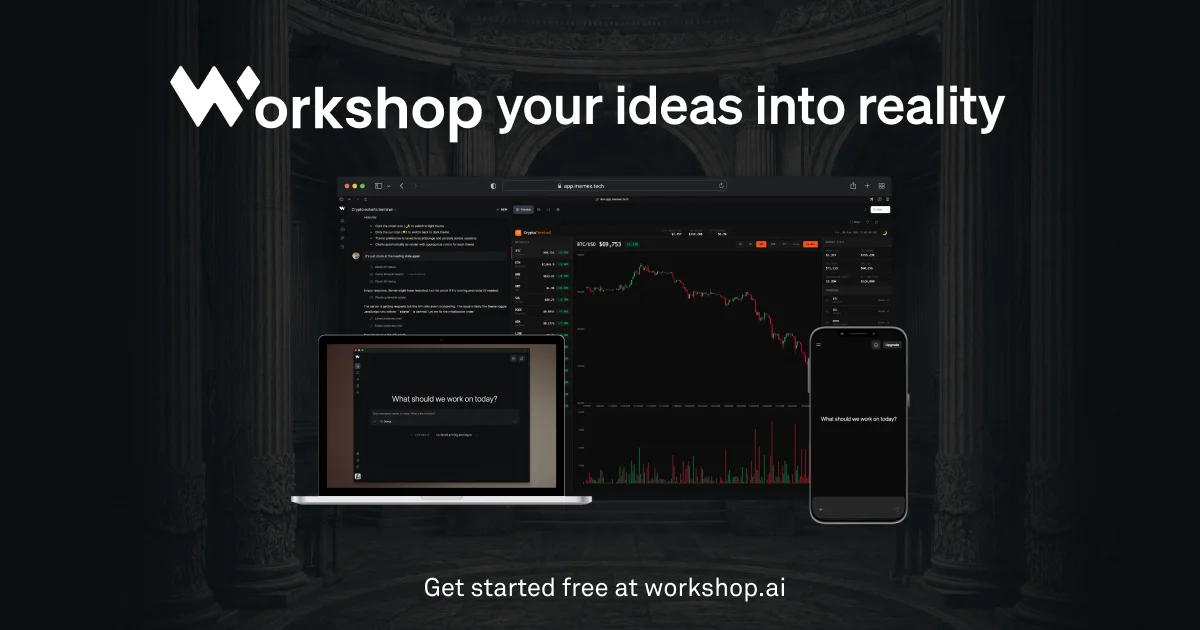
Memex is a cross-platform desktop app for vibe coding that combines a chat interface with a coding agent, built with Rust, Tauri, and bundled Python.
TL;DR
TL;DR: Memex is a cross-platform desktop coding agent built with Rust and Tauri that brings vibe coding workflows — chat + agentic coding — to your local machine, with support for any tech stack.
What Is Memex?
Memex is a desktop application for vibe coding, positioning itself as a local-first alternative to browser-based coding agents like Cursor and Windsurf. The project was shared on Hacker News by its creator David, who wanted a tool that combines the conversational interface of ChatGPT with the autonomous coding capabilities of Claude Code — but without the opinions about tech stack that come with web-based app builders.
The core pitch: bring everything into one desktop app that runs locally, supports any tech stack, and keeps your code private.
Source and Accuracy Notes
- Project page: memex.tech
- Source: Cross-platform desktop app (no public GitHub repo confirmed at time of writing)
- License: Proprietary (free tier + paid plan)
- HN launch thread: news.ycombinator.com/item?id=44822923
Setup Workflow
Prerequisites
- macOS, Windows, or Linux
- Download from memex.tech/download
Installation
Download the installer for your platform:
- macOS: Apple Silicon or Intel
- Windows: x64 or ARM64
- Linux: requires glibc >= 2.28 (e.g. Ubuntu 20+, Debian 10+, Fedora 36+)
The download page is at memex.tech/download. No installation steps beyond running the installer — the app bundles its own Python environment for data analysis tasks.
First Launch
On first launch, Memex presents a chat-style interface. You describe what you want to build in natural language, and the agent works inside a shadow git repository, creating checkpoints as it goes.
Deeper Analysis
Architecture
Memex is written in TypeScript, Rust, and Python, using Tauri for the cross-platform desktop shell. The bundled Python environment handles data analysis and visualization tasks without requiring a system-level Python installation.
The agent defaults to a mix of Sonnet 3.7 and Haiku for code generation, with a roadmap to add Gemini 2.5 support.
Key Features
Claude Code-like autonomous coding — Memex can write, edit, and navigate code files based on natural language instructions, similar to the workflow Claude Code provides through the terminal.
Agentic web search and research — The agent can perform web searches and synthesize research findings as part of its coding workflow.
Pre-built templates — Starter templates for common setups: full-stack apps, iOS projects, Python + Modal configurations, and more.
Inline data analysis and visualization — The bundled Python environment means you can run data analysis and generate charts without leaving the app.
Checkpointing via shadow git repo — Every significant change is committed to a shadow git repository, giving you a clean rollback path without polluting your actual project history.
Privacy mode — For sensitive projects, a privacy mode keeps code and conversations off the network.
MCP support (on the roadmap) — Model Context Protocol integration was listed as an upcoming feature at launch.
Comparison to Alternatives
| Feature | Memex | Claude Code | Cursor | Windsurf |
|---|---|---|---|---|
| Platform | Desktop (native) | Terminal | Desktop (Electron) | Desktop (Electron) |
| Tech stack opinions | None | None | React/Next.js first | Various |
| Local data analysis | Bundled Python | No | No | No |
| Shadow git checkpoints | Yes | No | No | No |
| Privacy mode | Yes | N/A | N/A | N/A |
| License | Proprietary | CLI (free/Pro) | Freemium | Freemium |
The differentiating factors are the bundled Python environment for inline data work, the shadow git checkpointing system, and the privacy-first mode. The lack of tech stack opinions also sets it apart from web-based builders that assume specific frameworks.
Practical Evaluation Checklist
- Download and install for your OS
- Try a simple vibe coding request (“build a React counter component”)
- Test the checkpointing by making a breaking change — verify rollback works
- Check if the bundled Python env handles basic pandas/matplotlib tasks
- Evaluate response quality vs. Claude Code on a multi-file refactor task
- Test the privacy mode if working with sensitive codebases
- Compare auto-complete suggestions against Cursor/Windsurf on the same task
Security Notes
- Privacy mode: Code and conversations stay local — useful for proprietary or sensitive projects.
- Bundled Python: The packaged Python environment means no system-level Python installation conflicts, but keep the bundled env updated for security patches.
- Network calls: Unless privacy mode is active, agentic web search requires outbound network access. Review your firewall rules if working in restricted environments.
FAQ
Q: Is Memex open source? A: No. Memex is a proprietary product from Atlas Futures (Workshop.ai). There is no public source repository at this time.
Q: What models does Memex use? A: At launch, the agent uses a mix of Sonnet 3.7 and Haiku. Gemini 2.5 support was listed on the roadmap.
Q: How does checkpointing work? A: Memex maintains a shadow git repository alongside your project. Significant agent actions are automatically committed there, giving you a clean history to roll back to without mixing agent commits with your own.
Q: Can I use my own API keys? A: The launch post and product page do not specify self-hosting or bring-your-own-key options. The product operates on a free tier + paid subscription model.
Q: Does it work offline? A: The app runs locally on your machine. Agentic web search requires internet, but the core coding workflow does not.
Conclusion
Memex fills a specific gap in the vibe coding space: a native desktop app that treats your entire codebase as the context, ships with a bundled Python environment for data work, and offers explicit privacy controls. The shadow git checkpointing is a thoughtful touch for anyone nervous about letting an agent run wild in their repo.
If you want a Cursor or Windsurf alternative that runs fully locally, respects any tech stack, and integrates data analysis without extra setup, Memex is worth a look. The free tier lets you try it before committing to a paid plan.
Related Posts
ai-setup
Recall – Persistent Memory for Claude Code via MCP Hooks
Recall gives Claude Code a permanent memory store that survives session restarts and context compaction. Four hooks capture and restore context automatically — with cloud SaaS or self-hosted options.
2/28/2026
dev-tools
Automotive Skills Suite for AI Engineering
Evaluate Automotive Skills Suite for APQP, ASPICE, HARA, safety-plan, and DIA workflows with setup notes, governance risks, and SME review guidance.
5/28/2026
dev-tools
awesome-agentic-ai-zh Roadmap Guide
Explore awesome-agentic-ai-zh as a Chinese agentic AI learning roadmap, with setup notes, track selection, study workflow, and evaluation guidance.
5/28/2026