liblab MCP Generator – API to MCP Server in 30 Seconds
Drag-and-drop your OpenAPI or Postman spec into liblab and get a hosted MCP server URL in 30 seconds. Connects any REST API to Claude, Cursor, OpenAI, or Gemini as an AI-ready tool.
TL;DR
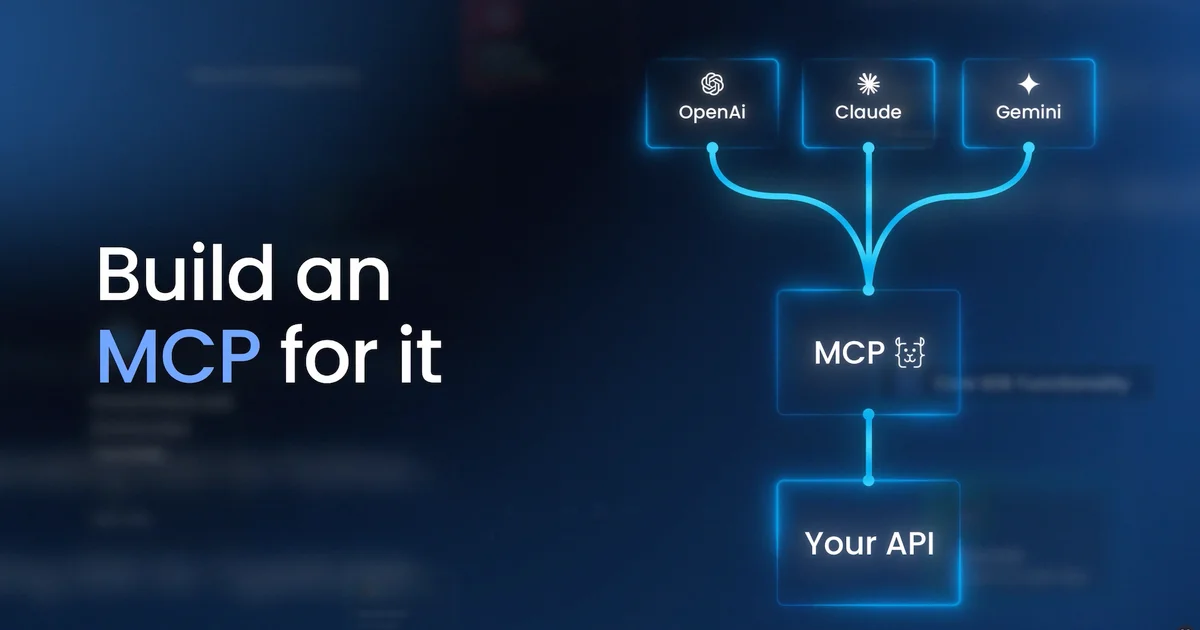
TL;DR: liblab’s MCP Generator takes any OpenAPI or Postman spec, generates a hosted MCP server URL in 30 seconds, and lets you connect any REST API directly to Claude, Cursor, OpenAI, or Gemini as a native tool.
Source and Accuracy Notes
- Project page: mcp.liblab.com
- Source: No public source repository (commercial SaaS). License not applicable.
- HN launch thread: news.ycombinator.com/item?id=44379227 (17 points)
What Is liblab MCP Generator?
Connecting a custom REST API to an AI assistant usually means writing a custom function-calling wrapper, handling auth, and maintaining it yourself. liblab MCP Generator automates that entire layer.
You drag-and-drop your API spec file, and liblab parses it, generates an MCP server, and gives you a hosted endpoint you can connect directly to any major AI tool. No code, no server to maintain.
Core features (verified from source):
- Accepts OpenAPI (Swagger) and Postman collection files as input
- Generates a hosted MCP server endpoint deployed via CDN worldwide
- Also offers a free downloadable local MCP server with unlimited calls
- Supports Claude, Cursor, OpenAI, and Gemini as target AI tools
- Privacy-first: no information about MCP requests is stored
- Pay-as-you-go pricing: $5 per 100 remote MCP calls; first 100 calls free per month
How It Works
Step 1: Bring Your API
Drag and drop your OpenAPI or Postman collection file into the liblab interface.
Step 2: Get Your MCP Server
Copy the remote MCP URL to share with your team or customers, or download a local MCP server binary for internal use. The local server is free with unlimited calls.
Step 3: Connect to Your AI Tool
Point your AI assistant (Claude, Cursor, OpenAI, or Gemini) at the MCP endpoint. Your API is now available as a native tool — the LLM can call your endpoints directly using natural language.
Pricing
| Plan | Details |
|---|---|
| Free tier | 100 remote MCP calls per month; free local server with unlimited calls |
| Paid | $5 per 100 remote MCP calls; no setup fees, cancel any time |
Practical Evaluation Checklist
- Accepts OpenAPI and Postman specs — verified on product page
- Generates MCP server from spec in ~30 seconds — product claim
- Local MCP server option available — verified
- Privacy statement confirmed — “We don’t store any information about your MCP requests”
- Works with Claude, Cursor, OpenAI, and Gemini — verified from product page
- CDN-deployed remote endpoint — verified from product page
FAQ
Q: Does it support Swagger / OpenAPI 3.1? A: Yes. The product page explicitly lists OpenAPI and Postman as supported input formats.
Q: Is there a self-hosted option? A: Yes. A free local MCP server download is available with unlimited calls. No data leaves your infrastructure with the local option.
Q: What AI tools can connect to the generated MCP server? A: Claude, Cursor, OpenAI, and Gemini — verified from the product page.
Q: Does liblab store my API requests? A: No. The product states: “We don’t store any information about your MCP requests.”
Conclusion
liblab MCP Generator is a practical bridge between existing REST APIs and the growing MCP ecosystem. If you have an internal API you want to expose to AI assistants without building a custom function-calling layer, this fills that gap in minutes.
HN discussion was positive: users specifically called out how it removes friction compared to building your own function-calling integration. The local server option for privacy-sensitive use cases is a meaningful differentiator.
Source: mcp.liblab.com
Related Posts
ai-setup
Recall – Persistent Memory for Claude Code via MCP Hooks
Recall gives Claude Code a permanent memory store that survives session restarts and context compaction. Four hooks capture and restore context automatically — with cloud SaaS or self-hosted options.
2/28/2026
dev-tools
Automotive Skills Suite for AI Engineering
Evaluate Automotive Skills Suite for APQP, ASPICE, HARA, safety-plan, and DIA workflows with setup notes, governance risks, and SME review guidance.
5/28/2026
dev-tools
awesome-agentic-ai-zh Roadmap Guide
Explore awesome-agentic-ai-zh as a Chinese agentic AI learning roadmap, with setup notes, track selection, study workflow, and evaluation guidance.
5/28/2026