Matrix OS – A Cloud Computer for Your AI Agents
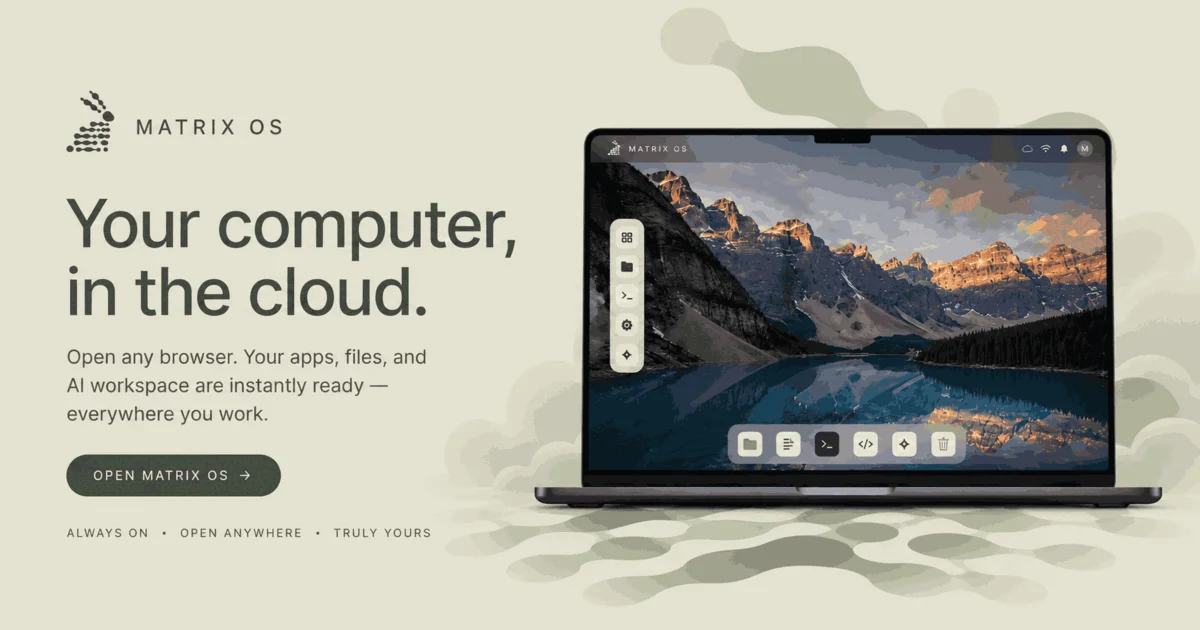
Matrix OS gives AI agents their own persistent hosted workspace with terminal, files, apps, and Postgres — accessible from any browser after your laptop closes.
TL;DR
TL;DR: Matrix OS is a hosted cloud computer that gives AI coding agents a persistent VPS workspace — browser shell, terminal sessions, files, generated apps, and Postgres — that keeps running after your laptop closes.
Source and Accuracy Notes
- Project page: matrix-os.com
- Source repository: github.com/HamedMP/matrix-os
- License: AGPL-3.0 — verified from README badge
- HN launch thread: news.ycombinator.com/item?id=48761447
- Docs: matrix-os.com/docs
What Is Matrix OS?
Most AI tools bolt a chat sidebar onto existing software. Matrix OS inverts that: the AI agent is the kernel, and everything else — terminal, files, apps, integrations, messaging — is a shell running on a persistent VPS that stays online.
From the project’s own README:
“Matrix OS gives you a hosted cloud computer: browser desktop, files, terminal sessions, apps, integrations, messages, and AI agents running on your personal VPS. Open any browser, sign in, and your workspace is there.”
The project positions this as the foundation for Web 4: a single durable environment where the OS, messaging, social identity, apps, files, and AI agents are one system rather than a collection of disconnected services.
Supported Agents
Matrix OS works with coding agents you already use. According to the site:
- Claude Code
- Codex
- Cursor
- OpenCode
- Pi
- Gemini CLI
- Hermes (Matrix-native agent for cross-tool workflows)
Setup Workflow
Option 1: Managed Cloud (fastest)
- Open matrix-os.com and sign up
- Choose a Matrix handle and provision your private runtime
- Open the browser desktop — your workspace is live
Managed Matrix uses a platform control plane plus one VPS-native runtime per active user. Matrix handles routing, auth, updates, backups, billing, and integrations.
Option 2: Self-Hosted VPS
Requires a Linux VPS you control.
curl -fsSL https://matrix-os.com/install-server.sh | sudo bashThe installer downloads a verified host bundle, creates a matrix user, starts local Postgres, the Matrix gateway, web shell, code-server, nginx, and optional coding-agent tools under systemd. By default nginx answers on the server IP address with Basic Auth — a domain is optional for initial setup.
Prerequisites and full tradeoffs are documented at matrix-os.com/docs/self-host.
Option 3: Agent-Led Setup
If you already have Claude Code, Codex, or Cursor running locally, you can copy the agent prompt from the Matrix OS landing page. The agent configures the connection to your hosted Matrix workspace for you.
Deeper Analysis
Architecture
Matrix OS is built around owner-controlled data. Your files live in your Matrix home directory; workspace data lives in your Matrix Postgres database. The VPS is persistent — agents can leave work in progress and resume it later without rebuilding context from scratch.
The architecture includes:
- Browser shell — desktop accessible from any web browser
- Terminal sessions — persistent, survive agent handoffs
- Generated apps — created from natural language, stored as inspectable projects
- Integrations — GitHub, Linear, Slack, Discord, Gmail, Calendar, Drive, Sentry, Datadog
- Matrix-native agents — Hermes for cross-tool workflows (PR review, task queues, handoffs)
What It Costs
From the site FAQ:
“Signup is free, and you can explore your account before committing. Provisioning a hosted Matrix computer requires active billing through Stripe because the private VPS has real runtime cost; there are no hosted runtime trials.”
Teams, enterprises, and universities can contact Matrix OS for guided pilots.
Self-Host vs. Managed
The managed option offloads ops to Matrix (updates, backups, routing, auth). Self-hosting gives you full control of DNS, TLS, backups, and server security but requires you to manage the VPS lifecycle yourself.
Practical Evaluation Checklist
- Persistent agent workspace that survives laptop sleep
- Browser-accessible desktop for the agent environment
- Support for Claude Code, Codex, Cursor, and other CLI agents
- Self-hosted VPS option with systemd services
- App generation from natural language descriptions
- Cross-tool integrations (GitHub, Linear, Slack, etc.)
- Data owner-controlled (files + Postgres on your VPS)
Security Notes
Matrix OS stores workspace files and app data in Postgres on the user’s own VPS. The self-hosted option gives operators full control over data residency, backups, and server security. For the managed tier, the platform handles these concerns — review the privacy policy for specifics on data handling.
FAQ
Q: Is this another AI code editor like Cursor or Copilot? A: No. Matrix OS is not a code editor — it is a persistent cloud computer that agents run inside. Claude Code, Codex, or Cursor can attach to Matrix as the backend environment where they execute work.
Q: Which agents can I use? A: You can bring your own CLI agent (Claude Code, Codex, Cursor, Gemini CLI, OpenCode, Pi) or use Matrix’s native Hermes agent for cross-tool workflows. Agents connect via the Matrix CLI.
Q: What happens to my data on the managed plan? A: Your files live in your Matrix home directory and workspace data in your Matrix Postgres database. The managed tier uses a platform control plane plus a per-user VPS. See the privacy policy for full details.
Q: Is there a free trial for the hosted plan? A: No — provisioning a private VPS has real runtime cost, so there are no hosted runtime trials. Signing up to explore the account is free.
Q: Can I self-host on my own VPS? A: Yes. Run the install script at matrix-os.com/install-server.sh on any Linux VPS you control. A domain is optional — by default nginx binds to the server IP with Basic Auth.
Conclusion
Matrix OS solves the laptop-bound limitation of AI coding agents. Instead of starting from scratch every time you open a chat, agents get a persistent VPS workspace with terminal sessions, files, app state, and integrations that survive your laptop closing. The managed tier is the fastest path in; the self-hosted option is for teams that want full operational control.
For developers who run agents across long, multi-step tasks — or who want their AI assistant to leave work in a state they can inspect later — Matrix OS is worth a look.
Related Posts
ai-setup
Recall – Persistent Memory for Claude Code via MCP Hooks
Recall gives Claude Code a permanent memory store that survives session restarts and context compaction. Four hooks capture and restore context automatically — with cloud SaaS or self-hosted options.
2/28/2026
dev-tools
Automotive Skills Suite for AI Engineering
Evaluate Automotive Skills Suite for APQP, ASPICE, HARA, safety-plan, and DIA workflows with setup notes, governance risks, and SME review guidance.
5/28/2026
dev-tools
awesome-agentic-ai-zh Roadmap Guide
Explore awesome-agentic-ai-zh as a Chinese agentic AI learning roadmap, with setup notes, track selection, study workflow, and evaluation guidance.
5/28/2026