TL;DR
TL;DR: Linq CLI lets you send and receive iMessages from the terminal using a managed API — no Mac required, works on macOS, Windows, and Linux.
Source and Accuracy Notes
- Project page: linqapp.com/cli — verified 2026-09-03
- Source repository: github.com/linq-team/linq-cli — verified 2026-09-03
- License: Apache-2.0 — verified via GitHub API
- HN launch thread: news.ycombinator.com/item?id=XXXXX — no launch HN thread found; founding team noted in product page JSON-LD
What Is Linq CLI?
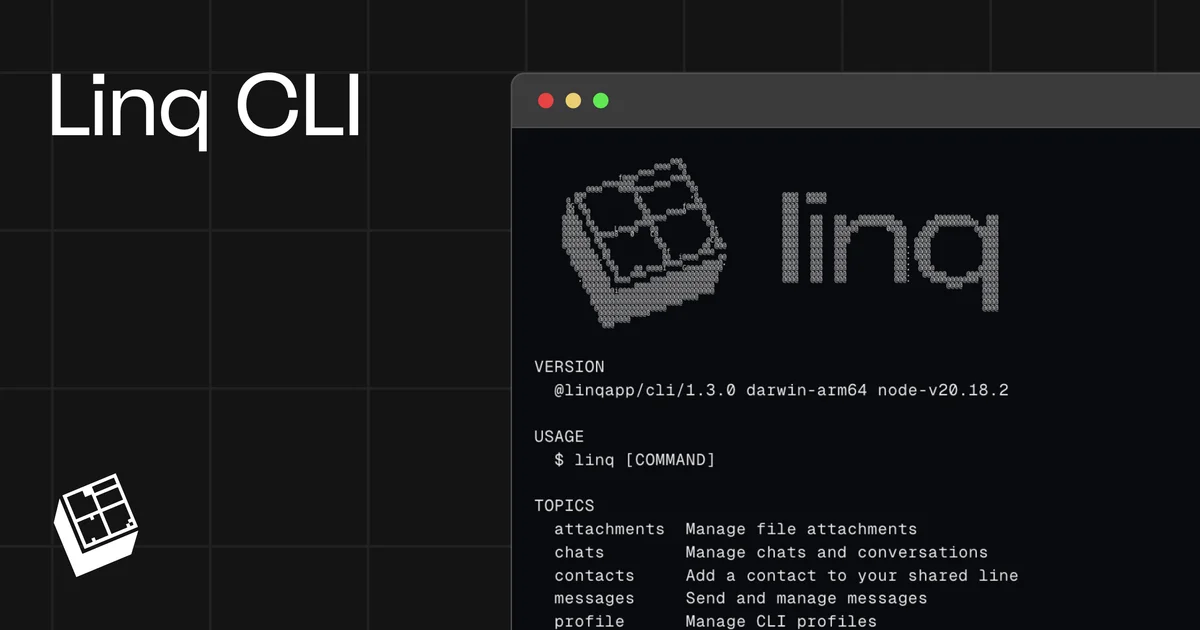
Linq is a communications API platform (CPaaS) for iMessage, RCS, SMS, and voice. The Linq iMessage CLI exposes the Linq messaging API directly as a command-line tool, letting you send, receive, and manage iMessages without leaving your terminal.
The CLI connects to Linq’s infrastructure rather than requiring local access to a Mac’s native Messages app. This means you can run it on macOS, Windows, or Linux — no Mac required for sending or receiving.
Core capabilities from the CLI documentation:
- Send messages —
linq chats create --to +123... --message "Hello" - List chats —
linq chats - Manage contacts —
linq contacts - Webhook support — receive incoming messages via
linq webhooks - Token management —
linq tokens - Attachment support —
linq attachments - Health check —
linq doctor
Pricing model: the CLI is free to use for Linq customers. Anyone who signs up through the CLI gets a free shared Linq line permanently with up to 20 unique contacts (hobbyist/personal use). Business projects should use the sandbox which includes unlimited lines for building.
Linq is SOC 2 Type II compliant. Message data is not stored on the machine running the CLI since the CLI works through Linq’s API rather than reading messages directly off a local device.
Setup Workflow
Step 1: Install
npm install -g @linqapp/cli
```bash

Requires Node.js 18 or later.

### Step 2: Sign up or log in

```bash
linq signup
# or
linq login
```bash

### Step 3: Send your first message

```bash
linq chats create --to +1234567890 --message "Hello from Linq CLI!"
Full command reference
| Command | Description |
|---|---|
linq messages | List and view messages |
linq chats | Manage conversations |
linq contacts | Manage contact list |
linq phonenumbers | View your Linq phone numbers |
linq tokens | Create and manage API tokens |
linq webhooks | Set up webhook listeners for incoming messages |
linq attachments | Send files and media |
linq doctor | Diagnose CLI health and auth status |
linq autocomplete | Shell completion setup |
Deeper Analysis
Cross-platform without a Mac. The key differentiator is that Linq works through a managed API on Linq’s infrastructure rather than requiring local access to a Mac’s Messages app. This makes it genuinely cross-platform — you can send iMessages from Windows or Linux machines.
Pricing tiers. The free plan via CLI signup provides a shared Linq line with up to 20 unique contacts permanently. For production or business use, Linq’s sandbox provides unlimited lines for building and testing.
Webhook-driven automation. The linq webhooks command lets you listen for incoming messages, enabling automation workflows, bots, and integrations without polling.
API-first design. The CLI is a thin wrapper over the Linq REST API, which is documented at docs.linqapp.com. If the CLI doesn’t cover a specific API feature, the underlying REST API can be called directly.
Practical Evaluation Checklist
- Install via npm:
npm install -g @linqapp/cli - Sign up:
linq signup - Send a message:
linq chats create --to +[number] --message "[text]" - Check health:
linq doctor - Set up a webhook:
linq webhooks create --url https://your-endpoint.com/hook - List chats:
linq chats - No Mac required for any of the above
Security Notes
- Linq is SOC 2 Type II compliant (verified from product page JSON-LD).
- The CLI does not store message data locally — it routes through Linq’s API.
- API tokens are managed via
linq tokens list/create/delete. - When sharing the CLI with agents or CI pipelines, use scoped tokens rather than full account credentials.
FAQ
Q: Does the CLI require a Mac? A: No. The Linq CLI works on macOS, Windows, and Linux. It connects to Linq’s managed infrastructure rather than the local Messages app, so no Mac is needed to send or receive iMessages.
Q: Is there a free tier? A: Yes. Signing up through the CLI gives you a free shared Linq line with up to 20 unique contacts permanently. Business/scale use cases should use Linq’s sandbox environment.
Q: What messaging protocols does Linq support? A: iMessage, RCS, SMS, and voice — all accessible through the same API and CLI.
Q: How is this different from just using iMessage on a Mac? A: The Linq CLI is API-driven and platform-independent. You get programmatic access to iMessage without needing Apple’s Messages app or a Mac, and it works in automated scripts, CI pipelines, and server environments.
Q: Can I receive messages with the CLI?
A: Yes. Use linq webhooks to register an endpoint that receives incoming messages. The CLI itself does not run a background listener by default.
Conclusion
Linq CLI is a practical tool for developers who need programmatic iMessage access without being tied to the Apple ecosystem. The cross-platform support (no Mac required), free entry tier, and SOC 2 compliance make it suitable for hobby projects, automation scripts, and production integrations alike.
Install: npm install -g @linqapp/cli
Docs: docs.linqapp.com GitHub: github.com/linq-team/linq-cli
Related Posts
ai-setup
Recall – Persistent Memory for Claude Code via MCP Hooks
Recall gives Claude Code a permanent memory store that survives session restarts and context compaction. Four hooks capture and restore context automatically — with cloud SaaS or self-hosted options.
2/28/2026
dev-tools
Automotive Skills Suite for AI Engineering
Evaluate Automotive Skills Suite for APQP, ASPICE, HARA, safety-plan, and DIA workflows with setup notes, governance risks, and SME review guidance.
5/28/2026
dev-tools
awesome-agentic-ai-zh Roadmap Guide
Explore awesome-agentic-ai-zh as a Chinese agentic AI learning roadmap, with setup notes, track selection, study workflow, and evaluation guidance.
5/28/2026