TL;DR
TL;DR: Linkly AI is a desktop app that indexes your local documents and exposes search via an MCP server and CLI — any AI agent can query your knowledge base directly without uploading files to the cloud.
What Is Linkly AI?
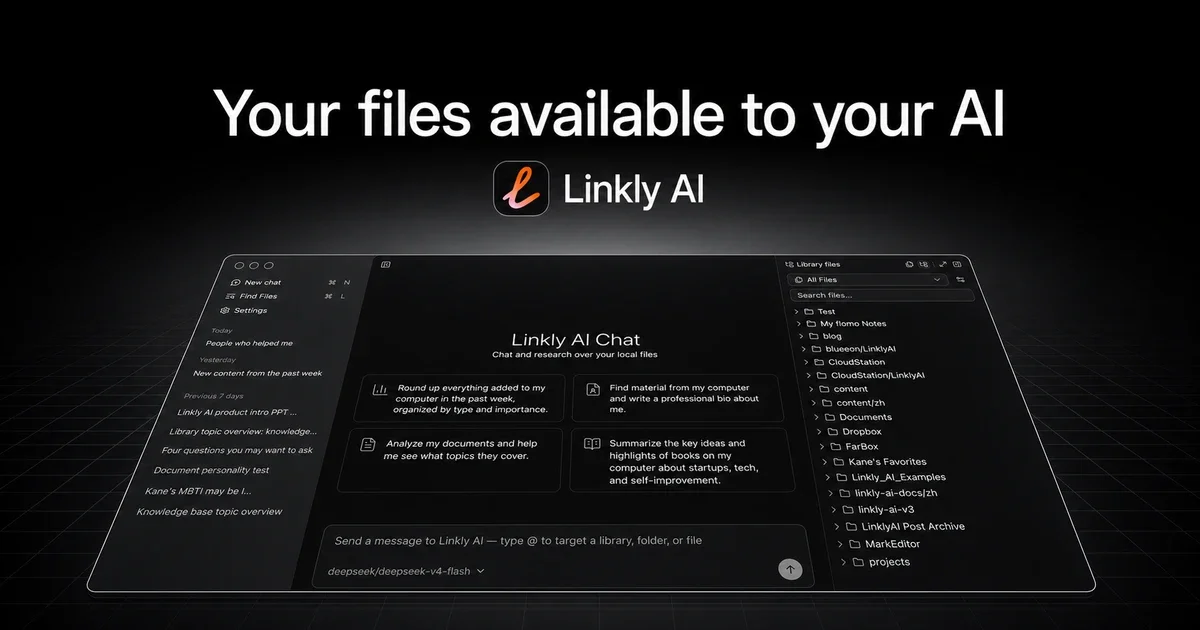
Linkly AI is a local-first document search engine built specifically for AI agents. Install the desktop app, point it at your document folders, and it indexes PDF, Markdown, DOCX, PPTX, EPUB, TXT, HTML, and more. Both a native MCP server and a CLI tool (linkly) expose the index to any AI coding agent or workflow.
The project positions itself as a knowledge base that AI agents can query — not a cloud service. All indexing and search run locally. The cloud component (mcp.linkly.ai gateway) is optional, for reaching cloud libraries linked via Linkly Web.
Source and Accuracy Notes
- Project page: linkly.ai
- Source repositories: github.com/LinklyAI/linkly-ai-cli (22 stars) and github.com/LinklyAI/linkly-ai-skills (42 stars)
- License: Apache-2.0 (verified via GitHub API
license.spdx_id) - HN launch thread: news.ycombinator.com/item?id=47257906 (3 points, 2026-07-08)
Setup Workflow
Step 1: Install the Desktop App
Download Linkly AI from the official site. The desktop app runs on macOS, Linux, and Windows, and handles the core indexing engine.
Step 2: Index Your Documents
Open the Linkly AI desktop app and add the folders you want indexed. Supported formats include:
- PDF, Markdown, DOCX, PPTX, EPUB, TXT, HTML
The app scans and builds a local searchable index. No cloud upload required.
Step 3: Enable the MCP Server
In the app settings, enable the MCP server. By default it auto-discovers via ~/.linkly/port. The MCP server exposes search, browse, grep, and read tools to any MCP-compatible agent.
Step 4: Install the CLI (Optional)
For terminal-first workflows:
# macOS / Linux
curl -sSL https://updater.linkly.ai/cli/install.sh | sh

# macOS via Homebrew
brew tap LinklyAI/tap
brew install linkly

# Windows
irm https://updater.linkly.ai/cli/install.ps1 | iex

# Via Cargo
cargo install linkly-ai-cli
```bash

### Step 5: Query from an AI Agent

The `linkly-ai-skills` repository provides [Agent Skills](https://agentskills.io) definitions that teach AI agents to use Linkly AI's search capabilities. Install the skill and any compatible agent can:

- **Search** documents by keyword with relevance ranking and time filters
- **Find paths** for fuzzy or cross-language container names (e.g. "WeChat", "在 Notion 笔记里")
- **Explore** the knowledge base for themes, document types, and recent activity
- **Browse** document outlines to understand structure before reading
- **Grep** for regex patterns inside documents
- **Read** paginated document content

### CLI Search Examples

```bash
# Basic search
linkly search "machine learning"

# Filter by type and limit results
linkly search "API design" --limit 5
linkly search "transformer" --path-glob "*.pdf"

# Time-filtered search
linkly search "quarterly report" --modified-after 2024-01-01 --modified-before 2024-12-31

# Find paths by fuzzy name (cross-language)
linkly find-paths --patterns "WeChat,微信,wxid"
Deeper Analysis
Why Local-First Matters for AI Workflows
RAG (Retrieval-Augmented Generation) typically requires uploading context to a cloud LLM API. Linkly AI inverts this: the model stays on your machine, and the agent queries your local files instead. This keeps sensitive documents off third-party servers while still giving AI agents the ability to ground responses in your actual files.
MCP Server Architecture
The MCP server runs as a local service alongside the desktop app. When an AI agent calls an MCP tool, it reaches the local server first. If you enable the optional mcp.linkly.ai cloud gateway, the server can also route to cloud libraries linked via Linkly Web — but this is opt-in, not default.
Cross-Language Path Matching
One standout feature: find-paths matches against indexed file paths using ASCII case-insensitive matching and CJK-literal matching. Searching "WeChat,微信,wxid" finds folders regardless of which script the path uses — useful for multilingual projects or archived data.
Practical Evaluation Checklist
- Desktop app installs and indexes a test folder without errors
- MCP server starts and is discovered by a compatible agent (Claude Code, Cursor, etc.)
-
linkly searchreturns relevant results from indexed PDF and Markdown files -
find-pathsresolves a cross-language container name correctly - Search respects
--modified-afterand--typefilters -
linkly doctorruns without errors when MCP is enabled
Security Notes
All document indexing happens locally on your machine. The MCP server communicates over localhost by default. The optional cloud gateway requires explicit opt-in per library. No documents are uploaded to Linkly AI’s servers unless you explicitly link a cloud library through Linkly Web.
The CLI accepts a --token for remote mode and --endpoint for LAN mode — keep these credentials local and never share them.
FAQ
Q: Does it work on Windows? A: Yes. The desktop app, MCP server, and CLI all support Windows. Install via the PowerShell command or download the pre-built binary from GitHub Releases.
Q: What AI agents are compatible?
A: Any agent that supports the MCP (Model Context Protocol) protocol. The linkly-ai-skills repository provides Agent Skills definitions for broader compatibility. The CLI also works with any tool that can shell out to a command.
Q: How is this different from a local vector database? A: Linkly AI does keyword and path-based search, not semantic/embedding search. It is optimized for finding specific documents by exact terms rather than meaning. For semantic search, you would pair it with a separate vector database — Linkly AI and that role are complementary.
Q: Does it require a cloud account? A: No. The core indexing and search engine runs entirely offline. Cloud libraries via Linkly Web are optional.
Q: What file types are supported?
A: PDF, Markdown, DOCX, PPTX, EPUB, TXT, HTML, and more. Run linkly search --help for the full list of supported types.
Conclusion
Linkly AI fills the gap between “I have files on my disk” and “my AI agent can search them”. By exposing a local MCP server and a clean CLI, it integrates into existing agent workflows without routing sensitive documents through a cloud service. If you work with large document collections and want AI agents that can ground answers in your actual files, it is worth a try.
- linkly.ai — official site and downloads
- github.com/LinklyAI/linkly-ai-cli — CLI source
- github.com/LinklyAI/linkly-ai-skills — agent skill definitions
Related Posts
ai-setup
Recall – Persistent Memory for Claude Code via MCP Hooks
Recall gives Claude Code a permanent memory store that survives session restarts and context compaction. Four hooks capture and restore context automatically — with cloud SaaS or self-hosted options.
2/28/2026
dev-tools
Automotive Skills Suite for AI Engineering
Evaluate Automotive Skills Suite for APQP, ASPICE, HARA, safety-plan, and DIA workflows with setup notes, governance risks, and SME review guidance.
5/28/2026
dev-tools
awesome-agentic-ai-zh Roadmap Guide
Explore awesome-agentic-ai-zh as a Chinese agentic AI learning roadmap, with setup notes, track selection, study workflow, and evaluation guidance.
5/28/2026